Sorry, but there's really nothing to see here right now. Our server is in maintenance mode – and our
little bot is trying to sort the error messages with its last bit of energy.
Whether it was a data leak, a power outage in the cluster, or just a grumpy bit – we don't know yet.
But what we do know is:
The data drama escalated into a server meltdown. But don't worry: We're on it.
What now?
Everything is surely running smoothly over at our colleagues from inside
digital – why not stop by!
Or you could pass the time by visiting our social media channels – for example Instagram, YouTube or TikTok. At least there are no
server problems there – promised.
Thanks for your patience. Our bot is already rebooting at full speed. 🔧
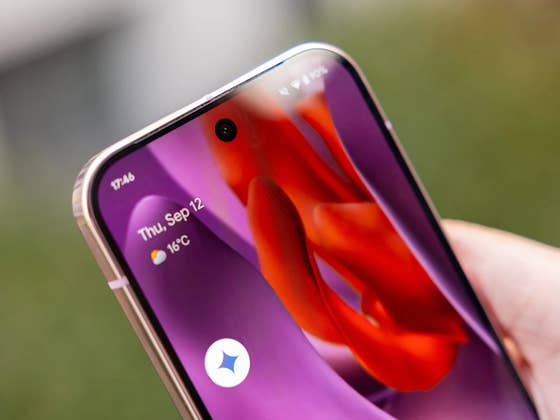
While Gemini has already replaced the old Google Assistant on most Android devices, Google is still experimenting with ways to improve its integration. It has now been discovered that Gemini could soon be accessible directly from the lock screen, offering users a quicker way to launch the AI assistant.
Related: How to install Google Gemini’s AI assistant
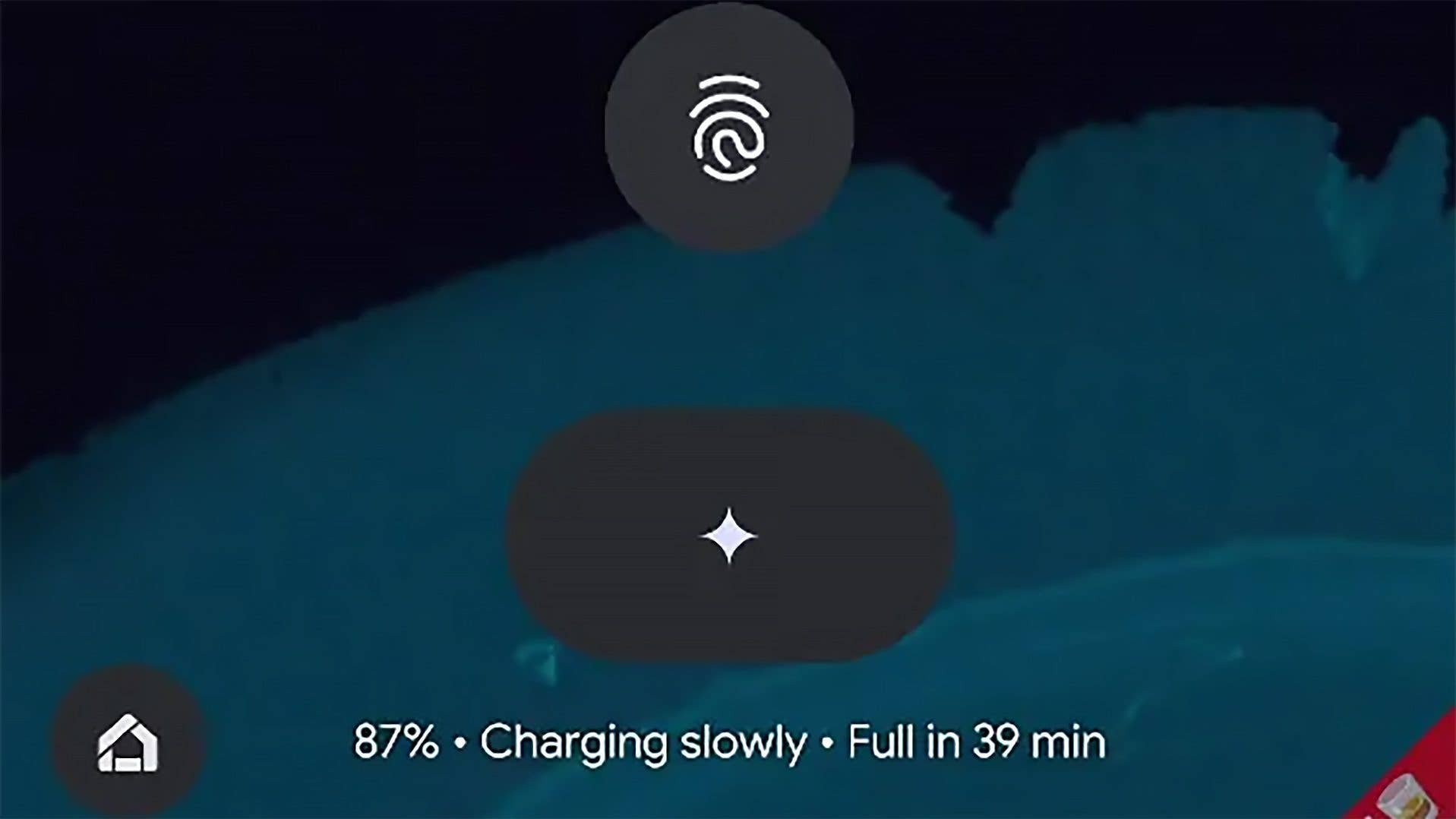
According to Mishaal Rahman (via Android Authority), the latest Android QPR1 Beta 2 update reveals that Google is working on a dedicated Gemini shortcut on the lock screen. Although this feature is currently hidden in the firmware, Rahman was able to access it and demonstrate how the button might appear.
The Gemini button is expected to be a large elliptical icon with the Gemini logo, located just below the fingerprint scanner on the lock screen. However, the button is not yet functional, and it’s unclear how it will be activated.
The new lock screen button is likely designed to allow users to summon Gemini without having to unlock their devices first. Currently, Android users can launch Gemini through a variety of shortcuts, such as holding the home or power button (depending on the device) or using voice commands like “Hey Google” or “OK Google.” These methods, however, might only offer limited functionality when the device is locked.
Adding Gemini to the lock screen could provide a more seamless experience, letting users access the assistant without needing to unlock their phone.
Current Ways to Access Gemini:
Press and hold the home button.
Press and hold the power key (may require remapping on some devices).
Use voice commands like “Hey Google” or “OK Google.”
Gemini button on the lock screen (currently in beta).
It’s unclear when or if this lock screen feature will be available to the public, as Google may choose not to include it in the final release.
Which assistant do you use on your phone? Do you prefer Gemini, or do you use third-party chatbots like Copilot or ChatGPT? Please let us know your setup!
We mark partner links with this symbol. If you click on one of these links or buttons–or make a purchase through them–we may receive a small commission from the retailer. This doesn’t affect the price you pay, but it helps us keep nextpit free for everyone. Thanks for your support!





0 comments