Sorry, but there's really nothing to see here right now. Our server is in maintenance mode – and our
little bot is trying to sort the error messages with its last bit of energy.
Whether it was a data leak, a power outage in the cluster, or just a grumpy bit – we don't know yet.
But what we do know is:
The data drama escalated into a server meltdown. But don't worry: We're on it.
What now?
Everything is surely running smoothly over at our colleagues from inside
digital – why not stop by!
Or you could pass the time by visiting our social media channels – for example Instagram, YouTube or TikTok. At least there are no
server problems there – promised.
Thanks for your patience. Our bot is already rebooting at full speed. 🔧
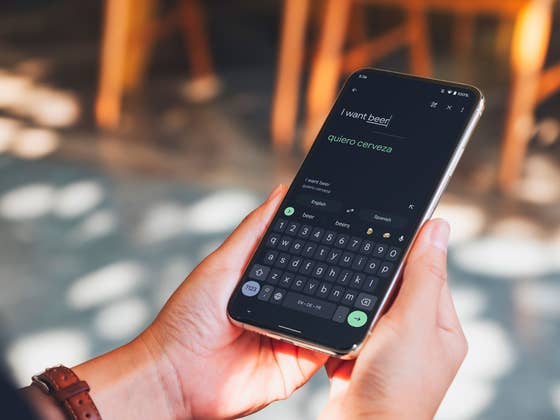
Google offers a quick and convenient way to get translations for texts and spoken words on Android. Learn how to get Google Translate to work for you faster than ever with a few quick steps.
How to show your Android phone’s notifications on a Windows PC
The Google Translate widget is not a new feature from the app and is available on most current devices, running at least Android 5. Instead of having a simple app shortcut on your phone’s home screen, you can open the app directly into your most used features, like dictate-to-translate, live voice translations (including real-time chat translations with compatible devices), and live text translations.
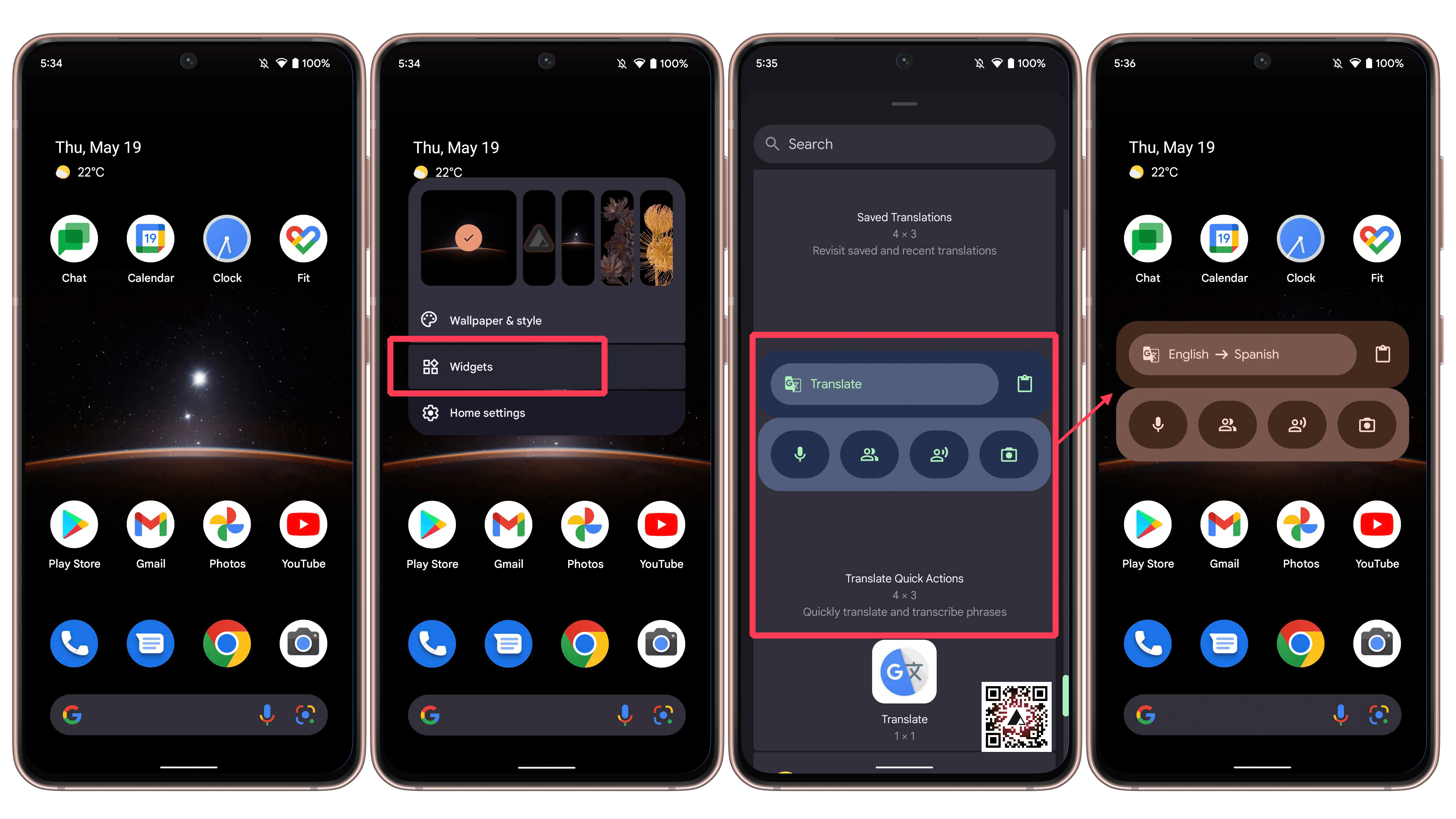
To add the Google Translate widget on your smartphone’s home screen follow these simple steps:
Long press on an empty space on your phone’s home screen.
Select the Widgets option.
Scroll down to the Translate app.
Expand the option and drag the Translate Quick Actions widget to the home screen.
With the widget, you have a number of shortcuts to the many features available on the Google Translate app. It is possible, for example, to quickly get a translation from a copied text snippet, just go to the home screen and tap on the clipboard icon on the widget.
The icons on the bottom will depend on the size of the widget and the smartphone features. On the Pixel 6 smartphone, you can find the following options:
What did you think of this quick tip? Far from the most revolutionary trick, at least it can save you some taps – and milliseconds – on the interface. Feel free to share your translation tips in time for the traveling season!
We mark partner links with this symbol. If you click on one of these links or buttons–or make a purchase through them–we may receive a small commission from the retailer. This doesn’t affect the price you pay, but it helps us keep nextpit free for everyone. Thanks for your support!
Seit 2008 schreibe ich für verschiedene Websites in Brasilien, Spanien, Dänemark und Deutschland über Technologie und habe mich auf mobile Ökosysteme spezialisiert. Dabei dreht sich bei mir alles um die interessantesten Modelle, ihre Komponenten und natürlich die ganze Welt der Apps. Dabei lege ich nicht nur Wert auf Leistung und Spezifikationen, sondern auch auf Aspekte wie Reparaturfähigkeit, Haltbarkeit und Herstellersupport.
I had troubles using it on my phone when I was converting my Inkpalm5 to English from Chinese. It’s not that it didn’t work, but that the it was trying to match the font size. It was too small to read on my phone. On my tablet, it scaled up the font translation better. I’m not clear on the details precisely, but sometimes a bigger screen matters.




I had troubles using it on my phone when I was converting my Inkpalm5 to English from Chinese. It’s not that it didn’t work, but that the it was trying to match the font size. It was too small to read on my phone. On my tablet, it scaled up the font translation better. I’m not clear on the details precisely, but sometimes a bigger screen matters.