Get the Most Out of Xiaomi's Ultra-Fast Charging with This HyperOS Hack

Read in other languages:
Xiaomi is a leading manufacturer of Android smartphones, known for its powerful fast-charging technologies. Flagship models like the Xiaomi 14, and Xiaomi 14 Ultra (treview) feature impressive 90W and 120W wired charging capabilities—far ahead of the competition. However, Xiaomi’s ultra-fast charging feature, branded as HyperCharge, isn't enabled by default in HyperOS. This tutorial will guide you through activating full-power charging on your Xiaomi device.
How to Activate Maximum Fast Charging on Your Xiaomi Smartphone
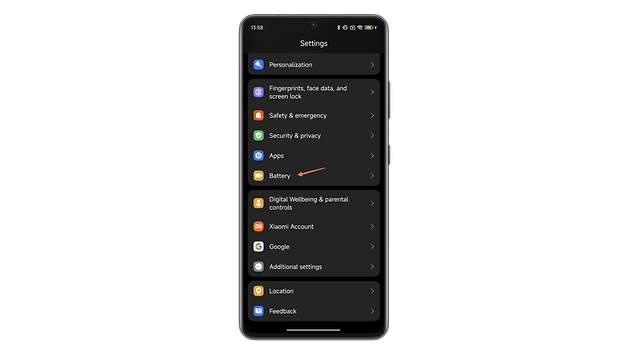
- Go to Settings and open the “Battery” submenu.
- In the Battery submenu, tap on "Additional functions."
- Tap "Increase charging speed."
- Toggle the button labeled "Increase charging speed."
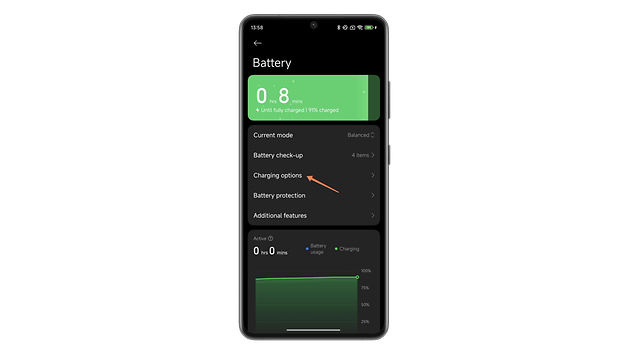
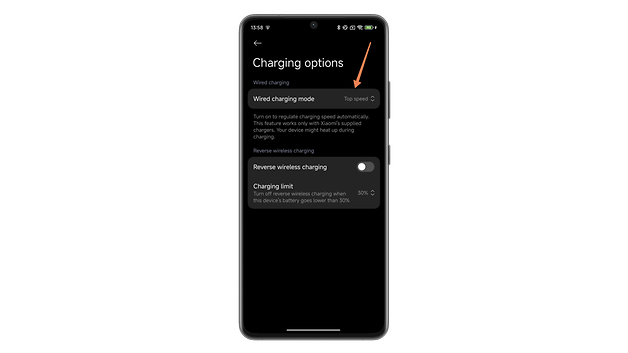
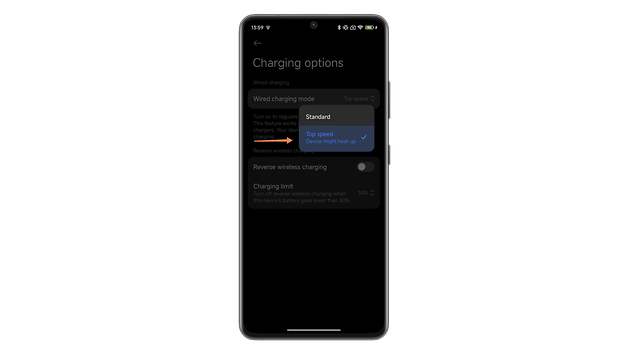
For the Xiaomi 14T and 14T Pro models, the manufacturer has renamed the Boost Charge feature to Top Speed. Despite the new name, the activation process remains similar:
- Go to Settings and open the "Battery" submenu.
- In the Battery submenu, tap on "Charging options."
- Tap on "Wired charging mode."
- Set the switch to "Top speed."
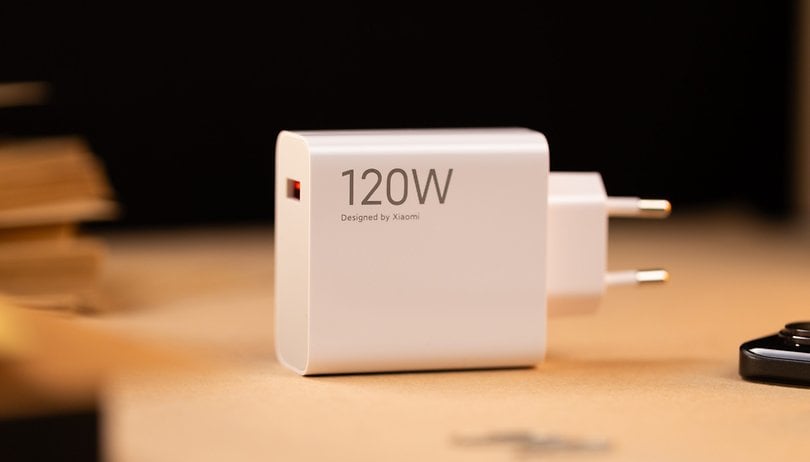
Note that you can only access 120W fast charging if your Xiaomi smartphone is compatible. Additionally, to achieve the promised 120 watts, you must use the official Xiaomi charger and cable, as third-party USB-C charge will not deliver the same power. You can also disable this option if you'd like to preserve battery life, which is one of the reasons Xiaomi made it optional.
Important Considerations
In the battery settings, Xiaomi notes: “This feature will prioritize charging speed while ensuring the safety of your device. The weaker your battery is, the faster it will recharge. This feature may cause your device to get hot.”
Generally, you won't risk damage as long as you avoid charging your smartphone at extremely high temperatures—like 40 °C under direct sunlight. Whether you use 120W or not, Xiaomi’s devices automatically manage the power they draw during the charging cycle. The smartphone adjusts the charging speed dynamically and can't sustain 120W for the entire duration of the charge.
How HyperOS Handles Fast Charging
As your battery approaches 100%, the charging rate gradually slows down. Once it hits 80-90%, the smartphone switches to “Trickle Charge” mode. In this phase, the charger delivers just enough energy to counter natural battery depletion. For more details, see our article on the effects of fast charging.
You might also notice a notification when the 120W charging mode is active, alerting you that the charging speed is increasing.
This wraps up our tutorial on enabling 120W fast charging on your Xiaomi smartphone. Did you already know about this HyperOS feature? Will you enable it, or would you prefer to keep it off to protect your battery’s lifespan?