Sorry, but there's really nothing to see here right now. Our server is in maintenance mode – and our
little bot is trying to sort the error messages with its last bit of energy.
Whether it was a data leak, a power outage in the cluster, or just a grumpy bit – we don't know yet.
But what we do know is:
The data drama escalated into a server meltdown. But don't worry: We're on it.
What now?
Everything is surely running smoothly over at our colleagues from inside
digital – why not stop by!
Or you could pass the time by visiting our social media channels – for example Instagram, YouTube or TikTok. At least there are no
server problems there – promised.
Thanks for your patience. Our bot is already rebooting at full speed. 🔧
NewsEventsGoogle TV’s Setup Just Became Incredibly Easy Sans the App
If you find setting up your Google TV a bit tedious, you’re not alone. The process of installing apps and manually inputting details can feel arduous for some users. Fortunately, Google is addressing this by making the process more seamless in the future. These enhancements are initially set to be available on select Hisense TVs before expanding to more Google TV devices.
Having recently set up a Google TV-ready smart TV, I found that successfully linking my Google account involved more steps on both my phone and the TV than I anticipated, resulting in a less-than-ideal initial experience. However, this is finally changing.
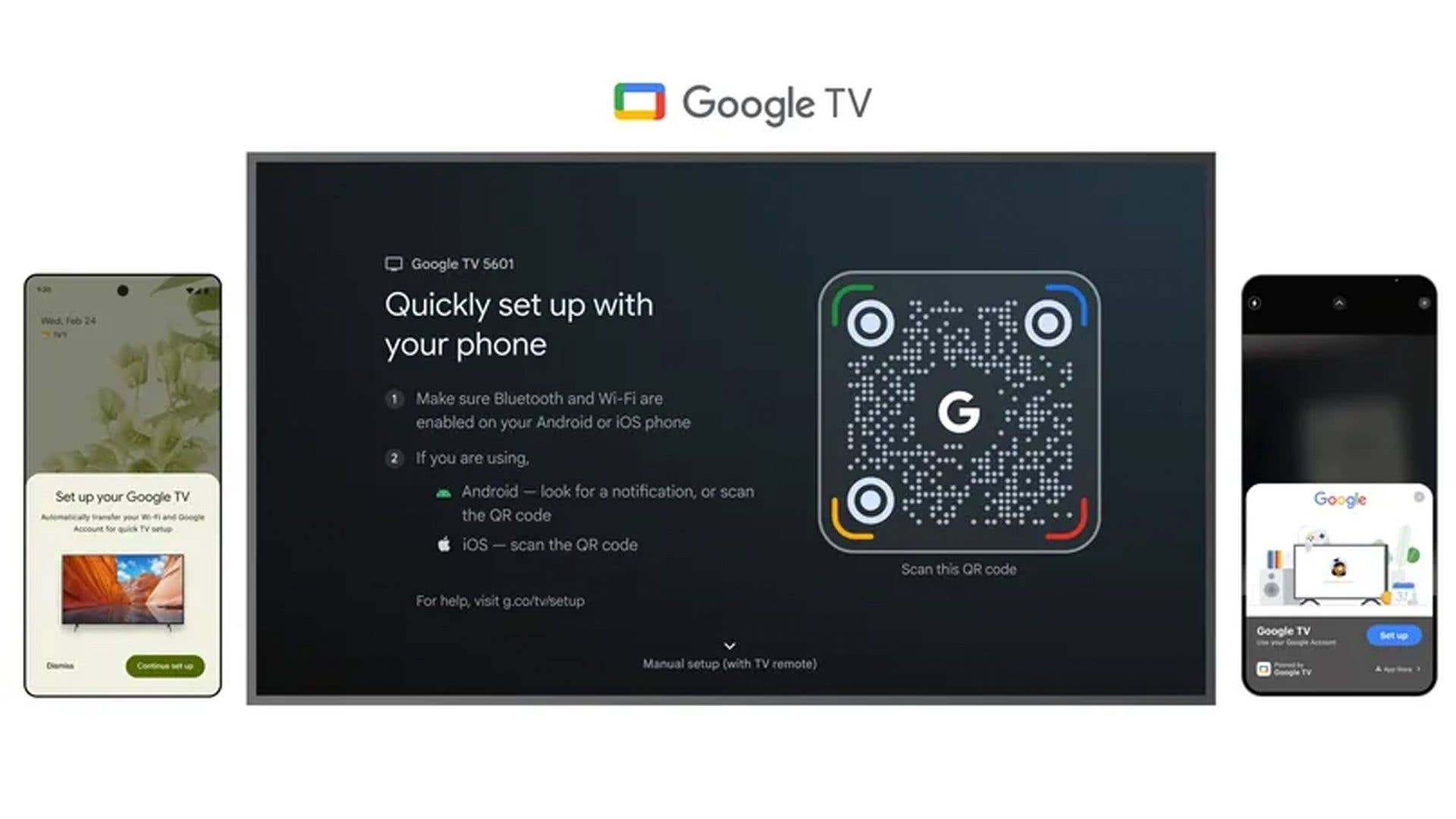
No Need to Scan During Google TV Setup (for Android Users)
In a product blog post, Google announced that Android users will no longer need to download the Google Home app as the initial step when setting up a new Google TV. Instead, users will automatically receive a notification once the new TV is booted for the first time, eliminating the current requirement to scan a code displayed on the screen. For iOS users, they will still be able to directly scan the QR code shown on the TV to initiate pairing and setup.
Beyond removing the initial app download for Android users, Google is also improving app installations on Google TV devices. This includes faster app downloads and installations, while also allowing users to begin using the TV while installations run in the background. Additionally, the update will optimize storage for app downloads, enabling the installation of more apps and games.
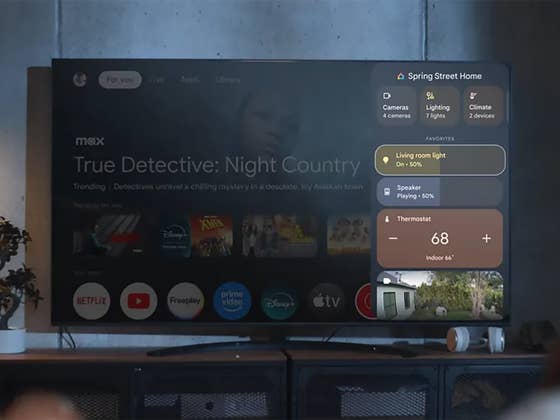
The improvements extend to connectivity between Google TV devices and smart home devices and accessories. Google states that this will result in faster response times when controlling and adjusting smart home devices connected to the Google Home ecosystem via the app or voice commands. The new AI screensavers will also be included with this update.
This enhanced setup experience will first be available on Hisense’s 2025 U7 series and U8 series smart TVs. Google plans to extend this feature to other Google TV devices and compatible third-party TVs, mentioning Walmart’s Onn streaming devices as another recipient. This will likely also include the new Google TV Streamer 4K.
Do you own a Google TV? What has your experience been so far? Share your thoughts in the comments below.




0 comments