Samsung Galaxy Buds 3 Pro Review: The New Active Noise Cancellation King?
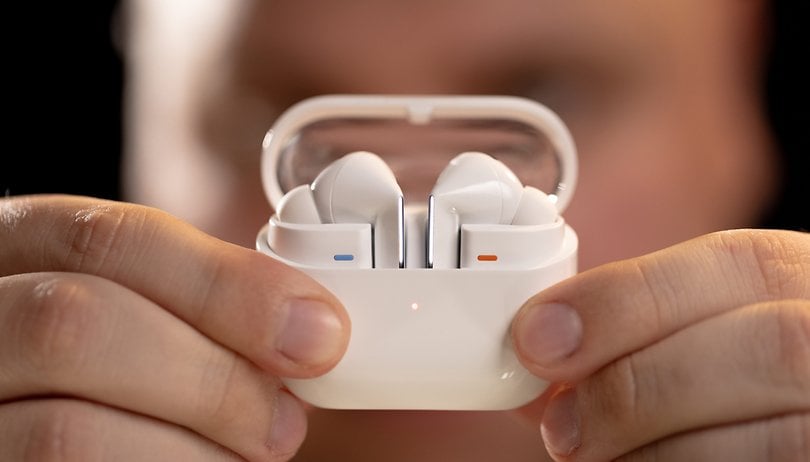

I reviewed the Samsung Galaxy Buds 3 Pro and found them to be very ugly. Objectively speaking, these Samsung wireless earphones were very impressive. I was particularly surprised by their Active Noise Cancellation performance. Does that justify the $249 price tag? Here's where I share my honest opinion in this full Samsung Galaxy Buds 3 Pro review.
Good
- Excellent Active Noise Cancellation
- IP57-rating
- Precise, detailed sound
- Efficient touch and haptic controls
- Good battery life
Bad
- Hi-Res audio reserved for recent Samsung devices
- Gaudy design
- Adaptive ANC is not very useful
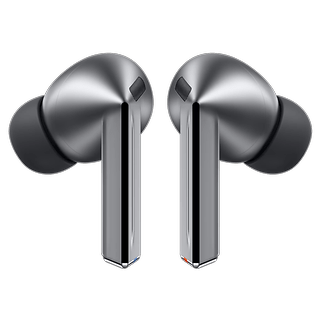
The Samsung Galaxy Buds 3 Pro in a nutshell
The Samsung Galaxy Buds 3 Pro is available at a recommended retail price of $249. You can buy them from the official Samsung store or on Amazon and other e-tailers.
Editor's note: Samsung postponed the launch of the Samsung Galaxy Buds 3 Pro as certain units from the initial shipment experienced some malfunctions. This led to the suspension of deliveries pending an internal quality control audit. On the Samsung store, the delivery date is currently set to August, 2024.
Design
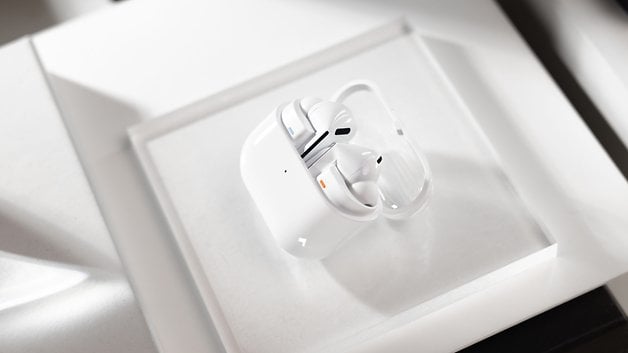
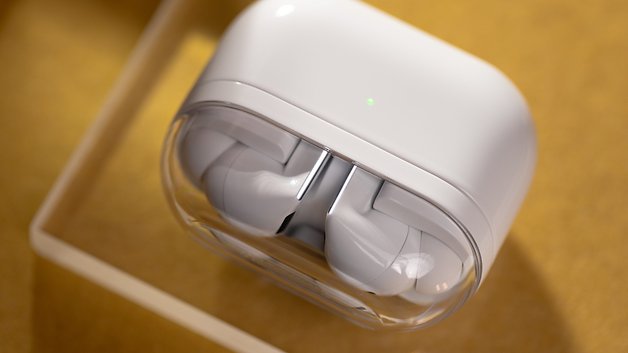
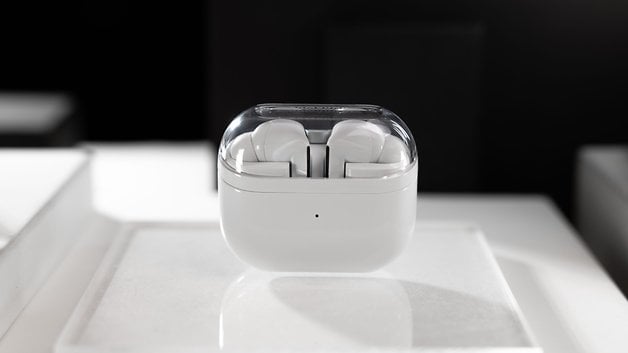
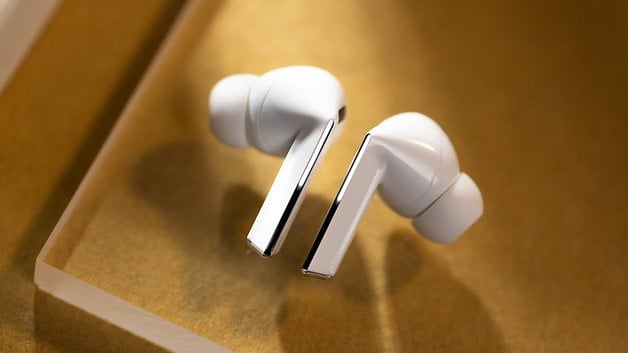
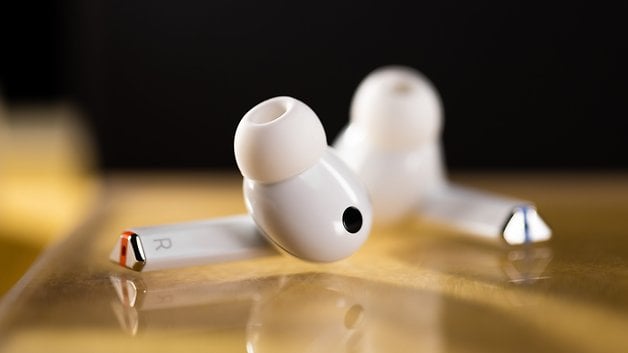
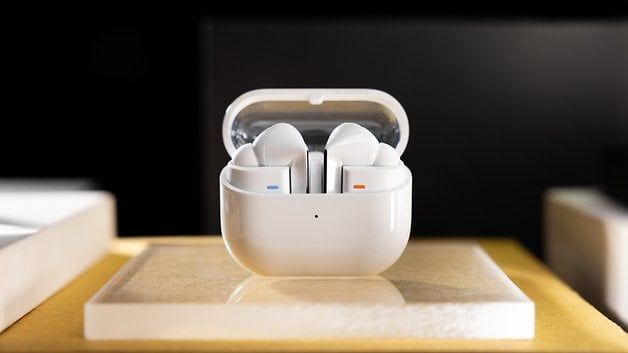
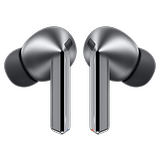
The design of the Samsung Galaxy Buds 3 Pro has changed drastically over time. We've gone from a bud shape to a more classic one with a stem. The charging case now comes with a transparent cover, and each earbud has a luminous strip on the stem. This is a very strange design and not necessarily pretty, but it does have the advantage of providing the earbuds a good grip.
Pros:
- IP57 certification.
- Comfortable semi-in-ear format.
- Responsive touch and haptic controls.
Cons:
- Blue and orange color markings ruin the design.
- Clear plastic housing cover scratches easily.
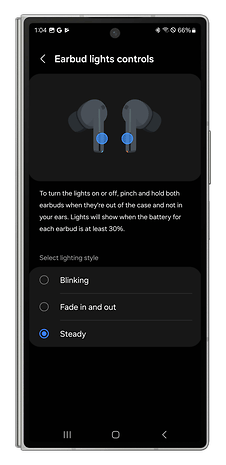
- LEDs on stems are useless.
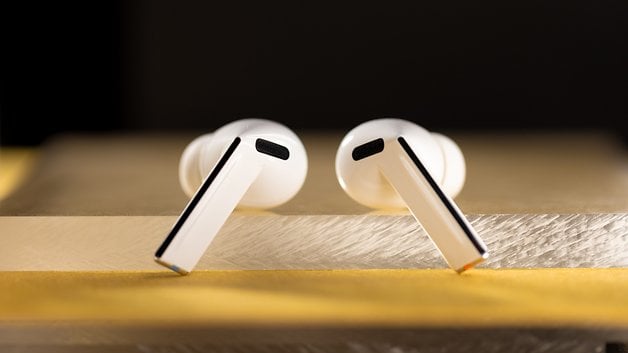
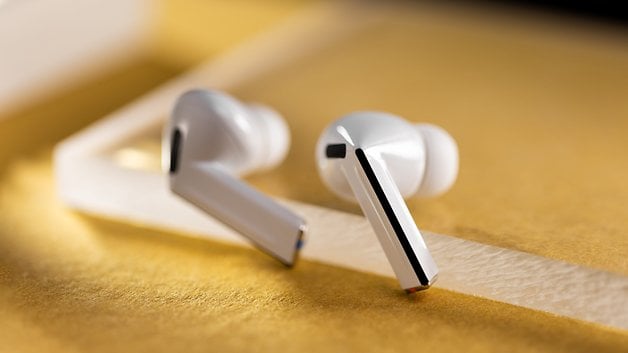
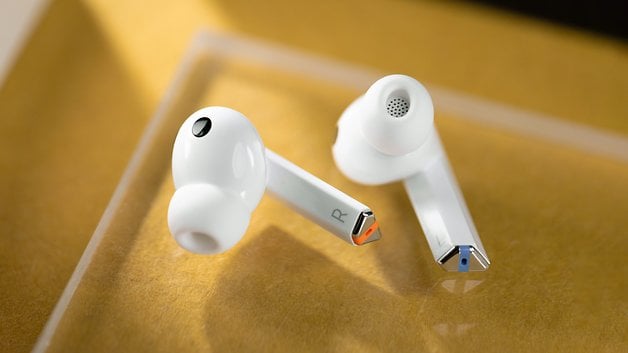
Samsung's new earbuds come in two colors: white and silver. I received the white version for my review.
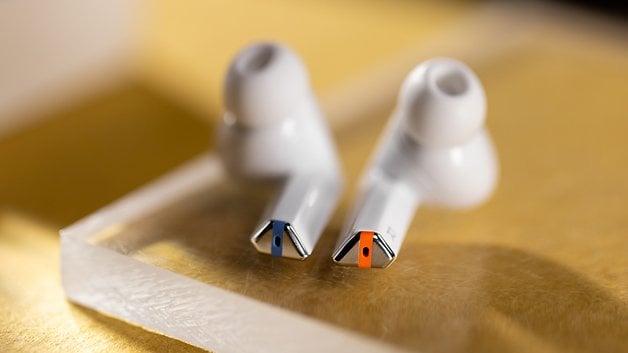
I really didn't like the white color, especially when each earbud has a tiny red/orange and blue-colored area at the bottom of the stem. This serves to distinguish the left earphone from the right, but it breaks the homogeneity of the design which I found to be downright ugly.
I personally prefer earbuds without any stems. However, I found the Galaxy Buds 3 Pro comfortable to wear. The angled stems make the earbuds easy to hold and manipulate. The touch controls are responsive, even if they do take some getting used to. The haptic controls are also effective, avoiding false-contact concerns that are inherent in touch controls.
On the other hand, I really didn't like the luminous strips on the edge of the stem of each earbud. It reminded me of any AirPods clone you can buy on Chinese websites, which feature LEDs with flashing beacon effects.
The earphones are IP57 certified. They can withstand immersion in clean water up to a depth of 1 m for 30 minutes. They are therefore ideal for use in sporting activities.
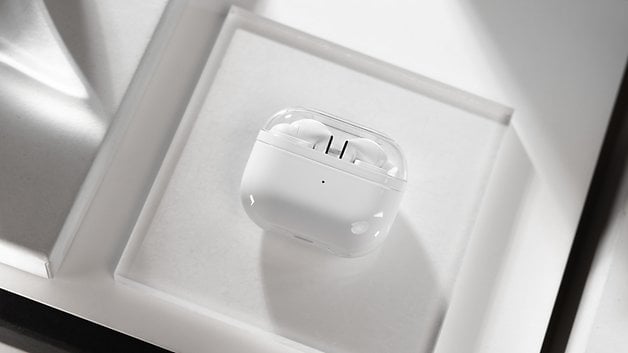
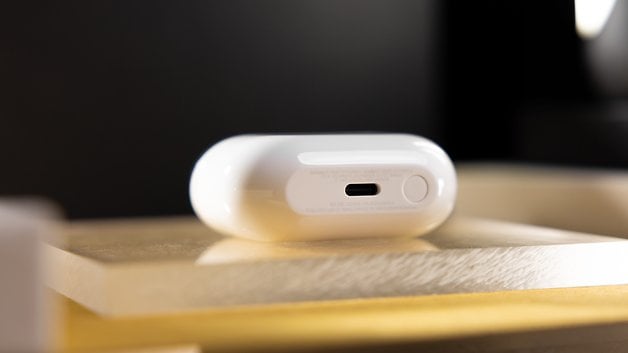
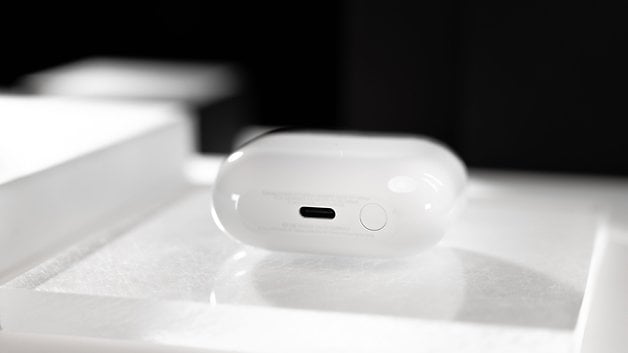
The case comes with a transparent plastic cover. It features a physical pairing button and recharges via USB-C or wirelessly. As with the recently reviewed Nothing Ear, the transparent side is cool on paper but after a few weeks, it will gather enough scratches, making the plastic increasingly opaque. The case has the merit of being compact and having a hinge that does seem solid.
Audio quality
The Samsung Galaxy Buds 3 Pro features impressive technical specifications. Samsung has integrated two amplifiers, a woofer, and a tweeter, as well as a two-way driver in each earbud. With the UHQ function which exclusive to certain Samsung smartphones, you can listen to Hi-Res audio. In reality, the audio signature of the Galaxy Buds 3 Pro remains classic.
Pros:
- Precise, detailed sound.
- Balanced audio signature.
Cons:
- Hi-Res audio is reserved for the Samsung ecosystem.
- SBC and AAC codecs supported only.
Dual dynamic and planar drivers
Each earbud incorporates a dual driver. On the one hand, there's a 10.5 mm dynamic driver, and on the other, a 6 mm planar driver. A dynamic driver is a coil that is electrically charged by your audio source. This coil is attached to a diaphragm and once charged, the coil is attracted by a magnet behind it, causing the diaphragm to move. Wham! That creates waves, frequencies, and therefore, sound.
A planar driver also has a coil, a membrane, and magnets. However, this coil covers the entire membrane and is surrounded by two magnets. Once again, the coil is electrically charged and attracted by the two magnets, from one end of the chamber to the other.
In general, planar drivers allow for better bass and spatialization, among other things. I don't have the physical or technical capabilities to tell you if it really works. Still, I found the sound of the Galaxy Buds 3 Pro to be sufficient for everyday use. It's easy to identify the various components, voices, instruments, and so on.
A balanced "W" audio signature
Without precise measuring tools and to the naked ear, the sound of the Galaxy Buds 3 Pro is very classic. Bass is amplified, treble is amplified, and mids are fairly neutral.
This is the sound treatment that each manufacturer applies to its earbuds. There's too much high-frequency brightness and sibilance on the "S" and "F" sounds, which become strident. The clarity of cymbals made listening to them particularly tiring over time.
By switching to the "Clear" preset in the equalizer, I found the sound quality to be more pleasant. The earbuds then place more emphasis on the vocals, which is essentially the midrange.
Hi-Res is reserved for the Samsung ecosystem
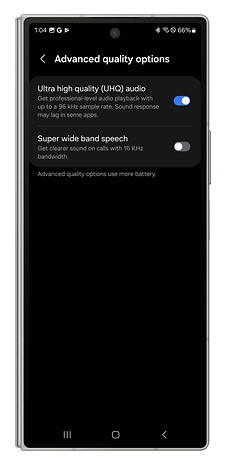
Technically, the Galaxy Buds 3 Pro can play Hi-Res tracks. You need to activate the UHQ (Ultra high quality) function of Samsung's SSC codec via the application. You can then listen to 24-bit tracks at 96 kHz. Samsung doesn't indicate the bitrate, but I doubt it's lossless.
However, this UHQ function only works with a fairly recent Samsung smartphone. Its usefulness is therefore relatively limited and personally, I haven't observed any noticeable difference between that with a simple SBC/AAC codec.
Active Noise Cancellation (ANC)
The Samsung Galaxy Buds 3 Pro features Active Noise Cancellation. This ANC uses AI to adapt to various environmental situations and also to various types of noise. I was very pleasantly surprised by the effectiveness of Samsung's ANC.
Pros:
- Excellent Active Noise Cancellation.
- Manually adjustable ANC.
- Natural transparency mode.
Cons:
- Adaptive ANC via AI becomes very annoying quickly.
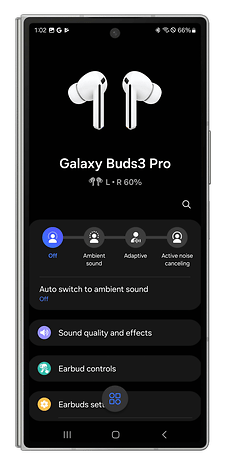
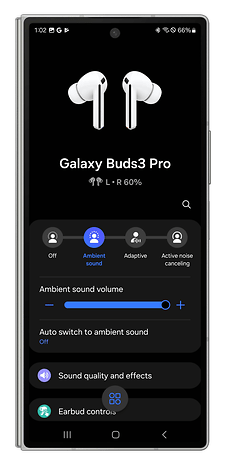
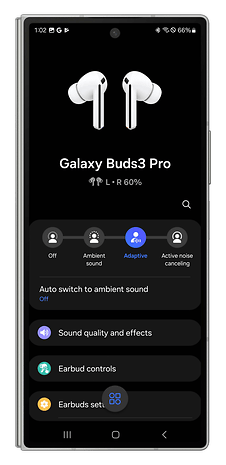
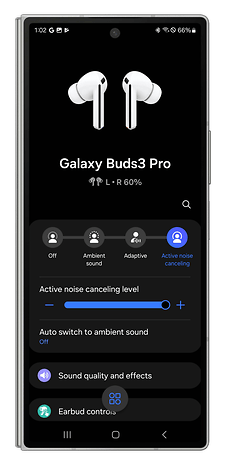
The Galaxy Buds 3 Pro features both manual and automatic Active Noise Cancellation. In manual mode and ANC intensity set to full, it's total silence. I haven't reviewed Samsung earbuds in a long time and I was very surprised by the ANC's effectiveness.
You can also opt for automatic, AI-powered Active Noise Cancellation which is closer to noise management. As with Sony, the Galaxy Buds 3 Pro can switch between ANC and transparency mode depending on your sound environment. Samsung also claims that its earbuds can adapt to different types of specific noise.
For example, leave the office and go walk around the streets in town. Make your way from a quiet environment to a noisier one. The Galaxy Buds 3 Pro will therefore increase the intensity of Active Noise Cancellation. Suddenly, an ambulance comes barreling down the street, going "pee-poo-pee-poo". That's when the Galaxy Buds 3 Pro temporarily switches to transparency mode, amplifying the siren's sound and keeping you alert in a situation that, potentially, requires it.
This system works in the same way for human voices. The Galaxy Buds 3 Pro amplifies the voices of the speakers for the duration of your conversation. In reality, however, I quickly disabled this function and left the Active Noise Cancellation in manual mode and on full blast. Changes in noise management also affect the rendering of the music you're listening to. In the long run, this got on my nerves very quickly.
As for transparency mode, I found it to be very natural. Here too, you can adjust its intensity manually.
Features and applications
The Galaxy Buds 3 Pro comes packed with features. There's a wearable sensor, an adaptive equalizer, 360° audio with head tracking, Find My Device. There's still no real multi-touch, and the controls aren't very customizable.
Pros:
- Precise, intuitive equalizer.
- Comprehensive Galaxy Wear application.
Cons:
- No true multi-touch capability.
- Controls are not sufficiently customizable.
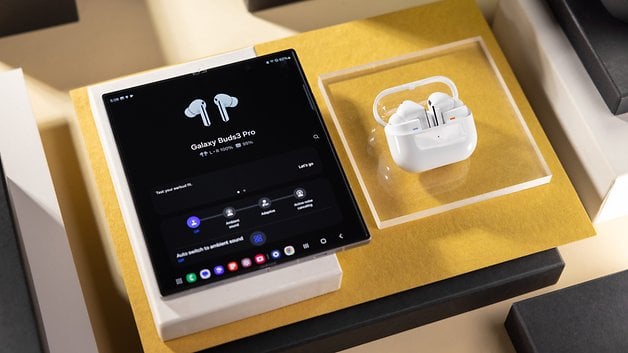
The Galaxy Buds 3 Pro work with the Galaxy Wear app for Android only. You can connect them to an iPhone, but you don't have access to any settings. I wouldn't recommend buying them if you're using an Apple device.
I can't blame Samsung for that, since Apple does the same with its AirPods and Android smartphones. Ditto for the lack of true multipoint connectivity. Pairing with multiple devices only works with Samsung products and it is the same with Apple.
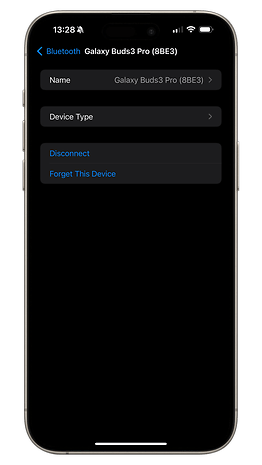
The process of accessing the Galaxy Buds 3 Pro settings is a mess. You will first have to download the Galaxy Wear application, where this app then asks you to download a "Galaxy Buds 3 Pro manager" module specific to the earbuds. From there, you have to connect to your Samsung account to benefit from the Find My Device function, among other things. What a pain!
Apart from that, all the essential functions are there. We've got multipoint connectivity to pair Samsung earbuds with two devices simultaneously and it works really well.
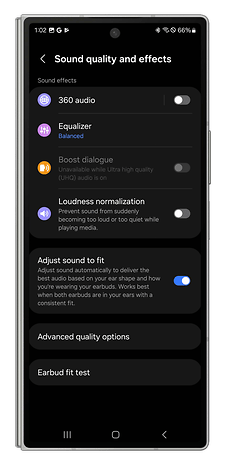
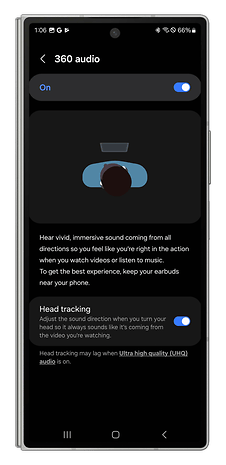
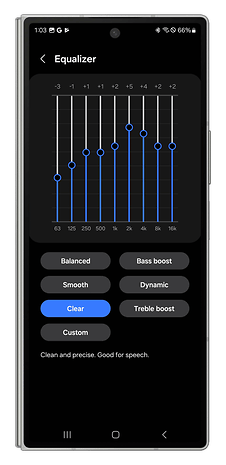
The equalizer is also very nice to use. Samsung uses an automatic equalizer, as does Apple on its AirPods Pro 2 (review). You can also meddle with the equalizer in the app. For each preset, Samsung explains how it affects the sound. I found this approach to be very interesting, especially when you don't know much about it, as I do.
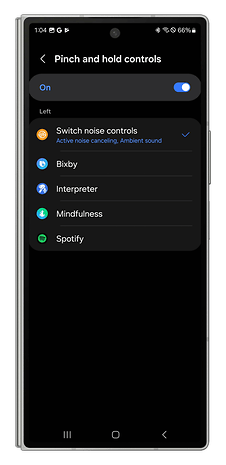
The Galaxy Buds 3 Pro is equipped with touch and haptic controls. Touch controls simply involve sliding your finger along the front of the earbud stem to raise or lower the volume. These controls are not customizable but you can change the haptic controls. These involve pinching the earbud stem. I found the possibilities to be rather limited.
| Left earbud | Right earbud | |
|---|---|---|
| 1 pinch | Play / Pause | Play / Pause |
| 2 pinches | Next track | Next track |
| 3 pinches | Previous track | Previous track |
| Long pinch | Volume down | Volume up |
Battery and charging
According to Samsung, the Galaxy Buds 3 Pro has a battery life of 7 hours without ANC and 6 hours with ANC. With the charging case, you can get up to 30 hours.
Pros:
- Wireless charging is supported.
- Adequate battery life.
Cons:
- -
Personally, I used the Samsung earbuds according to this pattern:
- 100% charged.
- Wear detection disabled.
- No charging during my session.
- Active Noise Cancellation is always enabled at maximum.
- 50% listening volume.
- Paired to an Android smartphone.
- SBC/AAC codec.
I lasted just six hours before hearing the low battery alert via the earbuds. That's about average for all the earbuds I've reviewed.
Technical data
| Technical specifications | |
|---|---|
| Device | Samsung Galaxy Buds 3 Pro |
| Image |  |
| Design |
|
| Weight |
|
| Dimensions |
|
| IP rating |
|
| Audio |
|
| Frequency response |
|
| ANC |
|
| Bluetooth |
|
| Codec |
|
| Multipoint |
|
| Battery life |
|
| Battery life with case |
|
| Wireless charging |
|
Conclusion
Would I recommend the Samsung Galaxy Buds 3 Pro to you at $249? Yes, unless you are using an iPhone.
I was impressed by the Active Noise Cancellation of these Samsung earbuds. The audio quality is just right for this price range and its battery life is also decent without any groundbreaking performance.
My main criticism of the Galaxy Buds 3 Pro is their design. I found them ugly and garish despite the stemmed format having advantages in terms of ergonomics. However, I prefer the comfort and lightness of the "bean" design.
Do bear in mind that Hi-Res on the Buds 3 Pro is reserved for recently released Samsung smartphones. If audio quality is your priority, there are several alternatives for Android handsets at the same price or even cheaper.
What do you think of the Samsung Galaxy Buds 3 Pro after this comprehensive review?








alr bud