Can an affordable HD projector replace my TV?

It’s a question I have been pondering for a while. I like the idea of ditching my TV and switching to a smaller, more discreet option. But can a home projector handle the job without me having to spend a fortune? Let’s find out.
Good
- Stylish design
- Good picture quality for movies and TV
- Solid sound
- Quiet operation
Bad
- Gaming at 60 fps impossible
- Lack of in-depth picture options
- Some input lag
Anker Nebula Prizm II release date and price
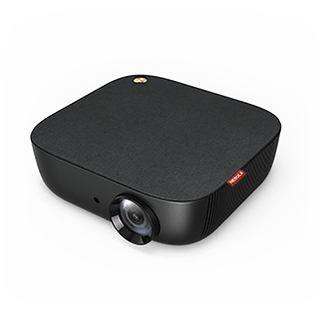
In order to find out if I’m ready to ditch the big telly and go all-in on a projector, I have been testing the Nebula Prizm II. You may know Nebula as the kind of cinema division of Anker. The brand is known for its portable projectors, such as the Capsule II and Mars II, but it’s the slighter less portable Prizm II that has the best chance of replacing my TV.
The Nebula Prizm II is available now and costs $269.99 directly from the manufacturer in the US. In the UK, you can pick one up for £289.99 on Amazon.
Anker Nebula Prizm II design and build quality
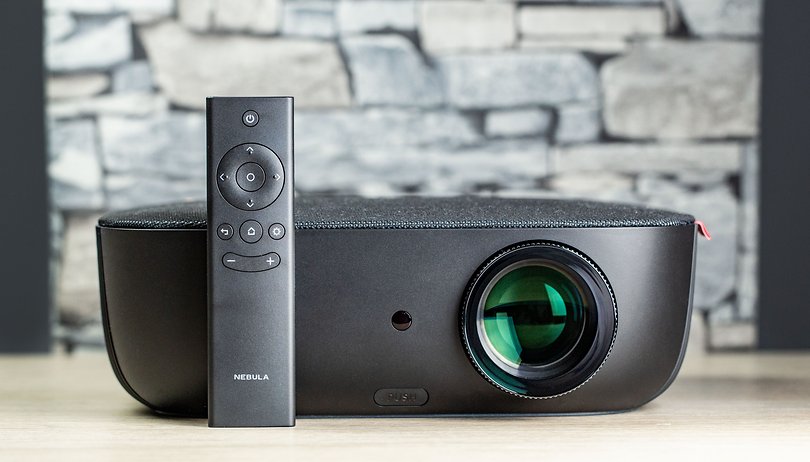
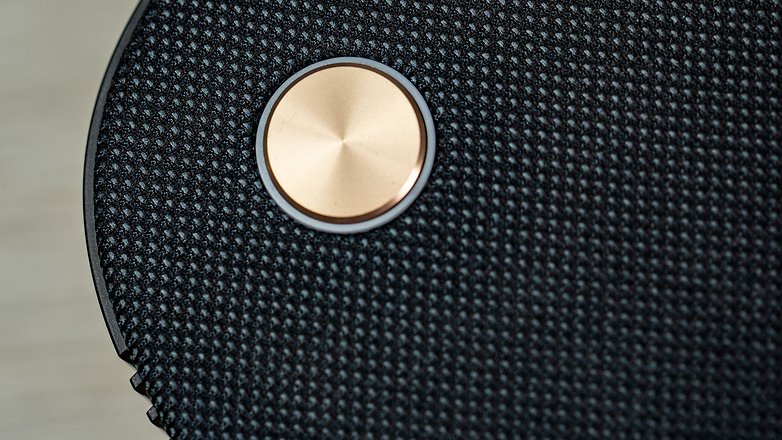
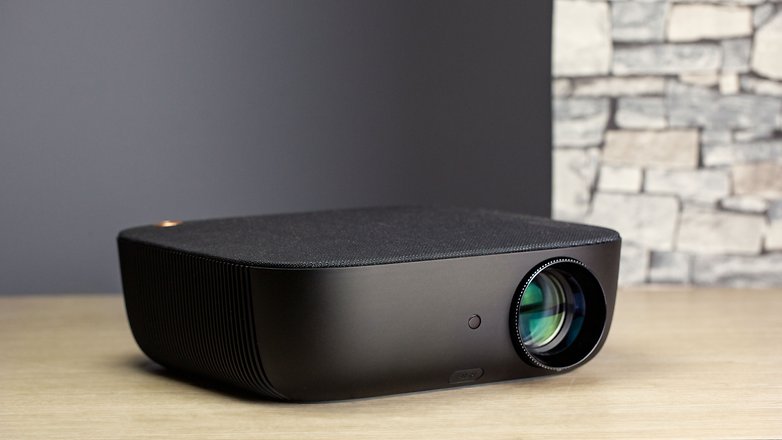
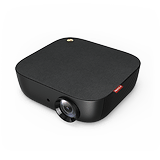
The Nebula Prizm II is a Full HD, 1080p home cinema that can beam a picture onto a wall or projector screen at a size of anywhere between 40 and 120 inches. There are dual 5W speakers for audio and a range of inputs on the back including USB and HDMI. The top of the Prizm II is covered by an attractive cloth and the unit doesn’t look out of place in a living room or bedroom - it’s pretty stylish.
To allow for a better angle of projection, a little spring-loaded plastic leg pops out from the front. It’s a little flimsy, but it plays the part of a functional stand well enough. I’m not sure how this would survive over long periods of time, but during my tests, I didn’t experience any problems.
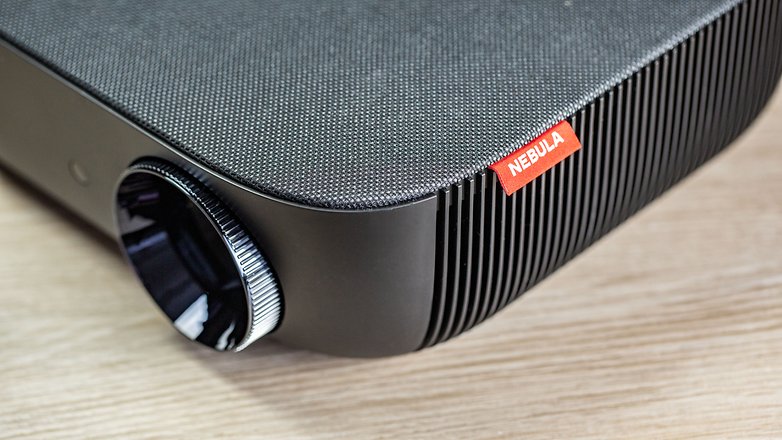
On the contrary, however, the focus wheel is nice and sturdy and allows for fine adjustments when sharpening the picture to optimal levels of focus depending on how far away you have the lens from the surface you are projecting onto. I was mostly using a picture size of somewhere between 70 and 80 inches, and the focus quality is good enough at that kind of range. If you go much bigger, you do lose a little bit of sharpness in the four corners of your picture. Something to think about if you are planning on going for a 100-inch or more projection.
Picture quality and performance
In terms of picture quality, I was more than satisfied with what the Prizm II can do for home use. This is a full HD at a resolution of 1080p, so for watching content on Netflix, it’s ideal. It’s also pretty bright at 200 ANSI lumens. The contrast ratio comes in at 1500:1. During my time with the Prizm II, I kept it on a shelf at home and wheeled it out to watch movies or live football and it was a joy.
In terms of inputs, the HDMI port is going to be your main point of call. Hooking up a laptop or games console is easy, but using a smaller TV stick, such as an Amazon Fire TV or Chromecast device would be ideal. My only small gripe here is that when the projector is tilted, the HMDI port faces down towards the surface the projector is sitting on. It wasn’t an issue for me, but with larger TV sticks it could cause problems. There is also a Pro version of the Prizm II which runs Android TV 9.0. It is expected to be out sometime this summer.
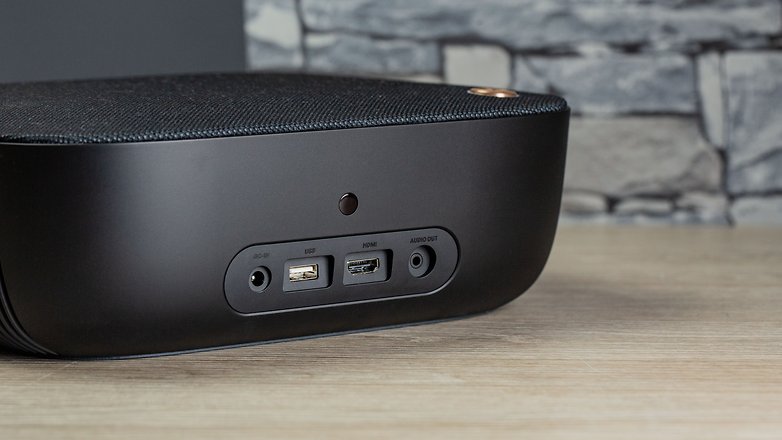
Another plus, and something that has always been part of my reluctance to make the switch to a projector over a TV, is the noise. However, the Prizm II is pretty quiet when in operation. I’d liken it to about the same level as a laptop. The hum never distracts from the volume of what you are watching, and the noise level stays consistent no matter what you do.
There are a couple of issues that prevent me from replacing my TV completely , however. Firstly, is the performance when you try to play video games on this thing. I hooked up my PS4 and tried to play a little PES 2019 in 60 fps, and was hugely disappointed. The stuttering is just too much and made the game unplayable. It seems the Prizm II cannot handle HD content at 60fps, not by a long shot.
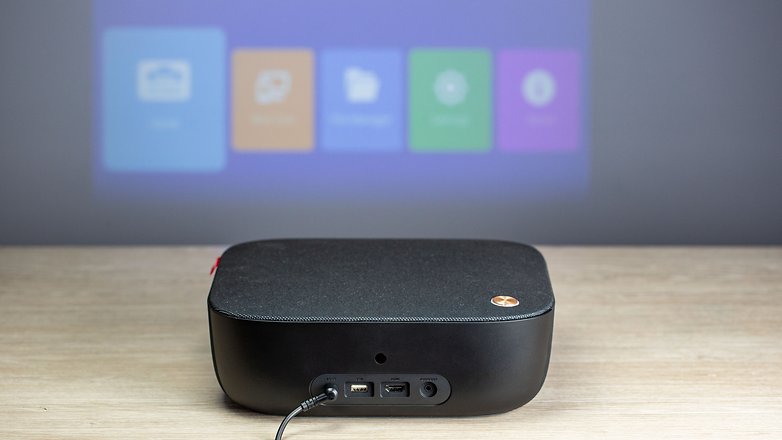
Input lag is also quite bad if you use the Prizm II as a display for a PC or Chromebox. It's probably not a deal-breaker for most, but it could be a consideration for some.
The biggest problem I have with the Prizm II is the lack of customization options for brightness and tweaking the picture from the settings. There are only two settings, Standard and Bright. There are no in-depth brightness, contrast or color saturation settings to fine tune your picture. I can kind of understand the idea to go with simplicity at this price point, but I feel as though the potential is there in the hardware for better picture quality if only I was given the tools to create it.
Sound quality
The two 5W upward-facing speakers are loud enough to fill a reasonably sized room. Given that most people will sit just behind the projector when in use, you should have no problems in this department. In terms of replacing your TV, the sound is easily good enough to compete with a modern flatscreen TV with no soundbar or speakers attached. There is also an AUX-Out port if you want to use your own sound system.
Final verdict
I enjoyed my time with the Nebula Prizm II and it was certainly nice to get it out for movie nights or for watching live sports with a couple of friends. The lack of deep picture settings is frustrating, but the basic picture quality is good enough for a quick big screen experience. However, the performance when running HD video games at 60 fps means that I won’t be ditching my TV any time soon.










Good article....!!!!
I don't watch TV. What's the use of watching TV when I can spend my time reading Wikipedia (eg).
I don't quite get it. Getting rid of television would (as I see it) mean: getting rid of "watching a given channel at the same time as many others". However, David, you seem to mean "getting rid of the large monitor screen". Yes, you could likely replace that with some projector. But as soon as you want to start watching something projected, you have to have some surface ready. Some white sheet, or a certain area on a wall. Would that be "smaller, more discreet"? - Me, I have a "big" set (that I could hardly use at home) and I have recently received two pieces of a tiny "Full HD" projector from China, at a tenth of the price the Prizm II is listed at (no comparison of quality or features intended). - My personal best bet for "discreet" would be using a tablet on a stand close by (I have a tripod and a bendable one that clamps to a table) and use Bluetooth earbuds. - Nevertheless, don't you feel bothered by my comment for reviewing a projector. :-)
Never underestimate the presence a large tv commands in a living space. You have to commit that space as long as the TV is there, whether you use it or not.
I have never been a fan of keeping a television in the living room. A projector however is a different story. For a long time I was content to have my projector frame occupy a large part of the wall. I had a small table set up below the screen with various decorations and two large plants flanking it on either side.
I've since moved, and my new place doesn't have a very conducive setup to using a projector, so I had to make some changes. I now use a motorized screen I bought (from China, just like you ?) that I'm pleased with. My previous "frame" was just a very opaque sheet of a vinyl type material I bought at a local fabric store and it worked more or less just as well. I believe the fabric cost me $40 at the overpriced fabric store, but it's much cheaper online.
As for the projector itself, I'm STILL using the same projector I got in 2006... An Epson powerlite 72c I believe is the model number. It's a 3LCD Projector and to this day I still haven't changed the bulb - it's rated for 6000 hours and I have something like 52,000 on it currently. It has admittedly lost about 60% of its brightness though, so I should probably spend the $50 on a new bulb.
The projector itself is only 480p. It only has RCA and VGA inputs, so modern consoles and most modern computers are out of the question for use. I keep it hooked up to an old pentium 4 and use a smaller Intel NUC to host all of my video files that I play using the pentium computer. Online streaming also works fine.
I'm in the market for a new projector now because of the limitations of the inputs on the 13 year old one I have now, not really because of the quality. Which is something important to keep in mind.
The need for higher resolution goes away the larger the screen size becomes. At 84", my 480 projector looks fine. It doesn't look great, it doesn't look like WOW, and if you stand close to it each pixel is clearly visible - but when you sit down and watch it, you can't really tell. I certainly wouldn't buy anything more than 1080p for a living room setup, and I don't think projectors above 1080p will EVER be something that's "needed" because the technology will be replaced by VR before that.
Also, I couldn't live with a projector that doesn't have keystone correction or zoom. That's just simply not a projector intended for replacing a TV. Without keystone or zoom, you will be forced to sit this thing dead center in your floor or ceiling mount it absolutely perfect. Not something worth dealing with just to save $100, as a good projector will likely last you at least a decade. The lumens on this projector are also right at that lower limit threshold. My 13 year old projector is 240 ansi lumens with a new bulb and that's the absolute bare minimum I would accept for a new unit. Buying a projector like this wouldn't feel like much of an upgrade to me, so I don't think I would consider anything under 500 ansi lumens.
My opinion of this projector - it's like a budget smart phone. If you've NEVER owned a smart phone of any kind, buying a budget one is a good way to see if you'd use any of the "smart" features. But you buy it with that mentality, that you're going to lose the money in the process of trying it out. That's the role this projector plays - you're going to take a big loss on the purchase because I'm 90% certain this projector wouldn't fit the use case for most people (unless you want an occasional movie night). This will absolutely NOT work to replace a TV monitor in a 1:1 ratio for comfort and easy of use.
My 2 cents, save your money. Don't buy a bare bones projector. Step your money up to the $500 range and you can find many great offerings that will definitely last you years of use. This one will definitely end up on a shelf in your closet after a few months when you buy a "real" projector.
Buy one with zoom
Buy something with keystone correction
Buy something with at least 400 ansi lumens
Check throw distance
And I personally like 3LCD more than LED or even DLP. The bulbs do need replacing to maintain clarity, but to me they produce richer colors and an all around nicer image.
Thank you, Zane. :-) Moreover, I can agree with your considerations.
My "big set" also is Full HD: I couldn't afford more. I bought that projector with the optional wifi receiver. I must still check if that is Miracast/Chromecast, whatever. I do remember projecting something from my NAS on it at a venue.
And yes, that was my second projector. I bought the first one (800*600) at a sale to get some experience setting up projectors at meetings, brought mine, and once handled it improperly. The lamp still works, but there's an annoying black band across the screen. Having the proper person even look at it would have cost me an amount out of balance with that bargain, hence my jump forward.
I consider my recent two mini projectors toys, but I may underestimate them. They can operate on a battery, which might suit me in boating circumstances.