Facial recognition as security: how secure is the Galaxy S8?
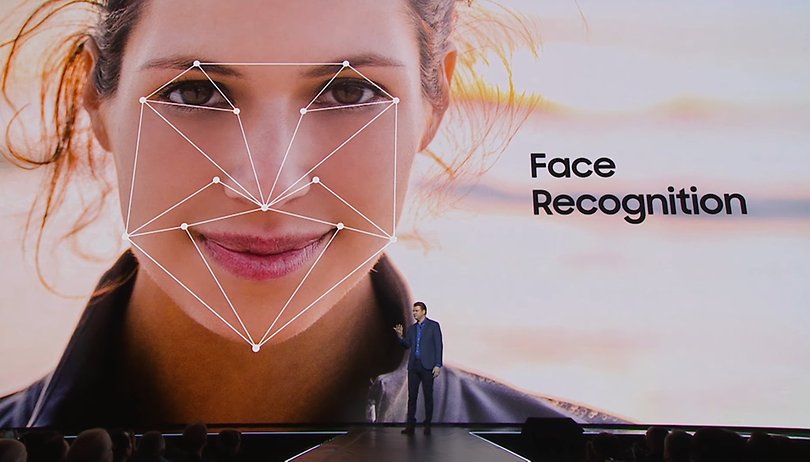

In recent days, some bloggers have been surprised to find an interesting security flaw in the Samsung Galaxy S8's facial recognition technology. If you tried unlocking the S8 using a selfie, the device wouldn't be able to recognize the user's face and open it, would it? We contacted Samsung with this same question, and here's what they had to say about it.
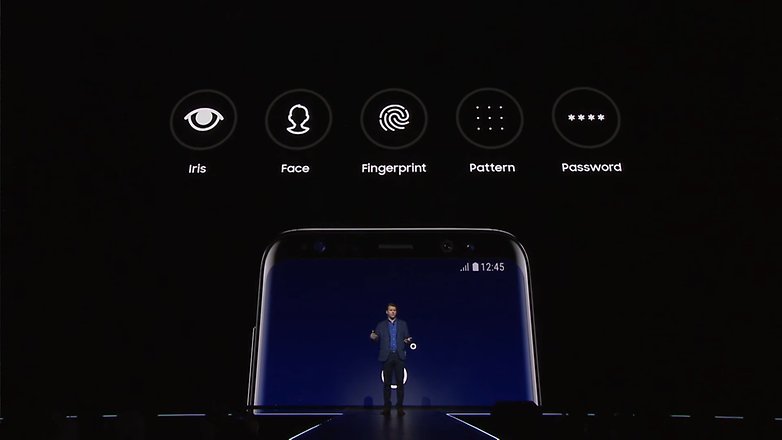
Reviewing the official launch video of the new Galaxy, at exactly 25 minutes in, the Senior Vice President of Product Strategy for Samsung Justin Denison presented the new security options on their devices. Three features were highlighted as biometric authentication methods: an iris scanner, a fingerprint reader and facial recognition. During this part, he produced one of the best quotes of the whole presentation: “It isn’t just entering a password, you are the password!”.
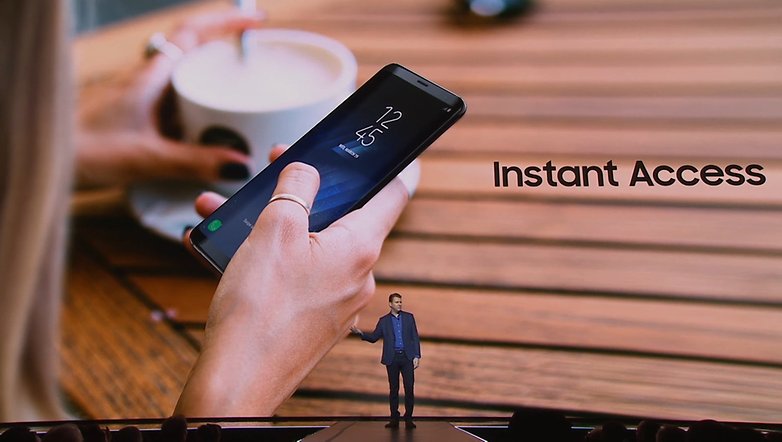
And it's error-free, in theory. Facial recognition is a quick and easy way of locking and unlocking your smartphone, so Denison considered this to be a convenient feature. In fact, as he was talking, the words “Instant Access” popped up on the screen in the background. At that moment in time, you might have thought facial recognition was the best feature you could have to protect your smartphone: easy, fast and safe. After all, “you are the password.”
The reality is somewhat different. Anyone using a photo of the device's registered user's face could unlock the phone in a couple of seconds, and without any failures. In the video below you can see just how easy it is to unlock a Galaxy S8 in 20 seconds using a static image:
Official statement from Samsung Europe
After watching this video several times over the weekend, I decided to get in contact with Samsung to find out how it could it be possible to unlock a device using just the owner’s photo. Here is their official statement:
“The Galaxy S8 and the S8+ offer several levels of biometric authentication, the highest level of authentication associated with the iris and fingerprint scanner. Additionally, the Galaxy S8 offers users multiple options to unlock their devices using biometric security and convenient features such as swipe and facial recognition.
It’s important to reiterate that facial recognition, although convenient, can only be used to unlock the Galaxy S8 or the S8+ and, currently, it cannot be used to access Samsung Pay or Secure Folder."
As you can clearly see, at no time does the manufacturer recognize that the problem is being caused by the use of a demo or beta version of the software. However, it does makes it very clear that because it isn't secure enough to do so, “facial recognition can only be used to unlock the Galaxy S8 and it cannot be used to access Samsung Pay or Secure Folder.”
Just like at the Unpacked event, I was informed that facial recognition software is aimed at convenience and speed over security. This information is only shown to users when they first try to configure facial recognition as an unlocking feature on their device.
How reliable is the facial recognition on the Galaxy S8?
Let's face it - if a simple photo is enough to unlock the device, then facial recognition isn't reliable at all.
On a system level, the device scans the user and takes a photo of the user's face using the front camera. Here the camera will compare the specific details of this image with the picture of the person facing the camera, and then unlocks the phone. This works much faster than any other unlocking method as the image processing is done by the S8's powerful CPU coupled with the 8 MP camera's fast autofocus.
Facial recognition isn't a new feature for smartphones. It was first introduced in 2011 with the release of the Google Nexus 5 and Android 4.0. Due to the security problems which were associated with this feature, it was eventually removed as an option. At the time, the developers at Google were still working to optimize the feature, so users would need to blink to prove to the phone that they were physically there. In the end, they had to abandon the idea.
In all honesty, after everything that happened with the Galaxy Note 7 and Samsung's pledge to invest in better security, the decision to include this as a security option to unlock the phone, which can be cracked relatively easily, shows the manufacturer isn’t taking the market situation very seriously.
To me, Samsung’s facial recognition just seems like a tactic so it can avoid talking about why it decided to move the fingerprint reader to the back of the device - a move which has been attracting a lot of criticism.
Realistically, if you’re really looking for a convenient security feature, set up the Smart Lock instead. For the best security, use features such as the fingerprint reader, iris scanner, a PIN or a password.
Finally, I hope this option isn’t available on this device when it reaches the market on April, 21.
What do you think about facial recognition as a security option? Which unlock feature do you prefer to use? Let us know in the comments below.











I don't think samsung claims that facial recognition is a secure option, if you use smart lock then anyone can swipe open your device if your not around. So in terms of the facial recognition someone would have to know that you are using this option, they would then have to print/take a photo of you, then wait for a opportunity when you have left your device unattended before accessing the device. Now this is a possibility but a low risk possibility. If said person is determined to access your device then they may try the above mentioned but as I said if your using Smart lock then all that needs to happen is you leave the device unattended then they can have free access.
I don't think anyone is claiming smart lock to be a gimmick.
Facial recognition is a added feature which
you can choose not to use.
Peace ??
What if some one want to unlock phone of some one and just show photo of him at front cam. ;) will it unlock the phone?
Easy to break security?
i think you've explained exactly how secure Samsung's version of facial recognition is..
thanks.
but that's how it is with Sammy lots of useful software and lots of useless crap..
"OK Bixby can you uninstall the software I'm not using.. and yourself when you're done"
I'm still unsure about the hoopla about Bixby and other digital assistants. But if Google Assistant is any good, Bixby can be, too. If Google wants to compete with hardware companies by selling Pixels, can't Samsung too compete with Google by selling software like Bixby and Samsung Pay?
Samsung's unbelievable scale means they define the android UX for hundreds of millions of folks, the good stuff and the bad,
which means same level of responsibility towards software.
Samsung pay is very impressive etc.. but personally I've never been keen on duplicated apps that I'll never use or Sammys inconsistent approach to software updates.
Facial recognition was a dumb idea. It is just a failed gimmick by Samsung to sell phones. Just like in this article many people even at the unpack event were using photos to unlock the phones. Iris scanner is just a gimmick too. Just give us a flat screen model with a removable battery without the gimmick features. I just want an updated Note 4. Which I still think is the best phone Samsung has ever made.
Yes Mark. We want performance, looks, and ruggedness. Ruggedness more than durability. But what is often offered for upgrades is gimmicks and more gimmicks. If facial recognition is just for unlocking your phone as you would unlock it with a pattern, without any security worth trusting with financial transactions, then it's just a gimmick.
Well if i need to take of my glasses, take lenses out, or shave a beard every time i want to unlock my own phone... That security options are just gimmicks that i will never use.
Just like, i will never give my fingerprints to Apple, Samsung or Google...
I would rather be going on with unlocked device, taking care of it on my own... It is very secure in my pocket.