Samsung Galaxy Tab S3 review: a near perfect work tool
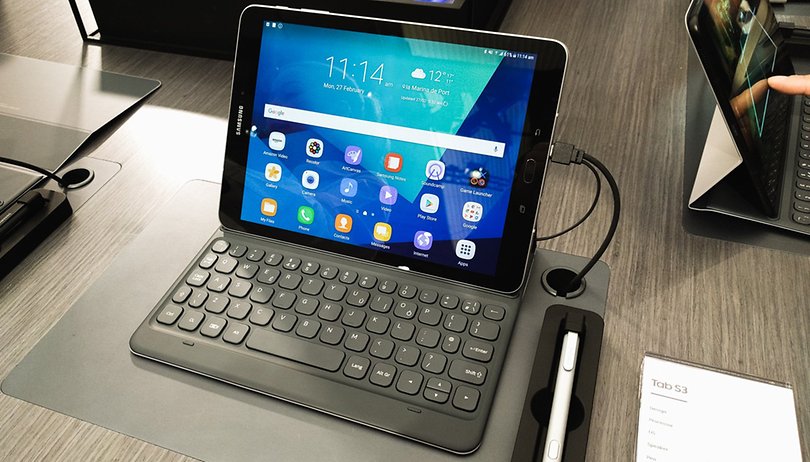

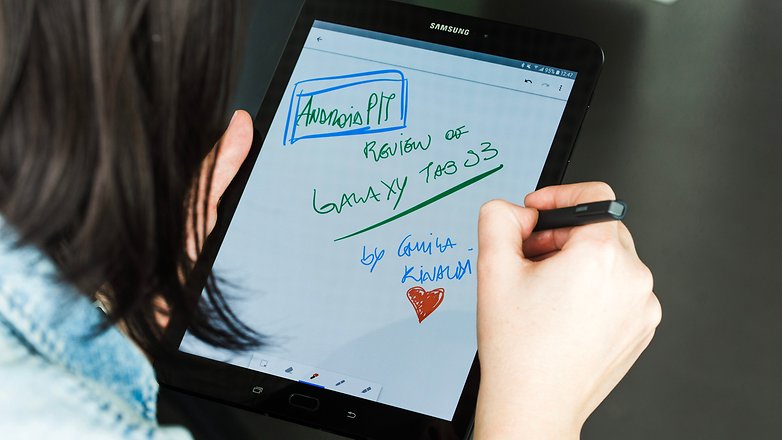
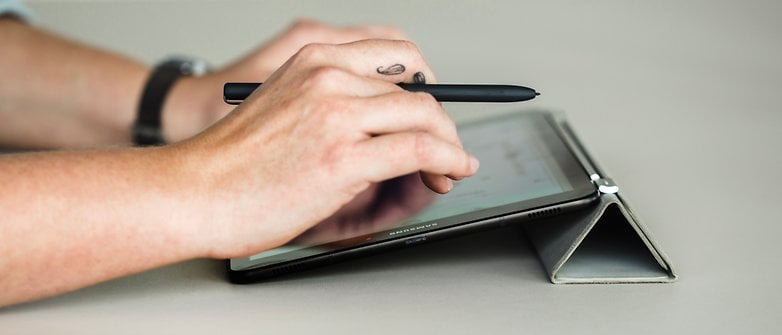
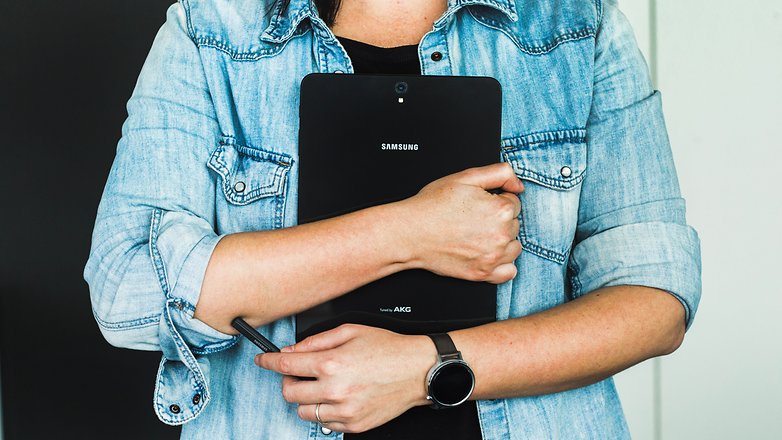
How many devices do you need to write a review? For this one, I only needed one: the Galaxy Tab S3. As you scroll down to continue reading, think about how each of the words in this article was produced using Samsung's native keyboard, and that the only other tools I needed were a support cover and tablet's S-Pen. But aside from being used to write, edit and publish this article, what else can the Galaxy Tab S3 do?
Good
- Design
- Capactive S-Pen
- Independent LTE connection
- Security and privacy
Bad
- Android apps ecosystem for tablets
- No waterproofing
- Battery is only satisfactory
Samsung Galaxy Tab S3 release date and price
The Galaxy Tab S3 is now available for purchase and comes in two variants: either with or without a SIM card slot for independent LTE connection. The prices for the two models range from $599.99 to $769. For the first time ever the capacitive S-Pen is included in the price, but you will need to pay extra for the keyboard. This can be purchased separately for $129.99.
Samsung Galaxy Tab S3 design and build quality
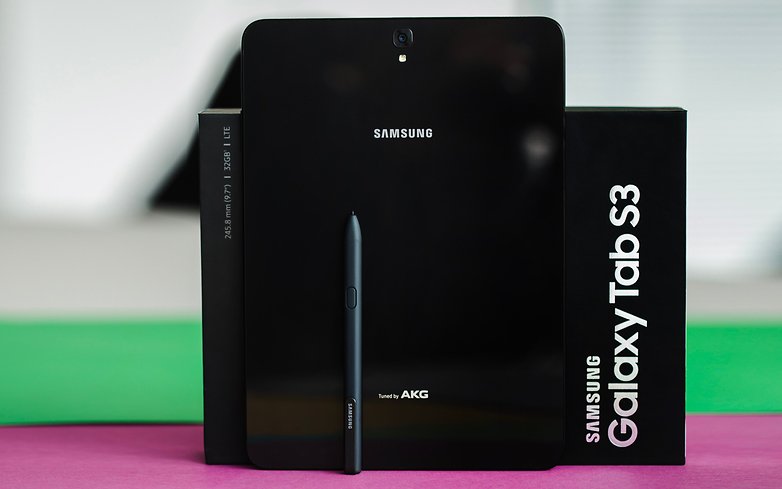
The design of the Galaxy Tab S3 is virtually unchanged compared to the Galaxy Tab S2, measuring in at 9.7-inches. The new tablet continues to stick to the iPad 4:3 ratio format. This proves to be equally practical in landscape-format and portrait-format applications. The frame is made of metal and the rest of the housing is made of glass. It's important to note that the tablet is not waterproof.
It's easy to hold the tablet's 434 grams. However, if you want to use the tablet for reading, you may need to prop it up on your lap or invest in an few accessories to support it, as after all, this is not just an ebook reader. The fact that we can touch the screen while holding Tab S3 adds to the user experience with this device.
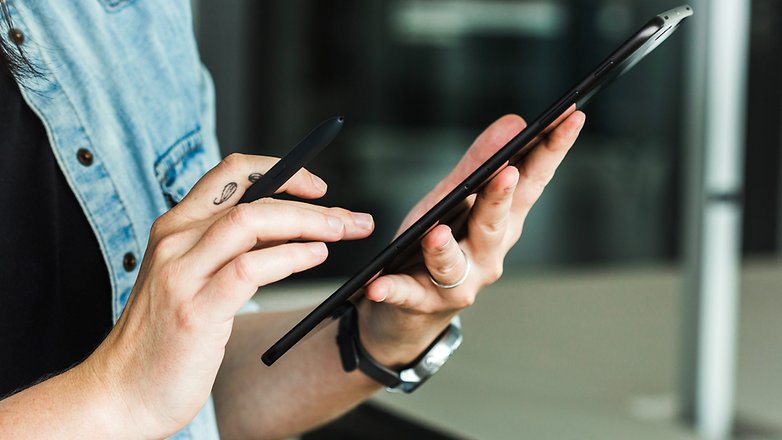
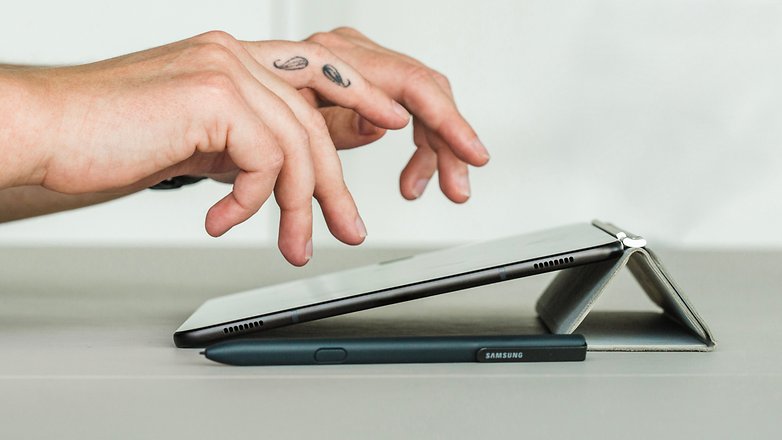
One of the added bonuses to come with the Tab S3 is its S-Pen, though the tablet itself doesn't have a dedicated space to store it like what we saw with the Galaxy Note series. So, if the S-Pen is an indispensable tool for you, you'll have to find a creative way of ensuring you can carry it with you all the time. Putting it into the front pocket on your blazer or shirt is always a great choice. The pen is super light and sturdy, so it shouldn't be a problem.
The home button is still mechanical, not capacitative, and the fingerprint sensor is still located here. On the one hand, you can rely on the biometric security feature, where you definitely are the password, which makes the tablet great for professional use. The tablet is also great at actually recognizing your distinctive features and responds promptly.
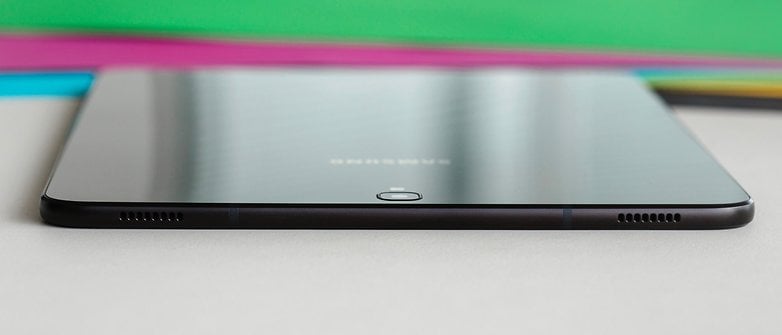
That said, the start button does not offer the best user experience when it comes to the S-Pen; virtual buttons would make much more sense here. Perhaps in the next generation of the series Samsung will opt for virtual buttons, just as we've recently seen with the new Galaxy S8 and Galaxy S8+.
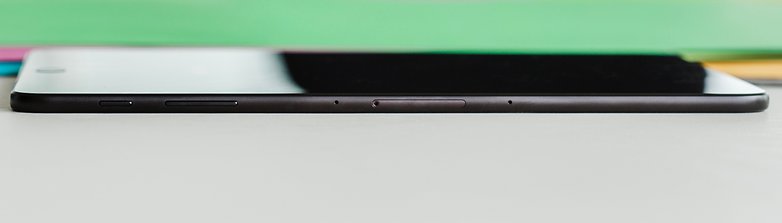
Tab S3 is not water resistant, which is a pretty big downside in my opinion, especially since I would want to carry this device around with me for my work. When I am in meetings or I am at my desk there are always cups of coffee and glasses of water around me. If the worst case scenario were to hit, a high-end tablet could turn into nothing more than a weird paperweight in under a second.
Also, if you are planning to carry your Tab S3 around with you on all your adventures, you'll need to put it inside a backpack or waterproof bag. Thus, Samsung missed out on a great opportunity to offer its customers an almost exclusive feature among the tablets in the market.
Samsung Galaxy Tab S3 display
Samsung's new high-end tablet features a 9.7-inch, high-resolution (2,048 x 1,536 pixels) and 264 ppi display. The Super AMOLED panel offers vibrant colors and great contrast. Although the 4:3 format leaves the movies with those black bars at the top and bottom, using this tablet to watch your favorite shows will not be a problem, but I suggest setting the screen brightness manually and disabling auto brightness.
If you choose to use the S-Pen pen, I recommend disabling the screen sensitivity so that you can rest your hand on the screen without touch being detected. This makes it more comfortable to hold the device with one hand as well as offering you more stability when you're using the tablet.
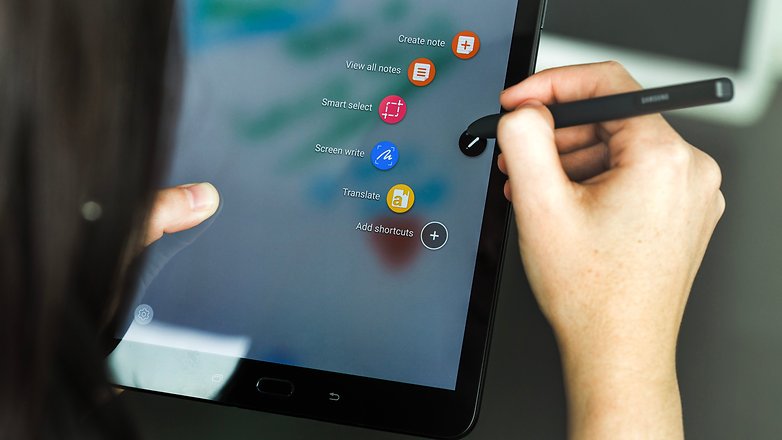
The improved S Pen that comes with the Tab S3 has a super thin tip that can support up to 4,096 levels of pressure sensitivity, and can detect the tilt angle you are using. This allow you to write more accurately or produce more intricate or elaborate designs. During the 10 days I spent using Tab S3, I never experienced any problems with touch recognition either using my hands or the S-Pen.
However, just like on smartphones, using the screen in direct sunlight can cause you a lot of discomfort. Don't get me wrong, you can see clearly see everything on the screen, but doing this over an extended period of time will cause eyestrain and can lead to migraines.
This is where Samsung's blue light filter option comes to the rescue. This is great for using the tablet at night, for work or for reading, as it offers a better visual experience in low light environments and doesn't impact on your ability to sleep.
Samsung Galaxy Tab S3 software
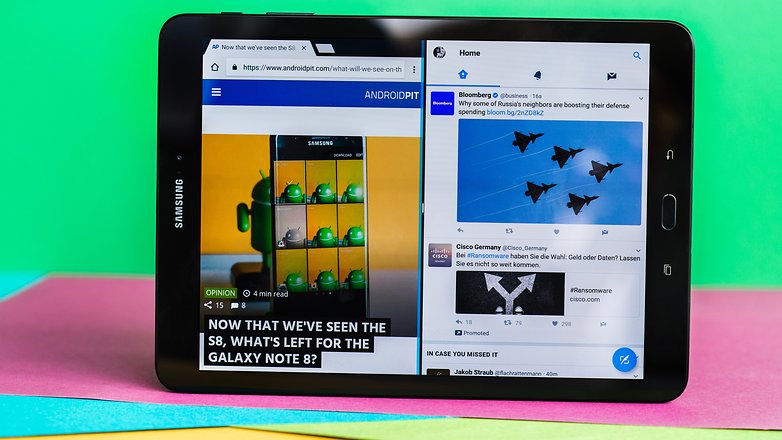
The Samsung Galaxy Tab S3 was released with Android 7.0 Nougat, in conjunction with the Grace UX interface. Android Nougat is also well known for how it can optimize the multi-window feature, which has become native to the operating system. Using Tab S3, I noticed a significant improvement in this function, especially with how easy it was to activate it.
However, this still doesn't come close to the truly intuitive use of the same feature in the Apple iPad Pro. So, instead of just sliding your finger across the screen to get a list of apps you can open in a second window, you'll need to turn on the multitasking button and then choose which apps you want.
Among the highlights of the software, the Samsung Flow, Samsung Cloud and Secure Folder functions all caught my attention. Samsung Flow is a software that lets you connect the tablet to your smartphone via Bluetooth, and both devices need to have the app installed.
INSTALL (com.samsung.android.galaxycontinuity)
SMS, WhatsApp messages and other smartphone notifications can be seen and accessed with the tablet. This means you won't have to walk around with both your smartphone and your tablet so you don't avoid missing out on something. The main aim here is to give users the chance to continue working on tasks between devices, so you could start reading an AndroidPIT article on your tablet and then pick up where you left off on your Galaxy S7. You could also continue a video call on the tablet that you initially started on your smartphone.
Additionally, by using the same app, you can also connect the Galaxy Tab S3 to your computer running Windows 10 Home / Windows 10 Pro (check this first though) and even log in to the computer using the fingerprint sensor on your tablet. Just as a side note, the synchronization of notifications does have a slight delay.
The Samsung Cloud, or just Cloud, is - as the name suggests - Samsung's own cloud service, which stays in the system settings. This is a sort of iCloud, letting you back up data for synchronization, such as contacts, notes, gallery and your calendar.
I have been using Cloud for some time now with the Galaxy S7, and now the recovery service is better than the one offered by Google in terms of its accuracy. I often found I lost data with the Google system, whereas I never had this issue with the Cloud system. At the moment, Samsung offers 15 GB of space.
Lastly, Samsung's Secure Folder, first released on Galaxy Note 7, has been added to the Galaxy S7 variant software with the update for Android Nougat. The feature allows you to create folders that can only be opened using fingerprints saved on the system. This is a feature that offers even more security to use the tablet as a working tool, because we often forget to create multiple users and end up sharing the device for various reasons.
Secure folders are initially only accessible to you and can save application files such as Gallery, Calendar, Camera, Contacts, Email, Internet and My Files. Unfortunately, however, these folders are not synced between Samsung devices with the same function. That is, you can only access photos from your tablet's secure folder on your tablet.
If you use the Microsoft Office suite, you can easily use programs like Excel and PowerPoint, save them to OneDrive, and integrate each application into your Microsoft account. For convenience, I use Google Drive a lot. This is very well integrated into the system on the Tab S3, as is Google Keep, which enables you transform any note into text.
Samsung Galaxy Tab S3 performance
The hardware that has been installed on the Galaxy Tab S3 promises to provide a level of performance akin to that of the Galaxy S7. The former was regarded as an ideal device for gamers, as it supported graphically rich games well and did not heat up to a critical level. The Tab S3 is powered by the Qualcomm Snapdragon 820 quad core processor ticking at 2.15 and 1.6 GHz. As for RAM, the tablet will have 4 GB. The Tab S3 comes with 32 GB of internal storage, which is expandable up to 256 GB via microSD.
As a result, it makes complete sense that Samsung continues to appeal to the gamers out there as the S3 comes with both game mode and Game Explorer pre-installed. These optimizations improve the gaming experience by suppressing notifications, and provide additional features such as screen recording and simultaneous recording with the Selfie Cam. In short, this makes the Tab S3 the ideal "Let's Play" tablet.
For this test, I went for a gaming classic: Asphalt 8 Airborne. With decent graphics and animation, I had a great experience using the Tab S3. There were no crashes or losses of frames, not even a delay - practically everything went well. That said, apps like Instagram and Facebook, whenever activated from the recent apps, were slow to load or would shut down without any warning. The native Samsung browser also froze a few times.
Considering the hardware performance that is usually associated with this operating system, my experience of using a tablet running on Android was well above average. Among devices in the same category, such as Yoga Book or Google Pixel C, the Tab S3 is a bit superior to when it comes to its performance and services.
Samsung Galaxy Tab S3 audio
The Galaxy Tab S3 is one of the first Samsung products to benefit from the company's partnership with AKG. There are four AKG speakers on the tablet, two on the top and two on the bottom.
My first impressions are good, but this is largely thanks to the volume level achievable. After a bit of use, it's not difficult to see that the location of the speakers on tablet compromised the audio quality.
The audio is stereo, but the experience would be much better if the speakers were positioned on the front of the tablet. Also, if you're watching a series on Netflix, a YouTube video or just playing Asphalt 8 (again), the sound will most likely be muffled as your hand will be resting on at least one of the speakers. This won't provide anyone with a fun audiovisual experience.
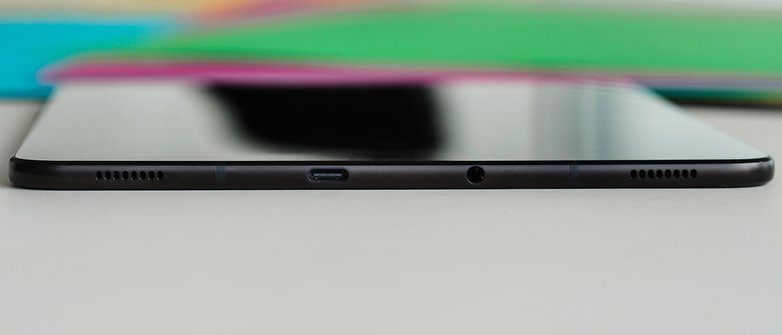
So when you're playing or watching a movie, I advise that you consider using a Bluetooth speaker or headphones for an audio experience that can meet the standards of the tablet's video.
Samsung Galaxy Tab S3 camera
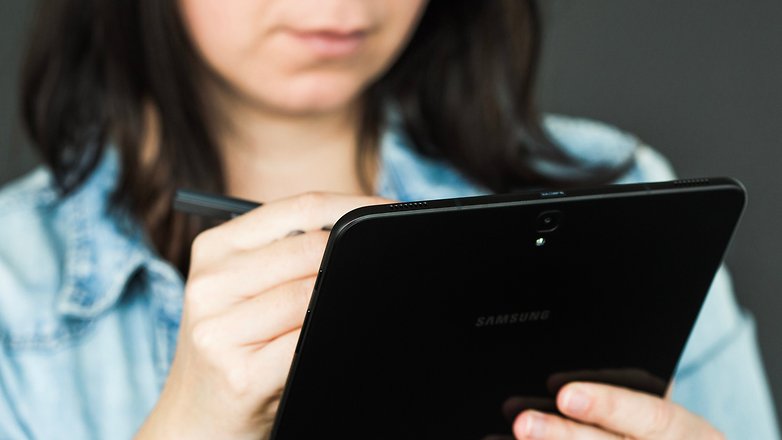
Even if the camera is not one of the main arguments for buying a tablet, Samsung has installed pretty good hardware for the photo enthusiasts out there. At the rear, there is now a 13 MP camera instead of the 8 MP one included in the Tab S2. The shutter comes with aperture of f / 1.9. On the front, we have a 4.7 MP camera, which delivers Full HD quality in video calls via Skype.
Honestly, I do not see Tab S3 as a device for selfies. The rear camera is not at all bad, but it doesn't even come close to the kind of lens you'll find on a smartphone within the same price range.
Strangely enough, the Tab S3's rear camera can record videos in 4K and take pictures in 4:3 and 16:9 aspect ratio, among other options. I had the chance to use the camera at a flea market on a sunny Sunday, and if you're planning on using the Tab S3 to take pictures on a trip, the image quality should be quite good. Check out some examples in this gallery of images I created in Google Photos.
Now, if you like using image editors for post-processing images, Tab S3 works very well in conjunction with applications like Dropbox and Snapseed. Using S-Pen, you can access photos from your Cloud account, and then edit and share them on your networks or build your own gallery and broadcast on your smart TV.
Samsung Galaxy Tab S3 battery
The Tab S3 has a 6,000 mAh battery that even with constant use on a daily basis (more than 5 hours of active use). If it is charged between 80 to 100% in the morning is can last until the evening, with about 15 to 20% battery remaining. A battery that was capable of lasting two days would have been a huge advantage, but as it doesn't, its performance is just satisfactory at best.
On the other hand, you can quickly charge the device thanks to adaptive fast charging technology and USB Type-C. The time it took to fully recharge the tablet was on average about 2 hours 30 minutes.
Samsung Galaxy Tab S3 technical specifications
Final verdict
The Samsung Galaxy Tab S3 should not be viewed as a permanent replacement for your laptop or PC, but it has all the makings of a great working tool. When I write at the AndroidPIT Offices, I use a desktop running Windows 10 Pro; at home, I use a MacBook Pro, but I've never thought about replacing any of these devices with a tablet.
However, over the past 10 days or so, I found myself using the Tab S3 in a whole range of different situations, so much so that I had absolutely no problem editing this review using only this tablet. I participated in meetings, edited articles, edited a series of images that I had been keeping in my Dropbox waiting to be published, so the Galaxy Tab S3 is a great tool to tackle your everyday tasks.
A tablet should be a device with its own unique attributes
However, there is still a huge vacuum in the application ecosystem optimized for use on Android tablets. While Google does not encourage the creation and adaptation of software for this type of gadget, the experience with your tablet platform will never be a matched to what you can have if you opt for an iPad. Taking this into consideration, the Galaxy Tab S3 is a near perfect work tool.
Based on the services offered by the Tizen platform for the SmartWatch Gear S3 and what we have in the new Android Wear 2.0 on the LG Watch Style, for example, Samsung delivers a much better experience with its OS for wearables than Google. So it's inevitable to think that if Tab S3 was to have included Tizen, it would probably be a much better tablet.
Samsung has a share of blame here, as it should also encourage developers to invest in tablet apps, especially to encourage the sale of top-end models such as Tab S3. After all, a tablet should not be a bigger smartphone, but a device with its own attributes, right?






I have this tablet, it's really a useful tablet, I used it in my study and solving math problems, but I did not find really an app that I like to use to solve my math problems, I was searching for providing geometric shapes, but anyway, the note app was ok and I used it a lot, but sometimes my hand will touch the screen which will make some lines drawn on the screen which I don't like. And recently at the time of this writing I got ipad pro 12.9 in cellular + wifi, 256 gb, which is amazing and I love it
A few spellchecker and sentence continuity corrections to done. Love the review and I research a lot what with being a scientist.
By far the most insightful read, and this is after I purchased the LTE version! I must say ruing the best headphones add on link abit. Purchased a TaoTronics BH07, as I'm a natural athelete. Its great quality buy, like most American electronics with a sweet thankyou card inside. Another purchase was the Anker powerbank with Qualcomm quickcharge 3.0.
Ya this stuff is not really useful for Tablets but here's an important part→ I studied EE at uni so lemme tell y'all do purchase an Anker or similar powreport charger so that you'd be keeping the samsung charger in the box where it's meant to live. Trust me, battery lifespan goes down with that un.
Using portonics muffs xT for audio. AKG is ok but cant use those speaks unless yer a vampire. Netflix audio is not loud enough amazon prime video is ok. HDR is now supported for both with new software update but I'd like to see UHD support! Also blue filter sealed to adjust, as I suspect it might not show numeral percentage and I'm right as it doesn't for brightness. ipad true tone peeps.
Now, ther is vast reading anda free book every month by samsung on kindle so don't let that go waste. Install kindle for samsung from Galaxy Apps. I prefer Moon+ Reader for, erm ... Ahem! Mobilism(dot) org But you will need that bluelight setting for reading ,whether its day or night for ebooks, of course only.
That's about it very satisfied. Only issue is with google. Like you reviewer aunty, I typed this on Tab S3 but using Google's handwriting input. Now, if only they make this estate fullscreen canvas...
Oh hey! Google 'kizznyc' for everything ME on the WWW DOT NET
Thanks for the great review,
I bought mine a few months back and I love it except for one thing, handwriting on the Samsung virtual keyboard has a bug when used with MS office apps (the enter button does not work) which is very annoying if you are addicted to the handwriting like me.
Thanks for great review. I've owned Nexus 10 and 2nd gen iPad before and was wondering with which ecosystem to continue, so I was also considering of buying Apple iPad 9.7 and was not able to decide which one to pick. After a lot of googling and multiple comments I've found a website which shows reviews from multiple sources and the overall score. The overall score part from multiple verified sources made my choice. You can also check the website: (rewagg.com/blog/samsung-galaxy-tab-s3-review)
In my opinion, only the surface book can be called work tool, Android tablet is only for search the internet or entertainment.
Hi,
what cover did you use with the Galaxy Tab s3 in the photos of this review?
Dan.
Yesterday I purchased the Samsung Galaxy Tab S3. I absolutely love it, although the pen having no official storage is absolutely irritating. I am curious to know your opinions on WIFI vs. LTE. The Best Buy associate and the Tmobile associates said they had no idea on release date. I hate having to depend on someone elses WIFI if I'm not at home. Thoughts?
I do not know if they have them where you are in the Philippines I have a pocket Wi-Fi works off a cell number but only for data. It is a little more expensive but better than using open Wi-Fi in my opinion. Also you can use your phone to make a Wi-Fi hot spot
Too Little Too Late Samsung. I had to go over to Apple for the Ipad Pro 12.9", because you stopped the Note Line of Tablets. I had the Note 8 and the Original Note10.1 tablets and you stopped updates and making them. Since you left me as a consumer when I needed a new Tablet, I had to go elsewhere. I just tried the Tab S3 at Best Buy tonight and wasn't impressed. The size is too small for me as an artist, maybe if you came out with a 12" S3 with an S Pen, then I'll consider. I'm a Die hard Android Fan for phones and Tablets, but your decision to leave behind people who loved the Note Tablets, made me leave you. I'm quite happy with the Ipad Pro, though I miss the floating windows on Android. That's about it though.
I'd say the S3 is superior to the IPad Pro in every way "except" size. You have a valid point in terms of sheer screen size. Mind you if I were going into the 12" tablet territory, I'd go for the Surface Pro over the IPad Pro. IOS is terrible. Mind you the IPad Pro Pen supports 1024 levels of pressure while the Surface Pro pen supports 256 levels, the new Samsung S-Pen supports 4000 levels. I guess if size is your main concern though, the Pro 12" makes sense. I had one for awhile and it was like holding up a cookie tray :)
Yeah, but I'm able to do art like I never did on my Note Tablets with the IPad Pro. Procreate is an amazing app to use. On Android they had a variety of options to use for Art and Drawing, but I have really improved my art since working with the IPP and Procreate. I wasn't liking Sketchbook Pro on Android or IOS. Artflow was good, but not as easy to use. I still think Android is better in many ways, but this tablet falls short for my needs. I do think it's a bit overpriced too for the size. The only other thing I miss is the smaller tip on the S Pens, took me awhile to get use to the nib on the Apple Pencil, but not a problem once I got use to it.
Or even a Macbook Air
I'm sorry. Say what you will about android and iOS, but on tablets iOS is undefeated and can't even be compared to the competition, as they're too far behind. I love Android on smartphones, as I have the S8, but the iPad Pro is the best professional tablet on the market. The reason most people don't yet see it like that is because they don't know how powerful iOS apps have become. You can use Microsoft Office, Notability, Autocad, Affinity Photo, ProCreate and even iMovie and get work done, while having a fantastic tablet experience. The Surface Pro is an underpowered laptop and an unusable tablet, as almost all apps are only optimized to be used with a keyboard and trackpad, therefore making the touchscreen only an add-on. The iPad works as is, without you ever having to buy accessories for it, and will let you get stuff done. Now with iOS 11 it's been taken to a whole new level, you can have up to 4 apps opened at the same time, you have kind of a spaces feature like on macOS, you have drag and drop, a file system, it basically gives the iPad all of the features you could need on a computer, and the benchmarks show that it's faster than some MacBook Pros. Yes, it runs a mobile OS, but the apps are so powerful that they can replace computer programs with ease. I say this because I do it. I'm a college student and I do everything on my iPad, I write my essays on it, I even edit files with other people live through google docs, I do research, I read all of the articles and books needed for essays, I annotate on them, I take notes and record classes, I do heavy photo editing (completely replacing photoshop on my Mac) and it all works. Android didn't go further on tablet territory, but iOS did. It's much better than any computer. Of course, if you need some specific enterprise software that isn't available on the App Store, you'll have to use a computer, but for 90% of the people, they can get everything done beautifully on iOS.
You indicated in your article that the keyboard is Bluetooth. While the device supports Bluetooth, the Samsung keyboard is actually connected via pogo pins and does not need to be charged.
Your review say the tablet is metal and plastic. Others reviews are saying it is glass not plastic on the back.
Hi Mark,
thanks for pointing that out, we corrected the info.