Dyson 360 Vis Nav Review: Luxury Robot Vacuum Cleaner
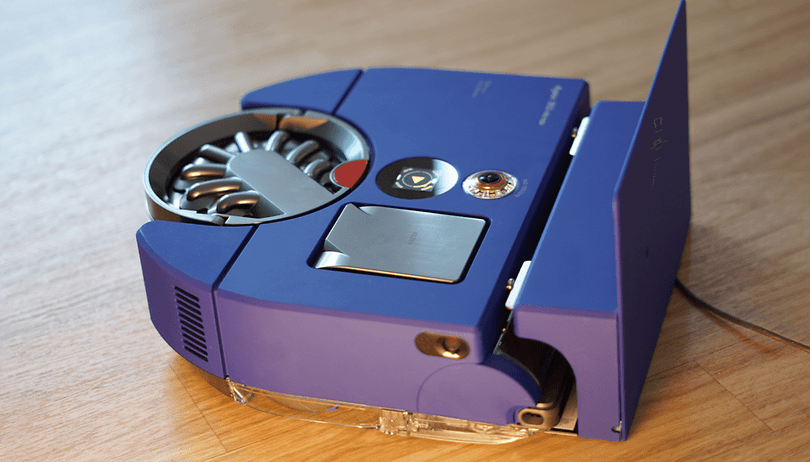

The Dyson 360 Vis Nav basically does everything that other robovacs do differently. With its latest model, the British manufacturer has deliberately opted for a pure robot vacuum cleaner without a mopping function or suction station. How much does it cost? $999! Let's find out why the Dyson 360 Vis Nav is one of the most unique robot vacuums on the market.
Good
- Outstanding suction power
- Cleaning close to the edge
- Good navigation
- Ingenious dust analysis in the app
Bad
- The price
- No wiping function
- No suction station
- 12 minutes battery life on the highest suction level
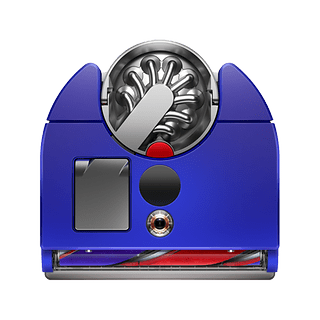
Price and availability
The Dyson 360 Vis Nav is already available in stores and costs $999 according to the recommended retail price. The robovac is widely available in online retailers, as well as Dyson's own online store.
Note: This article is a cooperation between nextpit and German retailer MediaMarkt. As usual, this cooperation had no influence in the editorial opinion and test rating.
Design and setup of the Dyson 360 Vis Nav
With the 360 Vis Nav, Dyson is building a distinctive robot vacuum cleaner that does without a LiDAR navigation tower and rubber brush. How does that work?
Strengths of the Dyson 360 Vis Nav
- Flat D-shape design.
- Retractable collection bin for corner cleaning.
Weaknesses of the Dyson 360 Vis Nav
- No mopping function.
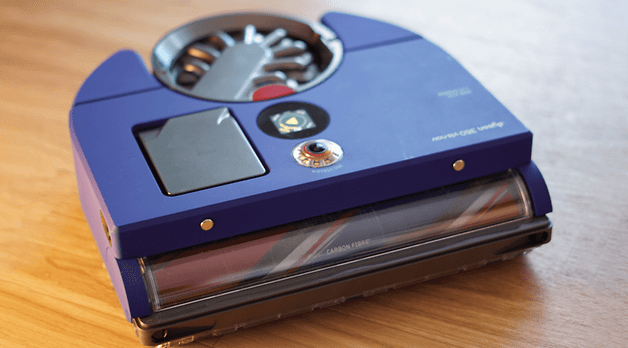
The Dyson 360 Vis Nav comes in a compact package. This is a unique robot vacuum in every respect. Firstly, the D-shaped design, which is reminiscent of the Ecovacs X5 Omni, is striking. This allows the Dyson vacuum robot to get into corners better. A retractable collection bin helps the vacuum cleaner to clean corners. Compared to the 9.5 cm high Ecovacs X5 Omni, the Dyson measures 9.9 cm.
Considering that the manufacturer has opted for a D-shaped design without a "real" navigation tower, the Dyson robovac is comparatively tall. To illustrate this in comparison: The new Roborock Qrevo Slim, also without a navigation tower, measures just 8.2 cm.
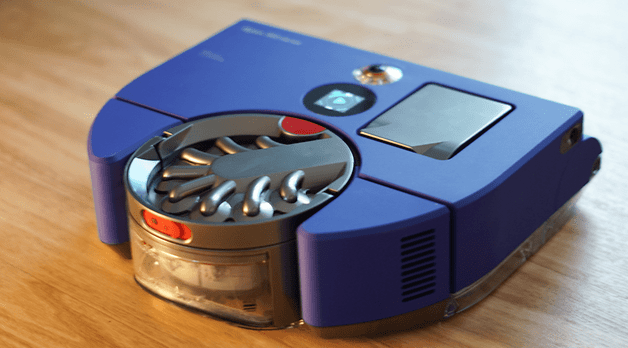
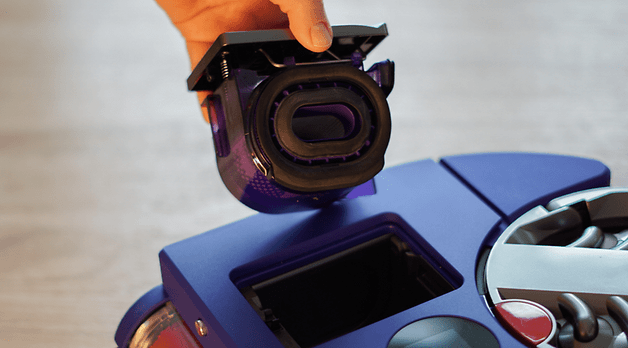
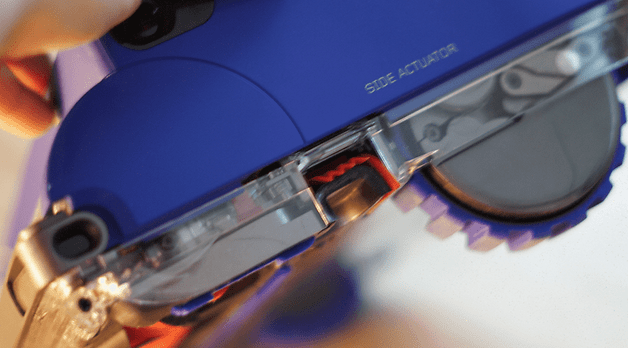
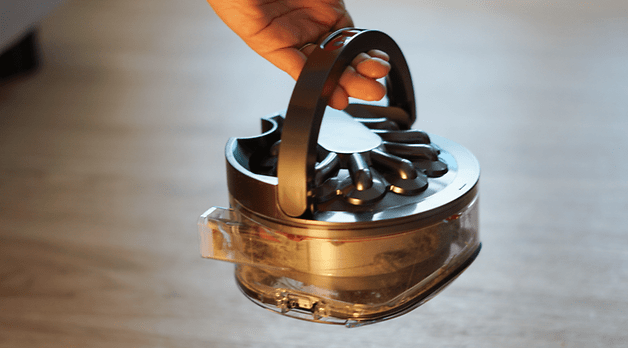
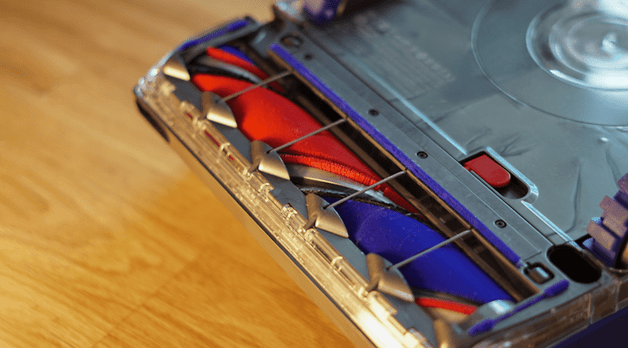
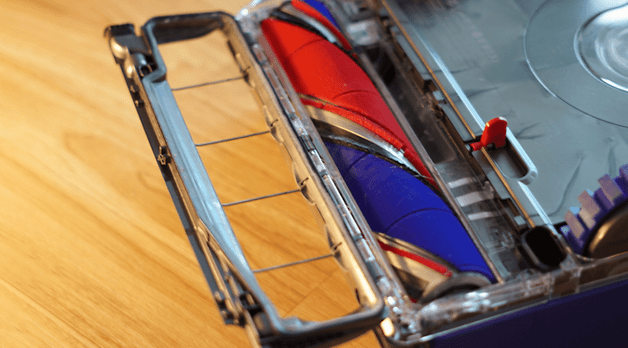
At the back, a 500 ml dust container rounds off the robot's unique overall appearance. This is separated from the robot at the touch of a button. Anyone who turns the robot vacuum cleaner over will be surprised at first. Unlike other robot hoovers, the manufacturer uses a roller brush that is very similar to the fluffy roller on Dyson's cordless vacuum cleaners. As the robot has no mopping function on board, there is also no mopping equipment.
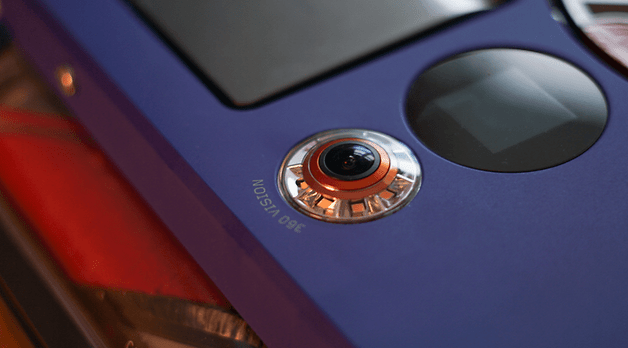
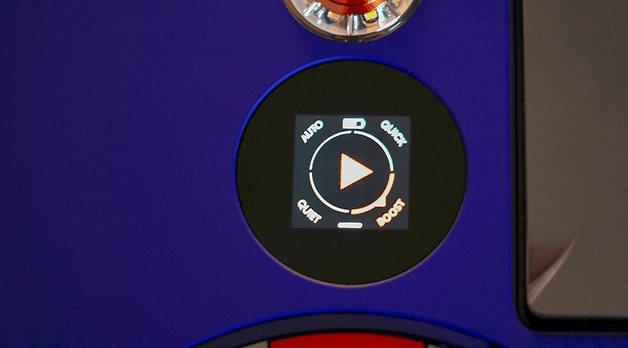
Finally, there is an LED ring at the top, which houses the 360-degree camera system for navigation. The model does not have a LiDAR navigation system. However, there is a touch display to send the robot vacuum to clean or switch it off. However, the MyDyson app is more useful for controlling the robovac, which we will look at in more detail in the next section.
MyDyson app and smart functions
The MyDyson app is a minimalist app that impresses with its ease of use. However, it offers far fewer functions than competitor apps.
Strengths of the MyDyson app
- Detailed information on the degree of soiling in all rooms.
- Minimalist app.
Weaknesses of the MyDyson app
- Fewer functions than the competition.
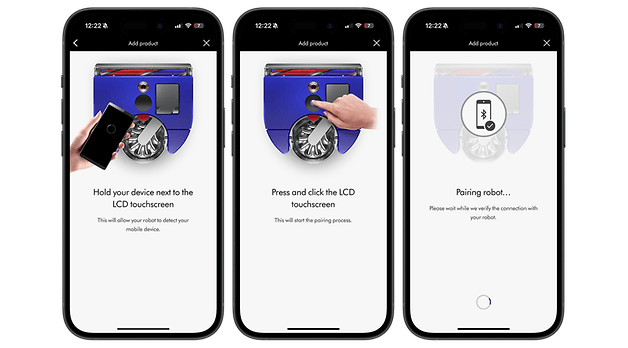
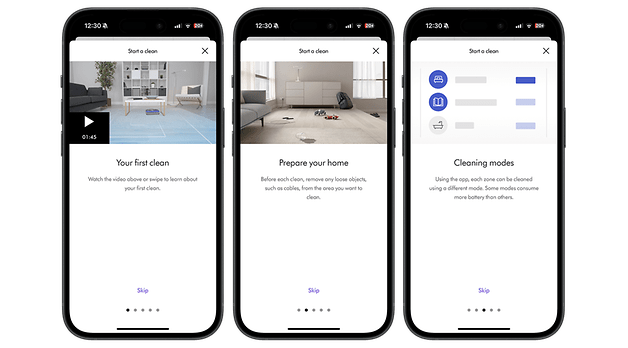
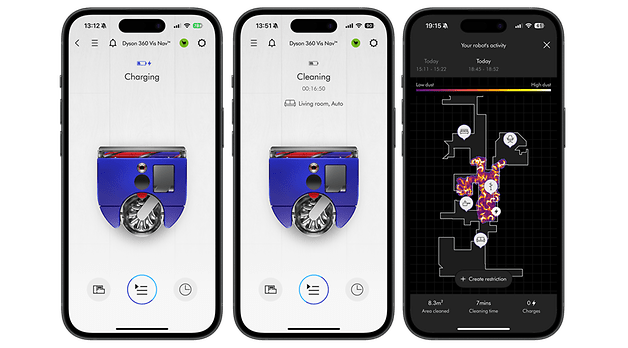
The MyDyson app is available for controlling and operating the cleaning assistant. To add the Dyson robot to the app, you need to establish a Wi-Fi and Bluetooth connection. The software will find the device in no time at all. The 360 Vis Nav then takes a picture of its new workplace. We like how detailed the app is. Tips and short videos are provided at every possible point to make the experience with the Dyson vacuum robot as easy as possible.
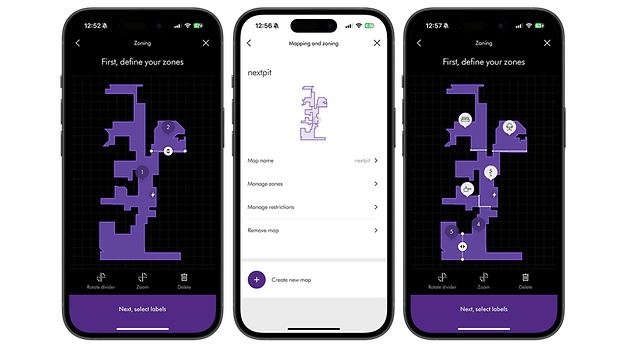
Mapping takes much longer than with competitor models, but that's not a bad thing—because the mapping result is amazingly precise. The map is then refined by defining room boundaries. No-go zones can be specified for the robot in the same way. You can also set up places that should not be climbed and places that should not be vacuumed.
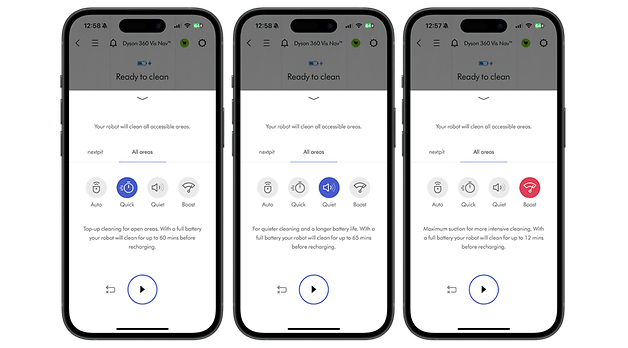
There are then four suction levels to choose from for cleaning:
- Auto
- Quick
- Quiet
- Boost
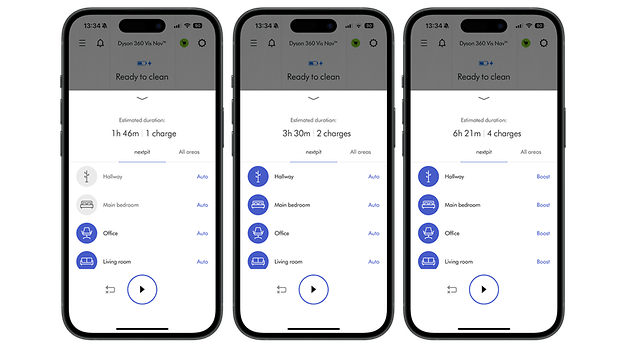
Once again, we would like to praise the manufacturer's efforts to provide the customer with as much information as possible. If you select a suction level, the app shows you how long the robot vacuum can vacuum at the selected level. Schedules can also be set up. Here you can set days with exact times and the suction levels for each individual room.
The best and probably most spectacular feature of the app is undoubtedly the display of the detected degree of soiling after cleaning. What at first glance looks like a screenshot from the game "Plague Inc" is actually an indication of how high the dust content in the home is.
Suction power and navigation of the Dyson 360 Vis Nav
The Dyson 360 Vis Nav shines with outstanding suction power on all floor coverings. During cleaning, the robot hoover navigated through our test area without any problems. The biggest drawback of the Dyson robot vacuum cleaner is that all the maintenance remains in your hands.
Strengths of the Dyson 360 Vis Nav
- Fantastic suction power.
- Good corner and edge cleaning.
- Great navigation, even in the dark.
Weaknesses of the Dyson 360 Vis Nav
- Weak battery life on the highest suction level.
- No suction function.
- Some hair gets tangled in the roller.
With the 360 Vis Nav, Dyson has deliberately opted for a pure robot vacuum cleaner. For all the permissible criticism about the lack of a mopping function, the suction result is at the very highest level. The Dyson takes a different approach to vacuuming than is usual with comparable models. The smart vacuum cleaner starts centrally and moves outwards in squares. Finally, the household assistant starts cleaning the edges. During this process, it extends a collection tray to collect dirt from hard-to-reach areas.
| Test volume (g) | Suction volume (g) | Efficiency (%) | |
|---|---|---|---|
| Oat flakes (tiles) |
|
|
|
| Sand (tiles) |
|
|
|
| Sand (carpet) |
|
|
|
There are not many hard-to-reach areas for this model. Thanks to the D-shape described above, the appliance cleans corners more thoroughly than round models without an extendable side brush. In general, navigation is also at a top level. Dyson has installed a 360-degree camera system in the appliance. This also explains how the appliance got its name. In addition, an LED light has been used in the "eye" so that it can cope just as well in the dark.
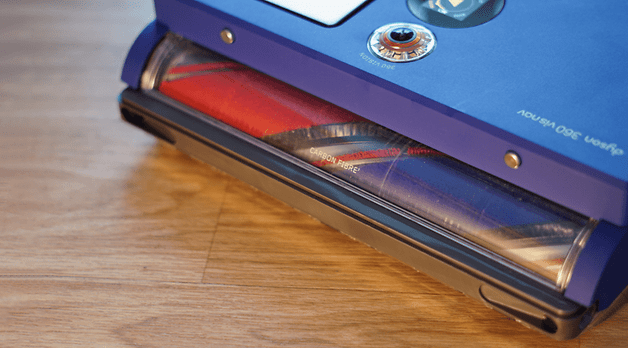
The Dyson vacuum cleaner is only not perfect when it comes to hair. We discovered tangled hair in the Fluffy roller after a short time. Be aware that it's only a matter of time before you have to worry about detangling. If you are already servicing your robot vacuum, you can empty the dust container at the same time. Because: There is no suction function here. The station is purely a charging station—even though the robot vacuum costs a whopping $999!
Surprisingly, it has its difficulties during the docking process. In practice, we found the robot needed up to three attempts to park correctly in the dock. What's more, the dock doesn't stay in place. Once you have pushed the vacuum cleaner to its limits, you have to wait around 1.5 hours until the tank is full.
The battery life on the highest suction level is just 12 minutes. Even I wouldn't mind vacuuming my home for more than 12 minutes until I run out of breath. But let's put that into a more meaningful contrast: A Dreame X40 Ultra we tested this year still has a whopping 70 percent battery left after a 30-minute vacuuming and mopping tour on the highest levels.
The Dyson robot vacuum is at its most powerful in Auto mode. In this mode, the robot analyzes the amount of dust and intuitively adjusts the suction power. The principle is similar to the AI cleaning levels of the Dreame or Roborock vacuum robots.
Technical data of the Dyson 360 Vis Nav
| Technical data | |
|---|---|
| Model | |
| Illustration |  |
| Price (RRP) |
|
| Suction power |
|
| Height of the robot hoover |
|
| Special features |
|
| Suction function |
|
| Mop cleaning and drying |
|
| Automatic detergent supply |
|
| Dimensions of the base station |
|
Test summary of the Dyson 360 Vis Nav
Anyone who has read the test of the Dyson WashG1 will be familiar with the following sentence: "What the Dyson 360 Vis Nav does, it does almost perfectly. The suction power is on par with the best vacuum robots with a mopping function. When cleaning, the Dyson robot vacuum navigates well. In practice, we never had to free the 360 Vis Nav from an awkward situation. Anyone looking for the best "pure" robot vacuum will be perfectly happy with the Dyson model.
Nevertheless, the Dyson robot vacuum comes with a hefty price tag. The luxury vacuum cleaner costs $999 according to the recommended retail price (MSRP). Anyone who doesn't want to do without a mopping function or doesn't want to have anything to do with maintenance would therefore be better off opting for the $1,000 Eureka J15 Pro Ultra or our other high-end suggestions.