Screen Mirroring from Samsung Phones to Windows PC Is About to Get Easier

Read in other languages:
Android smartphones, including Samsung's Galaxy devices, have long supported screen mirroring on Windows PCs, with improvements over the years. However, One UI 6 on Android 14 introduced a new restriction, making the mirroring feature inconvenient. Samsung is now addressing this issue with One UI 6.1.1.
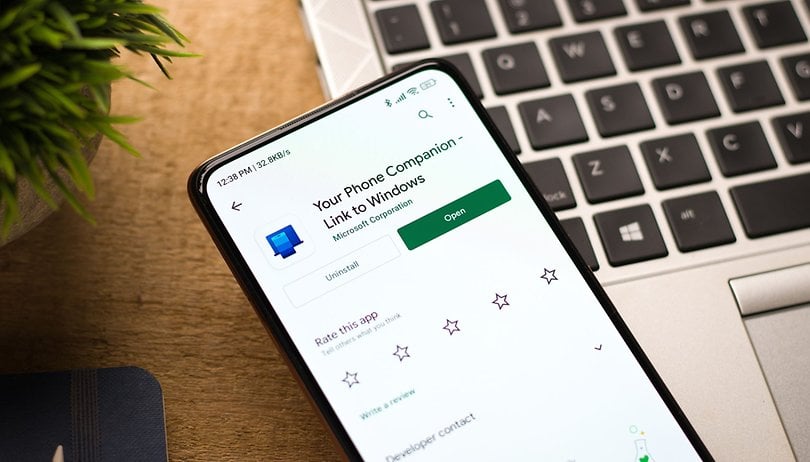
With Windows 10 and Windows 11, the pairing setup is always done through the Phone Link app installed on Android and Windows computers. This allows users to manage messages, answer calls, run apps, or entirely mirror the screen from their handset right on their laptop or PC.
Before Android 14, mirroring an app on a Samsung Galaxy phone to Windows only required a single confirmation on the handset through a “Start Now” button. After updating to One UI 6, every app mirror now requires users to tap a button to give permission, which made things confusing.
A simplified process for streaming apps on One UI 6.1.1
As found by developer Mishaal Rahman on Android Authority, this major friction has been fixed in One UI 6.1.1. This was tested on the latest Samsung Galaxy Z Fold 6 (review) and Galaxy Z Flip 6 (review) foldable phones, which run on the said firmware.
The frequent pop-up issue was traced to the MediaProject API in the Link app for Windows. This API was designed for screen recording and casting. However, in previous Android versions, Microsoft used the MediaProject API even for non-streaming and non-casting services and apps.
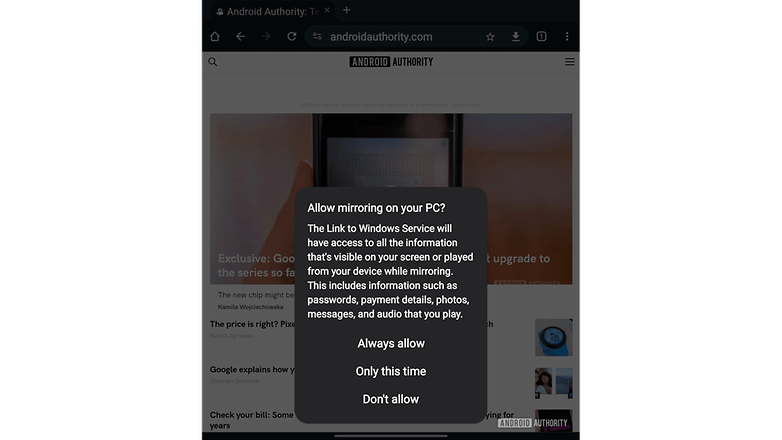
Google closed the loophole in Android 14, which caused apps to request confirmation every time they were launched. Fortunately, Microsoft quickly applied a fix, specifically in One UI 6.1.1.
- Don't miss: How to use your phone as a PC webcam
According to Rahman, Microsoft now uses Google's Companion App Streaming APIs instead of the MediaProject API. These new APIs offer more flexibility, requiring only a one-time permission for app mirroring or screencasting while maintaining the same security on Android devices.
There's yet to be a confirmed date for when Samsung will roll out the One UI 6.1.1 update to other Galaxy devices, but rumors suggest it could arrive sometime in August.
Have you tried using Phone Link before? How's your experience so far? Share with us in the comments.
Source: Android Authority