Sorry, but there's really nothing to see here right now. Our server is in maintenance mode – and our
little bot is trying to sort the error messages with its last bit of energy.
Whether it was a data leak, a power outage in the cluster, or just a grumpy bit – we don't know yet.
But what we do know is:
The data drama escalated into a server meltdown. But don't worry: We're on it.
What now?
Everything is surely running smoothly over at our colleagues from inside
digital – why not stop by!
Or you could pass the time by visiting our social media channels – for example Instagram, YouTube or TikTok. At least there are no
server problems there – promised.
Thanks for your patience. Our bot is already rebooting at full speed. 🔧
NewsSmart Home & RobotsApple Activates HomePod Smoke Alarm Detection: Here’s How You Set It Up
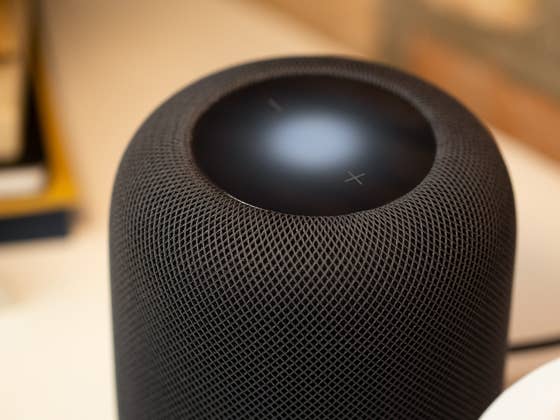
When Apple launched its 2nd gen HomePod, it introduced the Sound Recognition capability. Today, Apple began to enable this feature not only for the full-sized speaker, but also for the HomePod Mini. Here’s how you can use Sound Recognition to detect smoke alarms in your home.
Similar to iPhones, Sound Recognition on Apple’s HomePod speakers relies on built-in microphones to listen for ambient sound and voice commands. In the case of the HomePod 2023 and HomePod Mini, it is also used to detect alarms coming from non-smart smoke and carbon monoxide detectors.
Smoke notifications can be accompanied by video recordings from security cameras
When enabled, a HomePod can recognize alarms and subsequently notify users via the Home app for iPhones, iPads, and even Apple watches. Do take note that notifications are sent if a user is away from the home. As an added measure of precaution, recorded video footage can be sent if there is a connected HomeKit-ready security camera within the same smart home network.
Where privacy is concerned, Apple claimed that all sound recognitions are processed locally on the smart device. At the same time, communication between other Apple hardware uses end-to-end encryption.
How to activate and use Smoke Detection on the Apple HomePod
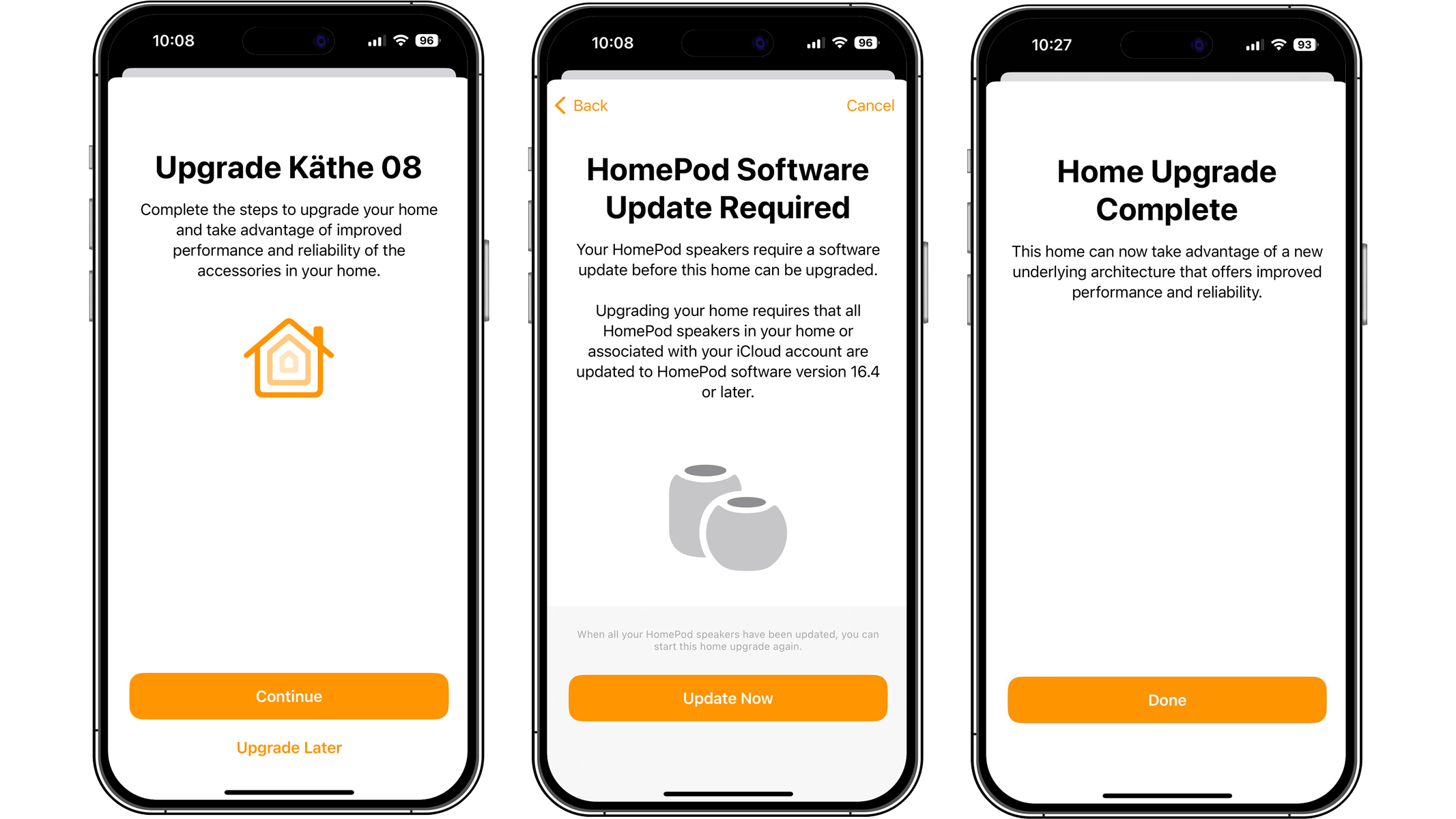
The hardware restriction in the Sound Recognition feature supports only the latest Apple HomePod 2023 and the HomePod Mini. Activating it requires you to be on the latest HomePod OS and Home app versions.
If you haven’t updated yet, you should automatically see a prompt to install the latest software for both of your HomePod or Home mobile app when opening the Home app.
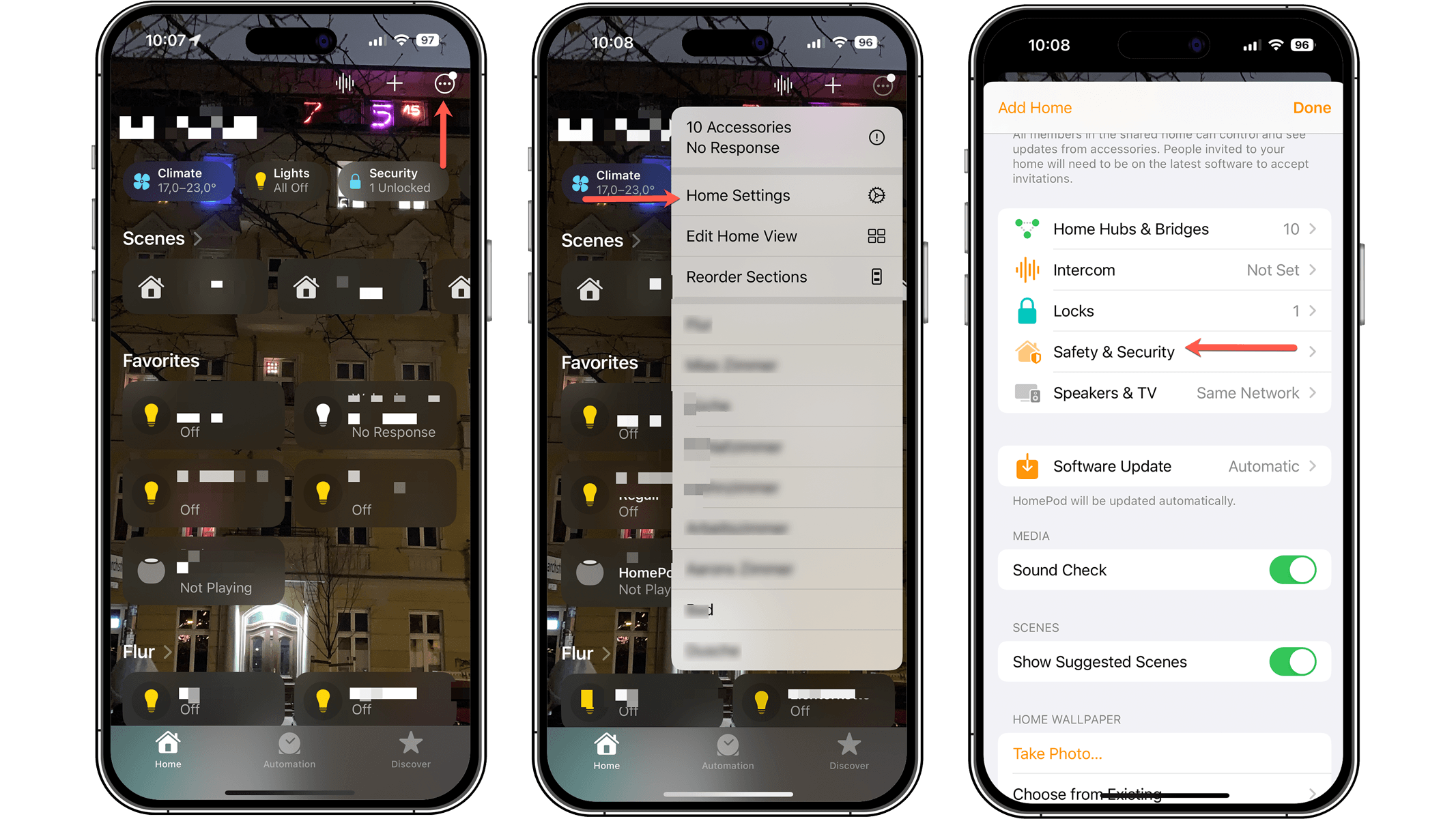
As with other smart home devices and accessories, you can allow other Home accounts to tune in to what’s going on at home to receive critical notifications as well. You can manage this from the Safety & Security section.
We’d like to know if you would consider buying an Apple HomePod smart speaker with this new smoke or carbon alarm detection feature? Do you think the advanced technology would do well with other smart home devices too? Tell us in the comment section.
We mark partner links with this symbol. If you click on one of these links or buttons–or make a purchase through them–we may receive a small commission from the retailer. This doesn’t affect the price you pay, but it helps us keep nextpit free for everyone. Thanks for your support!





0 comments