Sorry, but there's really nothing to see here right now. Our server is in maintenance mode – and our
little bot is trying to sort the error messages with its last bit of energy.
Whether it was a data leak, a power outage in the cluster, or just a grumpy bit – we don't know yet.
But what we do know is:
The data drama escalated into a server meltdown. But don't worry: We're on it.
What now?
Everything is surely running smoothly over at our colleagues from inside
digital – why not stop by!
Or you could pass the time by visiting our social media channels – for example Instagram, YouTube or TikTok. At least there are no
server problems there – promised.
Thanks for your patience. Our bot is already rebooting at full speed. 🔧
How-tosTabletBack Tap: Add a Shortcut to Your Favorite iPhone Features
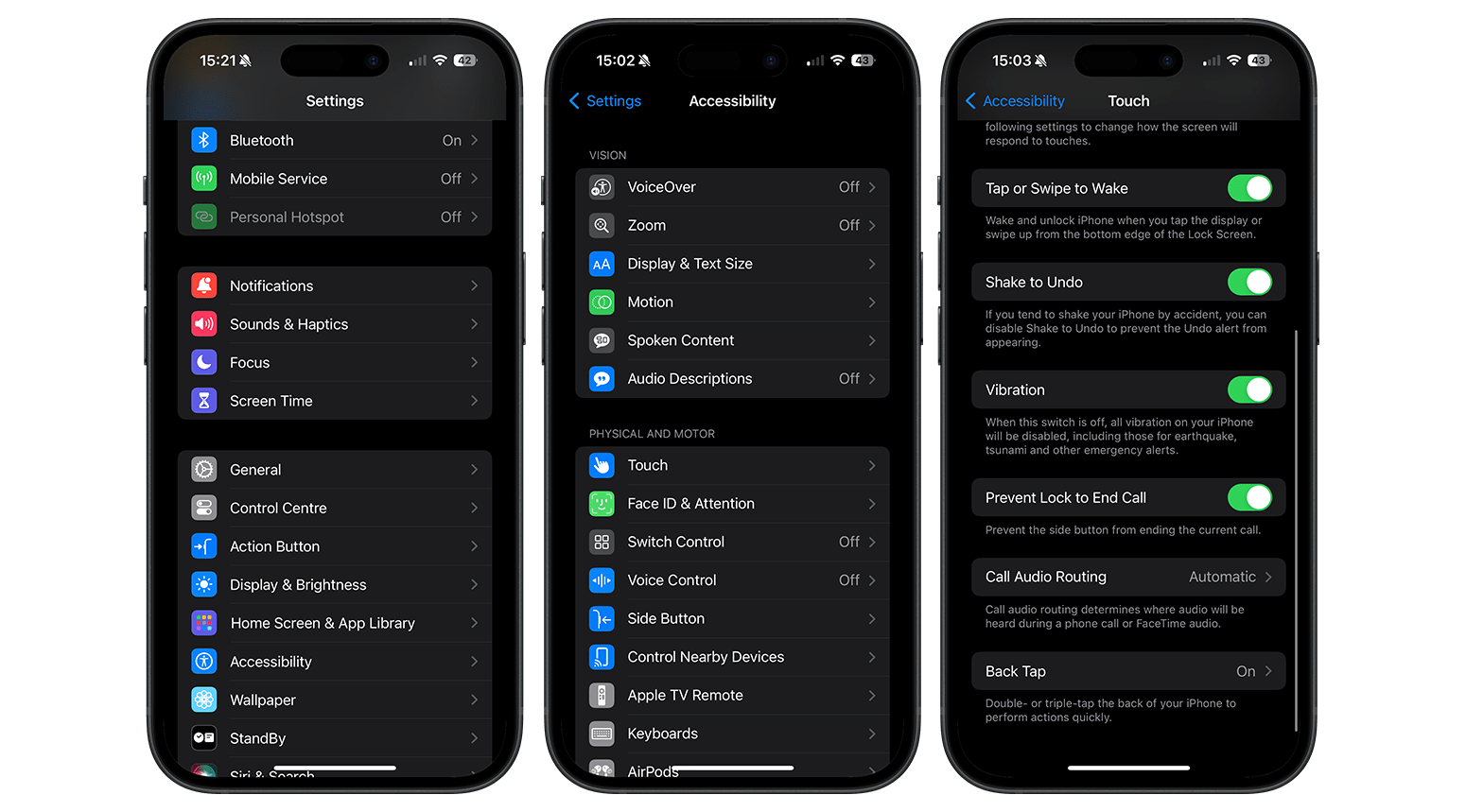
There are many practical functions tucked away in the Accessibility shortcuts that simplify the iPhone’s operation. Ever since iOS 14 rolled out, Back Tap function has been available, which can be used to execute many different commands. You can activate selected iPhone functions by double or triple-tapping the back. This nextpit guide shows you where to find the hidden function and how to activate it.
Back Tap: How to find this function
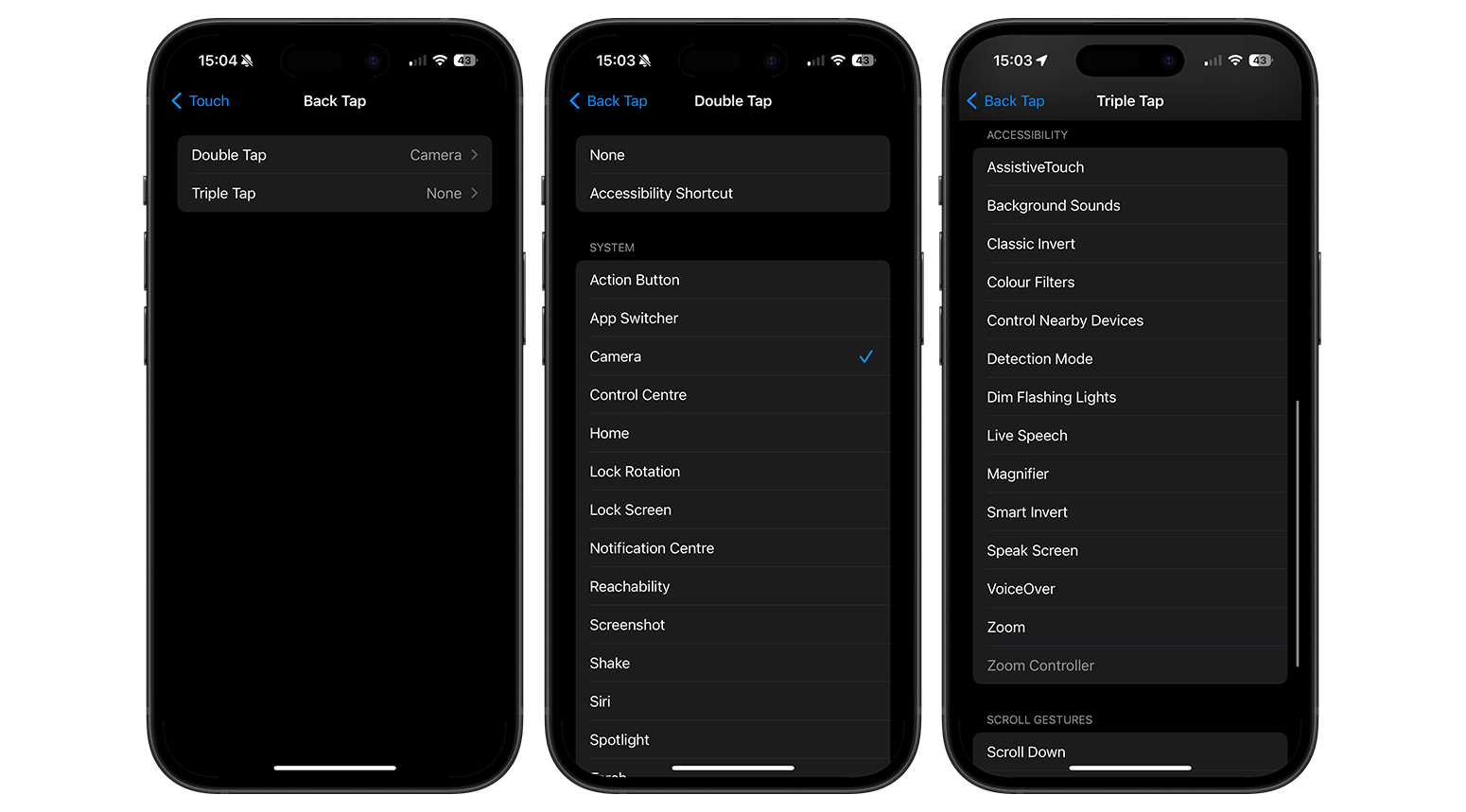
Since iOS 14 was introduced, there has been a simpler alternative to execute commands. With the Back Tap feature, you can trigger an Accessibility shortcut by double or triple-tapping the back of the phone. Here’s how you can find the function on the iPhone:
The choice of actions is virtually limitless. This means you can launch the camera app if you have spontaneously found a great subject or want to capture a screenshot without even having to press a button. The selected function can be enabled from the home screen, within an app, or directly from the lock screen. Note that your iPhone must be unlocked before you can access this function from the lock screen.
Did you already know about the Back Tap function? If so, how do you use the feature? Please let us know in the comments.
This article was updated in August 2024 with a revision to the process.
We mark partner links with this symbol. If you click on one of these links or buttons–or make a purchase through them–we may receive a small commission from the retailer. This doesn’t affect the price you pay, but it helps us keep nextpit free for everyone. Thanks for your support!








Interesting…!!!