


Contents
Pros of the Whoop MG
- Comfortable and low-profile
- Smart, helpful health insights
- AI coach adds real value
- Excellent menstrual tracking
- Long 14-day battery life
Cons of the Whoop MG
- No built-in GPS
- Doesn’t support third-party gear
- Limited detail in workout analytics
Jump directly to:
- Comfortable and Low-Profile Design
- Whoop MG Is All About Energy Efficiency
- Inside the App: Insights, Trends, and Coaching
- Whoop MG’s Health and Fitness Toolkit
- Whoop MG’s Menstrual Tracking Is Seriously Impressive
- Is the Whoop MG worth it?
- Where to Buy the Whoop MG
Comfortable and Low-Profile Design
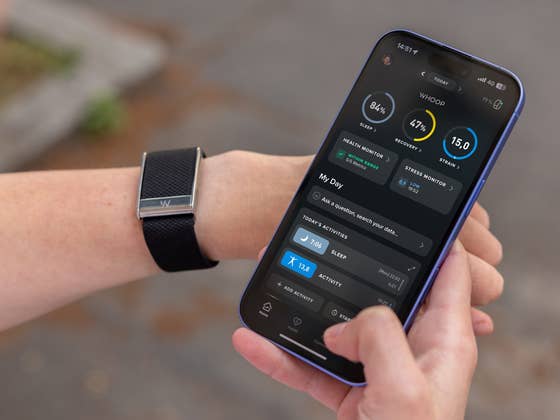
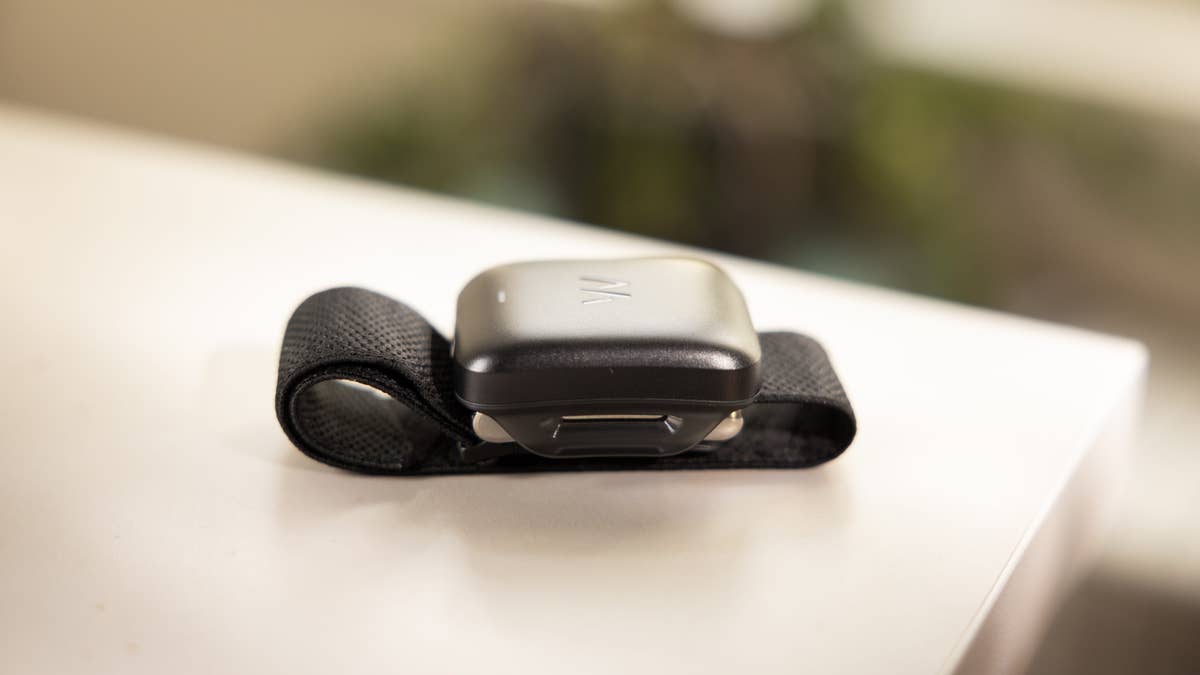
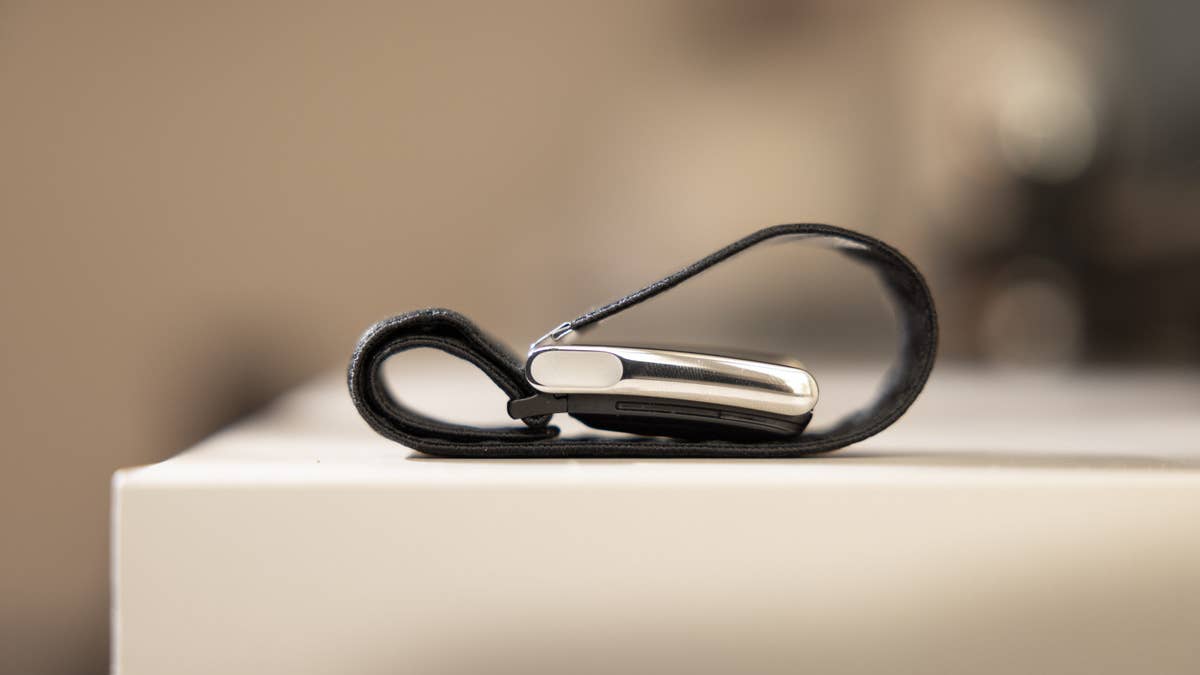
The Whoop is a sleek, sensor-packed device designed for all-day wear. Because of its functional design, it’s easy to keep on 24/7—even charging is seamless. A wireless battery pack slides right onto the device, so you never have to take it off. Whoop also offers a variety of bands, letting you match the look to your style, whether you’re at the office or hitting the gym.
Thanks to optional armbands and Whoop Body apparel (including tops and undergarment accessories), you can wear the device in multiple places. This flexibility makes it easy to integrate into your routine, no matter your lifestyle.

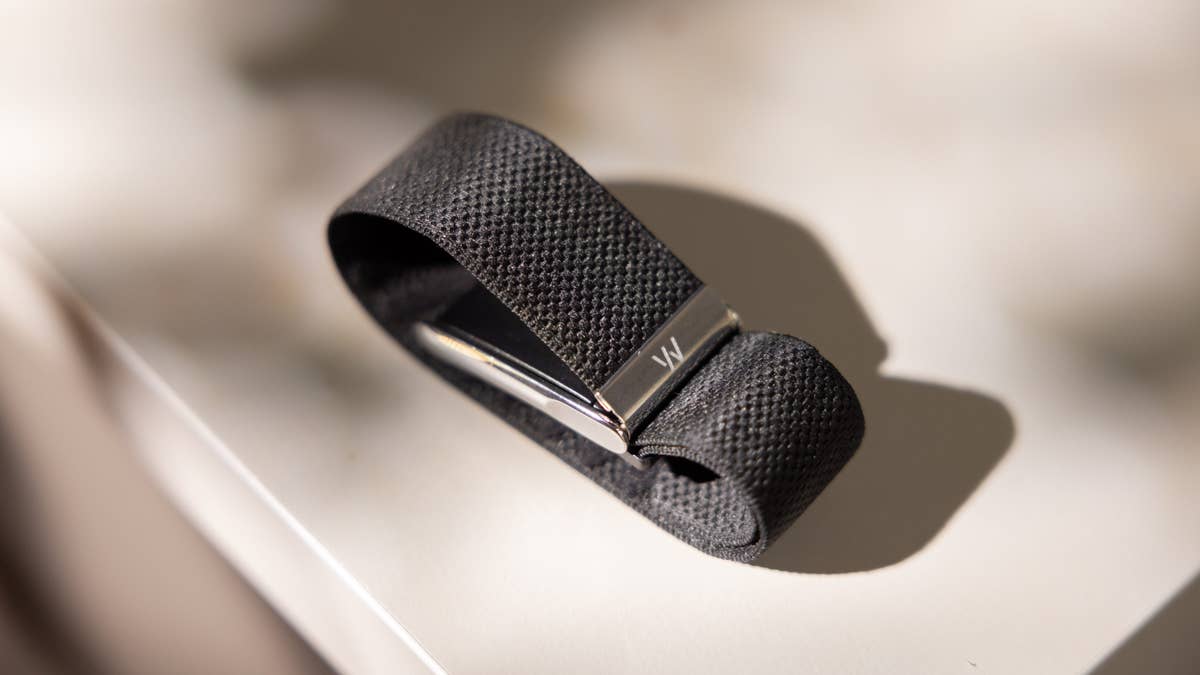
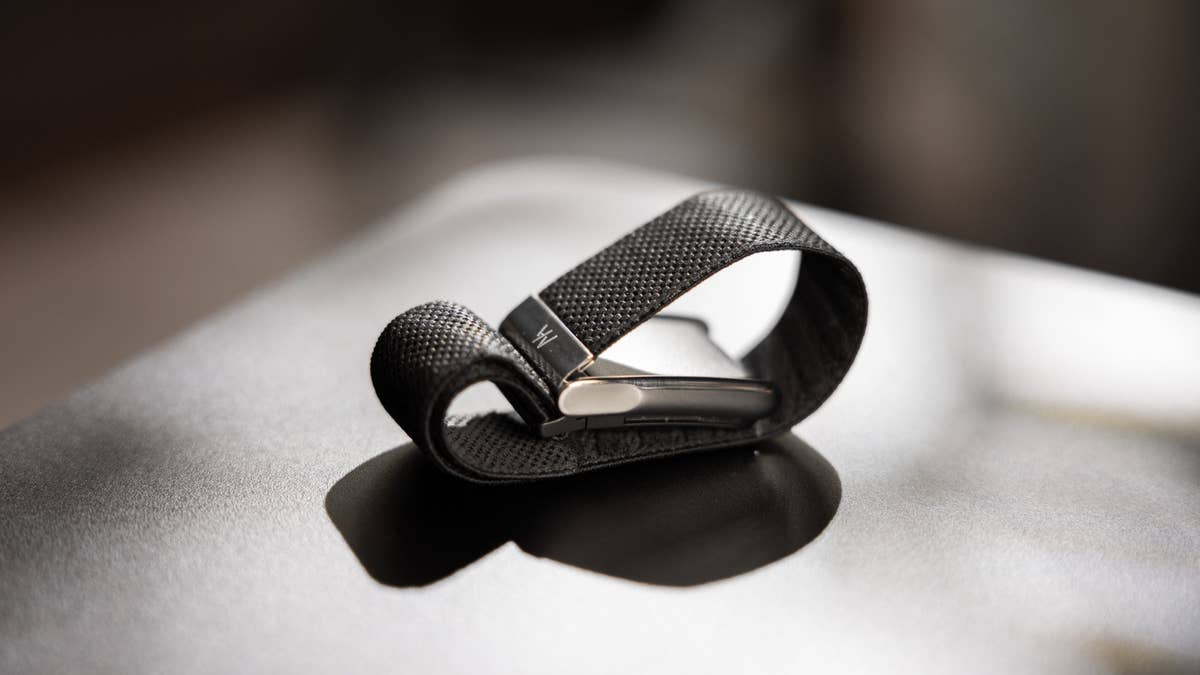

Whoop now comes in two versions: the Whoop 5.0 and the Whoop MG. The key difference? The MG includes a medical-grade ECG sensor—hence the “MG.” That’s the version I’m currently testing. If you’re deciding between models, check out my guide on choosing the right Whoop membership and hardware for your needs.
Physically, the MG is a bit thicker and slightly shorter than the previous model—though you’d have to look closely to notice. Whoop says it’s about 7% smaller overall. It still feels light and discreet, whether worn on the wrist or elsewhere. I’ve used the Whoop 4.0 since June 2024, and after a month with the MG, I can confidently say it feels nearly identical—which is a win in my book.
It’s also easy to wear—just connect the buckle to the sensor, adjust the band to fit your wrist, and snap it closed. I got the Obsidian Titanium SuperKnit Luxe design, but there are four other color options available. However, you’ll need to pay an extra $49 to $89 for them.
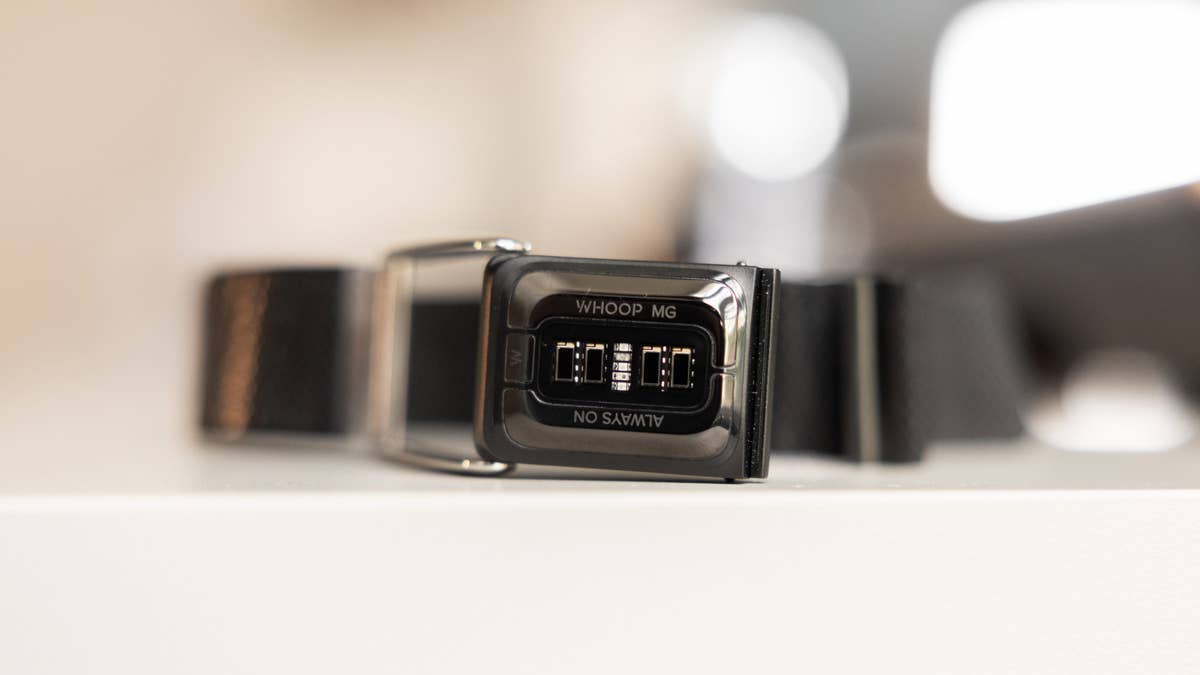
There is one catch: the new generation doesn’t work with older accessories because the design has been slightly changed. That means previous bands and Whoop Body gear won’t work with the MG. A bit frustrating if, like me, you already invested in a few extras.
The Whoop MG is IP68 certified, making it both water- and dust-resistant. You can swim with it (up to 10 meters), shower with it, and clean it with ease. It’s genuinely built for 24/7 wear.
Whoop MG Is All About Energy Efficiency
Under the hood, Whoop has made some serious hardware upgrades. The company claims a 60% faster processor and 10x better power efficiency, which translates to quicker response times and smoother overall performance. They haven’t detailed exactly how they pulled it off, but it likely comes down to improved sensors, smarter energy management, and better light detection. The last major hardware refresh was back in 2021, so this leap forward was definitely overdue.
Battery life is where the upgrade really shines. The new model offers up to 14 days on a single charge—nearly triple the five-day life of the Whoop 4.0. It didn’t matter how many tests I had; I always got the full two weeks. Casual users could easily stretch that even further.
The battery pack itself also got a boost: it’s now 766 mAh, up from 672. It’s slightly bulkier but still uses the same snap-on charging method. Thanks to the added capacity, you can go up to 30 days without needing to plug in. And finally—finally—Whoop has switched to a USB-C to USB-C braided cable. It’s sturdier, more modern, and honestly, long overdue.
It took me just under two hours to charge the Whoop MG from 0 to 100%, but even after just one hour, you’ll have enough juice for about a week.

The upgraded sensor also boosts automatic workout detection, so you’re not stuck labeling every session manually. That said, auto-detection only kicks in after 15 minutes of continuous activity. So if you’re hoping your 10-minute bike commute will count, you’ll still need to start it manually—or log it after the fact. Not ideal, but at least there’s a fallback.
The new vibration motor is stronger, too. You’ll feel it during workouts, and it’s finally reliable enough to use as a silent alarm that actually wakes you up.
Still, there’s no built-in GPS or support for third-party hardware. If you were hoping to ditch your phone on runs, you’re out of luck. Whoop still relies on your phone for location tracking—something that’s starting to feel outdated. Then again, this device is built more for tracking internal performance than mapping your route.
One final note: compared to the Whoop 4.0, the MG feels less eager to flatter me. It doesn’t pretend my 10-minute ride to the office is cardio, and it’s a bit more realistic about my sleep quality. The data feels sharper, more honest—which, in my book, is a win.
Inside the App: Insights, Trends, and Coaching
Whoop is a membership-based service. You don’t pay for the hardware upfront—the cost is built into the subscription, which is where the real value lies. Each membership tier unlocks different features, and the Whoop MG falls under the premium tier, giving you full access to everything the platform offers. That said, you don’t need the top-tier plan to get meaningful benefits.
The device connects to your phone via Bluetooth and works with both Android and iOS. It integrates seamlessly with Apple HealthKit and Google Health Connect, and it plays well with third-party platforms like Strava. It even syncs with Withings devices—like the Body Scan Scale I recently tested. For compatible apps and gear, you can also broadcast your heart rate from the Whoop.
I currently use my Whoop alongside other devices, including the Oura Ring 4 (review) and the Apple Watch Series 9 (review). Paired with my iPhone 16, the Whoop MG reliably pulls in activity data from HealthKit, clearly labeling the source. That kind of transparency goes a long way.
For instance, even when Whoop doesn’t recognize my 10-minute bike commute as a workout, it still factors into my strain score—because it was automatically imported from another device. No manual logging required, which means one less thing to worry about.
Where the Data Meets the Insight
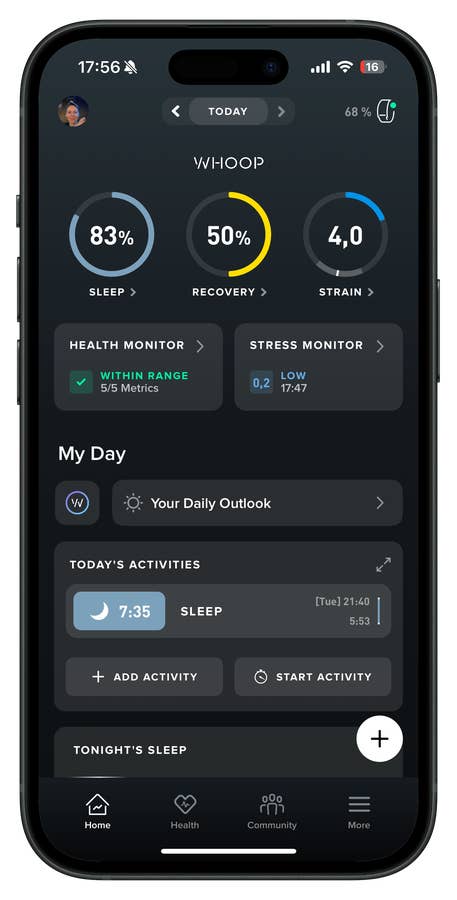
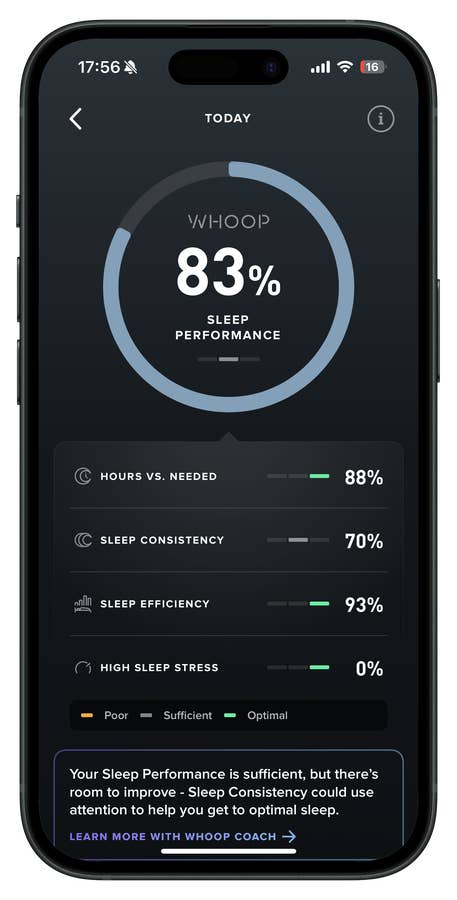
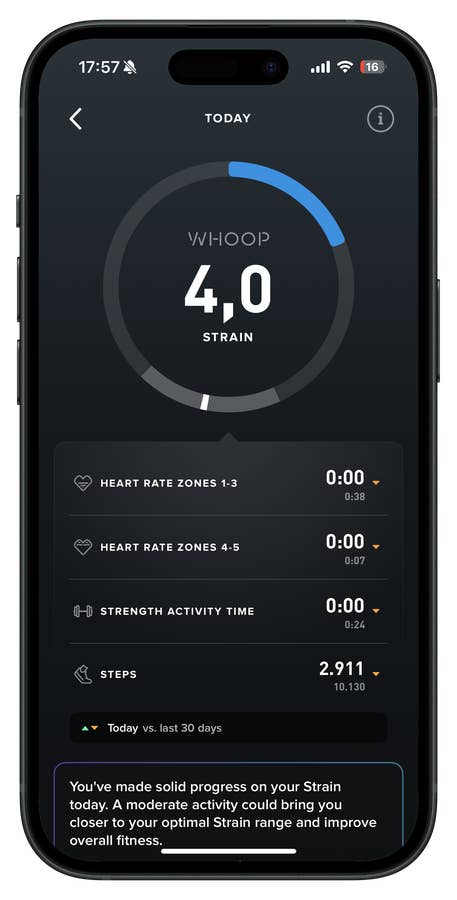
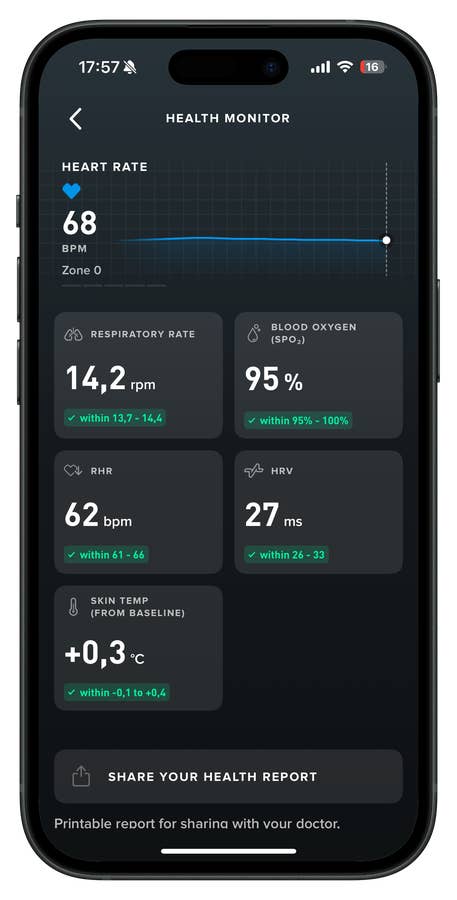
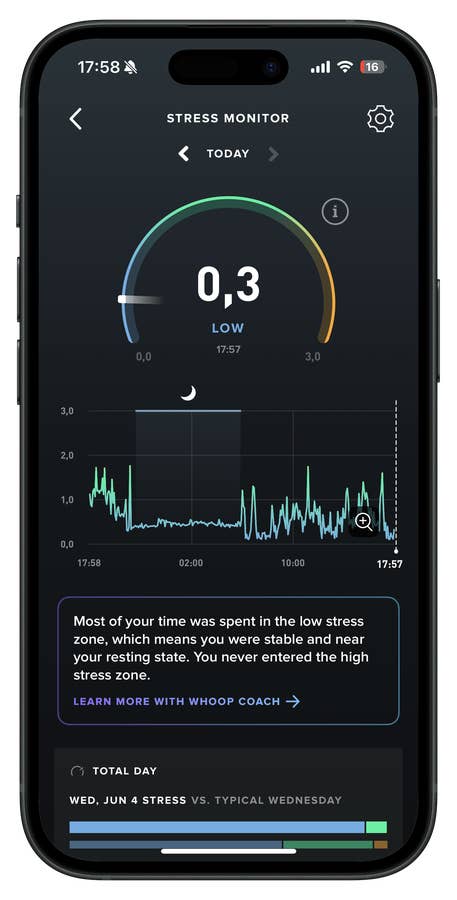
The Whoop MG focuses on three key pillars: sleep, recovery, and strain (more on each of these below). These inputs feed into a daily recovery score that helps you understand how ready your body and mind are for the day. While most wearables now offer a readiness score, Whoop still manages to deliver it with more nuance.
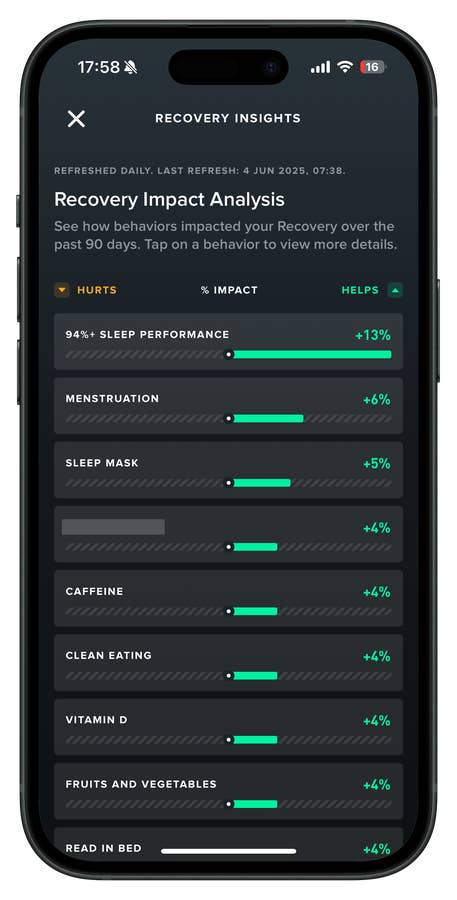
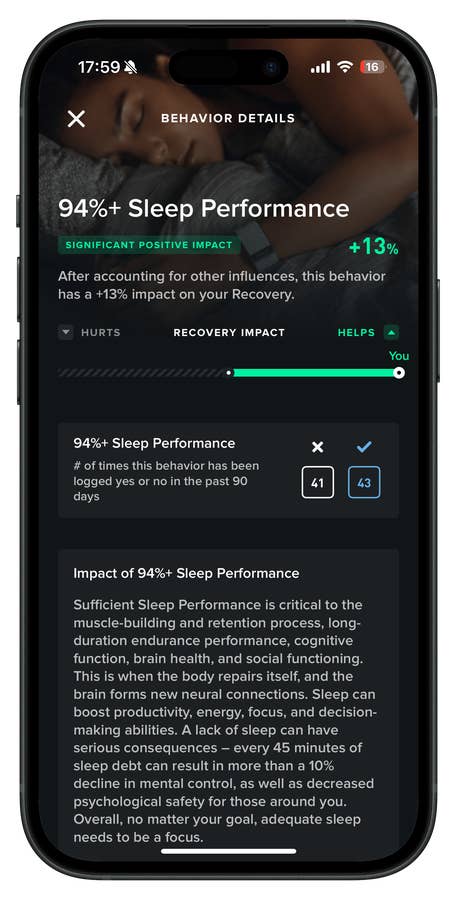
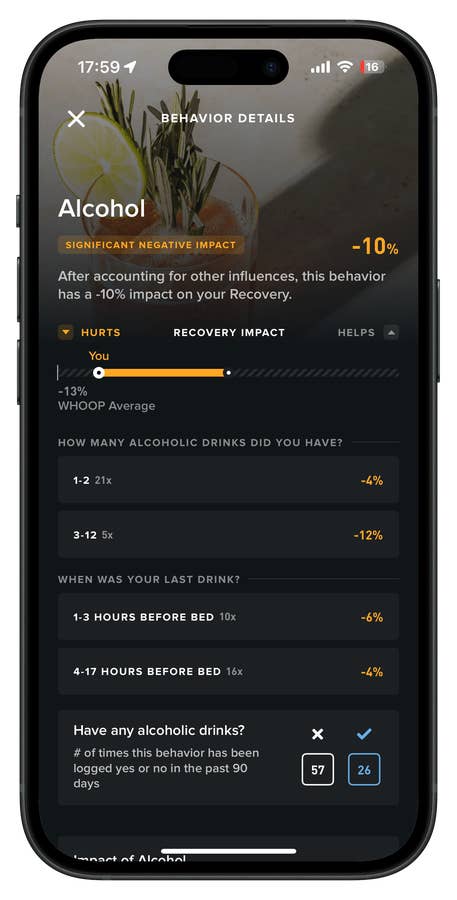
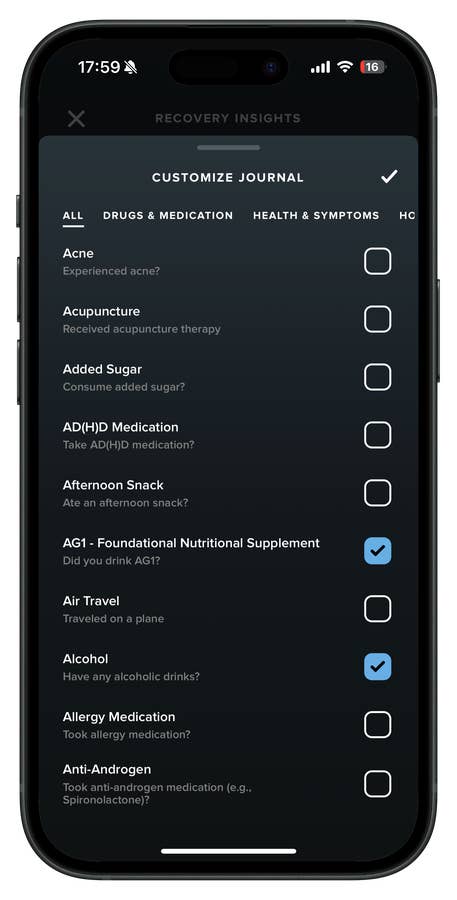
What sets Whoop apart is how it combines sensor data with your self-reported habits. Through a feature called Insights, the platform pulls from a customizable daily journal with over 160 tracking options—covering everything from supplements and medications to menstrual cycles and mental health. This adds valuable context to your biometric data.
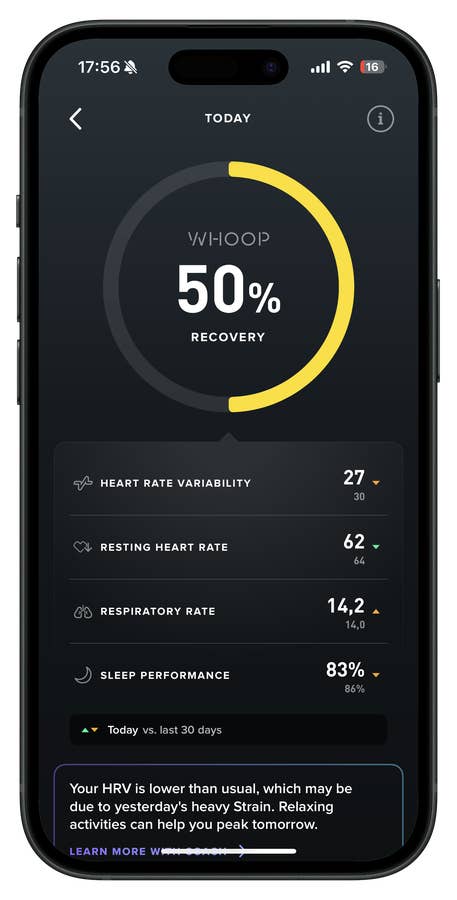
Your recovery score blends this journal input with key metrics like HRV and sleep performance. More importantly, the app highlights what’s helping—or hurting—your recovery and shows clear trends over time.
Yes, it can be a lot to take in at first. But the app’s dashboard is clean, intuitive, and designed to make all this data genuinely useful. In my experience, no other platform presents health data with the same level of clarity and depth.
One feature I’d still love to see? A simple search bar. It would make navigating your data feel more like using your phone. That said, the built-in AI coach provides a decent workaround.
Daily Guidance, Personalized by AI
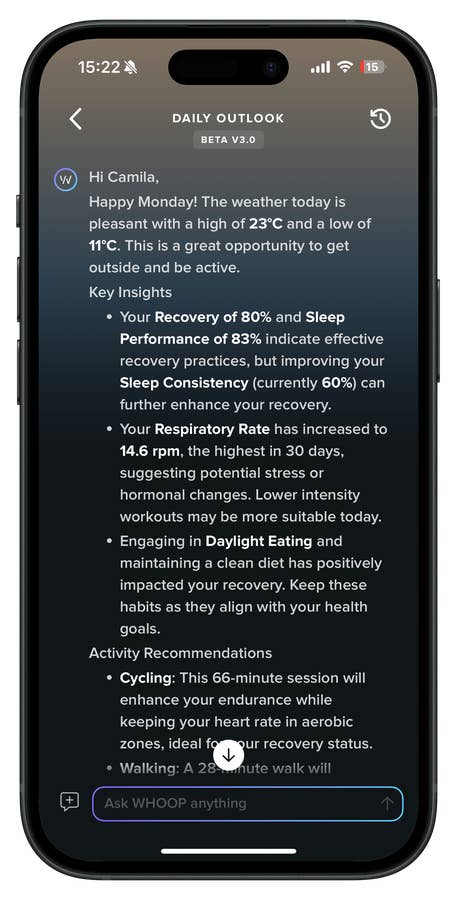
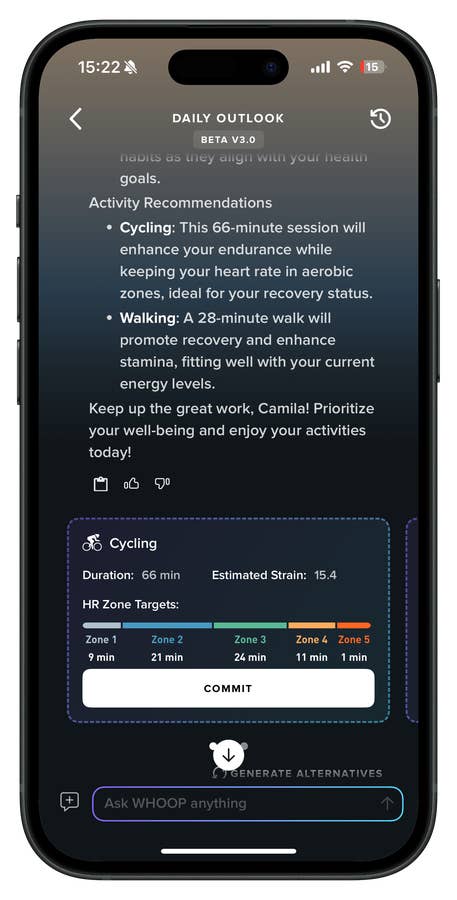
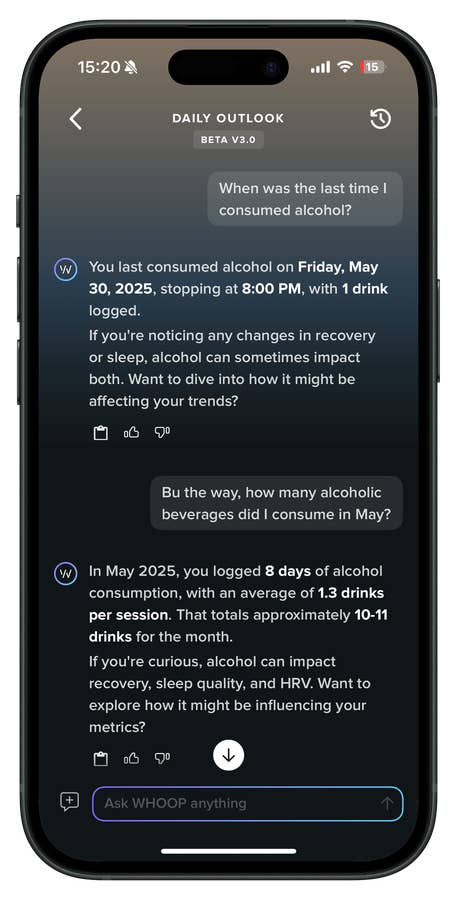
Whoop uses GPT-4 (from OpenAI) to make your health data more accessible through a feature called Your Daily Outlook. Each morning, you’ll get a personalized summary that includes the weather, key takeaways from the day before, and what may have impacted your recovery. You’ll also get activity recommendations and can ask follow-up questions directly in the app.
Even though it’s still in beta (v3.0), I’ve already found it helpful for spotting trends. Recently, I noticed a gradual uptick in my respiratory rate. Using the Whoop Coach—yes, that’s the actual name—I was able to dig into the data, get a breakdown of possible causes, and even receive actionable suggestions like breathing exercises, hydration reminders, or light activities such as yoga or walking.
Of course, if something feels off, it’s always best to check in with a healthcare professional. But having this kind of insight at your fingertips makes it easier to stay informed without going down a Google rabbit hole. Want to know when you last had a drink? Or how many drinks you had last month? The Whoop Coach has you covered.
Whoop MG’s Health and Fitness Toolkit
Sure, Whoop still gives you the usual lineup of metrics—sleep score, strain, recovery, HRV, stress levels, and so on. But with this new generation, especially the MG model, the company is clearly aiming for something more ambitious, pushing into semi-clinical territory.
The MG introduces on-demand ECG readings, estimated blood pressure tracking, and biological age estimates. It all sounds impressive—and it’s certainly more data—but the real test is how meaningful these features actually are day to day. Fortunately, they’re integrated in a way that doesn’t interrupt your routine. Whether that’s enough to justify the upgrade is another question.
Whoop Heart Screening
Take the ECG, for instance. It’s FDA-cleared and easy enough to activate: touch the buckle electrodes, wait 30 seconds, and the app gives you a medical-grade readout. This isn’t new territory—Apple and Withings have offered similar functionality for a while—so it’s less a leap forward and more Whoop catching up to the rest of the wearables market.
Still, passive heart monitoring with alerts for irregularities is a useful addition. Just don’t confuse it with a diagnostic tool. It’s a safety net at best, not a clinical solution.
Heart Rate Accuracy: What You Should Know
One thing worth highlighting is how the PPG sensor handles activity tracking. And in this area, the Whoop MG performs… just okay—pretty much in line with most wrist-based wearables. I compared it against a Wahoo chest strap during runs, bike rides, and strength sessions.
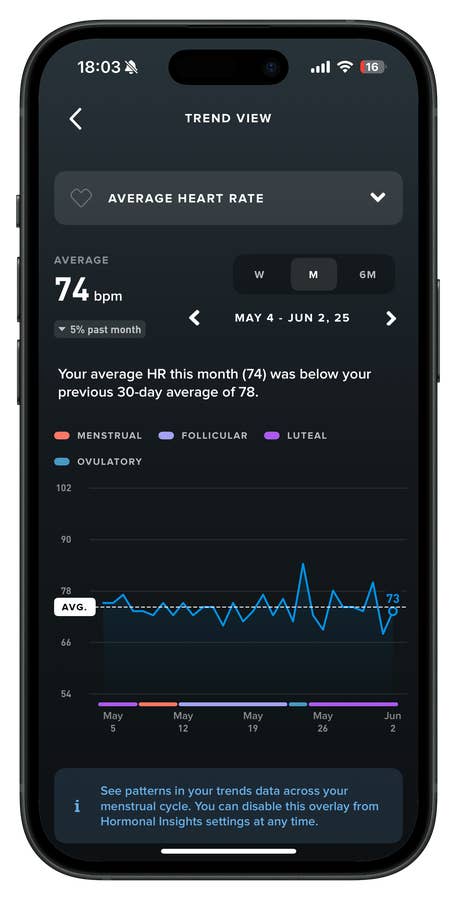
As expected, the chest strap delivered more accurate readings—especially when it came to peak heart rate and high-movement activities like strength training or cycling. Whoop tends to smooth out heart rate spikes, which means it often misses your true max HR during intense intervals.
So what does that mean in practice?
Whoop can still deliver meaningful insights—if you know how to interpret the data. It’s generally reliable for tracking average heart rate during steady-state cardio and does a solid job monitoring resting and sleep HR. But when it comes to peak performance, expect your max HR to come in 5–10 bpm lower than what you’re actually hitting.
The takeaway: use average HR to spot long-term trends, not to validate how hard you pushed in a single workout. If your body says you were at your limit and Whoop disagrees—trust your body.
For strength training, the heart rate data is less useful anyway. Focus instead on logging reps, sets, and total volume. Ultimately, Whoop’s value isn’t in second-by-second precision—it’s in the bigger picture of recovery and long-term strain tracking.
Blood Pressure Insight
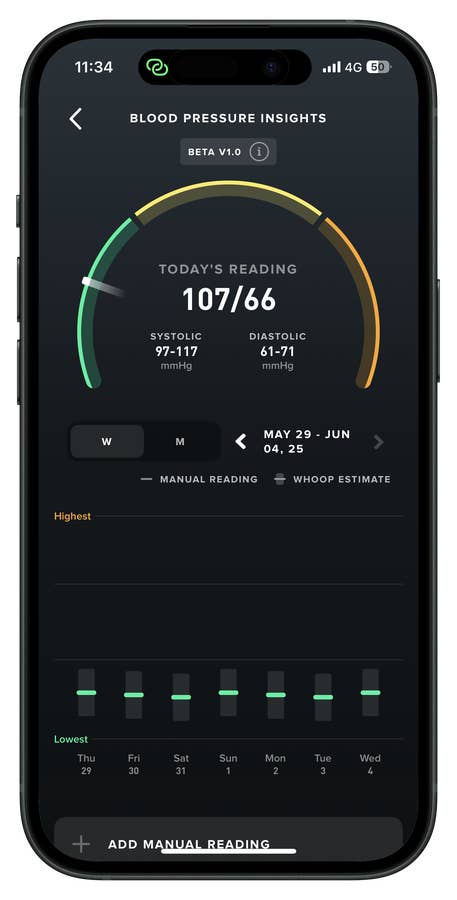
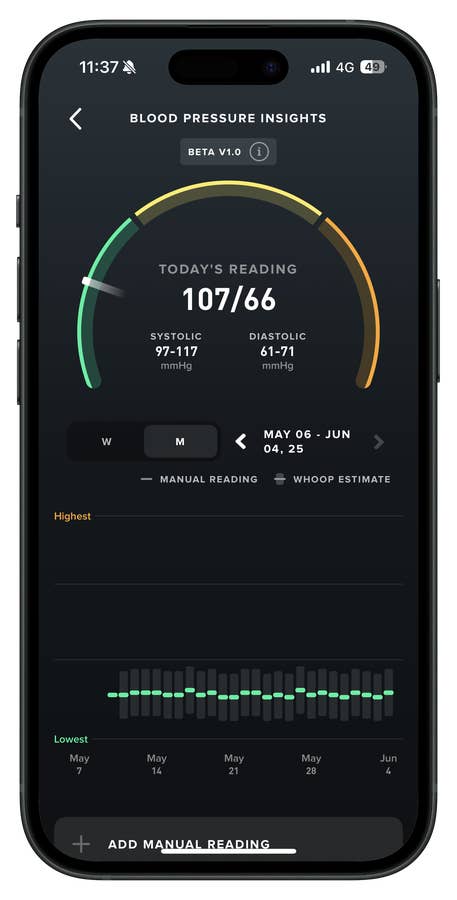
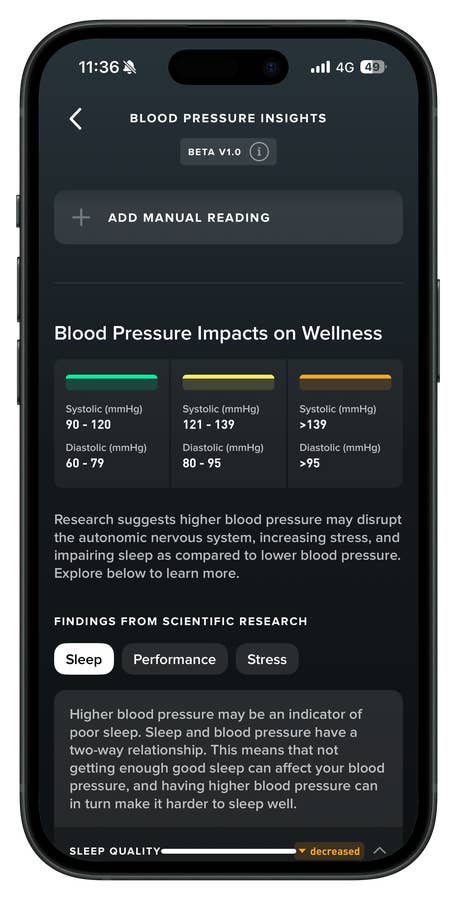
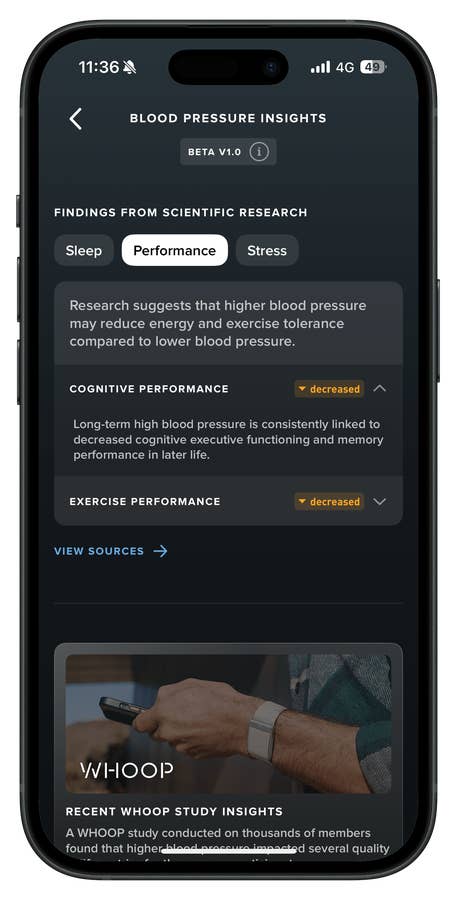
Then there’s blood pressure. Still in beta, clearly labeled as a wellness feature, and based on algorithmic estimates following a one-time calibration with a proper cuff. In other words, take the numbers with a grain of salt. If blood pressure is a serious concern for you, this won’t replace actual medical-grade monitoring.
That said, in my case, my BP is typically stable, so the trends aligned reasonably well. It’s not intrusive, which helps, but it also doesn’t offer much beyond surface-level awareness.
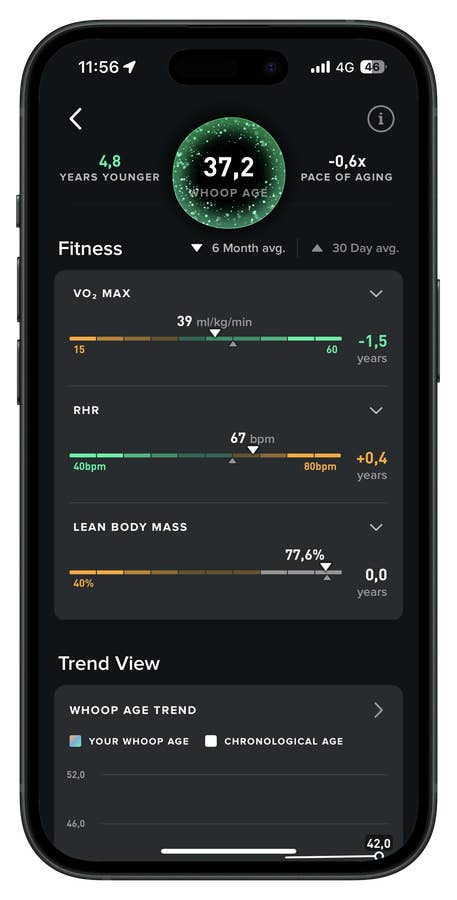
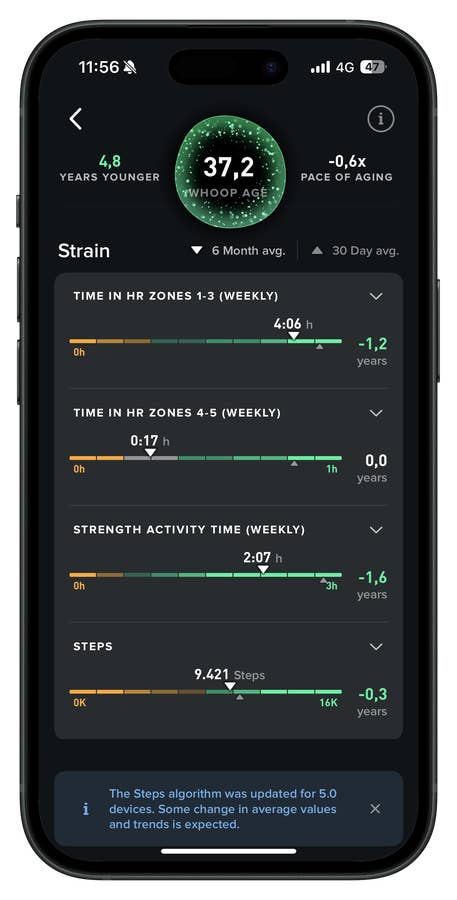
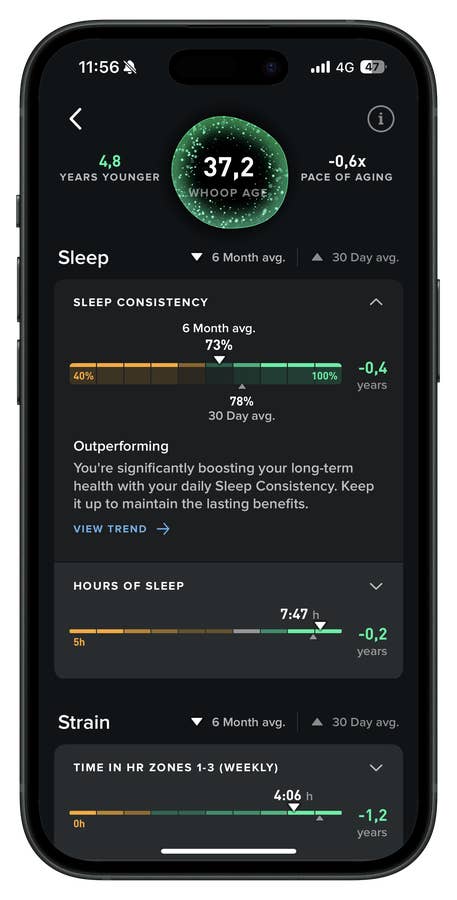
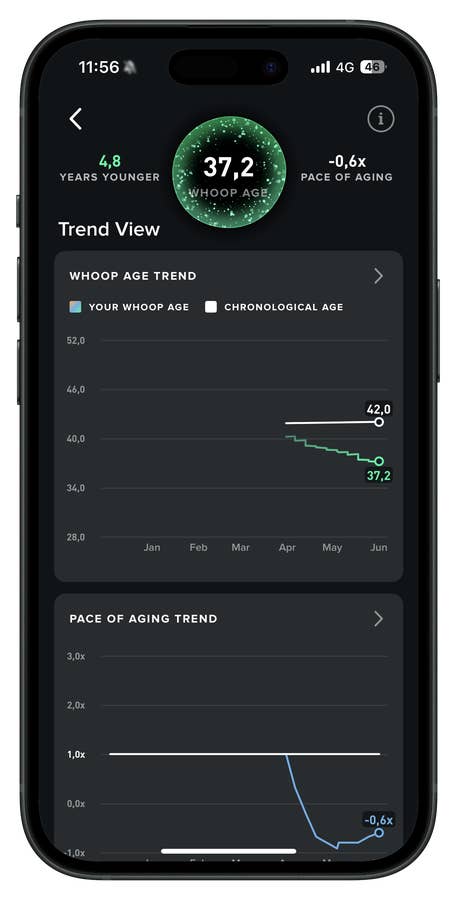
Biological Age with “Whoop Age”
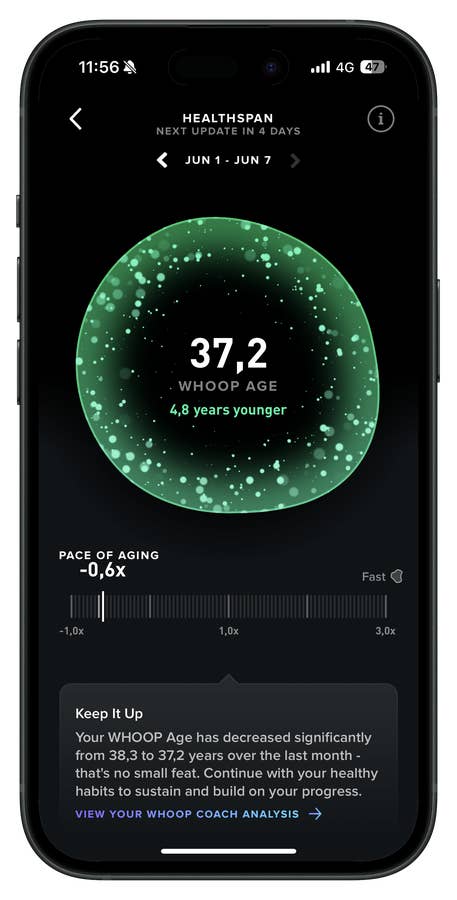
In a more playful twist, Whoop now offers Whoop Age. It’s part wellness tracker, part health-themed curiosity—and honestly, I kind of love it. I’m into longevity science and fascinated by things like Blue Zones (though I’m not going full Brian Johnson with it).
The feature estimates your Whoop age using nine key metrics for six months. It’s not meant as medical advice, but it’s a smart, data-driven snapshot of your overall health. And while “biological age” might sound like wellness jargon, it actually makes a lot of sense: if your resting heart rate is consistently high, it might be time to look at your stress levels, physical activity, or recovery habits.
This is where the MG model really shines. Whoop presents all this health data in clean, intuitive dashboards that are easy to navigate. There’s educational content if you want to dig deeper, but the insights are clear even if you don’t. In the end, it gives you the tools—but it’s still on you to connect the dots.
Sleep Metrics
Sleep is one of Whoop’s core pillars, and the company has been leaning into it for years. The device tracks when you went to bed, when you actually fell asleep, and estimates sleep stages—including light, REM, and deep—based on heart rate, HRV, and movement. It also attempts to gauge stress levels during sleep. From there, it crunches all that data into metrics like sleep efficiency and sleep consistency.
Sleep tracking is still a tough nut to crack for wearables, and while some devices are getting better, accuracy varies. For context, I compared Whoop’s results with data from the Oura Ring 4 and the Apple Watch Series 9. One consistent finding: Whoop regularly reports significantly more deep sleep.
But here’s the catch—deep sleep is notoriously difficult for wearables to measure accurately. Each brand trains its own machine learning model, sets its own thresholds, and processes sensor inputs differently. Apple and Oura tend to under-report deep sleep compared to clinical-grade PSG (Polysomnography) readings. Whoop, on the other hand, appears to shift more time into the deep category when its algorithm detects slow-wave signals based on HRV and low movement.
So the difference here is likely methodological, not physiological—but I suspect the truth lies somewhere in between.
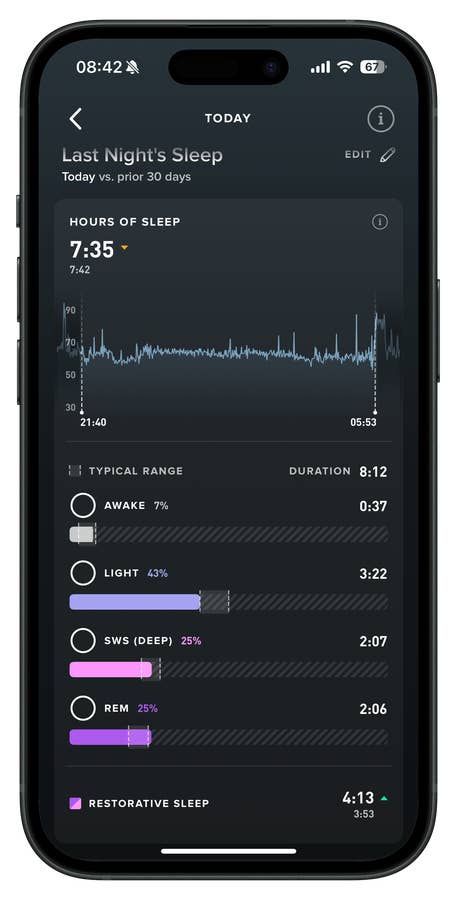
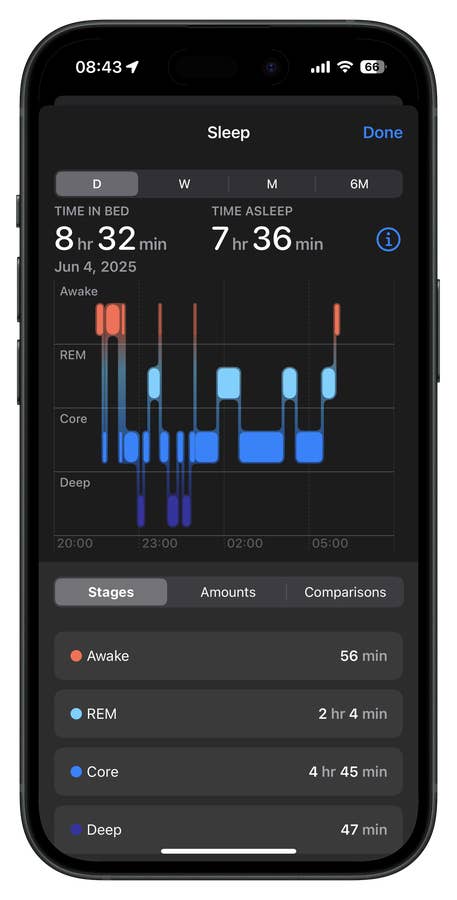
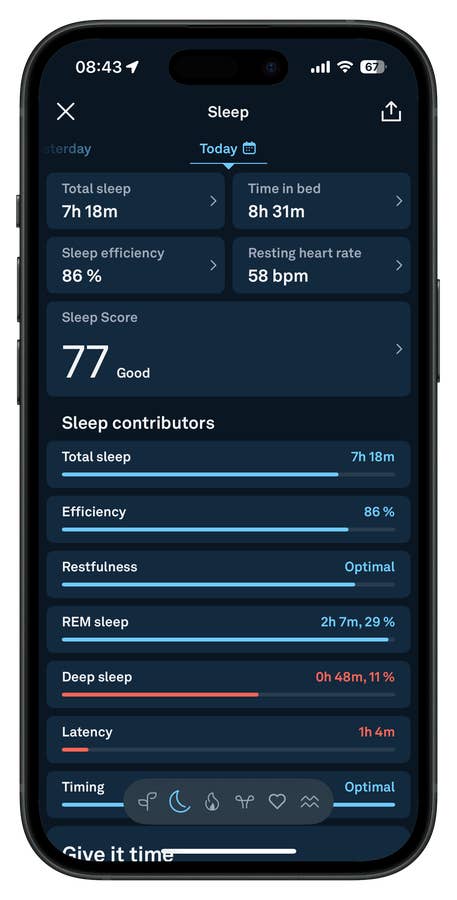
Interestingly, all three devices more or less agree on total sleep duration. It’s the sleep stage breakdown—especially deep—that diverges. That’s because each platform interprets the same physiological data through its own proprietary lens.
Bottom line? Focus on trends—and in that regard, Whoop does offer a lot.
Whoop Recovery and Strain
As mentioned earlier, sleep quality and physical strain are key drivers of your recovery score—primarily calculated using heart rate variability (HRV), or the variation in time between heartbeats. Put simply: the higher your HRV compared to your baseline, the more recovered your body is likely to be. Strain, of course, plays a major role in influencing this.
Strain, in Whoop terms, is a combination of activity and exertion. The device automatically detects most workouts, but you can also start sessions manually in the app—or log them after the fact. It’s quite intuitive in real life. You can even edit recorded activities for more accuracy, which is a welcome feature. Take strength training, for example:
Whoop lets you build your workout sets by entering weight, reps, and sets. You can do it in real-time or log it manually later. Using your heart rate data from the session, Whoop estimates the effort involved and assigns a daily strain score. The higher your heart rate during the activity, the higher your calculated strain. The same applies to swimming, running, and other activities.
There is a ceiling: 20.7 is the highest strain score Whoop assigns. It’s not a physiological cap—it’s a design decision meant to normalize effort across different users and sports.
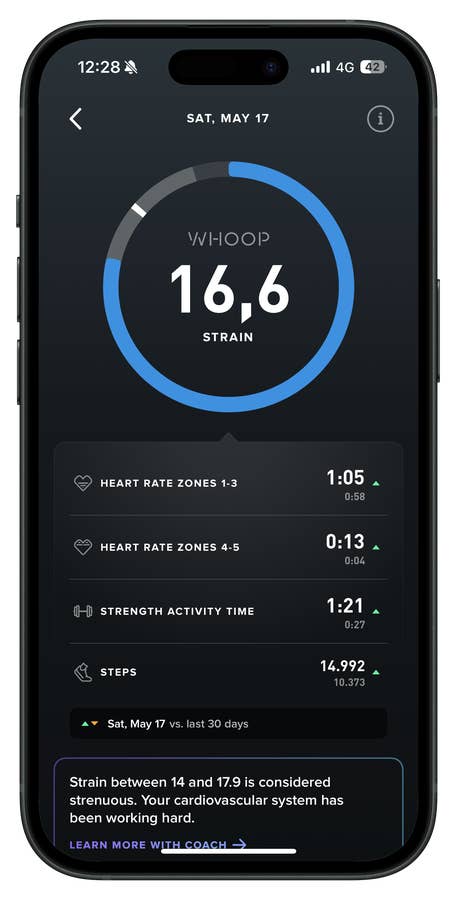
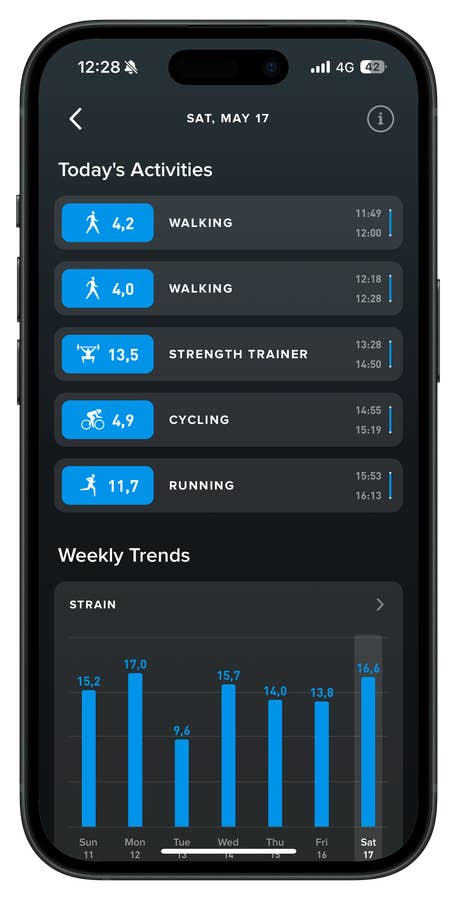
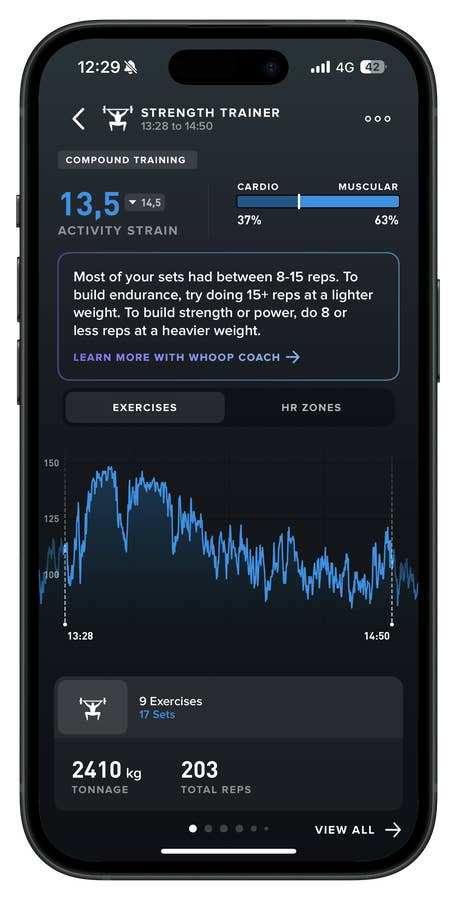
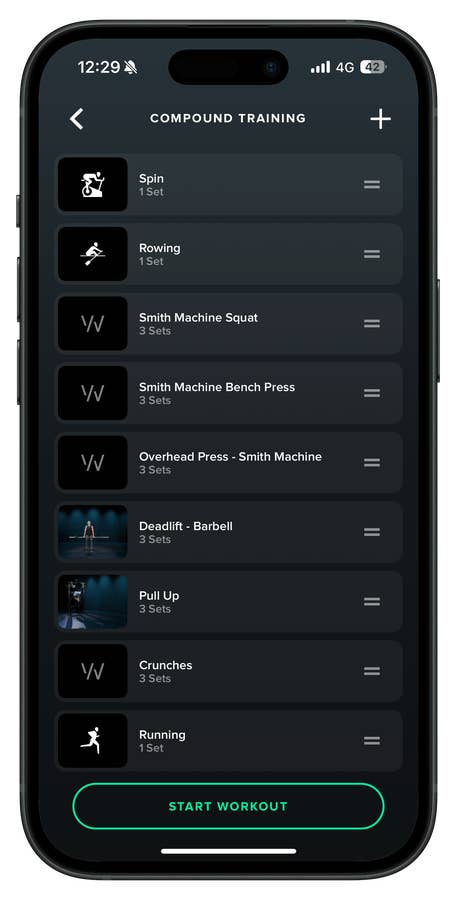
Since I started using Whoop in 2024, I’ve noticed a clear link between my strain levels and my recovery scores—mostly due to how HRV responds. But that won’t be the case for everyone. Recovery scores also factor in resting heart rate, respiratory rate, and sleep performance.
The takeaway? Whoop’s recovery and strain data is highly personalized. While it occasionally benchmarks you against the broader user base, the value lies in how it adapts to your own patterns—and that’s where the insights become useful.
Whoop MG’s Menstrual Tracking Is Seriously Impressive
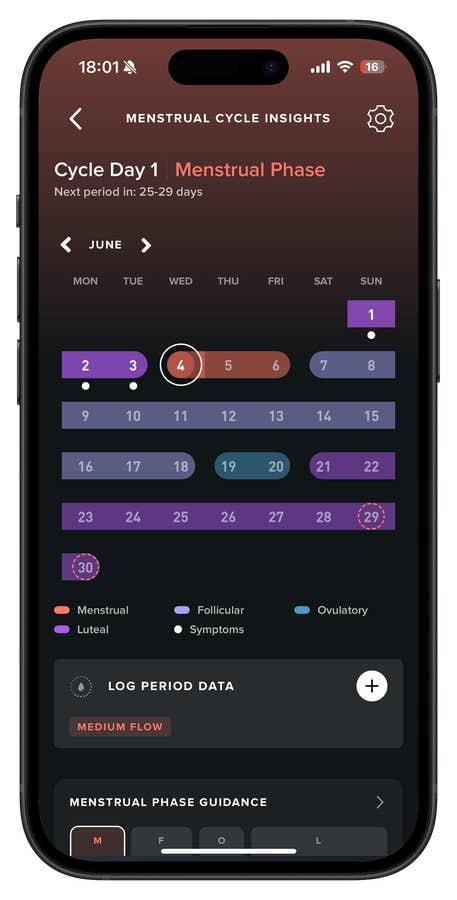
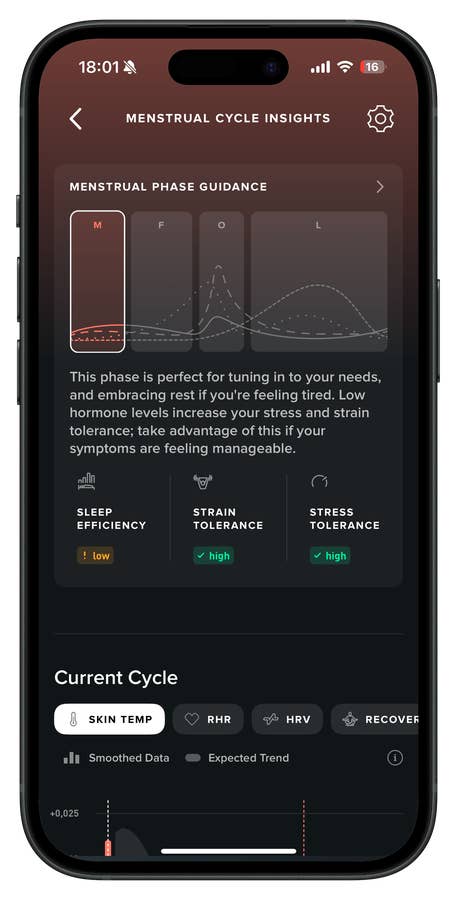
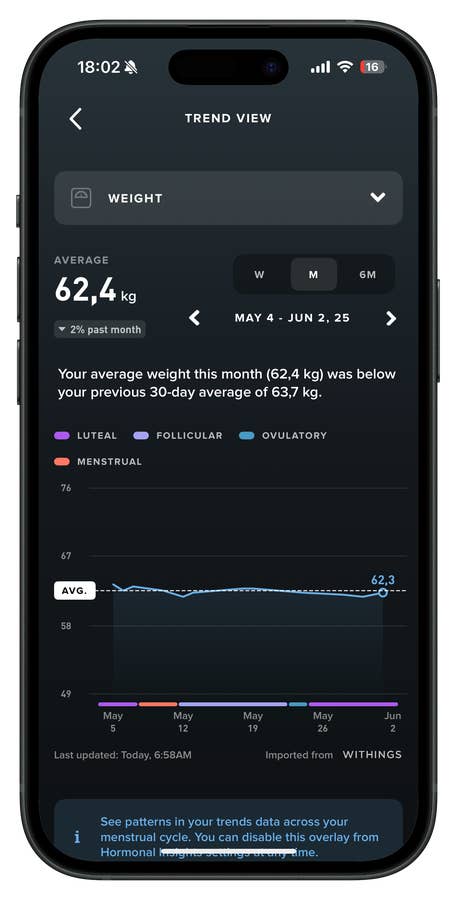
As someone who pays close attention to how companies handle menstrual cycle tracking, I’m genuinely impressed by the overhaul Whoop has done in this area. It’s not just about logging periods or predicting ovulation anymore—Whoop now maps hormonal phases across your entire health dataset.
- Also interesting: What if we stopped neglecting women’s health?
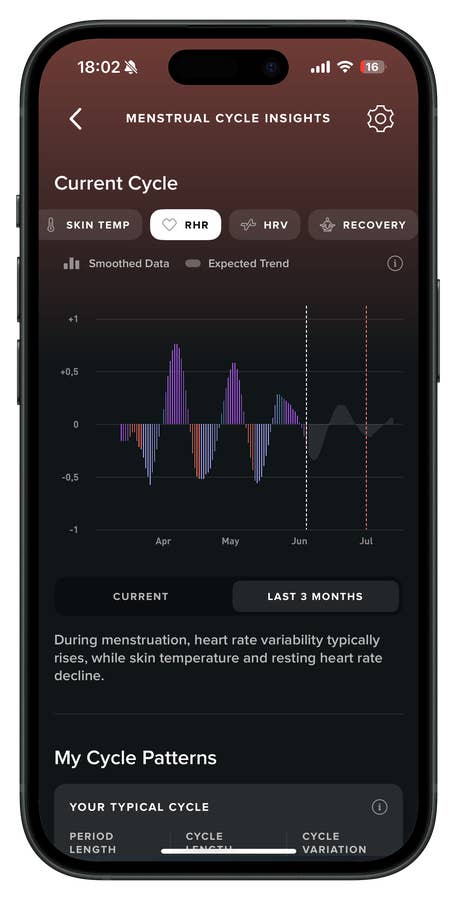
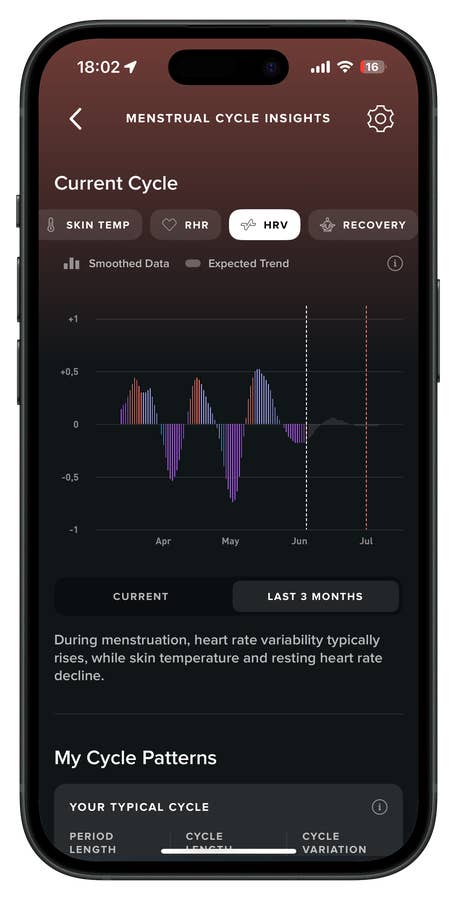
The app connects cycle phases to core metrics like HRV, recovery, sleep, and strain, making the invisible effects of hormonal shifts actually visible.
Insights are easier to access and, honestly, more meaningful. You can even view a three-month overview, with clear, easy-to-read charts that help you understand your body on multiple levels—like how your resting heart rate and recovery change throughout your cycle. But what really stands out is the addition of expected trends for your next hormonal phase.
It was by analyzing those trends that I finally understood why I sometimes experience shortness of breath on specific days—it turns out that’s a common response during progesterone spikes. That’s the kind of educational value I haven’t seen anywhere else: you feel something, you check the data, and you learn from it.
Whoop’s menstrual cycle feature isn’t just impressive—it should be the blueprint for the entire industry. Yes, it also supports pregnancy tracking.
Is the Whoop MG worth it?
Yes, but with caveats. The MG is currently the most comprehensive health-focused wearable on the market. It unlocks the full Whoop experience and costs $359 per year. For those specifically looking to monitor cardiovascular health, it’s a helpful companion device—especially when used alongside clinically validated tools you already own.
That said, as mentioned earlier in this review: you don’t need the MG to get real value from Whoop. The standard membership tiers, particularly the Peak plan, already offer more than enough data to support meaningful lifestyle decisions—and at a lower cost. Actually, I think that among Whoop’s plans, the Peak membership offers the best value.
Now, if you’re after a wearable to boost your running, cycling, or swimming performance, though, the Whoop MG isn’t the right fit. You’d be better off with a sport-focused device from Garmin, Amazfit, or even OnePlus, Huawei or Samsung. Whoop simply doesn’t cater to performance metrics in those areas.
And then there’s the issue of trust. With this generation, Whoop made some questionable decisions—chief among them, charging existing members an upgrade fee, despite previously promising free hardware for those with six months or more on their subscription. It wasn’t a smart move, and it’s rubbed quite a few users the wrong way.
While most people I’ve spoken to aren’t ditching their devices yet, many have told me they’ll seriously consider alternatives—if another platform emerges with similar insight tools. Whoop may still lead in this niche, but loyalty doesn’t come guaranteed.
So yes, the Whoop MG is arguably the smartest wearable for health tracking right now. But they hold that position by default, not because they’re beyond competition. The real question is how long that will last.
On a personal note:
As someone who’s used and appreciated Whoop’s services for 12 months now, I genuinely hope they course-correct. People stick around for more than just lack of options—they stay when they feel respected and supported. I’ve invested time in this ecosystem: as of today, Whoop has logged 271 recovery days for me. I’d hate to walk away from that just because of short-sighted business decisions.
Full disclosure: Whoop provided me with the MG for review, along with free access to all Whoop Life features. I purchased the Whoop 4.0 in 2024 and will continue using the MG as my primary health wearable—for now.
Where to Buy the Whoop MG
You can buy the Whoop 5.0 or MG on Amazon or directly from Whoop.com. Both options let you choose a membership tier and come with the device, charger, and 12 months of service.
We mark partner links with this symbol. If you click on one of these links or buttons–or make a purchase through them–we may receive a small commission from the retailer. This doesn’t affect the price you pay, but it helps us keep nextpit free for everyone. Thanks for your support!



0 comments