For a while, whenever people talked about wearables, it was all about smartwatches. The Apple Watch, Galaxy Watch pretty much owned the spotlight thanks to big brands and how well they worked with our phones. But that’s changing. Now people are looking for devices that are dependable, subtle, and always working in the background to monitor their health.
That’s precisely where two of the most popular wearables right now come in: the Whoop MG and the Oura Ring 4. Both have very clear missions: to deliver accurate insights about your body so you can make better decisions about your health. After months of using both daily, I can say these devices target the same audience, and the choice comes down to a few key details.
Design and Usability: A Wrist Sensor or a Ring on Your Finger?
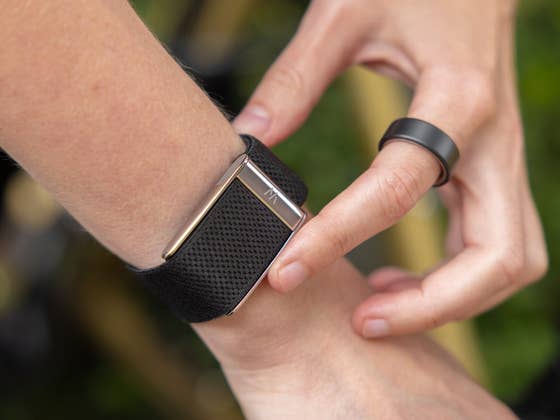
Let’s start with the form factor, because it’s impossible to ignore how different these two devices are. The Whoop MG is a discreet strap on your wrist, no screen, fully focused on performance and health. The Oura Ring 4, on the other hand, is literally a ring, about as discreet as it gets, and leans far more into lifestyle than fitness.
If you want something that won’t mess with your everyday style, Oura has the advantage. It’s subtle, fits in anywhere, and looks fine even in more formal settings. Whoop, even with its new colors and bands, still feels a bit more sporty.
That said, it’s not like the Whoop MG has to stay on your wrist all the time. It can also be worn on other parts of the body using Whoop’s specialized body-wear clothing. You can choose from bras, tops, underwear, or even arm bands. It just doesn’t feel as seamless as a ring.
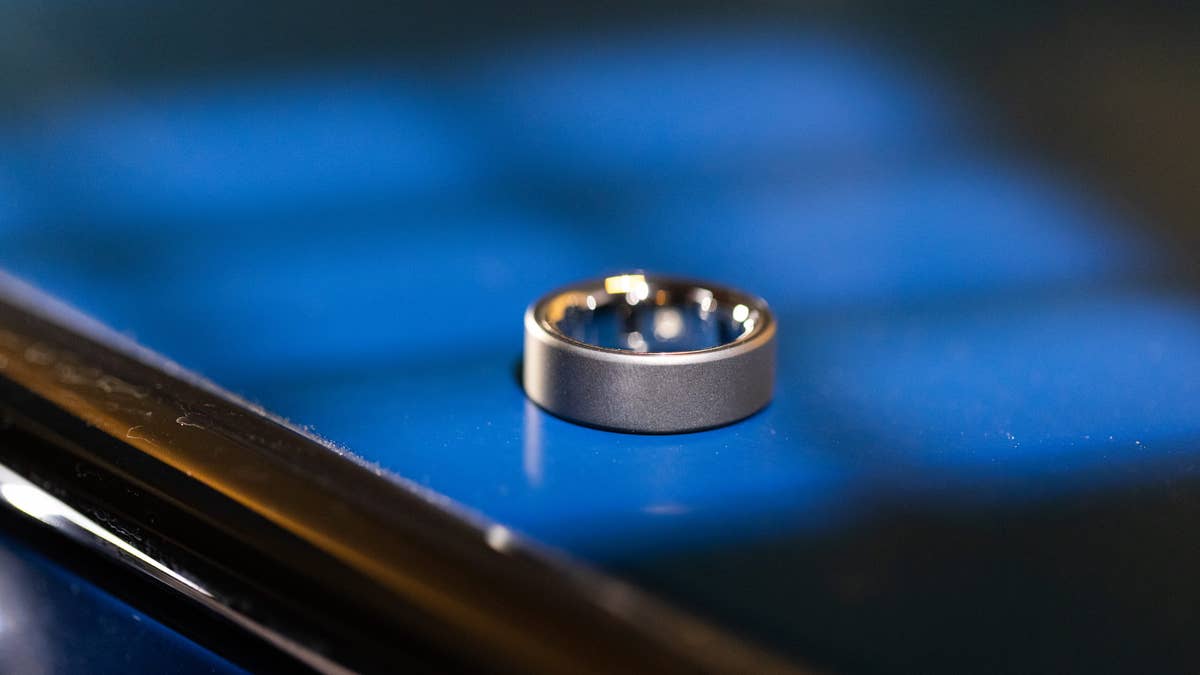
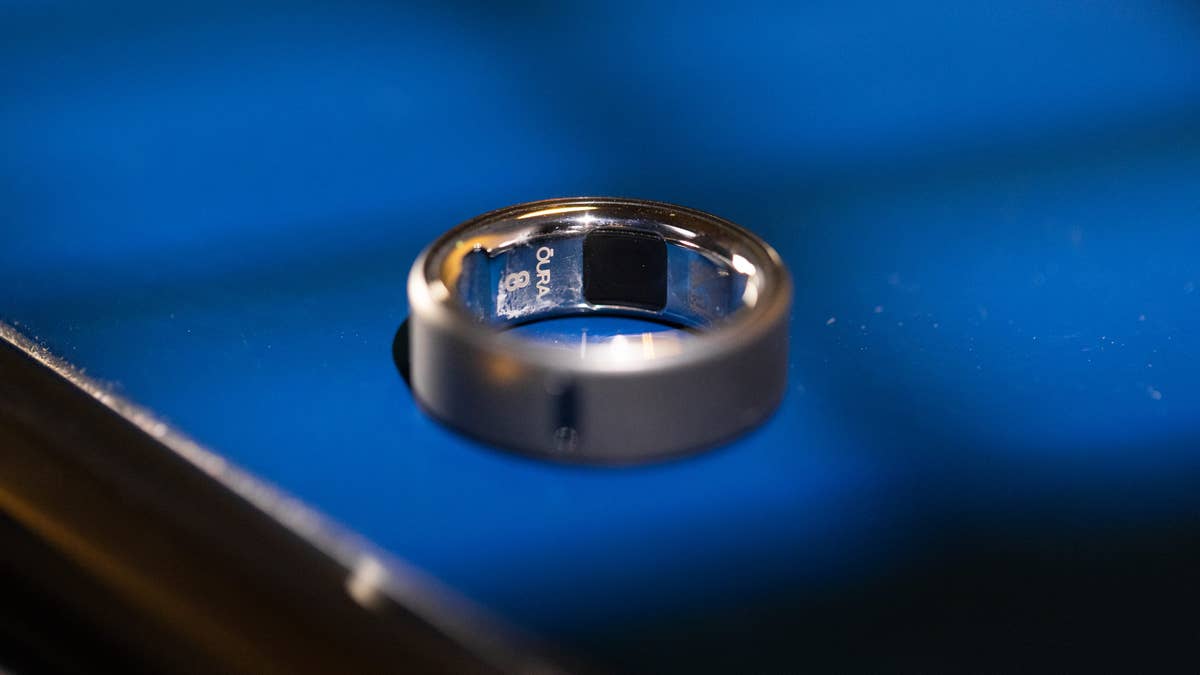
We tested the Oura Ring 4 in the Stealth finish, size 8, crafted from titanium.
Quelle: nextpit
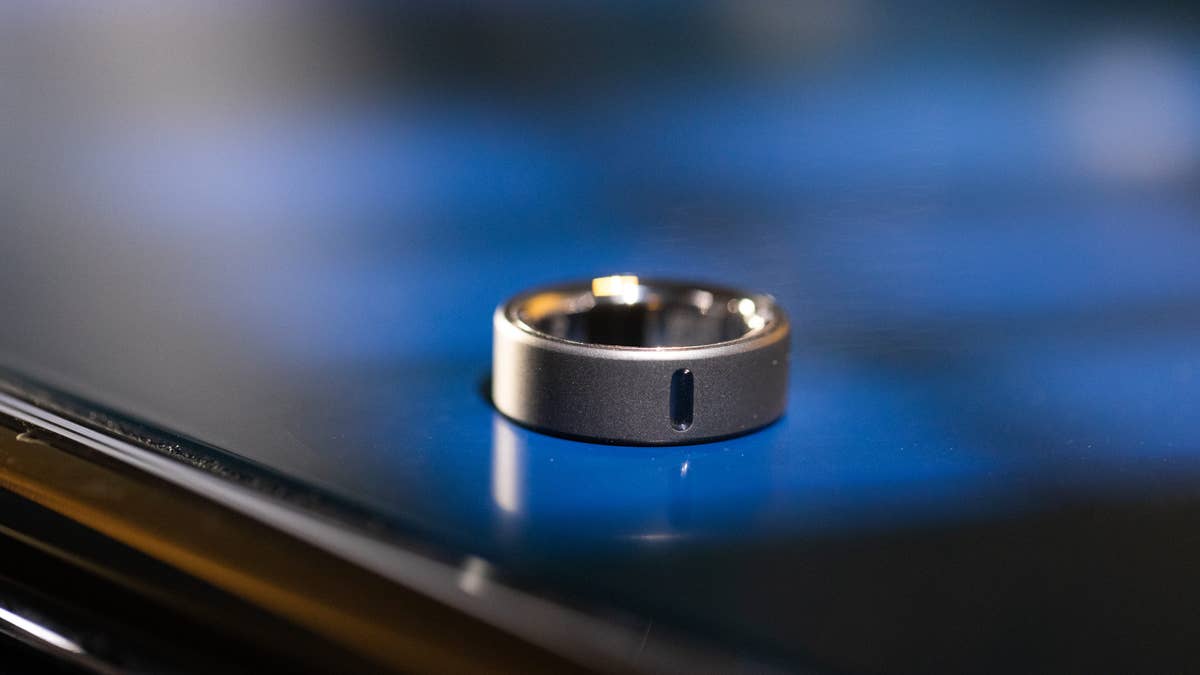
With the 4th generation, Oura removed the sensor bumps—claiming it improves both comfort and measurement accuracy.
Quelle: nextpit
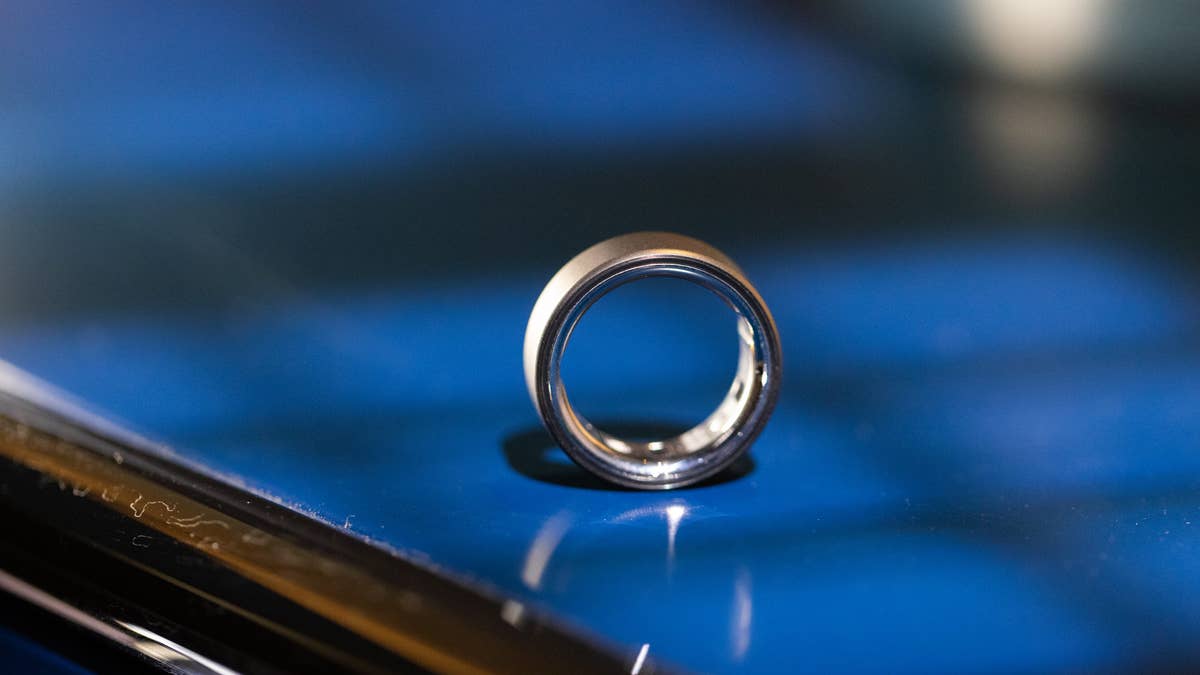
Zooming in on the refined internal build of the Oura Ring 4.
Quelle: nextpit
Without sensor bumps, the Oura Ring 4 relies on its new Smart Sensing algorithm to adapt to finger movement and skin contact changes, improving accuracy throughout the day.
Quelle: nextpit
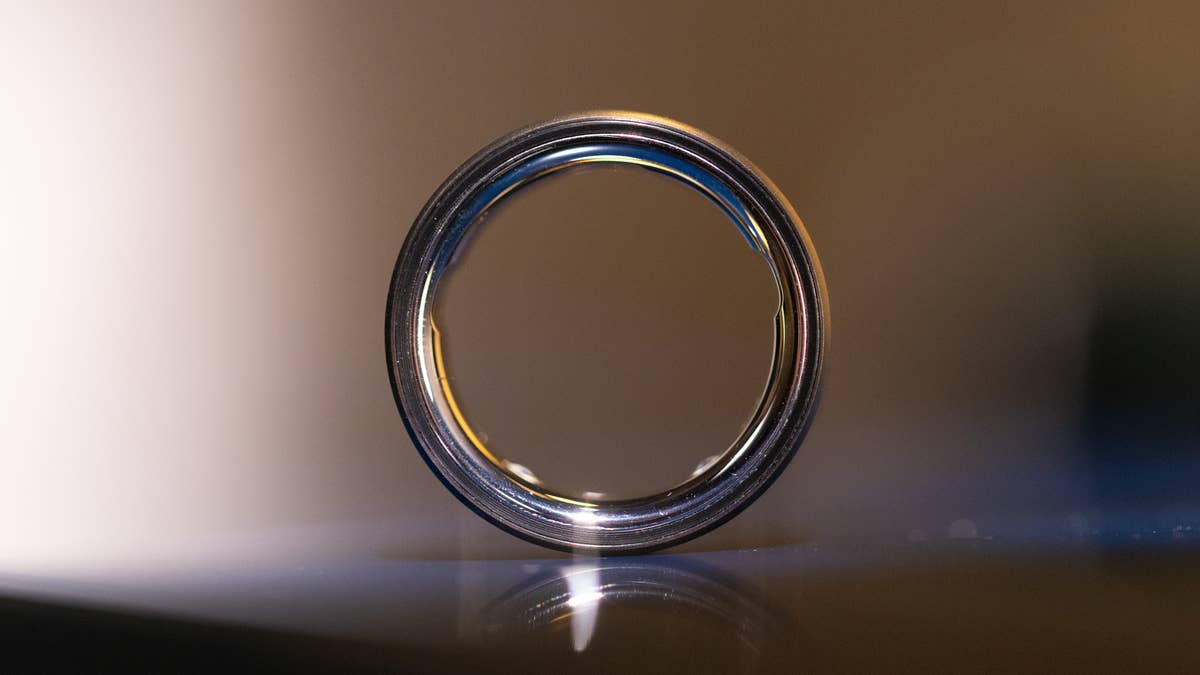
The ring size is indicated on the inner band of the Oura Ring 4.
Quelle: nextpit
Like its predecessors, the Oura Ring 4 features a small mark on the inner band to help ensure proper placement on your finger.
Quelle: nextpit
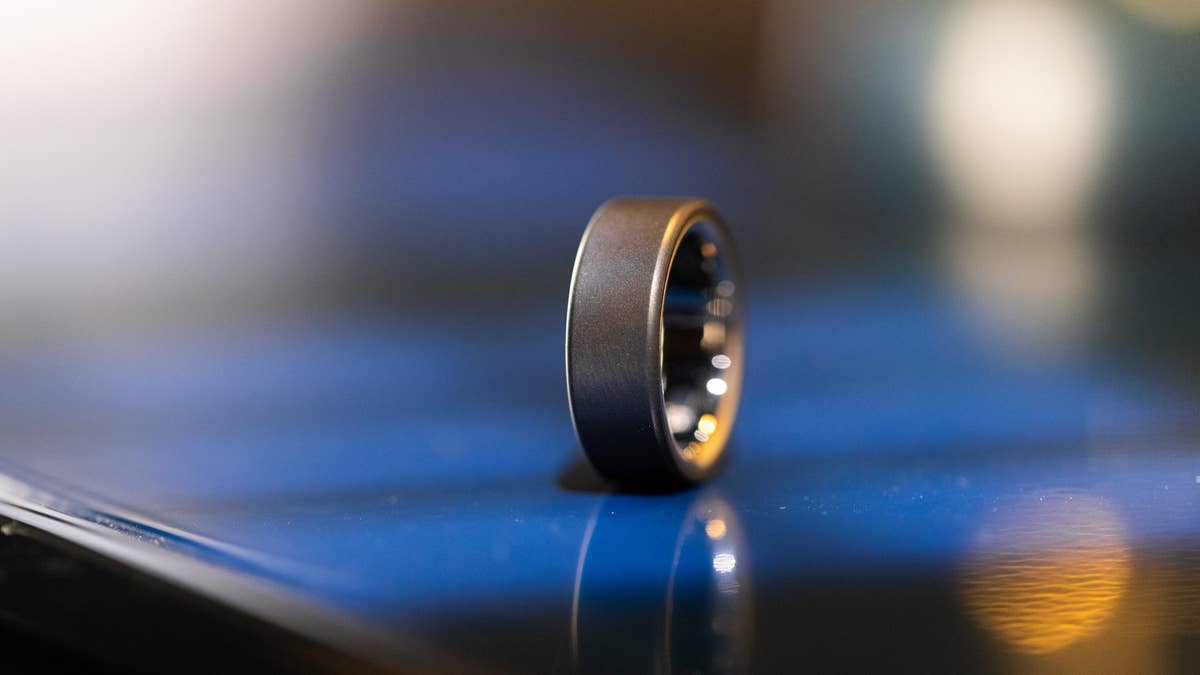
With a slim profile of around 2.88 mm, the Oura Ring 4 wears effortlessly on the index finger.
Quelle: nextpit
The Oura Ring 4 charger is compact and easy to carry, but it must be connected via USB-C port to a power outlet to charge the ring.
Quelle: nextpit
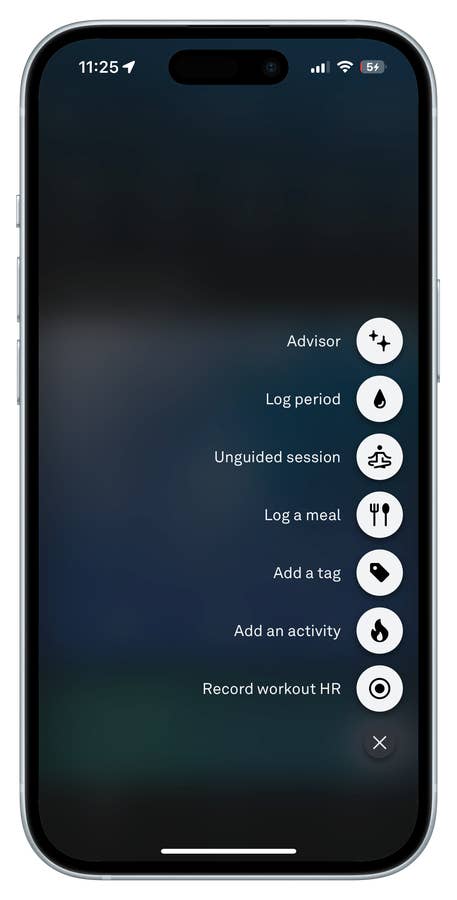
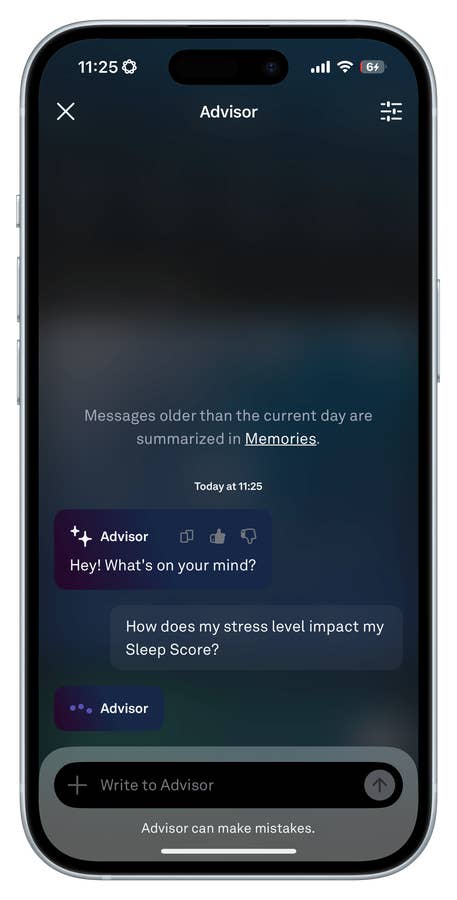
Oura Ring 4 App Interface: Tapping the (+) button gives you quick access to features like the AI Advisor and the Meal Logging tool.
Quelle: nextpit
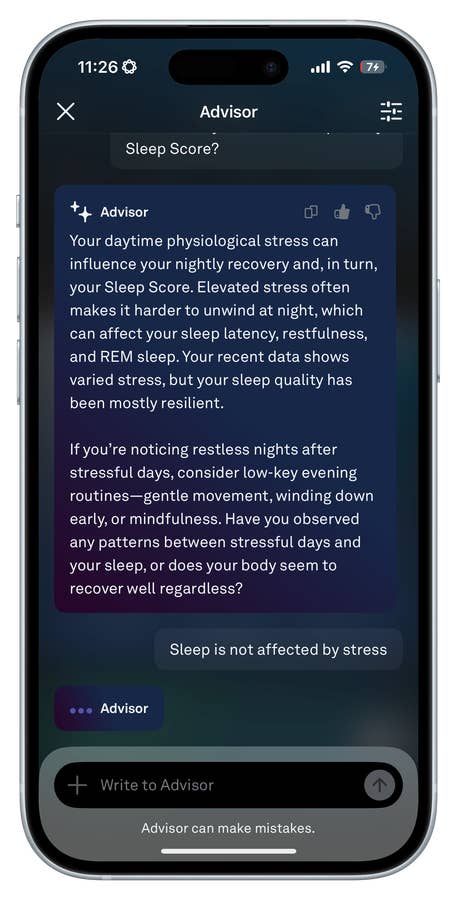
When chatting with the AI Advisor, you can either type your own question or choose from one of the suggested prompts.
Quelle: nextpit
The Oura Ring 4 Advisor then provides personalized insights and tips based on your data.
Quelle: nextpit
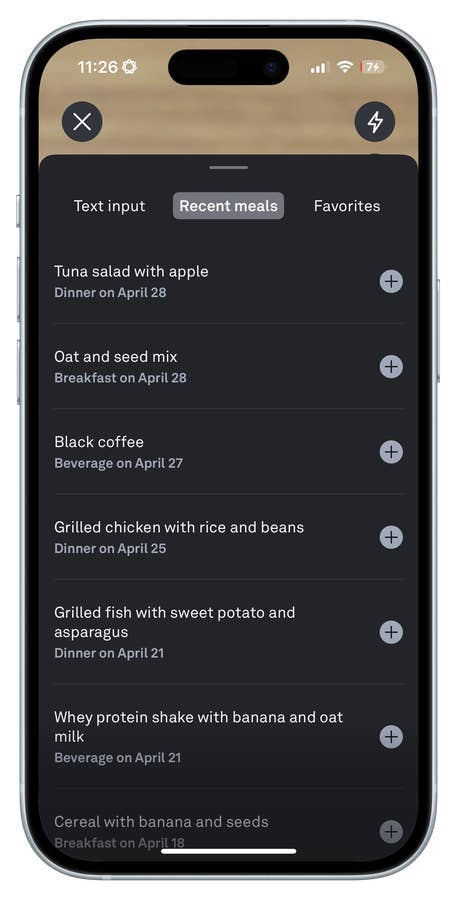
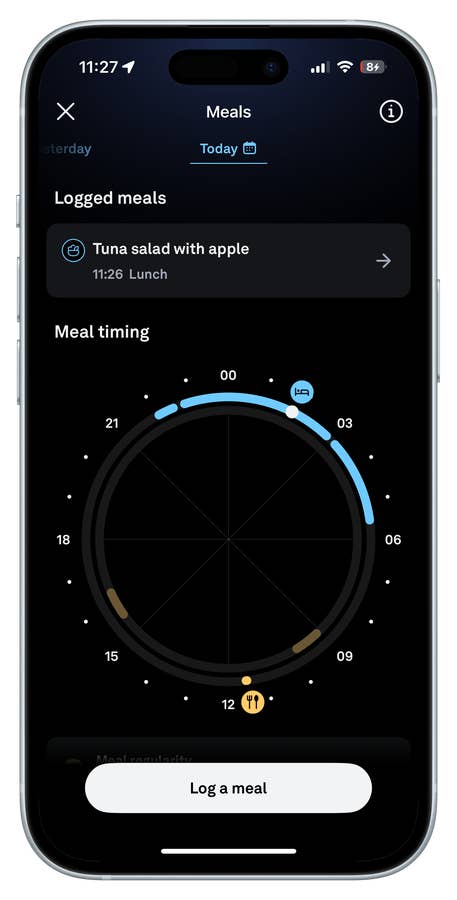
With the Oura Ring 4, you can log recent meals either by using your camera or by entering them manually.
Quelle: nextpit
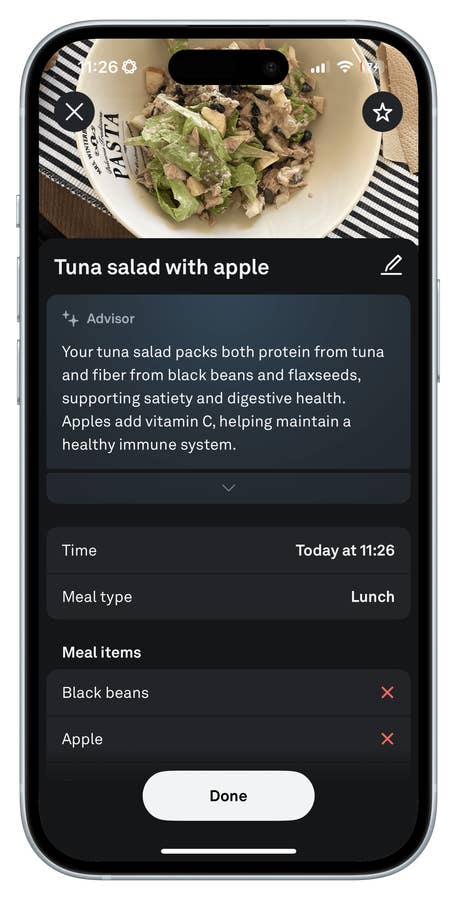
The AI then analyzes the image, breaks down the dish, and provides nutritional insights—like this example of a Tuna Salad with Apple.
Quelle: nextpit
Meal logging is still in beta on the Oura app, and in my experience, it has plenty of room for improvement.
Quelle: nextpit
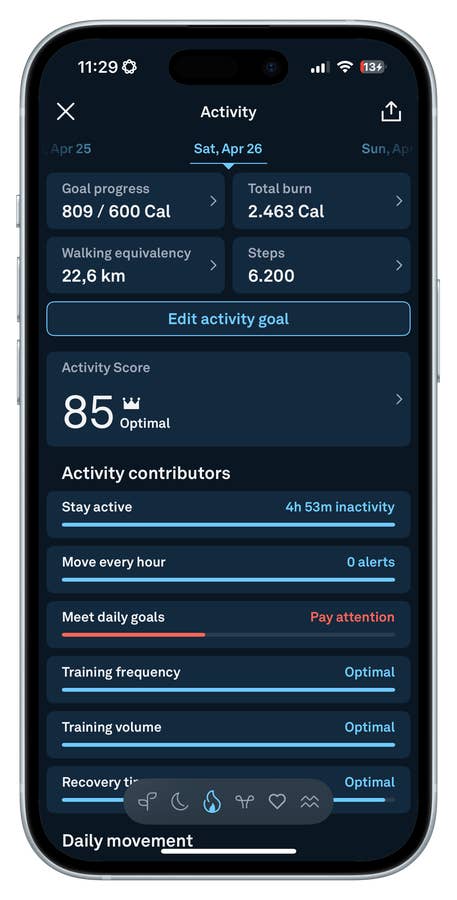
An overview of your daily activity metrics tracked by the Oura Ring 4.
Quelle: nextpit
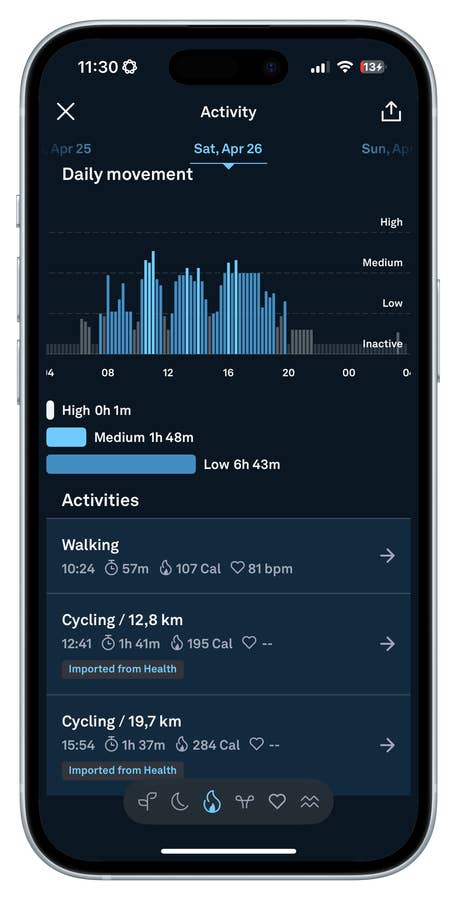
A detailed breakdown of daily movement and activity tracked by the Oura Ring 4.
Quelle: nextpit
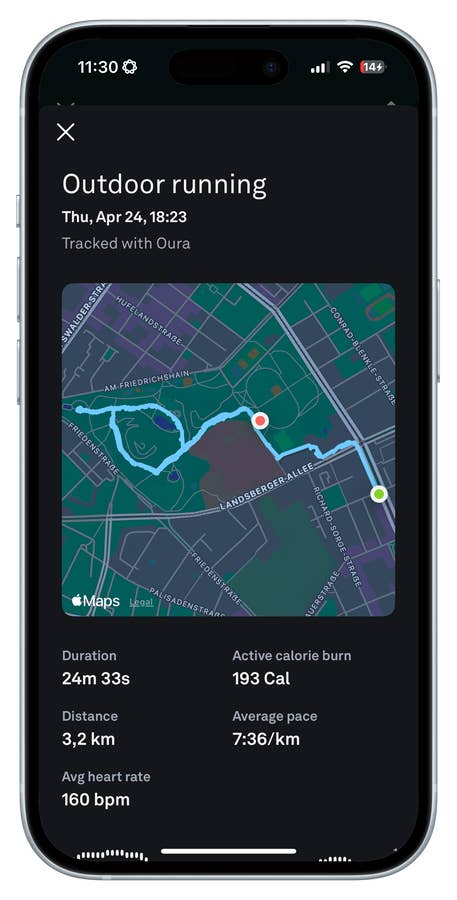
Overview of outdoor running stats tracked by the Oura Ring 4.
Quelle: nextpit
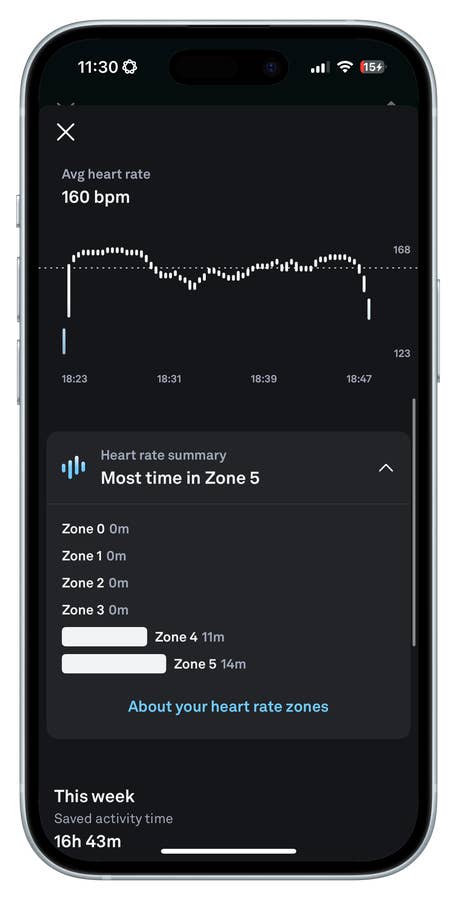
A summary of heart rate data and training zones tracked by the Oura Ring 4.
Quelle: nextpit
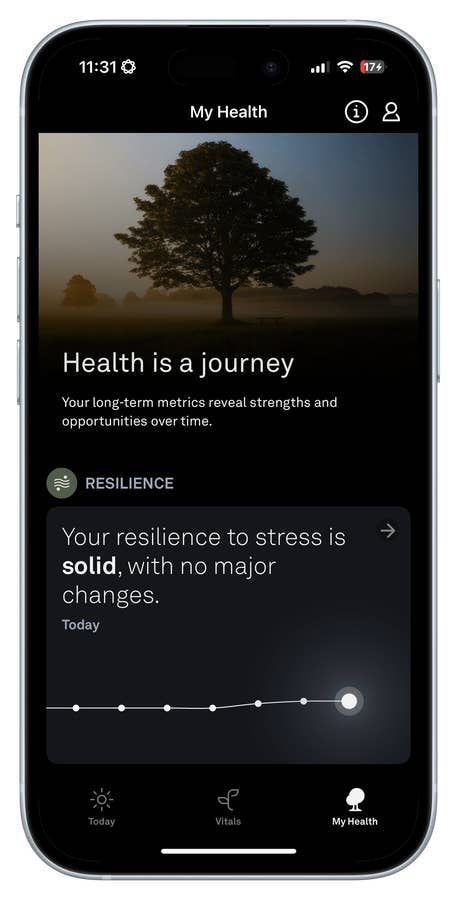
Personalized health journey insights available in the My Health tab of the Oura app.
Quelle: nextpit
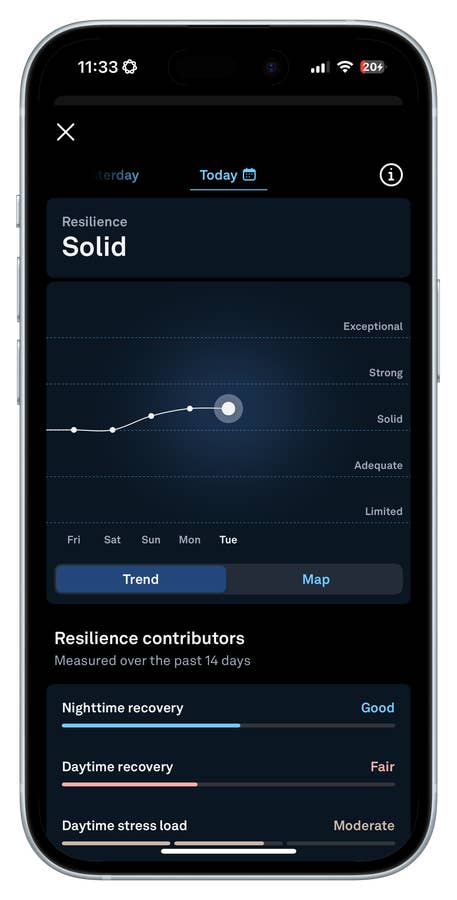
An overview of resilience metrics tracked by the Oura Ring 4.
Quelle: nextpit
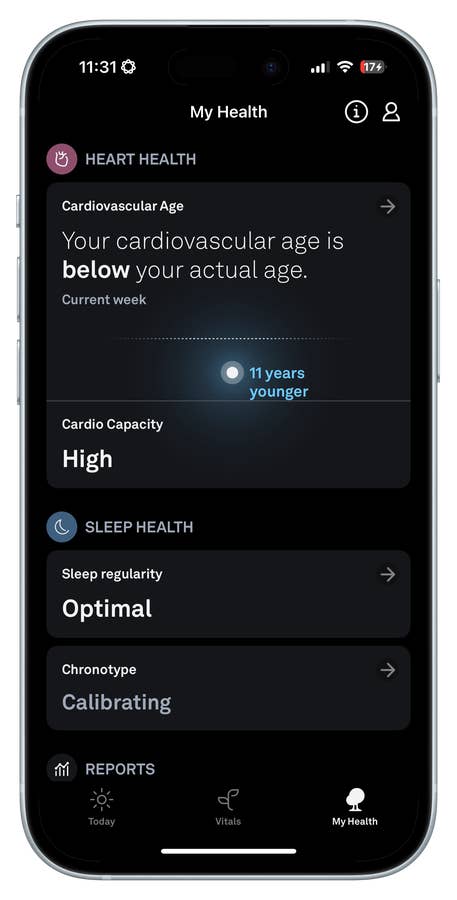
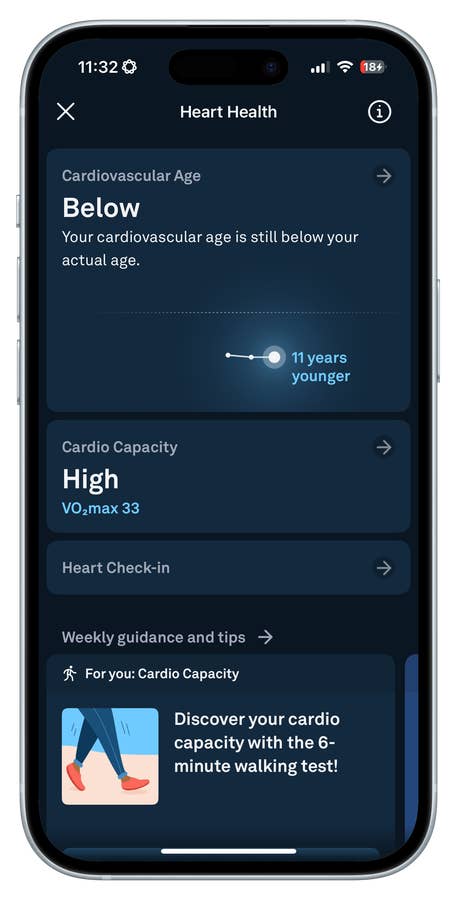
An overview of the Cardiovascular Age feature in the My Health dashboard.
Quelle: nextpit
Here, the algorithm uses my activity, readiness, sleep, and recovery data—along with my VO₂ Max readings—to estimate my cardiovascular age.
Quelle: nextpit
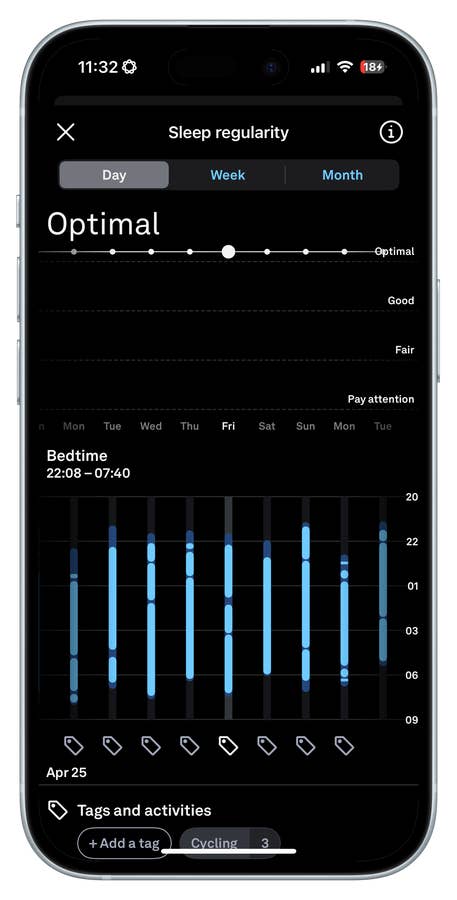
An overview of sleep regularity metrics tracked by the Oura Ring 4.
Quelle: nextpit
Battery Comparison: 7 Days of Charge vs. 14 Days of Charge
The difference in battery life here is more a matter of physical size and design philosophy than efficiency. The Oura Ring 4 offers about 7 days of use, which is totally reasonable given its tiny form factor. However, it does lag behind competitors like the RingConn Gen 2 (review), which easily delivers 10 days.
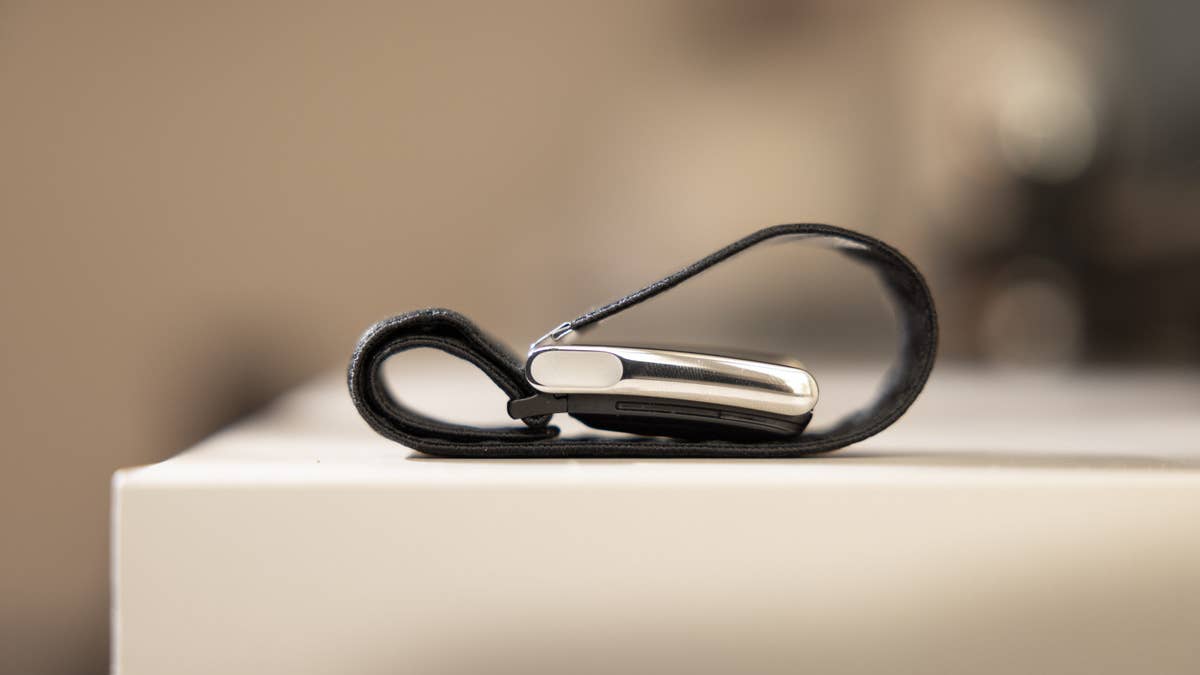
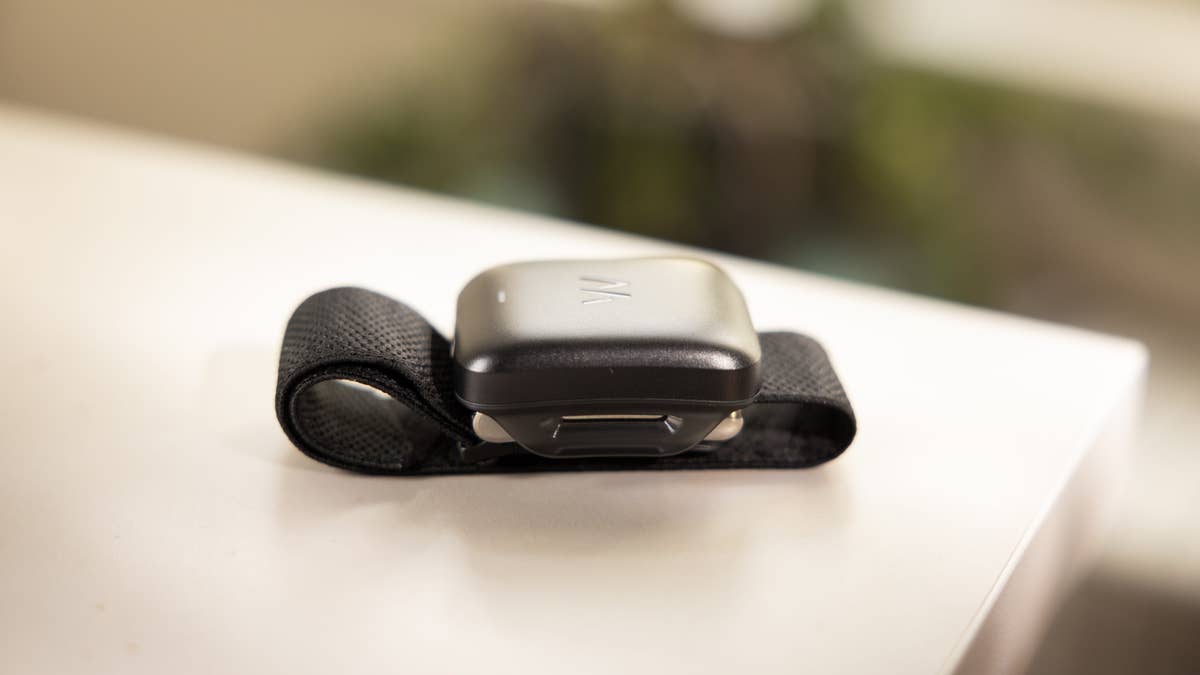
Whoop MG delivers a full two weeks, thanks to its lack of a screen and laser focus on essentials. Plus, its external battery pack slides over the band, allowing continuous monitoring, a very practical perk.
Still, both offer significantly better battery life than most smartwatches, which struggle to last more than 2 or 3 days off the charger.
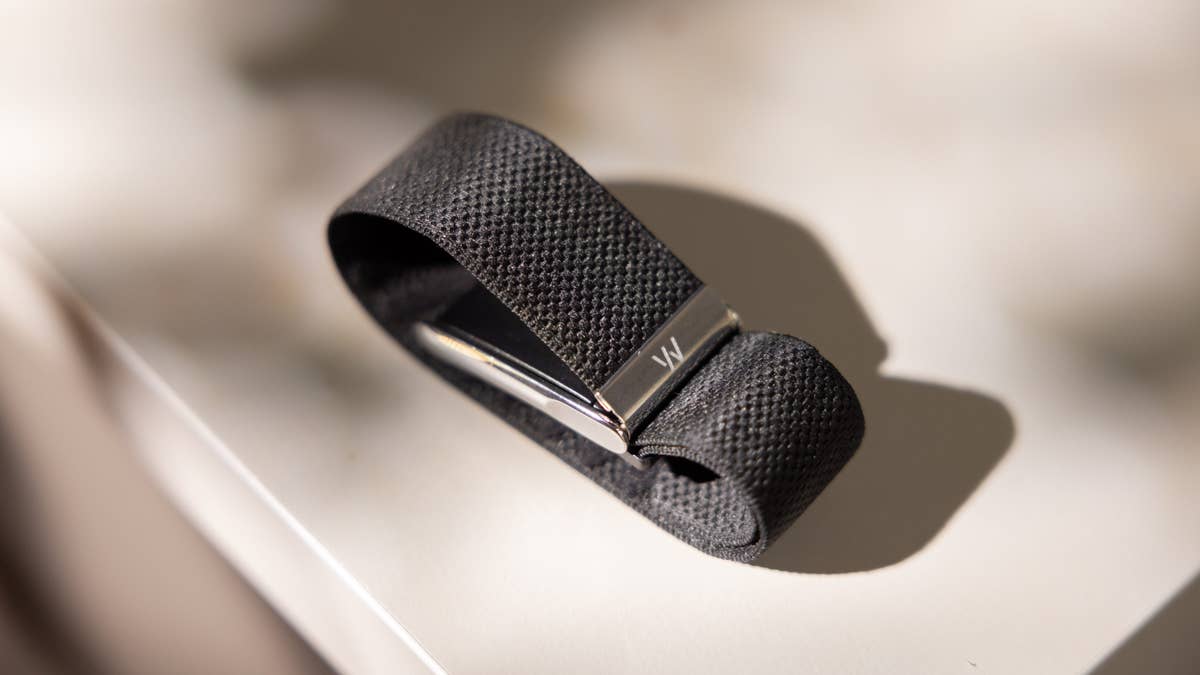
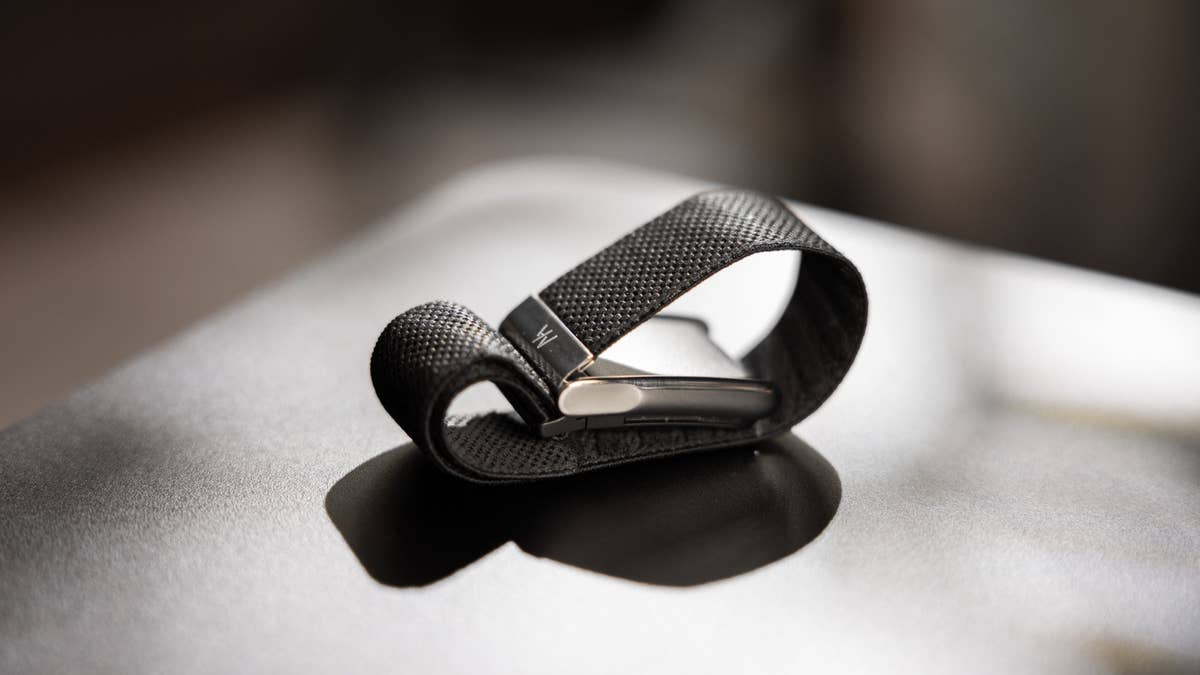
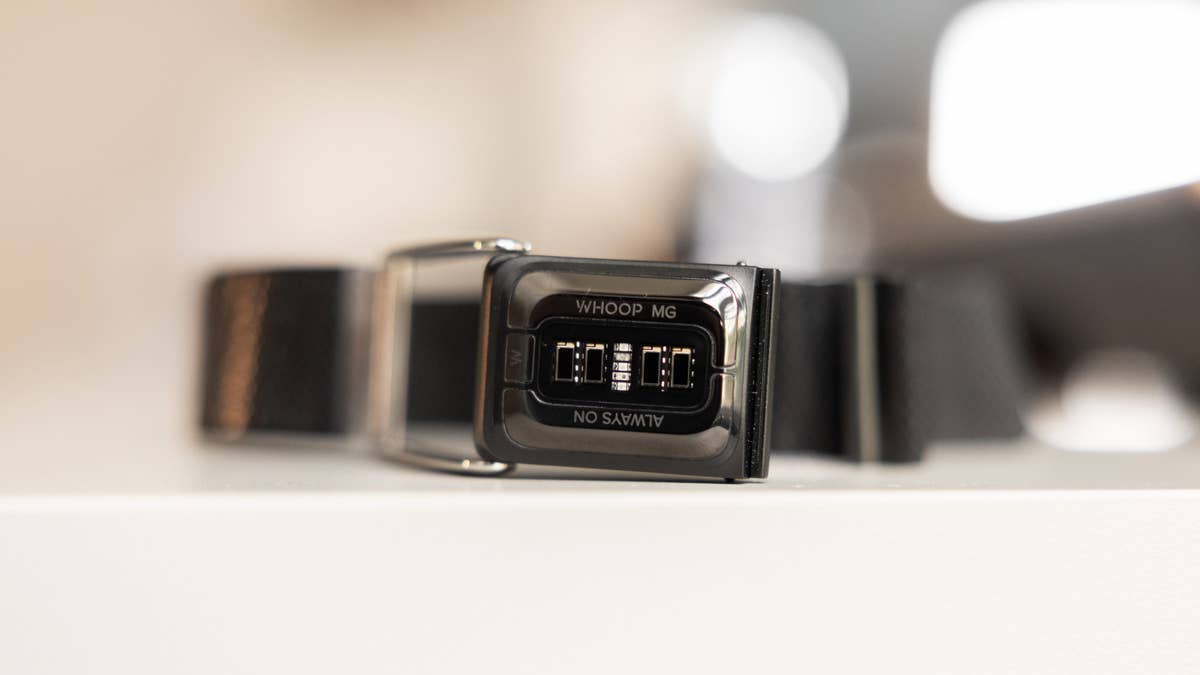
At its core, the Whoop MG is just hardware packed with sensors—nothing more, nothing less.
Quelle: nextpit
Or you could say it’s essentially a band full of sensors—wrapped in minimalist hardware.
Quelle: nextpit
The design is both functional and minimal—comfortable enough for all-day wear without getting in the way.
Quelle: nextpit
Whoop offers a variety of bands and body-wear options, so you can wear it on different parts of the body—either visible or completely hidden.
Quelle: nextpit
The Whoop MG combines the Whoop 5.0 hardware with a medical-grade sensor for ECG readings.
Quelle: nextpit
To use the ECG feature, you need to place your index finger and thumb on the sensors located on either side of the buckle.
Quelle: nextpit
The battery saw a significant upgrade in this new generation, but it still uses the same convenient charging system.
Quelle: nextpit
Another positive change: the charging cable included in the box now features dual USB-C connectors.
Quelle: nextpit
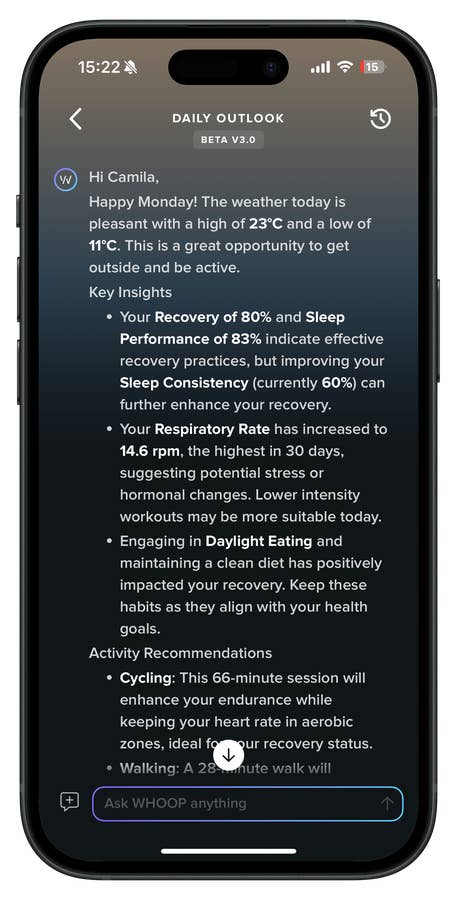
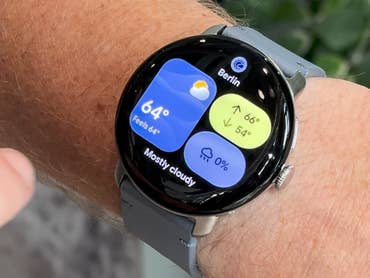
Each day, you’ll get a health overview based on the previous day’s data—plus a weather forecast, a new addition in this generation.
Quelle: nexpit
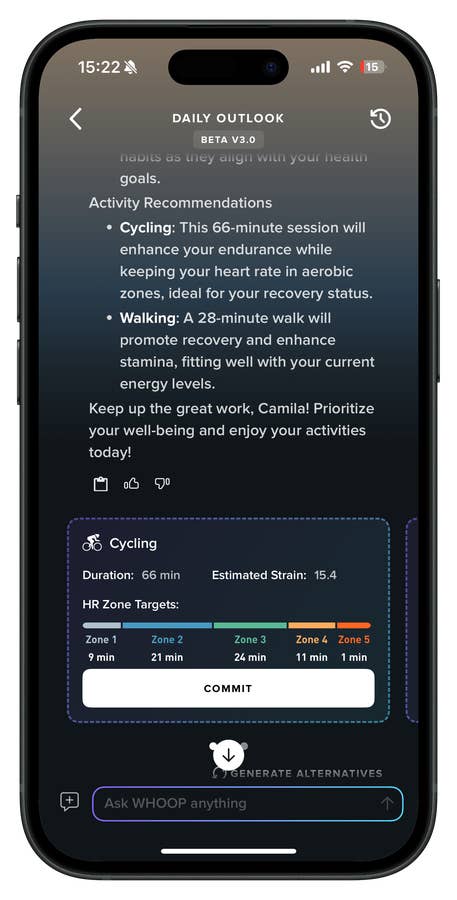
Based on your Recovery Score, Whoop suggests activities to help you stay in the green zone.
Quelle: nexpit
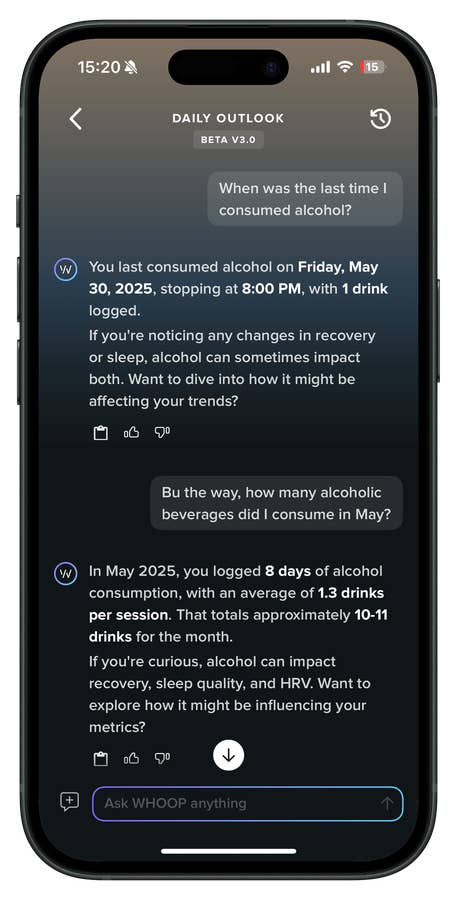
From the daily overview, you can dig deeper by chatting with the Whoop Coach for more guidance on your lifestyle choices.
Quelle: nexpit
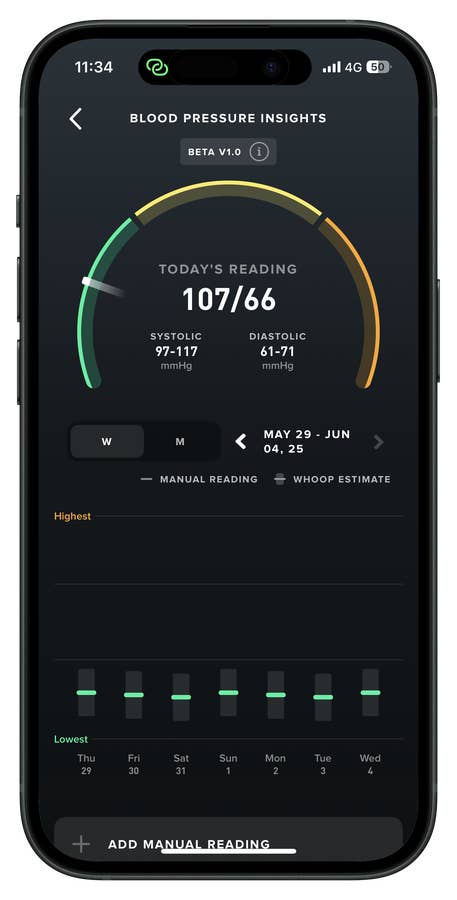
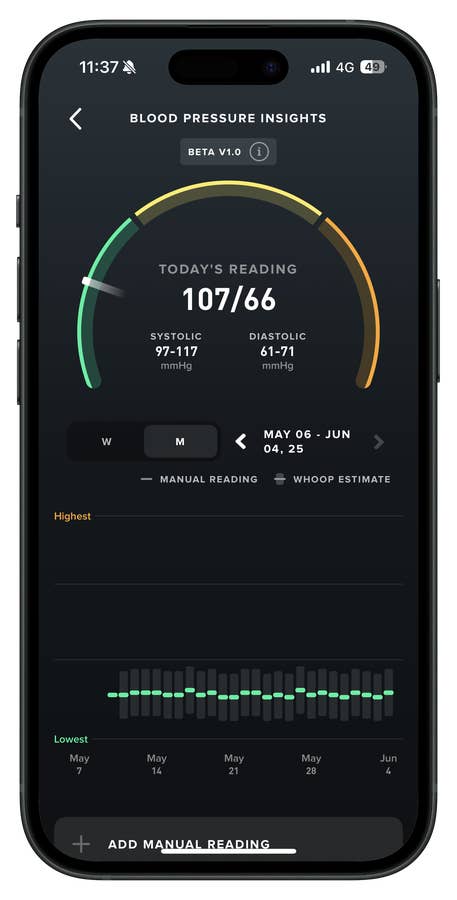
To use Blood Pressure Insights, you’ll first need to calibrate with a proper cuff-based BP monitor—the algorithm then uses that as a reference point.
Quelle: nextpit
You’ll need to take three separate measurements using a cuff-based BP monitor. After that, the algorithm takes over—analyzing your metrics overnight to estimate your blood pressure level each morning.
Quelle: nextpit
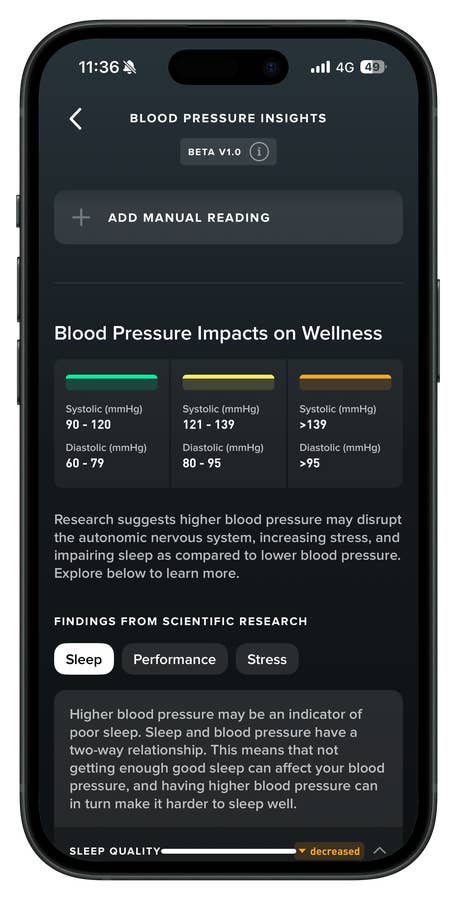
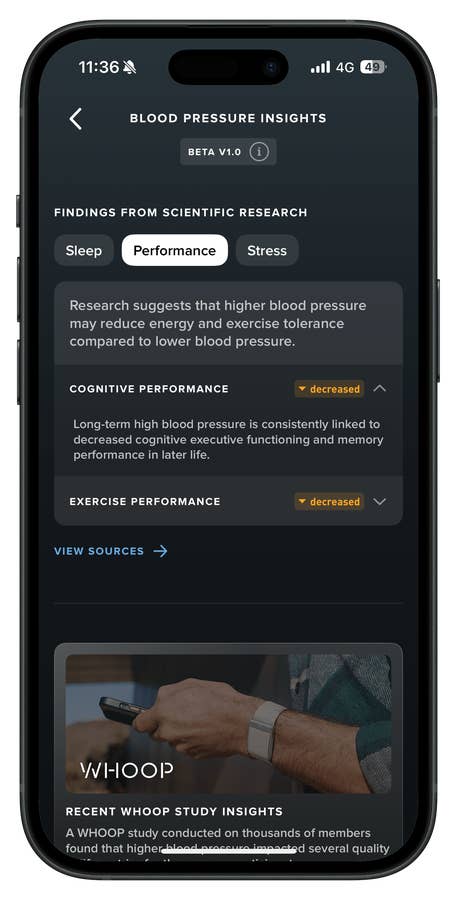
Whoop also provides educational content on why keeping an eye on your blood pressure can help you better understand your overall health.
Quelle: nextpit
Covering everything from sleep quality and performance to stress levels.
Quelle: nextpit
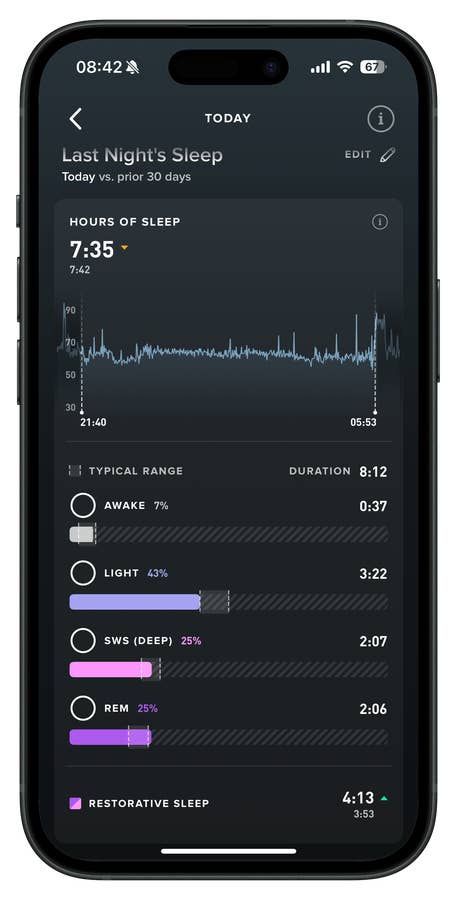
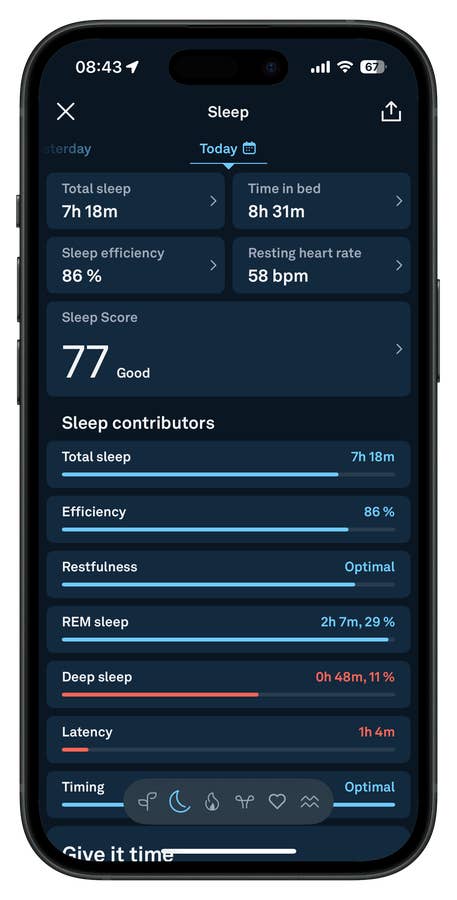
Sleep metrics on the Whoop MG are detailed and serve as one of the core pillars of the overall Whoop experience.
Quelle: nextpit
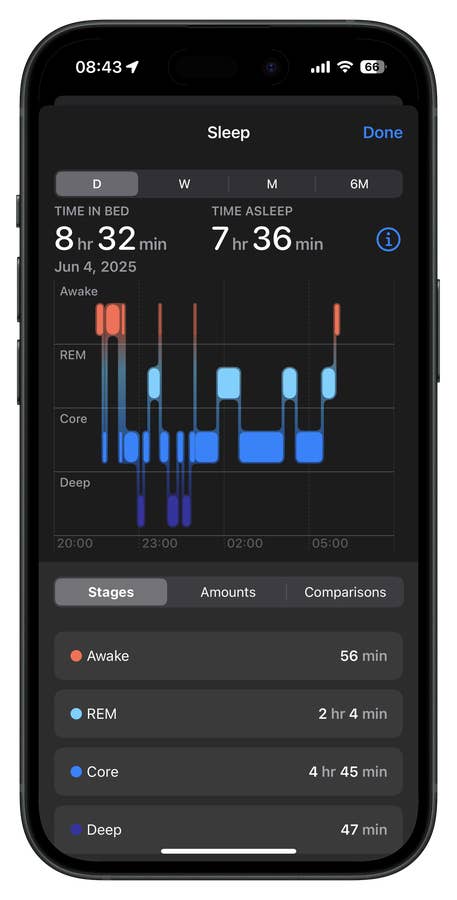
When compared to the Apple Watch Series 9, there are noticeable differences in Deep Sleep tracking—but that likely has more to do with Apple’s methodology than with actual physiological differences.
Quelle: nextpit
The same applies when comparing sleep tracking with the Oura Ring 4—differences in Deep Sleep stages are more likely due to algorithmic interpretation than actual physiological variation.
Quelle: nextpit
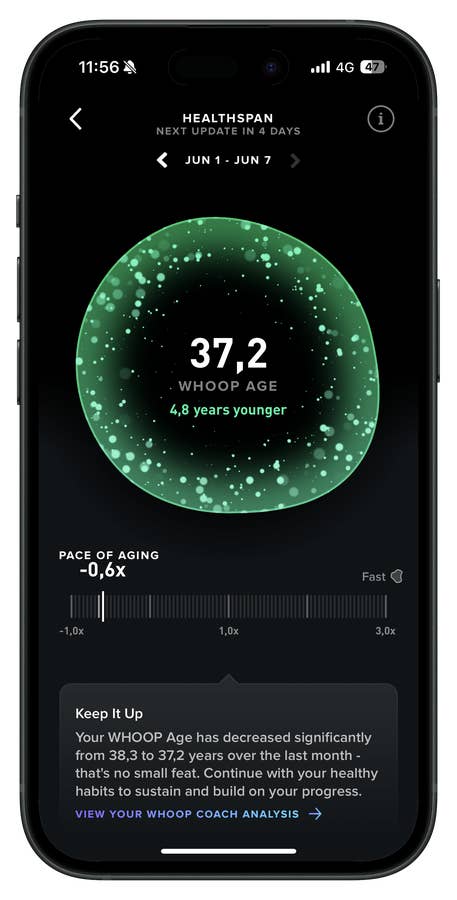
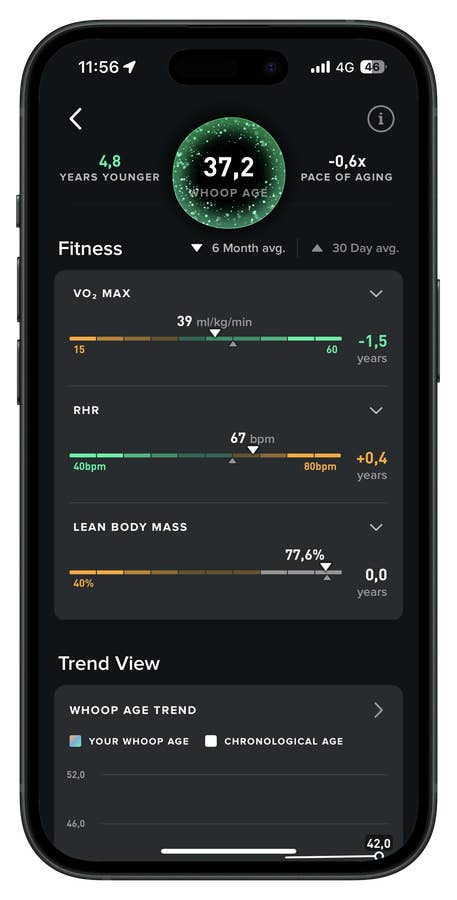
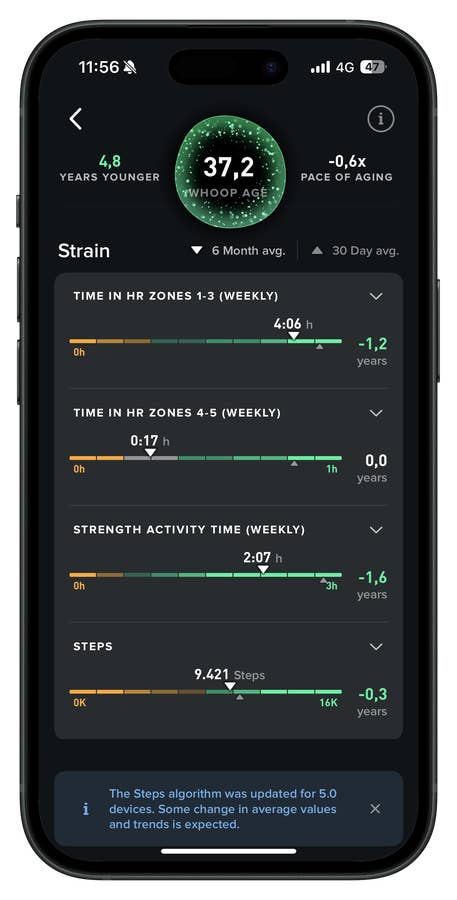
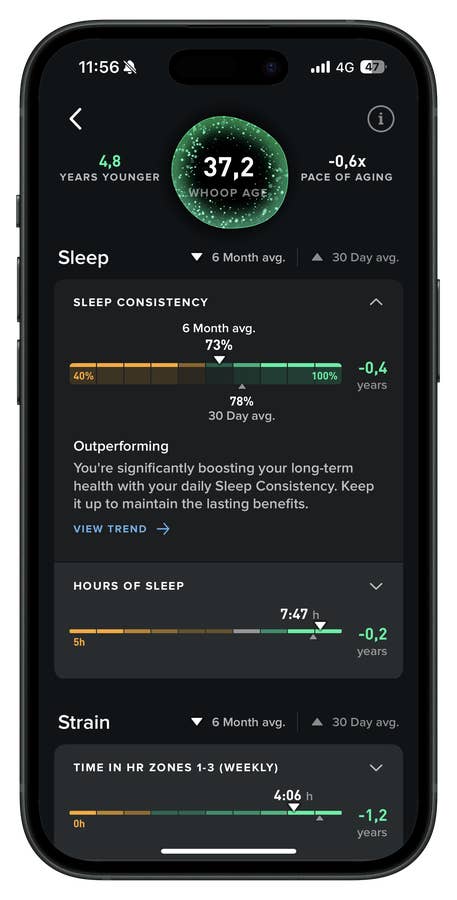
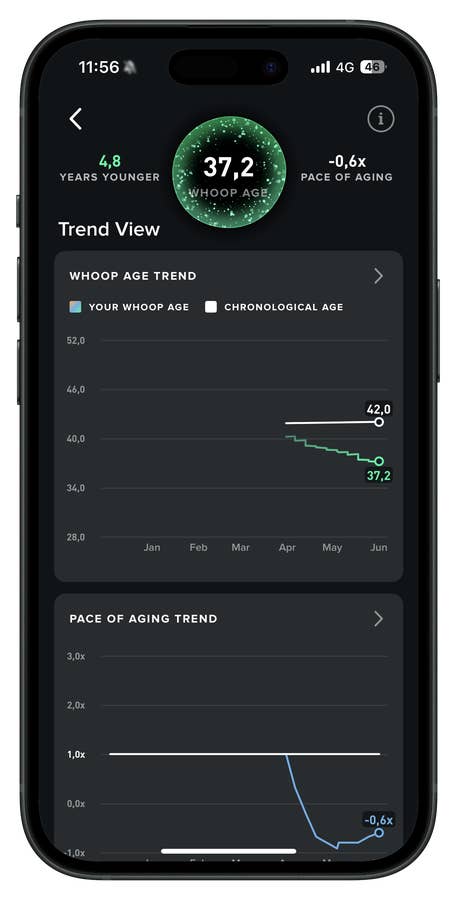
I really enjoy the Whoop Age feature. It’s based on nine biomarkers and gives me a sense that my lifestyle might actually be having a positive impact on my overall health. And honestly—I can feel it, too.
Quelle: nextpit
Resting heart rate and lean body mass are among the biomarkers used. This is exactly where I start interpreting the data more closely—and sometimes even share it with a health professional for deeper insight.
Quelle: nextpit
It also raises the question: how are my activities actually affecting my fitness?
Quelle: nextpit
What role is my sleep routine playing in my long-term health and longevity?
Quelle: nextpit
Whoop Age also gives me a sense of my pace of aging—basically saying, “If you keep doing what you’re doing, you’ll either slow down or speed up the aging process.” I think that’s a valuable insight.
Quelle: nextpit
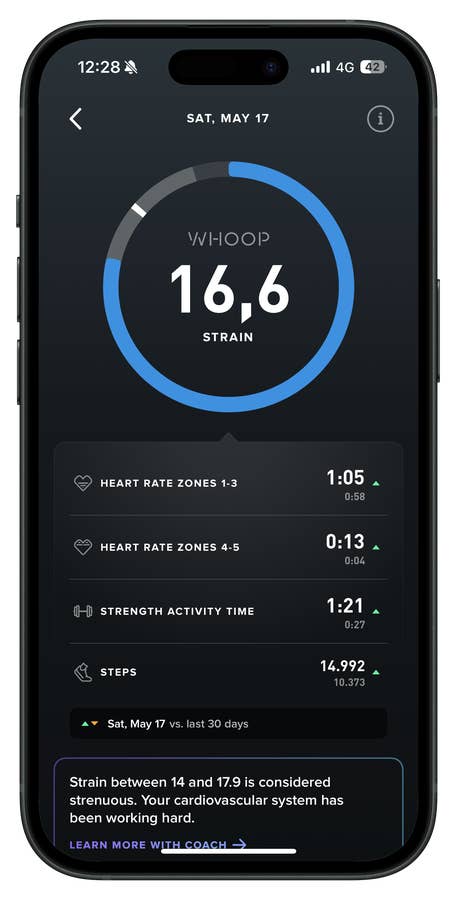
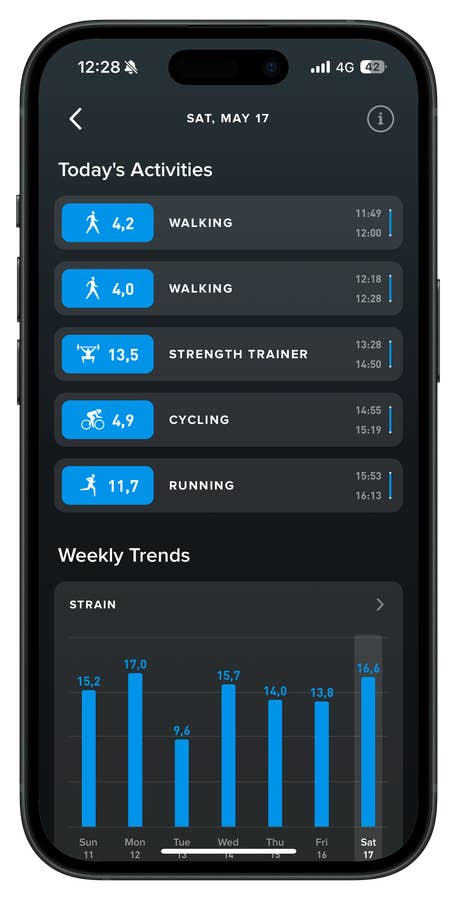
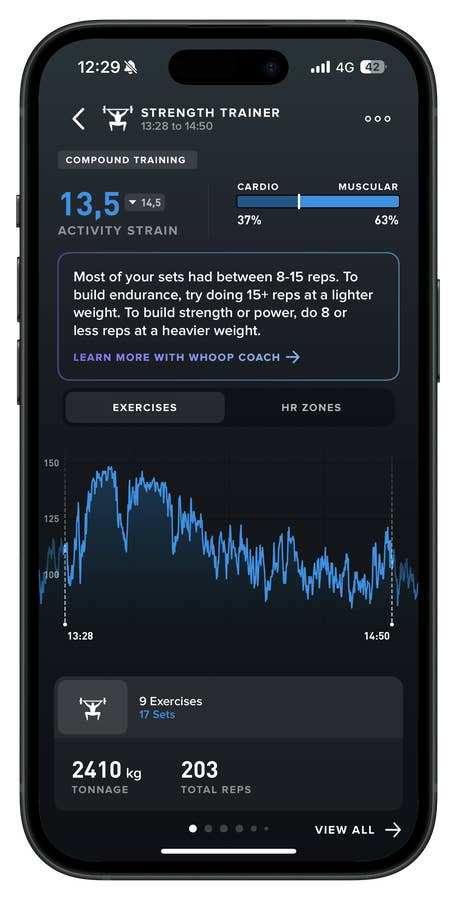
Whoop Strain is calculated based on activities the device automatically detects, as well as those you start or manually add in the app. The maximum strain score is capped at 20.7.
Quelle: nextpit
You’ll see a list of your activities in the dashboard, each with a specific strain score based on your heart rate effort.
Quelle: nextpit
In the Strength Trainer, for example, you can filter by exercise, training load, or heart rate zones.
Quelle: nextpit
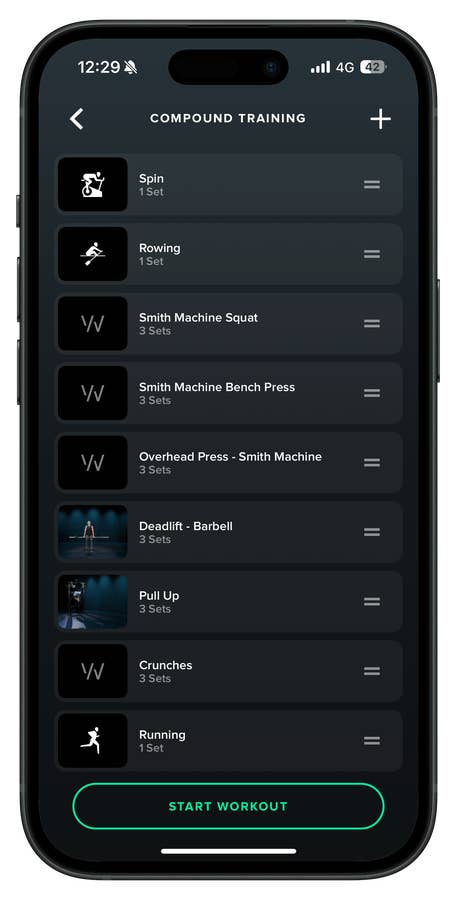
What I like most is the ability to create my own workout plan and follow it in the gym—set by set, rep by rep. It helps me stay focused on the exercise. That said, there’s no real analysis provided afterward, which feels like a missed opportunity.
Quelle: nextpit
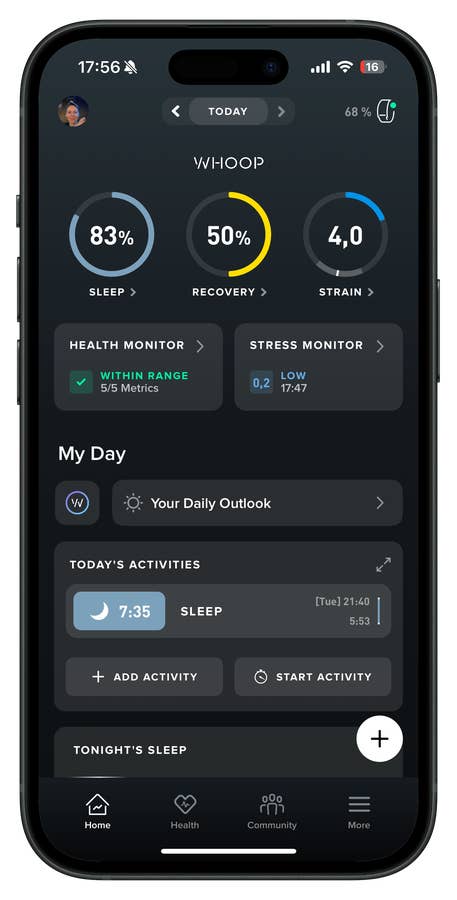
This is the home screen of the Whoop app, showing Sleep, Recovery, Strain, and other dashboards like the Health Monitor.
Quelle: nextpit
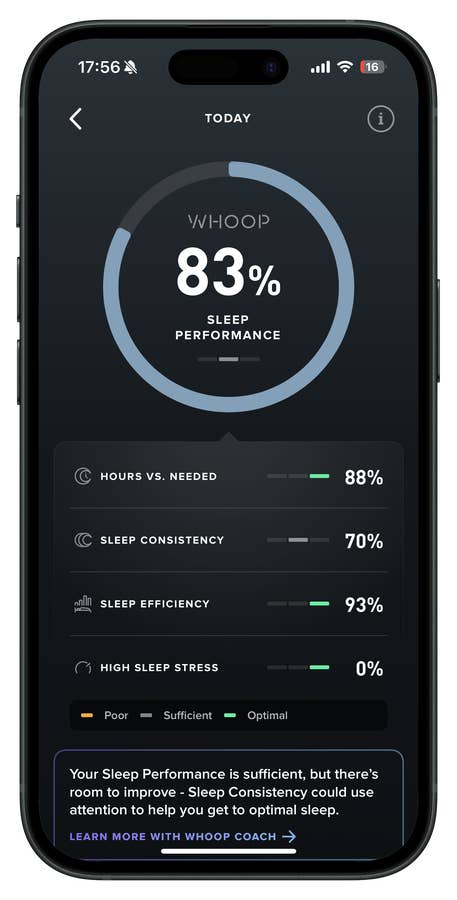
Sleep Performance is broken down into key metrics.
Quelle: nextpit
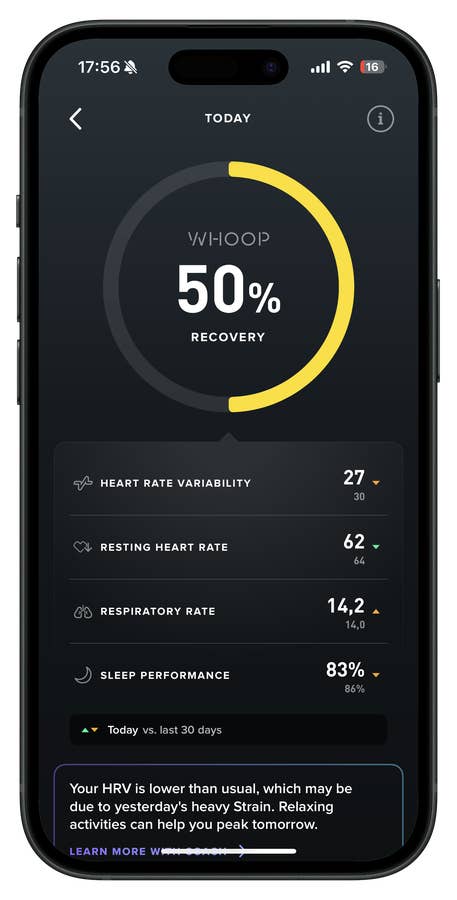
The same goes for the Recovery Score, which is also broken down into key contributing metrics.
Quelle: nextpit
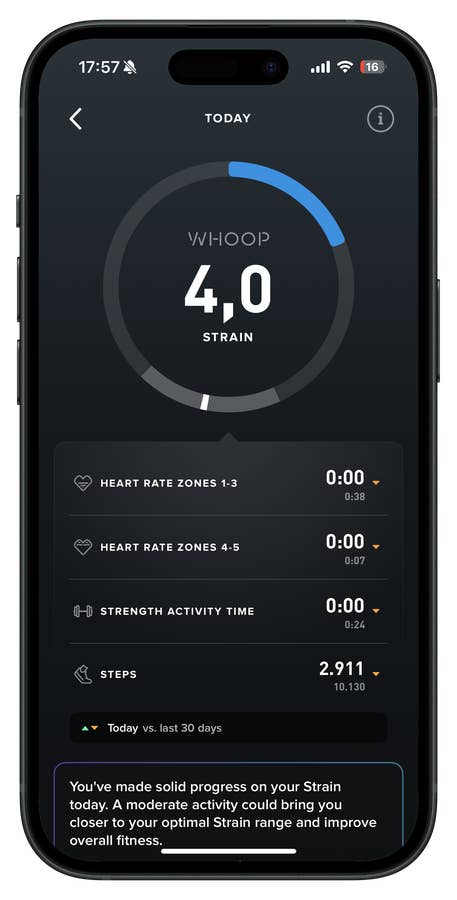
Strain Level gets its own breakdown too—though clearly, I wasn’t very active that day.
Quelle: nextpit
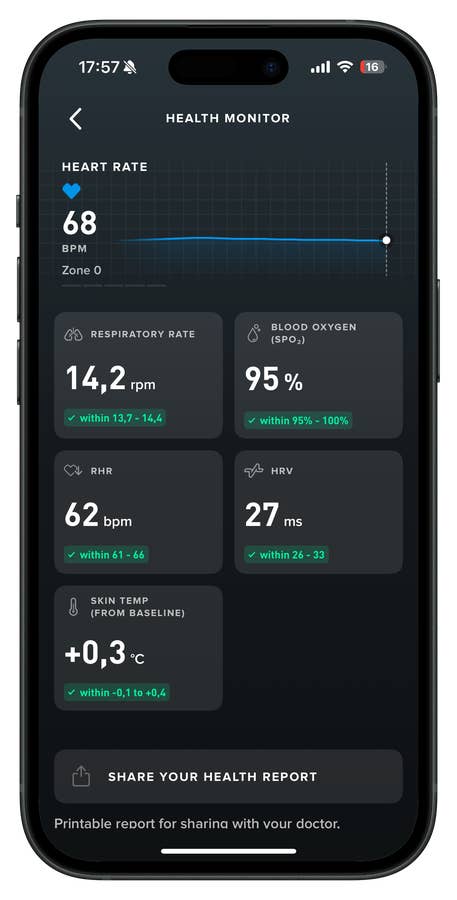
From there, you can view detailed stats in the Health Monitor.
Quelle: nextpit
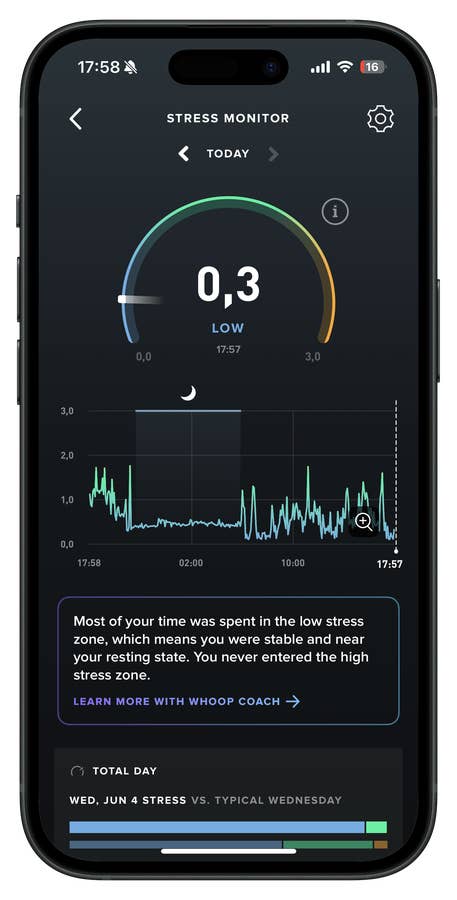
You can also access the Stress Monitor from the home screen of the app.
Quelle: nextpit
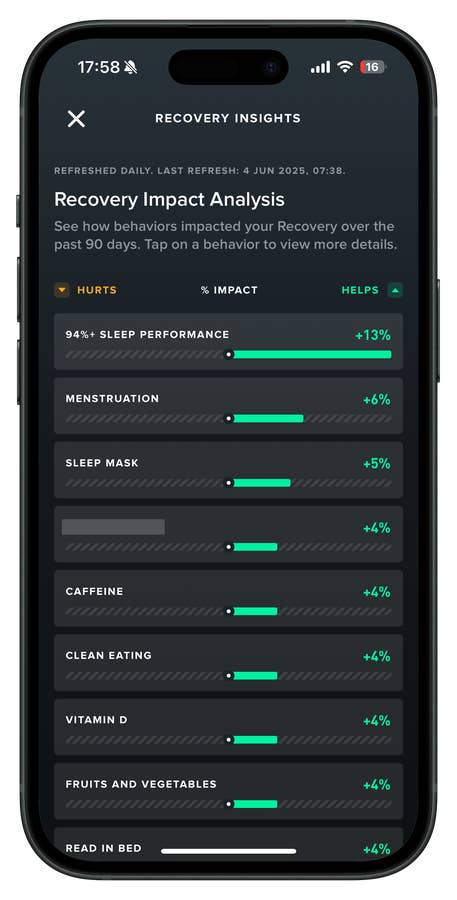
Insights are shared alongside your Recovery Report and depend heavily on how regularly you update your daily journal. Some factors positively impact your recovery, while others don’t.
Quelle: nextpit
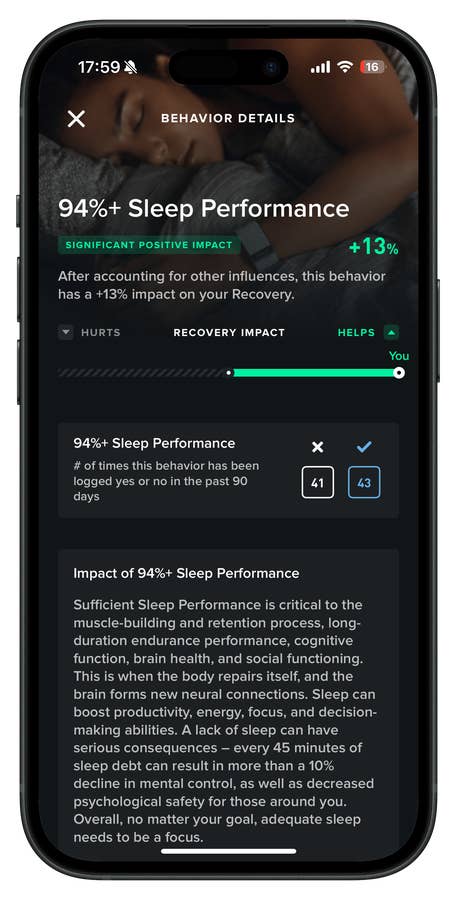
Here, a 94%+ Sleep Performance had a positive impact on my Recovery.
Quelle: nextpit
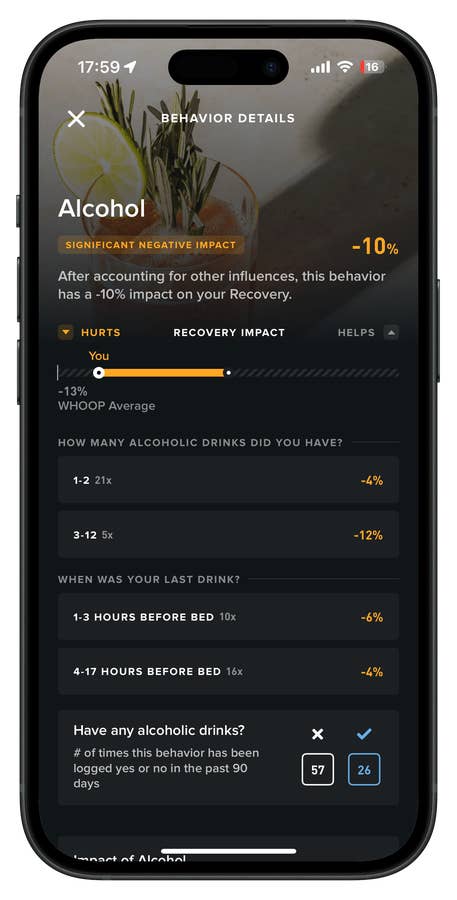
As expected, alcohol had a negative impact on my Recovery—unfortunately for me.
Quelle: nextpit
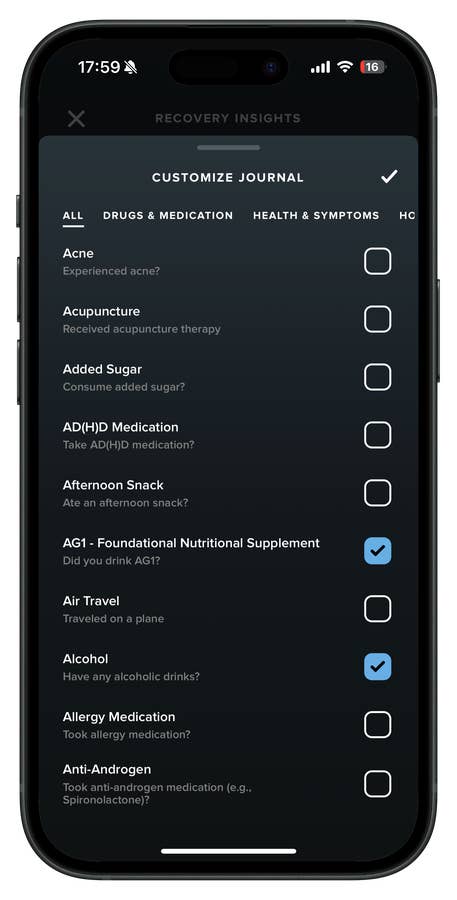
You can edit your journal by adding or removing Insights.
Quelle: nextpit
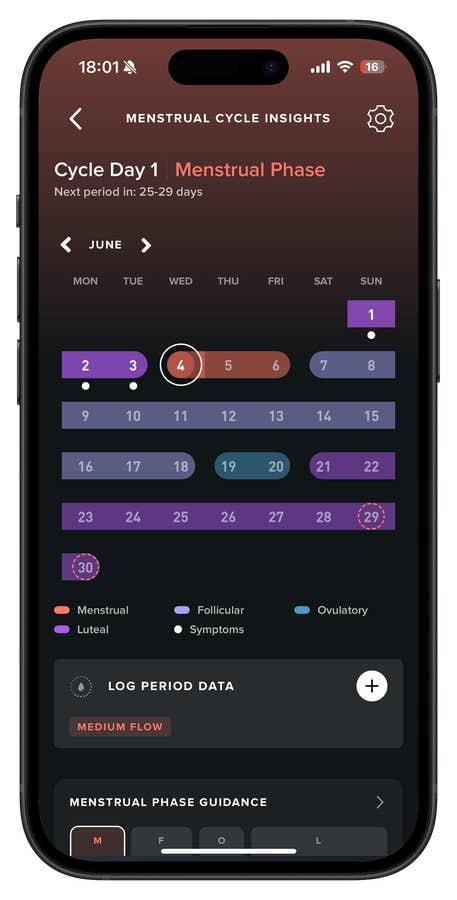
One of the most advanced menstrual cycle insights I’ve tried comes from Whoop. It offers cycle tracking and ovulation predictions—but it goes beyond the basics.
Quelle: nextpit
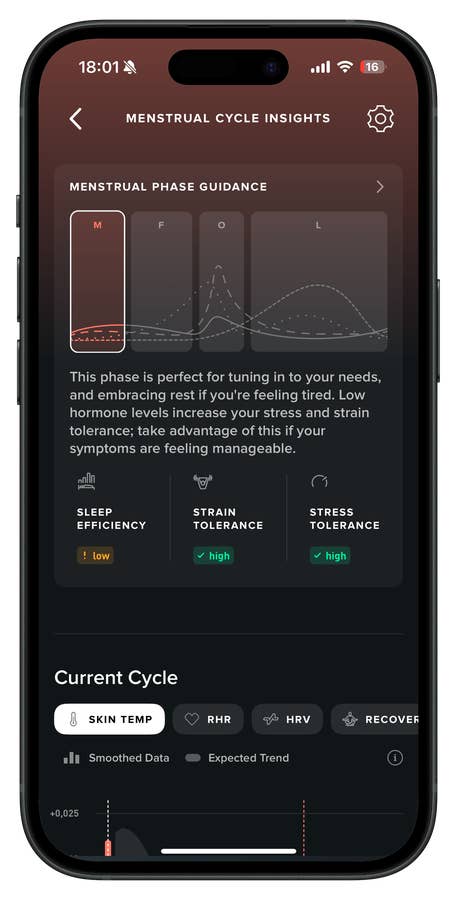
You can view the different menstrual phases and their characteristics, along with their impact on your sleep, strain, and stress levels.
Quelle: nextpit
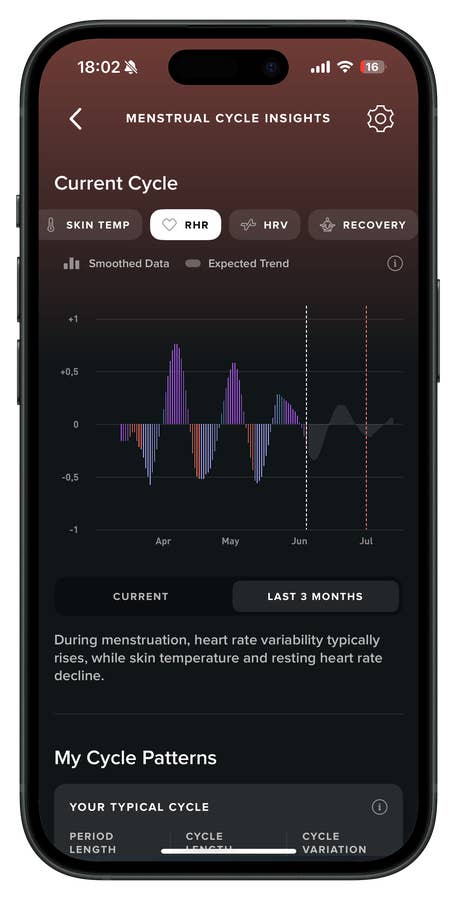
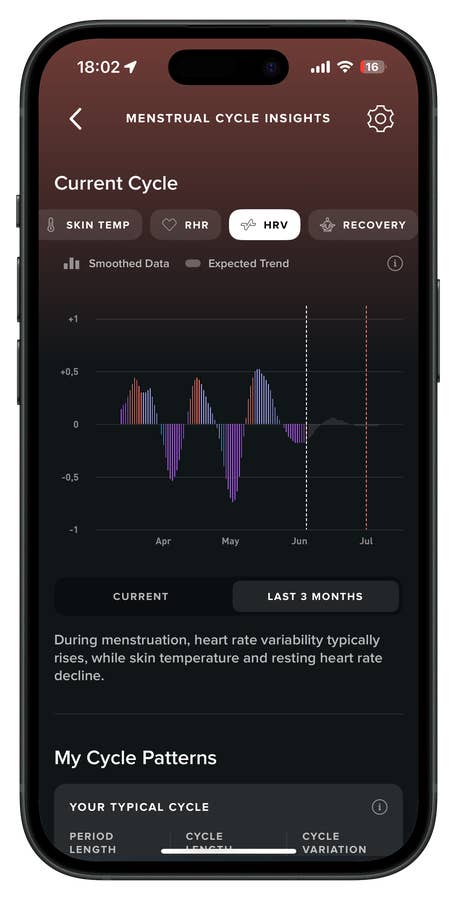
You can also look back over the past three months to spot patterns in metrics like skin temperature, resting heart rate (RHR), heart rate variability (HRV), and recovery.
Quelle: nextpit
You also get an “expected trend,” which has been fairly accurate so far—but I’ll need to keep testing it to see how well it truly aligns with my cycle.
Quelle: nextpit
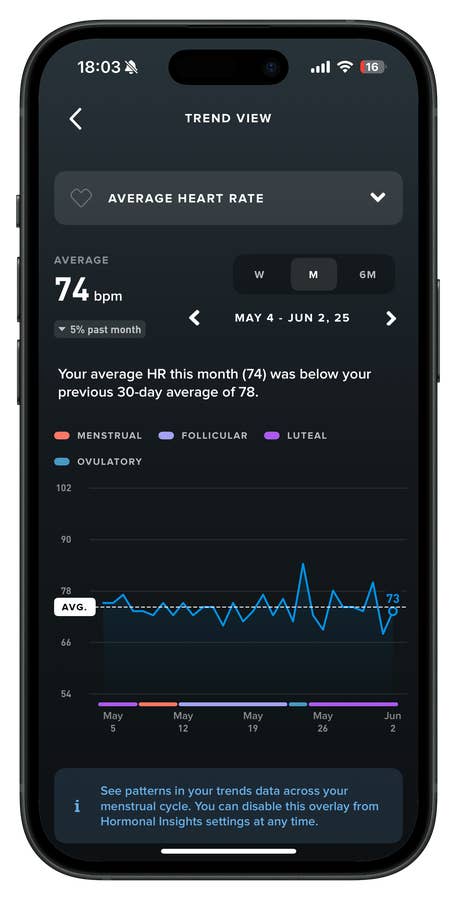
For me, one of the most valuable features is seeing how specific metrics—like average heart rate—are impacted by different hormonal phases. I find that fascinating.
Quelle: nextpit
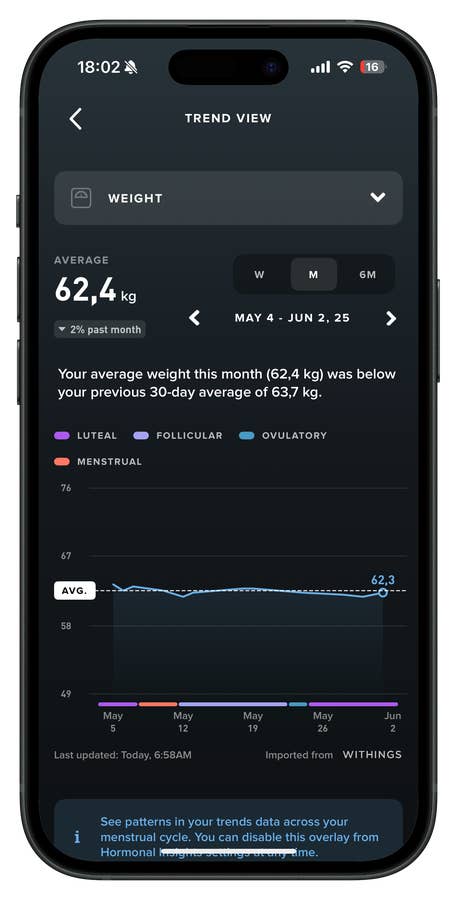
The same goes for my weight—though things have remained fairly stable in that area.
Quelle: nextpit
Health Tracking: Granularity vs. Daily Insights
Here’s where the differences really start to show.
Whoop MG is built for those who want extremely granular tracking. It goes beyond heart rate, sleep, and recovery. With the Whoop Journal, you can log behavioral variables like supplement intake, post-workout muscle soreness, alcohol consumption, and more. Over weeks of use, you’ll get clear statistical correlations. It’s more scientific, more biohacker-friendly, with deep reports on how your habits affect your physiological data.
Oura Ring 4 also offers a wide lens on your health, but in a more streamlined, user-friendly way. It focuses on three pillars: sleep, readiness, and activity. It doesn’t throw as much raw data at you as Whoop, but it delivers clear, actionable insights without overwhelming you.
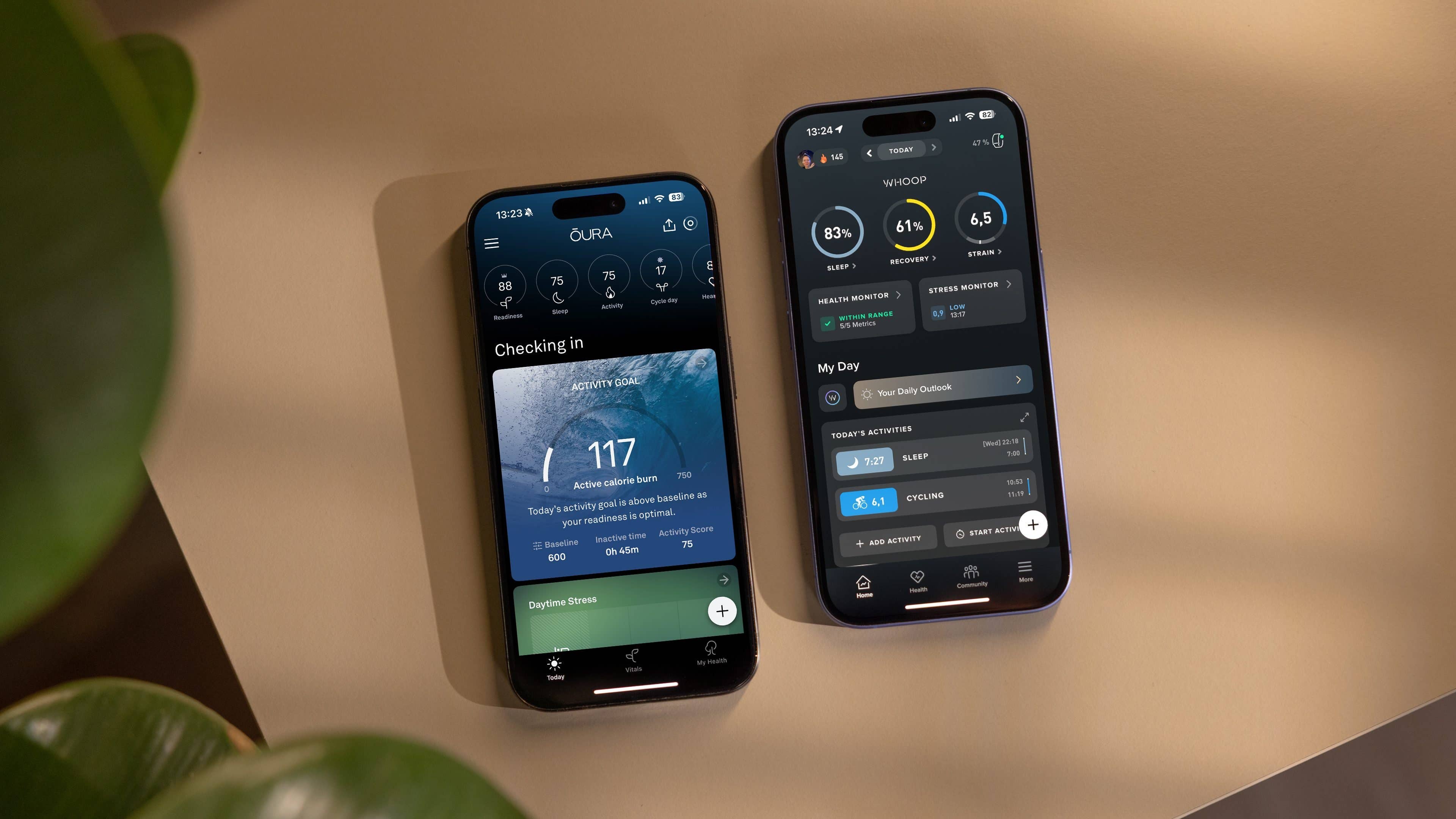
While Whoop focuses on things like strain, recovery, and readiness with lots of graphs and numbers, Oura takes a different approach. It uses rings, colors, and simple, practical suggestions. It feels a bit more casual, especially for people who aren’t too eager to spend time interpreting charts.
Additionally, both companies require a membership to unlock health features. Oura Ring 4 charges $69.99 per year on top of the device price to access advanced features. With Whoop MG, you don’t pay for the hardware, but you do need a premium membership, which costs $359 per year.
Both devices proved trustworthy in key metrics like sleep, heart rate, and heart rate variability (HRV). The real difference is in the context:
Whoop tends to pick up on micro-variations more sensitively and is better suited for those looking to optimize training and recovery almost at a professional level.
Oura offers more balanced readings for everyday life, with a stronger focus on general well-being and longevity.
Both outperform the vast majority of smartwatches in this area. However, neither is flawless, which is worth keeping in mind.
So, which wearable wins when it comes to health tracking? Well, the answer really depends on your needs.
If you take your training seriously, whether it is CrossFit, triathlon, structured workouts, or even biohacking, the Whoop MG is the best investment. It helps you get the most out of your physical and mental data and offers a level of granularity no other wearable can match.
Additionally, as I mentioned in my Whoop MG review, if you don’t care about the medical-grade ECG or the experimental blood pressure feature, the Whoop 5.0 with a Peak membership already gets the job done. For many people, it offers better value.
But if your focus is more on living well, sleeping better, and staying healthy, and you want something simple, stylish, and easy to wear, the Oura Ring 4 is still one of the best options. It is made for people who care about their health but do not want to look like they are training for a triathlon.
So yeah, at the end of the day, these are both great options. But I believe only one will truly suit you, as it’s clear to me they’re not complementary devices. Which one would you choose and why? Share your opinion with us in the comments below.
We mark partner links with this symbol. If you click on one of these links or buttons–or make a purchase through them–we may receive a small commission from the retailer. This doesn’t affect the price you pay, but it helps us keep nextpit free for everyone. Thanks for your support! Prices are based on the date of publication of this article and may be subject to change.