Sorry, but there's really nothing to see here right now. Our server is in maintenance mode – and our
little bot is trying to sort the error messages with its last bit of energy.
Whether it was a data leak, a power outage in the cluster, or just a grumpy bit – we don't know yet.
But what we do know is:
The data drama escalated into a server meltdown. But don't worry: We're on it.
What now?
Everything is surely running smoothly over at our colleagues from inside
digital – why not stop by!
Or you could pass the time by visiting our social media channels – for example Instagram, YouTube or TikTok. At least there are no
server problems there – promised.
Thanks for your patience. Our bot is already rebooting at full speed. 🔧
NewsTabletHuman-Like Gemini Live is Out to Samsung and Pixel Phones
The recent Made by Google event was different from previous Pixel events, mainly because the spotlight was mostly on AI. Part of the new suite of AI features is Gemini Live, an upscale version of Gemini, capable of handling free-flowing conversations better than the standard AI chatbot. Just a couple of days after the announcement, Gemini Live has started making its way to a wider list of Galaxy and Pixel smartphones.
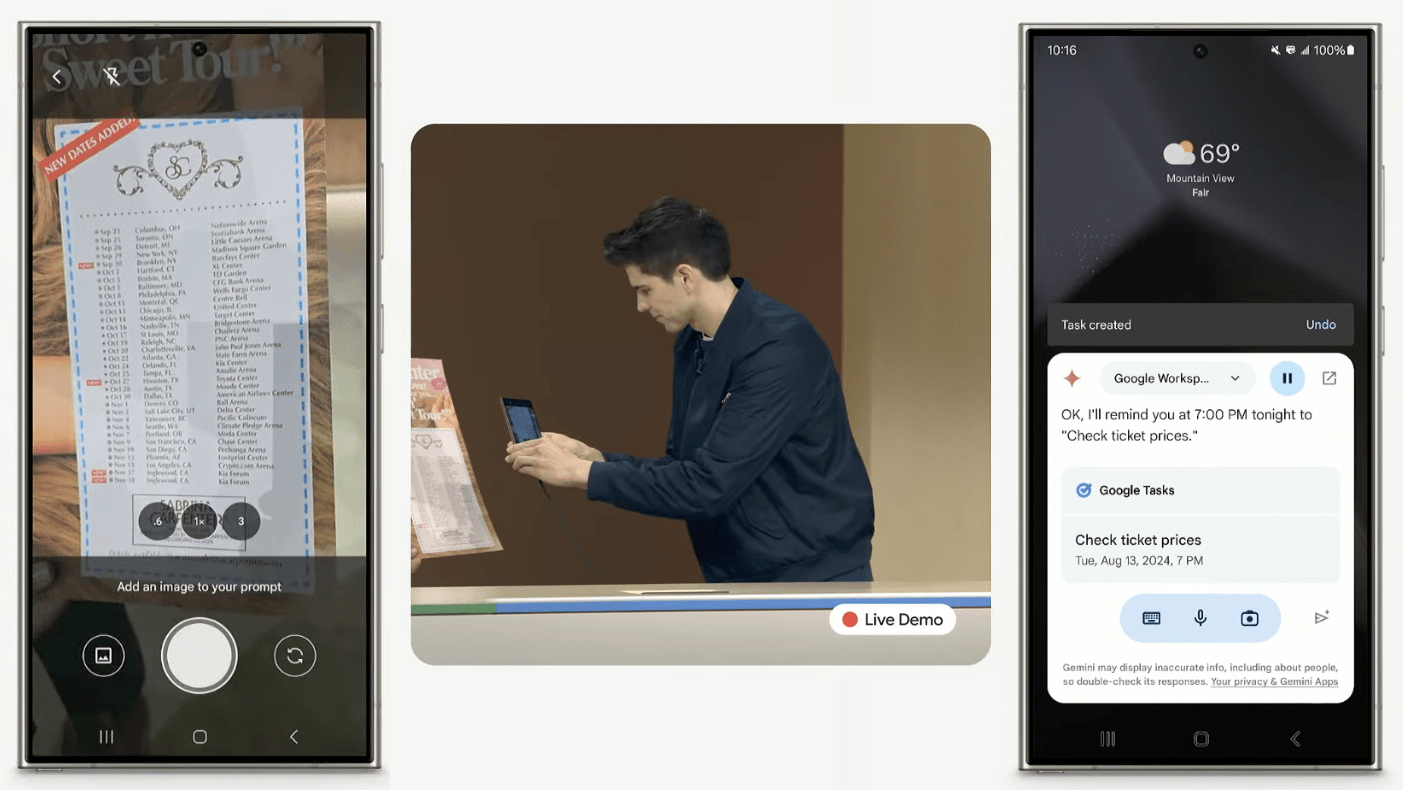
Gemini Live is different and more advanced than Gemini in many ways. In addition to offering new, more human-like voices and conversation transcripts, it can also understand complex prompts, read and analyze what’s on your screen, interact deeply with your apps (Gmail, YouTube, Keep, etc.) through Gemini Extensions, and more.
How can you access Gemini Live
Unlike the free version of Gemini that is widely replacing Google Assistant on supported Android devices, Gemini Live is available as part of the paid Gemini Advanced subscription. Moreover, it currently supports the English language on select Samsung Galaxy and Google Pixel smartphones.
If you’re a Gemini Advanced user and the update is live on your device, you can access Gemini Live by launching Gemini as an assistant or through the app itself. It also supports hands-free operation, so you can trigger it even if your device is locked or while running a different app in the foreground.
The Gemini Live icon appears as a waveform with a glittering star at the bottom of the screen. You can start engaging with it like you’re talking to a human or as you would with other AI assistants. You can end the conversation by saying “stop” or swiping down from the top of the screen.
As a multimodal AI, you can also use photos or your current screen to ask for context or answers. However, this capability will be rolled out later along with Gemini Extensions for apps, including summarizing or composing emails in Gmail and managing your reminders and calendars, among others.
There are also options to change Gemini Live’s voice from the settings, which include voices with soft to hard ranges and space-themed voices. Moreover, there are toggles for Interrupt Live responses and Gemini Advanced responses.
Depending on your region, Gemini Live is part of the Google One AI Premium plan. In the US, this costs $19.99 per month with 2TB of cloud storage and premium access to other Google services.
With these features of Gemini Live, do you think it is worth paying for it? Are you perhaps using a different AI chatbot on your device? Share your suggestions with us.
We mark partner links with this symbol. If you click on one of these links or buttons–or make a purchase through them–we may receive a small commission from the retailer. This doesn’t affect the price you pay, but it helps us keep nextpit free for everyone. Thanks for your support!







0 comments