Connect Alexa with Spotify: How to switch your music service
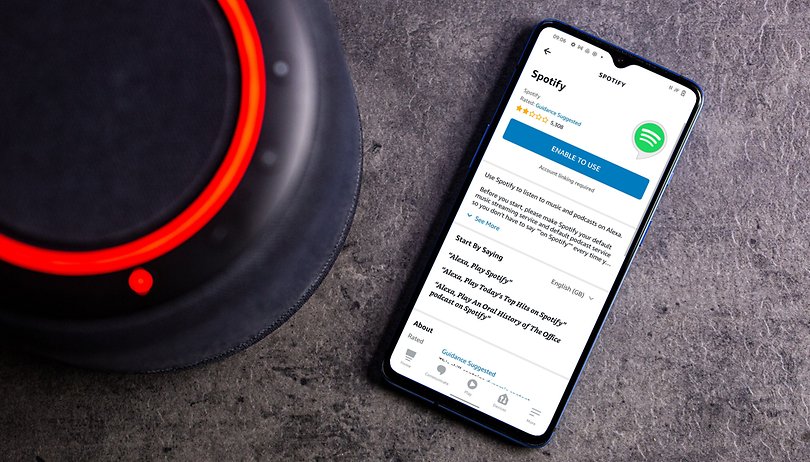

By default, Alexa plays your music requests via Amazon's own music streaming service. However, you can also change the streaming service across devices in the settings of the Alexa app. In our guide, we tell you how to connect Alexa with Spotify. The only requirements are the Alexa app and a free Spotify account.
I've often seen the following scenario with friends or family who use an Echo speaker: someone tells Alexa their music request and Amazon's voice assistant can't find the corresponding album or song. From experience, Spotify is better positioned for curious music requests - and that's why I'll tell you how to set up Spotify on Alexa during our coffee break.
First and foremost, you'll need the Alexa app on your smartphone. Although you can also use Spotify on any Echo speaker after the setup, the setup is done in the app menu. In addition, you need a Spotify account; fortunately, a free account is sufficient. With a premium subscription, however, you can go full speed without ads!
How to set up Spotify on Alexa
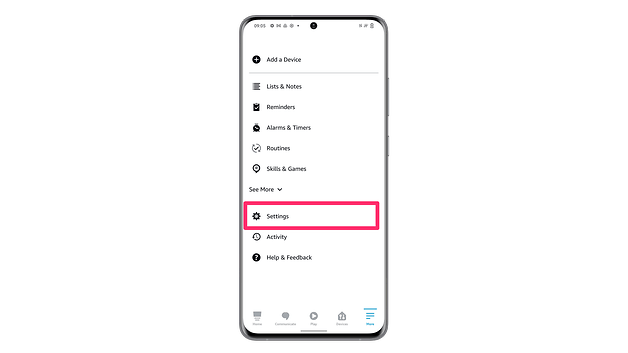
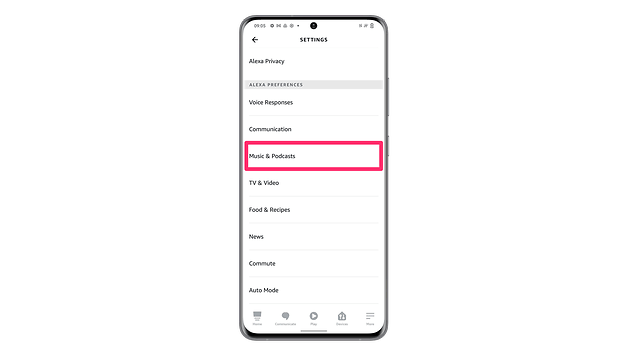
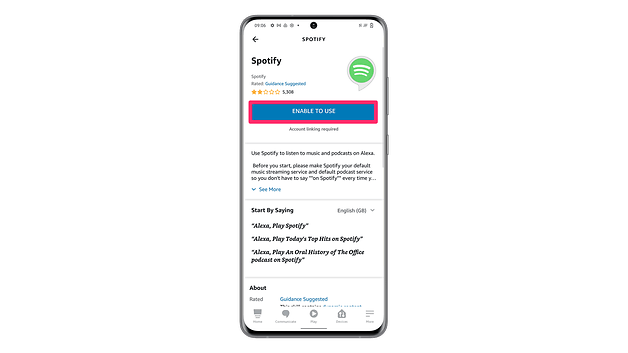
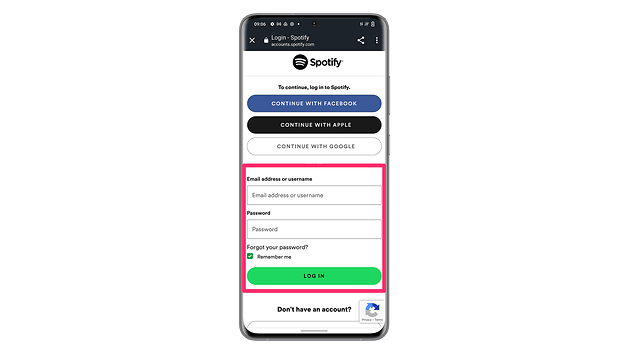
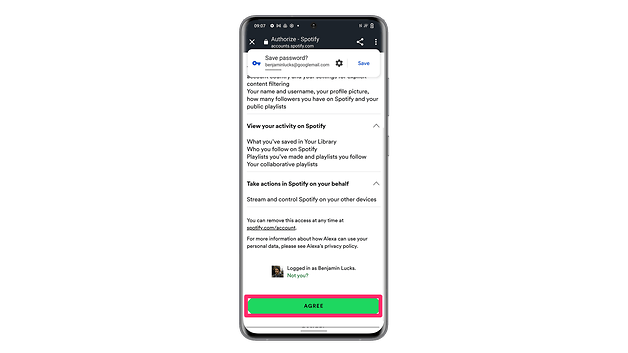
Let's start by setting up Spotify in the Alexa app. To do this, you need to go to the app's settings and switch to the "Music" subcategory. Let's take a look at it step-by-step:
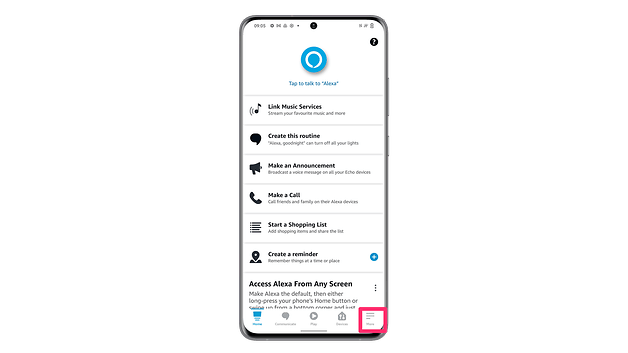
- Open the Alexa app
- Tap on "More" at the bottom right
- Switch to the settings
- Tap on "Music & Podcasts
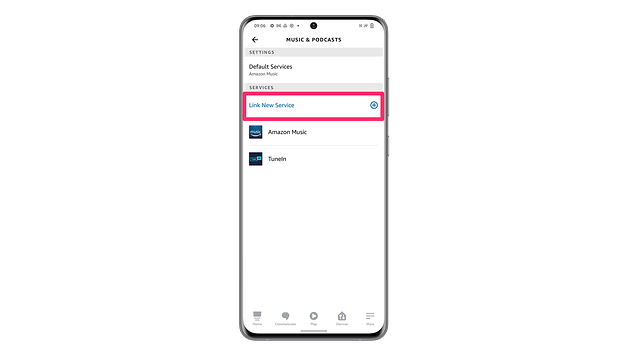
- Check if "Spotify" is available in the list of services
- If not, tap on "Link a new service".
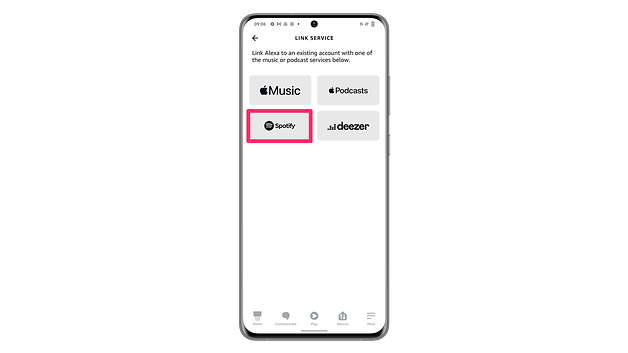
- Tap here on Spotify (or another service)
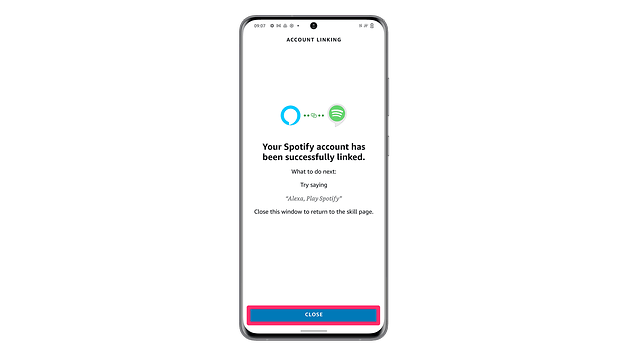
- Install the appropriate skill
- Done!
If you are impatient and now ask your Alexa speaker for a certain music track, Amazon Music will still be used. You would have to utter specific "play" commands to use the service. So you'll have to switch the default music streaming service again.
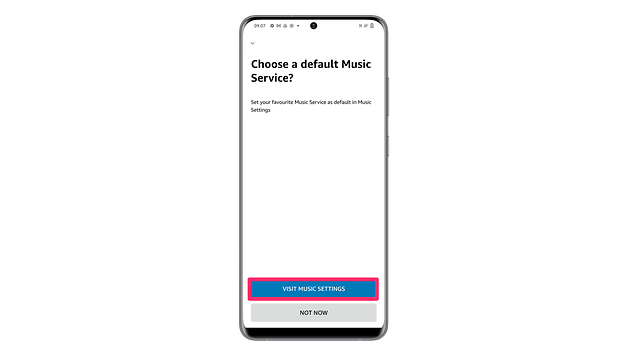
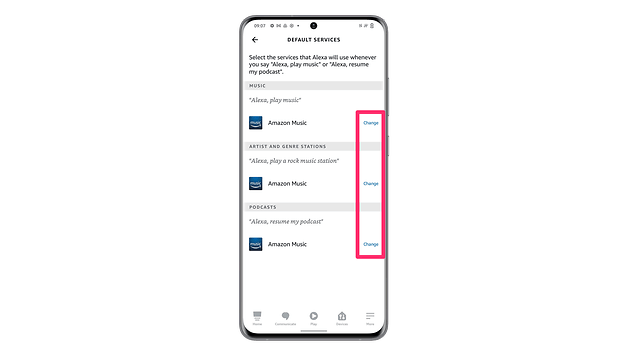
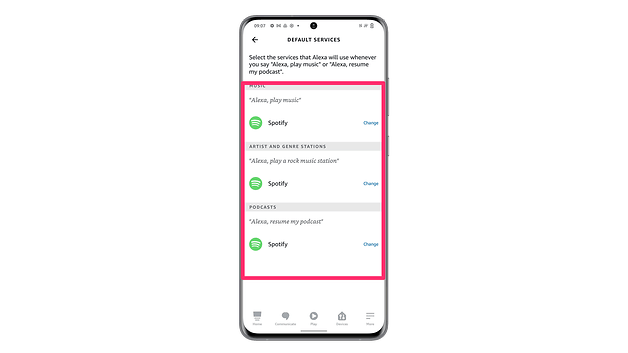
Set Spotify as the default music streaming service on Alexa.
This step is super simple - and with a bit of luck, will be suggested by Spotify right after you set it up. If that's not the case for some users, however, I don't want to drop those at this point. So if Alexa doesn't work yet by default, follow these steps.
- Go back to the music settings in the Alexa app.
- Here you will see "Default Service" at the top
- Here you can select Spotify for the categories "Music", "Artists and Genre Stations" and "Podcasts".
That's it for setting up Spotify on your Alexa speaker or smartphone. If you are looking for more tips and tricks for Amazon Alexa, I recommend our article with the best Alexa voice commands. In July 2022, Amazon Prime Day will take place, so you can expand your Alexa setup a bit.
Which music streaming service do you use with your Alexa? Let us know in the comments!