Contents
- 1 Familiar Design, Smarter Display
- 2 Apple Watch Ultra 3 Performance and Connectivity
- 3 Apple Watch Ultra 3 Software and Compatibility
- 4 Health, Safety, and Fitness
- 5 Battery life and charging
- 6 Apple Watch Ultra 3 technical specifications
- 7 Should You Buy the Apple Watch Ultra 3?
- 8 Where to Buy the Apple Watch Ultra 3
Pros of the Apple Watch Ultra 3
- Super bright display
- Third-party sensor support
- Emergency SOS and two-way satellite messaging
- Seamless Apple ecosystem integration
- Fast charging
Cons of the Apple Watch Ultra 3
- Only one large size
- Around two days of battery life
- Expensive if you are mostly after the design
Familiar Design, Smarter Display
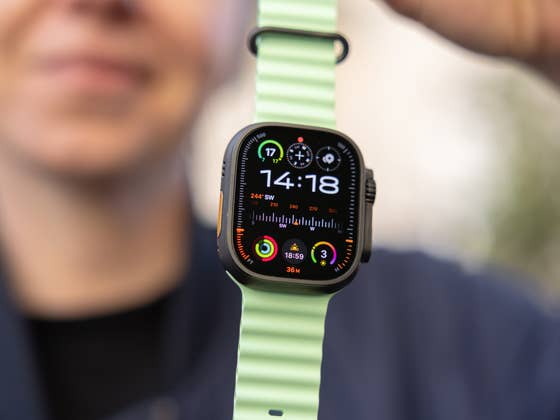
The Apple Watch Ultra 3 still looks unmistakably like an Ultra. It keeps the 49-millimeter titanium case, available in natural or black, with the same rugged, outdoorsy presence. The raised lip around the screen, flat sapphire glass, and ceramic back all return, as do the serious durability ratings for dust, water, and shock. This watch is still built for people who want something tough enough for diving, hiking, or just surviving a rough commute.
The gallery was not found!Apple has not changed the Action Button, and since this is my first time reviewing the Ultra variant, I find this feature genuinely useful. I appreciate how easy it is to start a workout, drop a waypoint, or trigger the 86-decibel siren in an emergency. Translation on your wrist also makes a lot of sense, and by holding the Action Button a bit longer, you can quickly launch the translation app. Being able to set all of this directly on the watch makes it feel like a true Swiss Army knife for me.
The dual speakers and triple-mic setup are also unchanged, keeping calls, Siri responses, and even listening to music or a podcast clear.
The difference shows up when you turn it on. Apple shrunk the bezels, giving the watch about five percent more screen area without making the case bigger. It’s a small change, but it makes the Ultra 3 look more modern and easier to read. The new OLED panel is also smarter: it refreshes at 1 hertz, so even when your wrist is down, complications and timers keep updating smoothly. This is one of those little upgrades that just makes the watch feel legit, like it is built for serious use and not just notifications.
The gallery was not found!Brightness is still at 3,000 nits, so you can see it in full sunlight, and it dims low enough for night use. Apple also improved viewing angles, which can be seen if you simply look sideways while running or cycling. However, as I mentioned in my review of the Huawei Watch GT 6 Pro, the sapphire display tends to be quite reflective, so at times you will need to tilt your wrist to clearly see what is on the screen.
But I have to be honest: this is still a massive watch. On my smaller wrists, it feels oversized, and the crown often presses against the wrist bone. That can even affect how well it tracks heart rate or sleep if the fit isn’t perfect. So while the Ultra 3 is attractive and functional, it is not for everyone, especially if you prefer a lighter, more discreet smartwatch like the Series 11.
Apple Watch Ultra 3 Performance and Connectivity
The Apple Watch Ultra 3 swaps last year’s S9 chip for the new S10 package. In everyday use it does not feel dramatically faster. Apps still open quickly, animations remain smooth, and Siri is just as responsive thanks to on-device processing. The real difference is in efficiency.
Apple says the combination of the S10 package, the new LTPO3 display, and other system optimizations helps the watch last a little longer on a charge without changing the size of the case. The S10 also enables the Always-on Display to refresh once per second, so complications and timers stay live and easy to glance at without draining the battery as quickly.
The gallery was not found!Connectivity is one of the biggest upgrades in the Ultra 3. It now supports 5G using RedCap technology, which should make downloads for music, podcasts, and apps faster. The catch is that 5G support is still limited to a few carriers. In Germany, for example, only Deutsche Telekom currently supports 5G on the new Apple Watch models.
You will also need a compatible eSIM plan for the watch, and your carrier must support Apple Watch cellular service. I could not test 5G myself because my provider does not yet offer eSIM support for Apple Watch where I live.
The most exciting change is what happens when you have no service at all. Apple Watch Ultra 3 now supports Emergency SOS via satellite, guiding you through connecting to a satellite so you can share your location and send a short emergency message. Importantly, you don’t need an iPhone nearby to use it because the feature is built directly into the watch.
That said, full two-way satellite messaging (sending and receiving regular texts, emoji, and Tapbacks) is still limited by region and, as of now, is only available in the United States, Canada, and Mexico. Apple includes two years of satellite service without extra costs.
This addition clearly moves Apple closer to Garmin’s approach with the Fenix 8 Pro, which also supports two-way satellite messaging, making the Ultra 3 an even more serious option for off-grid adventurers.
Apple Watch Ultra 3 Software and Compatibility
Software is where the Ultra 3 really earns its “tool watch” title. The new Waypoint face makes it clear who Apple is targeting here. It is designed with a live compass bezel, night mode toggle, and quick access to Backtrack. It joins Wayfinder and Modular Ultra, two faces that already take full advantage of the larger display with extra complications and detailed data fields.
I can see Waypoints being especially helpful on hikes, guiding you back to your starting point or even toward water sources. This face is clearly built for the outdoors, but if you leave it on all day in the city, you will probably notice the battery draining faster.
But aside from this exclusive Ultra 3 feature, watchOS 26 includes almost everything you would find on the previous model. That does not mean anything is missing. The new Liquid Glass interface feels softer and more fluid, and the Smart Stack widgets do a better job of surfacing the right information when you need it.
Gesture controls are another genuinely useful addition. The new wrist flick gesture works alongside Double Tap to let you dismiss alerts, answer calls, or control timers without touching the display. I was skeptical at first, but after using watchOS 26 for a while, these gestures make the watch feel far more intuitive, especially in those moments when you only have one hand free, like when cycling or carrying groceries.
I have already selected my 10 favorite features of watchOS 26, so I recommend reading that article to get a better idea of what to expect from the Ultra 3 software. Remember that the smartwatch works hand in hand with the Watch app, where you can fine-tune its settings, as well as with the Apple Health and Fitness apps.
Finally, what stands out to me is that compatibility within the Apple ecosystem works exactly as you would expect. There is no duplication of apps or services when paired with an iPhone, and the integration feels seamless.
Health, Safety, and Fitness
The Apple Watch Ultra 3 carries the same sensor array as the previous generation, including ECG, SpO2, optical heart rate, wrist temperature, menstrual cycle tracking, depth gauge, compass, and always-on altimeter. Fall Detection, Crash Detection, and the loud emergency siren are still here, so nothing is missing for anyone coming from the Ultra 2.
The gallery was not found!Overall, the PPG sensor accuracy is solid. The Ultra 3 mostly matched the readings from my Wahoo chest strap, which I use as my reference device. Even during a 20-minute outdoor bike workout, the numbers were close. My main challenge was its size. The Ultra 3 is large for my wrist, and during rough terrain or intense effort, it sometimes struggled to maintain continuous heart-rate tracking. This is likely more about fit than sensor quality and is something users with smaller wrists should keep in mind.
I also found the Trail Loop with reflectors more stable for workouts than the Ocean Band, and it was noticeably more comfortable to sleep with. A better fit meant better data.
Speaking of sleep, Sleep Score is a welcome addition to the Health app. It gives you a single number each morning that summarizes your night’s rest. Apple is one of the last major players to offer this kind of score, but it is well executed and easy to read. In my testing, results lined up closely with my reference device, the Oura Ring 4 (review), both in overall sleep score and sleep stages. Most importantly, the Ultra 3 consistently reflected how I actually felt in the morning.
The gallery was not found!Another meaningful addition is Hypertension Notifications. These quietly collect data for about 30 days and can alert you to patterns that may indicate high blood pressure. I have a dedicated article about this feature, but the short version is that it could help you catch changes early and take action before they become a bigger health concern.
When it comes to fitness tracking, there are three main points to cover. First, the dual-frequency GPS delivers very accurate routes with only minor deviations, even in urban streets and under dense tree cover. Second, the watch continues to offer serious tools for runners, cyclists, and hikers, including third-party sensor support, granular workout metrics, and the Action Button for starting workouts or dropping waypoints quickly.
The gallery was not found!And third, we finally get deeper integration between the Fitness app and the Apple Watch, with more workouts mirrored to the iPhone—not just cycling. Even better, it is now possible to create custom workouts right in the app. Interval runs are quick to set up, but building a full-strength session can still be time-consuming.
It took me around 20 minutes to create a simple back-and-biceps workout in the Fitness app, whereas I can create the same workout on my Whoop MG (review) in about five minutes, with added details like reps and weight per set. Apple has work to do here, but now that the feature is available, I expect more people will try it, which should push Apple to refine it further.
The gallery was not found!Battery life and charging
The Ultra 3 is solid, but it is not winning any awards for battery life. If you are a hardcore outdoor adventurer, I would still recommend a Garmin, Polar, or Amazfit device if maximum runtime is your top priority. That said, for seamless integration with the Apple ecosystem, the Ultra remains the best choice for outdoor adventurers who want everything to work together. The important thing is that Apple did improve battery life this year, and that is good news.
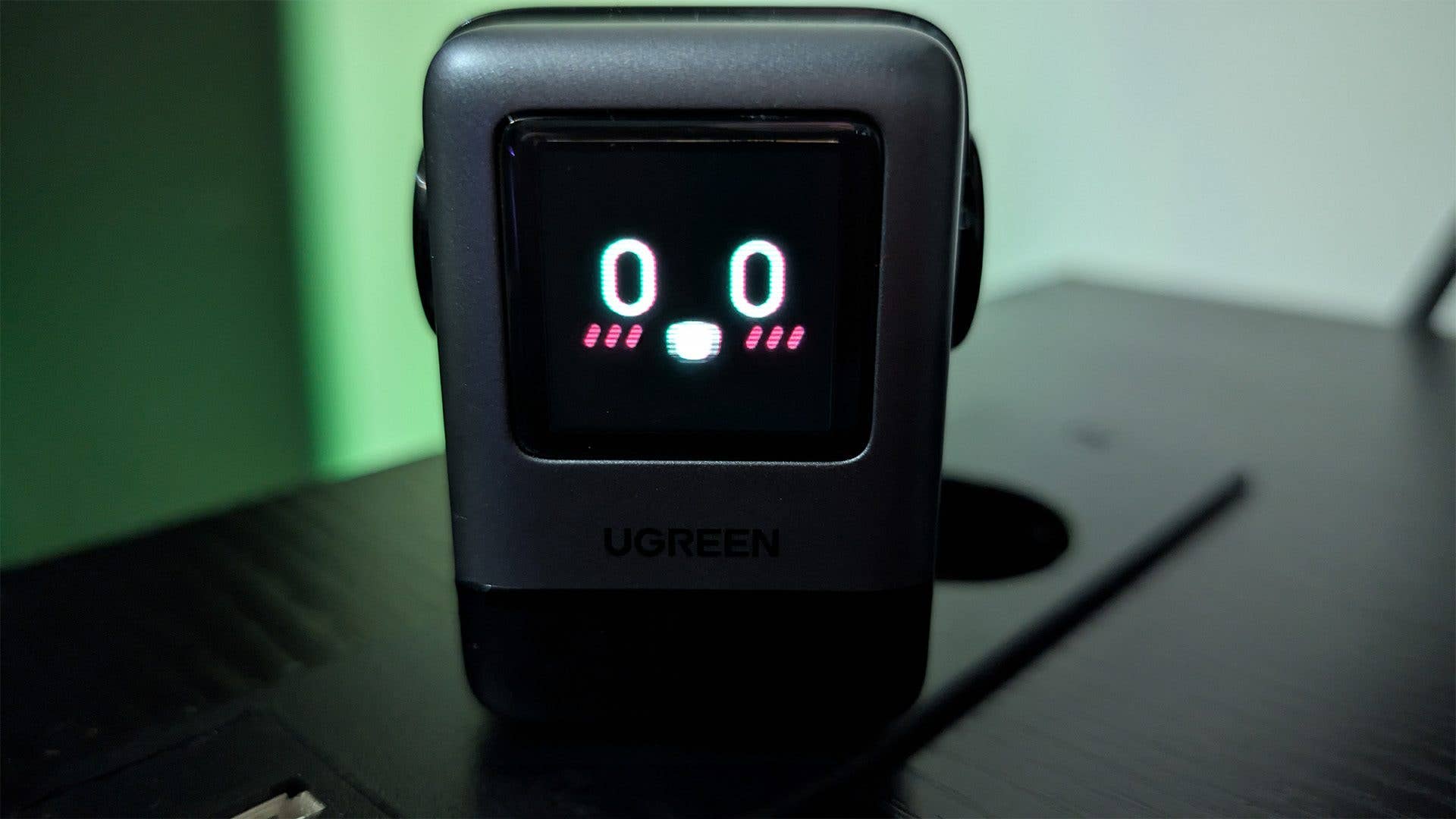
Apple rates typical use at about 42 hours, and in my real-world test I reached 42 hours and 35 minutes with the always-on display enabled, steps and sleep tracked, but no logged workouts. That matches Apple’s claim and sets a reliable expectation of about a day and a half of mixed use.
The gallery was not found!Charging is faster as well. Apple says it goes from zero to eighty percent in about 45 minutes and reaches a full charge in roughly 75 minutes if you use a 20-watt USB-C adapter that meets the required charging profile. In my testing, the 20-watt puck delivered exactly that.
When I charged it with a 30-watt MacBook Air adapter that does not match the profile, it took 103 minutes to fully charge. The takeaway is simple: if you want the speeds Apple promises, use a proper 20-watt adapter.
Battery life will always vary. Some of my colleagues managed longer runtimes of up to about two and a half days by turning the always-on display off. Either way, battery life depends heavily on display settings, workouts, and GPS use.
Apple Watch Ultra 3 technical specifications
Should You Buy the Apple Watch Ultra 3?
The Ultra 3 feels like the most refined version yet. Its biggest upgrades, including satellite SOS, full two-way satellite messaging, and meaningful battery and charging improvements, speak directly to safety and independence, which is what this product line is all about. Still, satellite coverage remains limited, and the battery boost does not match the multi-day endurance offered by some rivals.
Apple continues to deliver excellent integration with its ecosystem, making the Ultra 3 the most seamless choice for iPhone users. I still believe it is expensive if you are not deeply into outdoor sports. Many people will buy it simply because they like the look, and that is fine, but it can feel like owning a Ferrari and driving it like a Volkswagen Beetle.
Fit is also a big part of the experience. This watch is large and not ideal for smaller wrists. Comfort is crucial for a wearable, and for me, that makes this watch a tough sell. As much as I admire what Apple has done here, it is still not the Ultra I would wear every day.
For Ultra 2 owners, there is no single “must-upgrade” feature unless better satellite coverage or the battery boost solves a problem you already have.
For everyone else who wants the most capable iPhone-friendly smartwatch for outdoor life, the Ultra 3 is the one to buy… as long as it fits your wrist and your lifestyle.
Where to Buy the Apple Watch Ultra 3
The Ultra 3 costs 799 dollars in the United States for the single 49-millimeter titanium model with cellular. You can buy it from Apple and from major retailers.
That said, if you find Ultra 2 at a strong discount, it remains an excellent value because many of the best new features arrive with watchOS 26. However, Ultra 3 is the better choice if you care about the longer battery, the improved always-on behavior, 5G, and satellite SOS.
We mark partner links with this symbol. If you click on one of these links or buttons–or make a purchase through them–we may receive a small commission from the retailer. This doesn’t affect the price you pay, but it helps us keep nextpit free for everyone. Thanks for your support! Prices are based on the date of publication of this article and may be subject to change.