What’s New in One UI 7: Features Worth Talking About


Read in other languages:
One UI 7, Samsung's customized Android 15 skin, was officially launched alongside the Galaxy S25 and began rolling out to eligible Galaxy devices on April 7. The update introduces a host of exciting new features and enhancements. Read on to discover what's new and see which Galaxy smartphones and tablets are compatible with this major release.
A Brand-New Operating System: One UI 7 Features
After much anticipation, One UI 7 is finally available to the public starting today. As expected, the update is arriving first on the Galaxy S24, Galaxy Z Fold 6, and Galaxy Z Flip 6 in select countries. Rollout to the older models and territories will follow in the coming days, though availability might still vary for those devices tied to carrier or network plans.
As with previous versions, One UI 7 brings a wealth of improvements and refinements tailored specifically for Galaxy devices. In addition to Android 15's core upgrades, Samsung has added a range of exclusive in-house features to further elevate the user experience.
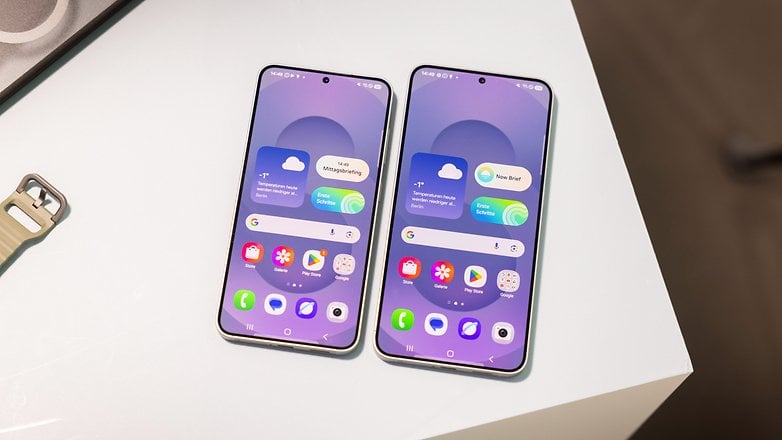
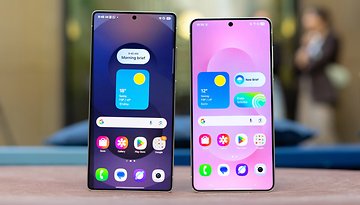
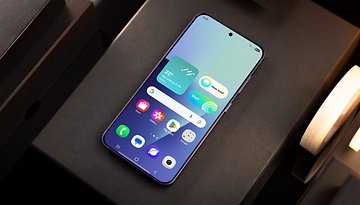
This update stands out as one of the most substantial in recent years, surpassing the changes brought by One UI 6. It introduces significant UI overhauls, including dynamic widgets on the lock screen and revamped icons and layouts on the home screen.
Together, these updates create a nearly reinvented Android experience—more modern, though slightly busier in appearance. Quality-of-life upgrades, such as expanded gesture controls, further enhance the user experience, making this update a meaningful step forward for Galaxy users.
Now Bar
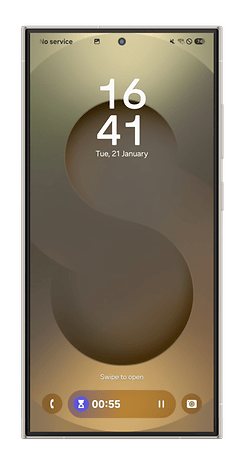
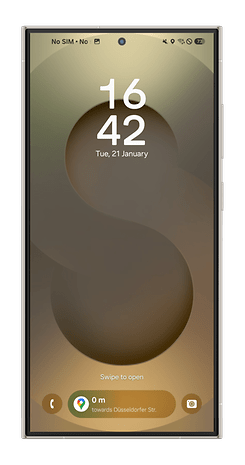
One of the standout updates in One UI 7 is the Now Bar on the lock screen. This dynamic, pill-shaped widget appears at the bottom of the lock screen and is accessible without unlocking the device. Depending on the activity, it can be expanded to include controls for apps such as Recorder, Music, and Stopwatch, among others. The feature is compatible with a variety of Samsung and third-party apps.
Home Screen
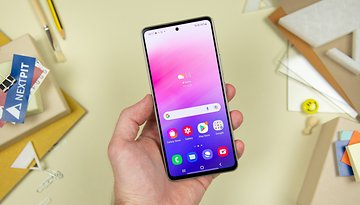
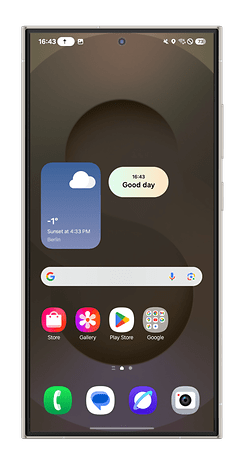
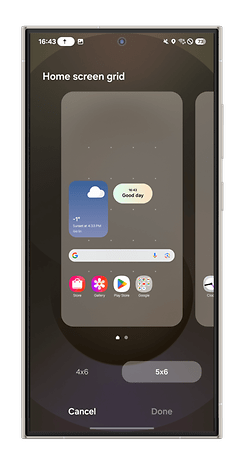
The home screen and app drawer have undergone notable changes. Redesigned app icons and buttons are now more colorful and bold, while widgets are rounder, offering enhanced customization options. Additionally, folders have been enlarged for better usability. Users can resize app icons and choose whether to display labels.
A new feature allows users to set a vertical app drawer with apps arranged in five columns, a layout already offered by other Android OEMs.
Furthermore, UI optimizations are anticipated for large-screen devices, including Galaxy tablets and foldable smartphones, along with enhanced multitasking features.
Quick Panel
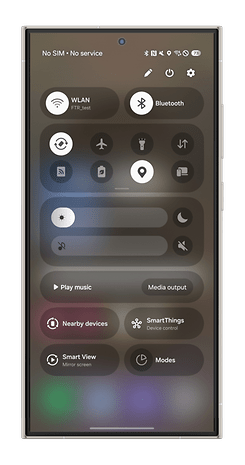
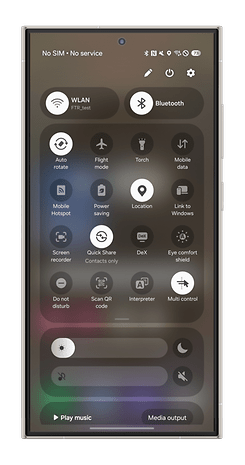
The quick settings panel has been redesigned with a wider layout, repositioned toggles, and shortcuts. It highlights the brightness and volume sliders, which now occupy more screen space. Users can also access the quick panel by swiping down from the top-left corner of the screen.
Camera UX
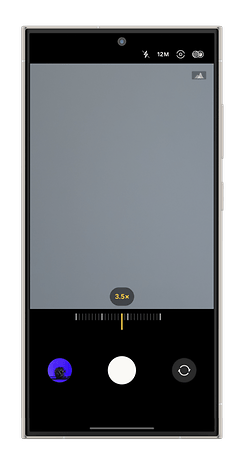
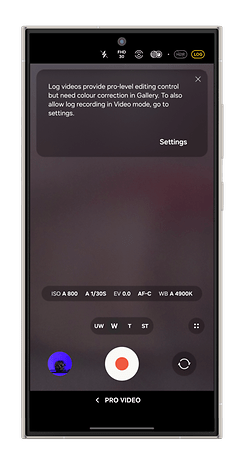
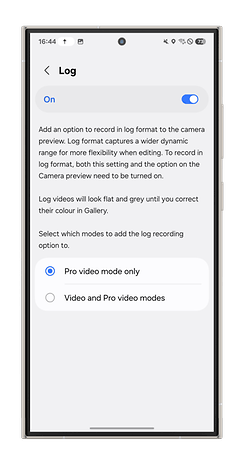
The Camera app receives a refreshed interface with reorganized layouts and intuitive new icons. Mode-switching is quicker, and the Pro Video Mode now includes a zoom slider for seamless zooming during video recording. More importantly, the One UI 7 will add an option to record log videos natively, which was possible using third-party apps before.
Bixby
Samsung’s voice assistant, Bixby, is set for a significant upgrade. Reports and teasers suggest a faster, more capable AI model powering Bixby in One UI 7. Enhancements include support for complex commands, improved voice recognition, and better contextual awareness, enabling the assistant to provide more relevant responses based on on-screen content.
Advanced AI Writing
AI writing tools introduced with Galaxy AI are further enhanced. Features include spelling and grammar checkers, writing styles, note summarization, and text formatting options like bullet points. These tools are now integrated into the keyboard for faster access.
Call Transcripts and Recorder
Similar to Google's Call Assist, One UI 7 introduces call transcription capabilities. Once enabled, calls are automatically recorded and transcribed. The feature supports 20 languages, including English, Korean, French, German, Spanish, and more.
Record video while playing music
One UI 7 enables parallel video recording and music playback. This means you can include the audio track that's playing while you record a video. This supports the standard recording while using 360 audio, or connecting a Bluetooth microphone will disable the feature. To use this, you'll need to turn on the feature in the advanced video settings in the camera section.
Sketch to Image Upgrade
The Sketch to Image tool supports text refinement, enabling users to draw objects and customize them further with text inputs, akin to Apple's Image Playground.
Good Lock
Samsung’s Good Lock suite of customization tools is expanding globally with One UI 7, becoming available on the Play Store in addition to the Galaxy Store. The app also receives a refreshed UI, improved search functionality, and support for more modules on Android 15.
Galaxy Avatar and Portrait Studio
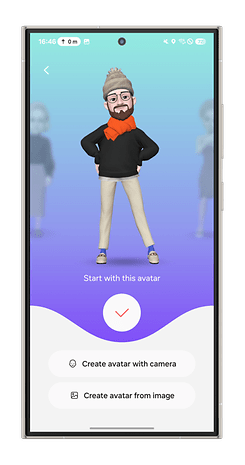
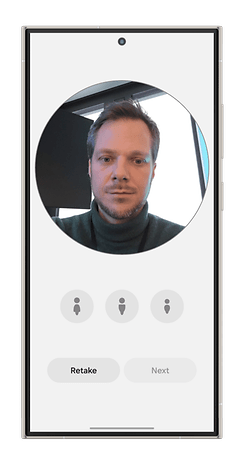
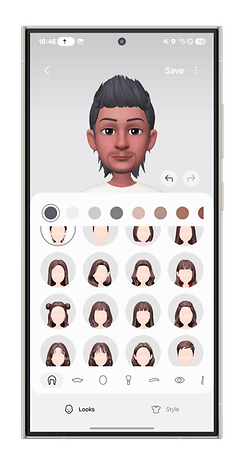
Beyond visual updates, Samsung will continue integrating generative AI into One UI 7. One confirmed addition is Galaxy Avatar, which allows users to create personalized avatars and stickers, similar to Apple’s Genmoji.
Another related editing tool called Portrait Studio, which is based on the name it implies and as shown on Samsung's website, will offer several styles and effects to portrait photos. This is akin to the generative Sketch to Image AI with many effects available like 3D cartoon and watercolor, but you don't need to draw or sketch from scratch.
Better Battery Life
Battery management will also see AI-based enhancements, enabling the system to optimize power usage based on user habits and charging patterns. This should lead to improved battery life and better longevity of battery health.
DeX on Windows replaced by Link to Windows
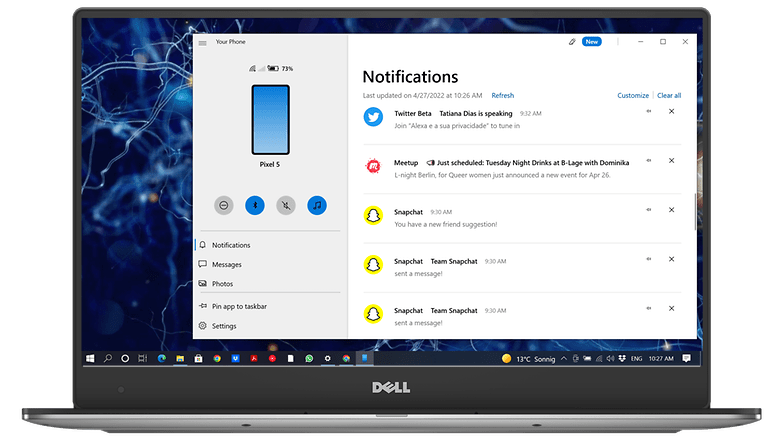
The next major One UI update phases out DeX for PC on Windows. However, Samsung DeX isn’t being entirely removed—users can still connect their devices to an external monitor using the default DeX setup with accessories.
For Windows users, Samsung is promoting the Link to Windows application as an alternative. Recently enhanced with new features, Link to Windows offers similar capabilities to DeX, including screen mirroring and drag-and-drop file transfers. Additionally, it supports a broader range of Android devices beyond Samsung Galaxy smartphones and tablets, making it a more versatile solution.
Edge Panels removed from the Galaxy Store
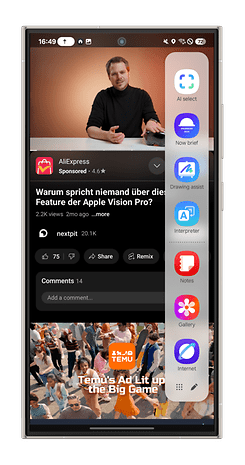
Another significant change involves the Edge Panels, a long-standing feature on Galaxy devices that provides customizable shortcuts and controls. Samsung is planning to restrict the availability of Edge Panels by removing them from the Galaxy Store.
For Galaxy devices running One UI 7, if Edge Panels are uninstalled, users will no longer be able to redownload them from the store. However, users who still have the feature installed can continue to access it from their app collection. For those who prefer not to use Edge Panels, the option to disable the feature will remain available in the settings.
Homework with Circle to Search
One UI 7 will also introduce a tool called “Homework with Circle to Search,” an enhanced version of Samsung's educational AI tool, Circle to Search. This feature is designed to help users solve math and physics problems by analyzing on-screen content.
Parental Controls and Security
One UI 7 will introduce Android 15-specific changes, focusing on usability, security, and new features. You can read the dedicated Android 15 guide for more details about them.
Samsung's Parental Controls eliminate the need for the separate Life360 app. This change aims to simplify the process for parents managing their children’s devices and accounts.
Security enhancements may also include improved controls for notifications containing sensitive information. Additionally, passkey management is expected to become more streamlined and user-friendly.
Private Space
A new private space feature coming with Android 15 creates a secure container for apps. While One UI already offers Secure Folder, this private space goes further by restricting system access to the data within the container, enhancing security and privacy.
Satellite Messaging
Android 15’s native satellite connectivity support could also be integrated into One UI 7. Samsung is likely to partner with a satellite service provider, utilizing non-terrestrial networks, first demonstrated last year, for satellite messaging and communication services.
One UI 7 Compatibility
One UI 7 comes pre-installed on the Galaxy S25, which debuted in January. Samsung has confirmed that a wide range of Galaxy smartphones and tablets will receive the update, including previous flagship models like the Galaxy S24, Galaxy S23, and Galaxy S22. The latest foldables — Galaxy Z Fold 6 and Z Flip 6 — along with their predecessors, are also set to receive the upgrade.
Additionally, the Galaxy Tab S10+, Tab S10 Ultra, and Samsung’s latest mid-range devices, such as the Galaxy A55 and Galaxy A35, are all on the list. Scroll down to see the full list of Galaxy models planned to get One UI 7.
Are these new features worth the hype? Share your thoughts!
Article updated in April 2025 with the latest news about the release of the One UI 7 update to the public.