Download Xiaomi's new colorful MIUI 14 Wallpapers: A step-by-step guide
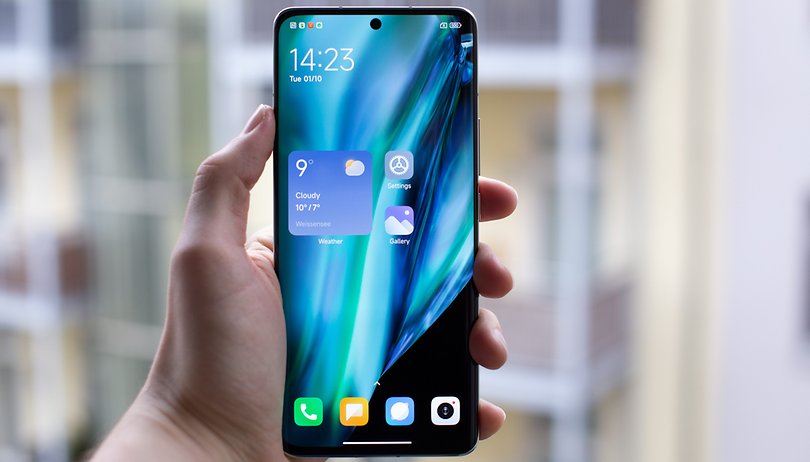

Along with the global launch of MIUI 14 and Xiaomi 13 Pro, Xiaomi also introduced new wallpaper collections that you can already get even if your Xiaomi device is not updated to the latest software yet. Here's how to download the new MIUI wallpapers to level up your Android phone.
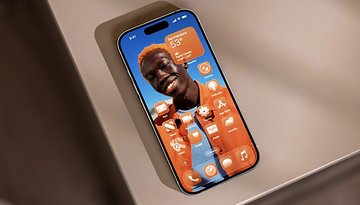
The MIUI 14 continues to support the Material You design that Google introduced in the previous Android 12 OS. This means that you get to see colorful abstract wallpapers with Xiaomi's Android 13-based operating system.
- Also read: Xiaomi MIUI 14 first impressions
In addition to the system wallpapers, there are a total of 29 new entries with mostly with dark background. More importantly, you should not that these images are in 2K resolution in 20:9 aspect ratio, which would suit devices with similar display resolution or lower.
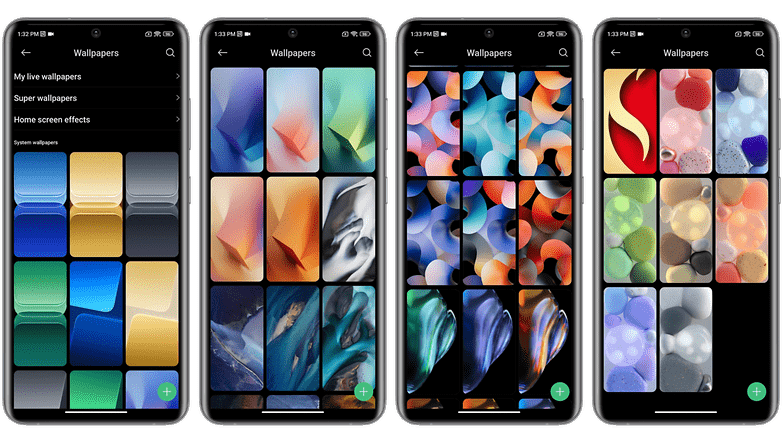
How to download and install the new MIUI 14 wallpapers
There are several ways you can use any of the new MIUI 14 wallpapers. But you should be downloading first the zip file and extracting it to your preferred location.
- Download the zipped file folder (hosted on our system).
- Extract it using a file manager on your phone.
- Manually select the wallpaper you've picked from the folder or through the gallery.
- Apply it on the home screen or lock screen.
Changing your phone wallpaper is an easy and cost-effective way to refresh the look and feel of your device. With every new wallpaper, you have the opportunity to personalize your phone and reflect your mood, interests, or style. Additionally, new wallpapers can help reduce visual fatigue by providing a fresh visual stimulus that breaks the monotony of staring at the same image for extended periods.
This can be especially helpful for those who spend significant amounts of time on their phones. Overall, updating your phone wallpaper regularly can bring a little extra joy and excitement to your day while also promoting a healthier digital experience. And to be frank, Xiaomi is now providing you with 29 new options to personalize your smartphone.
We would love to hear from you! Share your favorite Android 14 wallpaper and let us know which device you're downloading it on in the comments below.










I use high res photographs of nature places that I like. Corporate designs tire me quickly.
I was hooked with Pixel's live nature wallpapers before. I wish they continue to release more stuff like these.