New Photos App on iPhone: Unified Views, Dynamic Collections, and Personal Touches

If you are a photography enthusiast, you'll notice a significant change in the Photos app as soon as you update your iPhone to the new iOS 18. The redesign shifts how we view, organize, and enjoy our photo gallery. To get you ready for this fresh adventure, here’s a glimpse into the enhancements in the Photos app user experience.
I've been testing the new iOS 18 on my personal iPhone, and overall, it’s been pretty stable, with just a few minor glitches. That said, since it's an early release, you should exercise caution before putting it on your device. But if you’re excited to give it a go, here's our quick guide on how to install the iOS 18 Developer Beta on any iPhone.
That said, according to Apple, the new redesign of the Photos app is one of the most significant developments in years. It’s a major update, so it might take some time to adapt to it. However, the changes are quite intuitive, and the app offers more customization, making the experience feel very personal.
Here is a list of the six most significant changes I have seen until now.
1. Unified View for Simplified Browsing
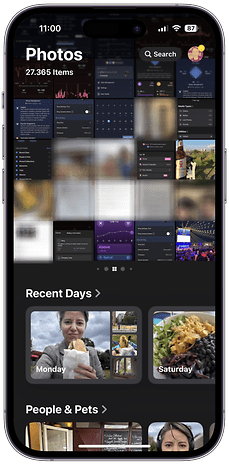
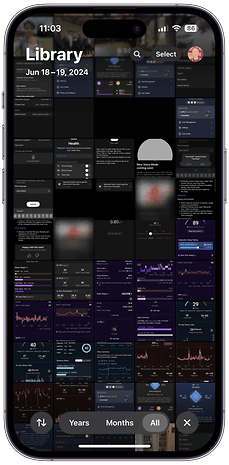
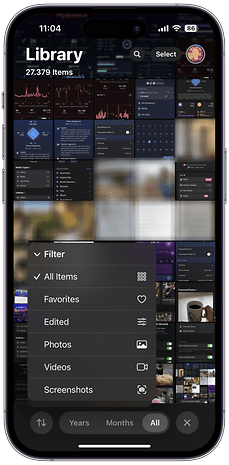
The redesigned Photos app now offers a streamlined, single view that presents your entire photo library in a familiar grid layout. This unified view makes navigating through your photos more intuitive, providing a cohesive and simplified browsing experience. Being someone who takes many screenshots, being able to quickly sort my gallery to remove them and see only my precious photos is priceless.
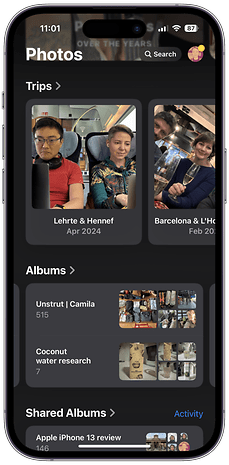
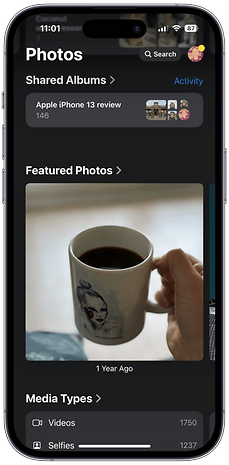
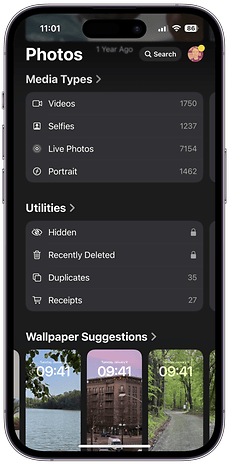
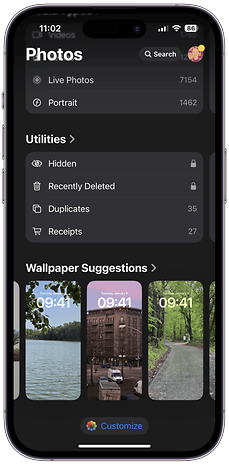
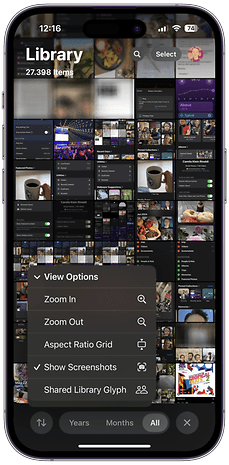
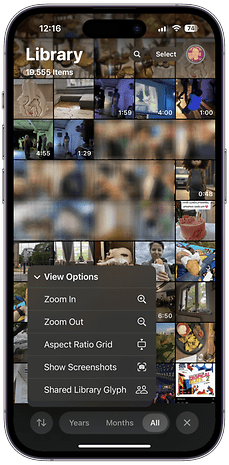
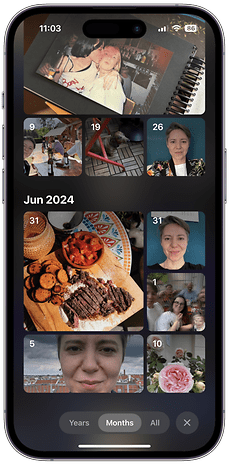
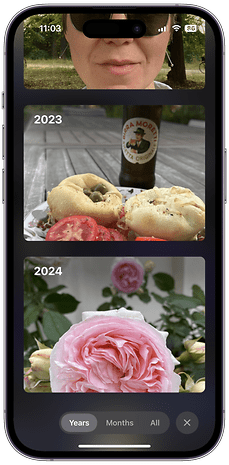
2. Dynamic and Thematic Collections
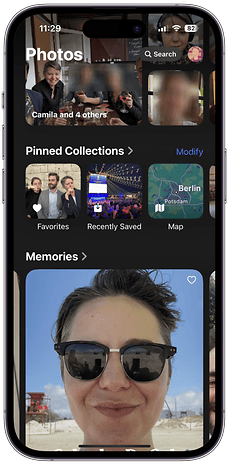
Many people still like to manually sort photos into albums, but iOS 18 will make it easier for us. The new Photos app introduces dynamic collections that automatically group your images by themes, such as people, places, and events. This feature helps you easily explore your photos based on what matters to you without the hassle of organizing them yourself. Thematic collections make it easy to revisit a family vacation or look at photos of your favorite people.
3. Pinning Favorites for Easy Access
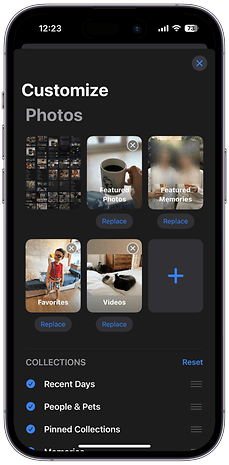
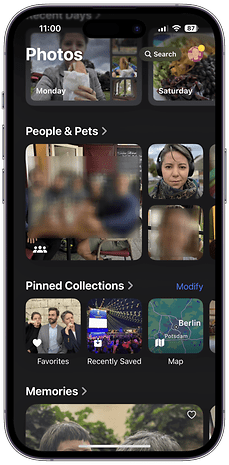
I also love that iOS 18 now lets you pin collections to keep your favorite moments close by. Whether it's a beloved family album or a cherished trip, pinned collections stay at the top of your view for quick and easy access. This feature makes it easy to relive moments whenever you want.
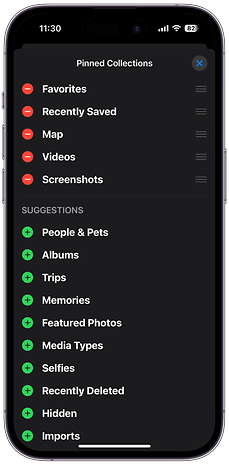
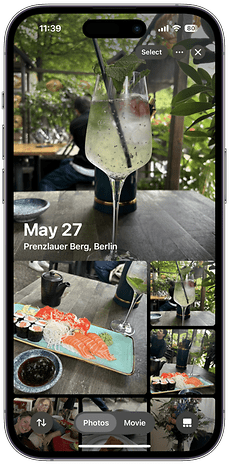
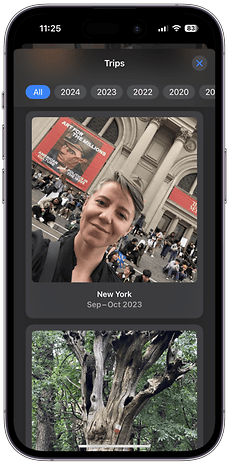
4. Daily Highlights with Carousel View
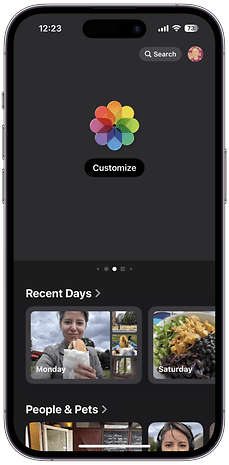
There's also a new carousel view designed to bring recent photos to life with daily updates. It automatically curates highlights that showcase favorite people, pets, places, and more. Let's say that you take new photos every day or twice a week, you will see a refreshed selection of images in your photo library continuously.
Being a person who doesn't use social media, I truly appreciate this feature, as it allows me to revisit the week's happenings and recall some memorable moments.
5. Autoplaying Content for a Lively Experience
Throughout the Photos app, content now autoplays as you browse, creating a more immersive experience. Videos and live photos come to life without needing to be tapped—and again, it gives me this social media vibes where everything’s more dynamic.
Unfortunately, you will need to trust me on this one, since I was unable to make a video showing these features and also keep the privacy of my friends.
6. Personalized Customization for Unique Libraries
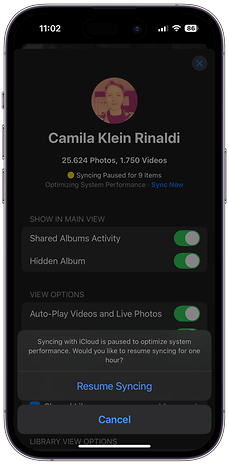
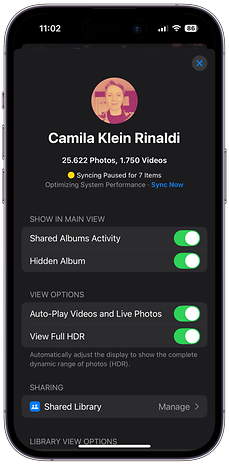
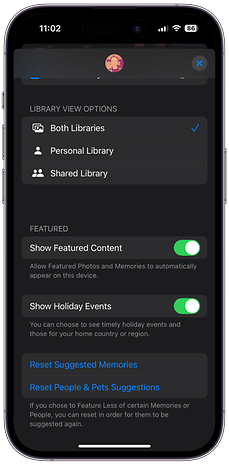
Since I believe my use of my photo library is unique, the best part of this redesign is the level of personalization that iOS 18 brings to the Photos app. It offers extensive customization options, allowing you to organize collections to suit your preferences, pin frequently accessed collections, and tailor the carousel view to highlight what’s most important to you.
I honestly feel that the redesigned Photos app in iOS 18 will greatly improve how many of us interact with our photo libraries. The app’s unified view, dynamic collections, and extensive customization features are standout improvements.
Over the past week, I’ve found myself frequently reaching for the Photos app, likely because its dynamic overview brings my memories to the surface. Additionally, I must say that I love the new, user-friendly filters that Apple has introduced, such as the easy-to-use sorting by year. Or the fact that now the Photos app even chooses some background music for some collections. Every so often it is so bad that it is hilarious.
I don't know if it's because I'm getting older and more nostalgic, but I feel like I was hooked by this new Photo app design.
Are you already running the iOS 18 beta on your iPhone? What do you think of the new Photo app? Please continue this conversation in the comments below.