Sony Xperia XZ review: back from Z dead
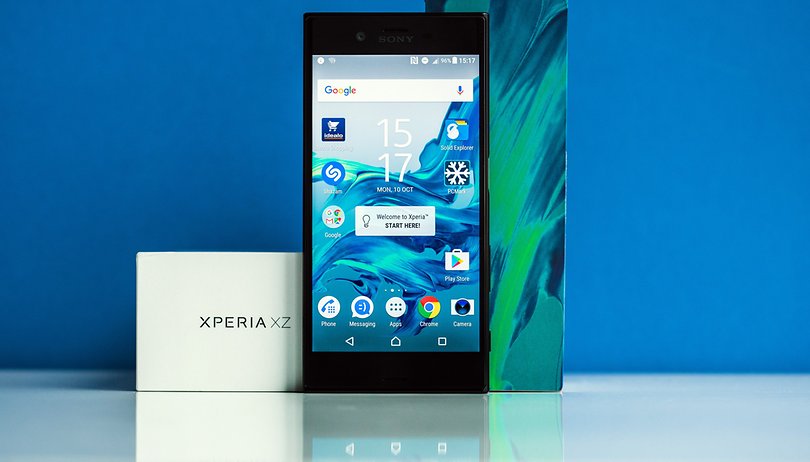

Every few months, Sony presents a new top smartphone – in autumn 2016, it's the Xperia XZ. In our test, it faces a tough rivalry because Google and Samsung are also offering some strong competition. In our detailed test, we look at whether Sony has not only revived the Z, but also whether it has become a worthy successor to the X Performance.
Good
- Display
- All-day performance
Bad
- Speaker quality
- Camera default settings
Sony Xperia XZ release date and price
The Sony Xperia XZ is now readily available on the market. Sony has set the retail price at $700 though the price on the open market may be slightly cheaper. With coupon codes, it's already available for a bit over $670. Sony offers it in three colors: Mineral Black, Platinum and Forest Blue.
Sony Xperia XZ design and build quality
Sony has visibly altered its design with the Xperia XZ. The top and bottom sides are both flat, while the edges on the right and left are completely rounded. The individual components blend together almost seamlessly – but the Xperia XZ does not have a unibody construction.
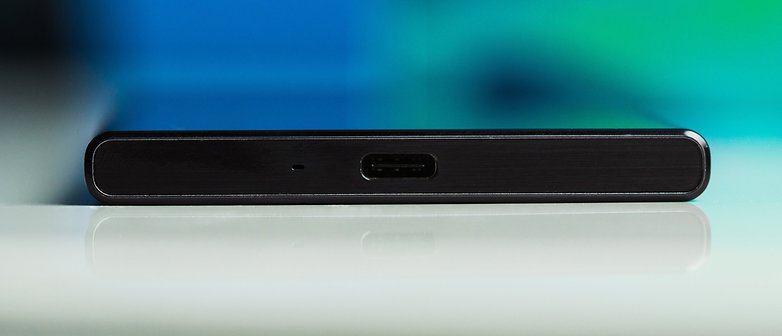
The front is dominated not just with the display, but also with the Sony logo on the top and the stereo speakers. The empty bezel areas above and below the display are quite large. The headset jack is located at the top, while the bottom side has a standard USB type-C connector port.
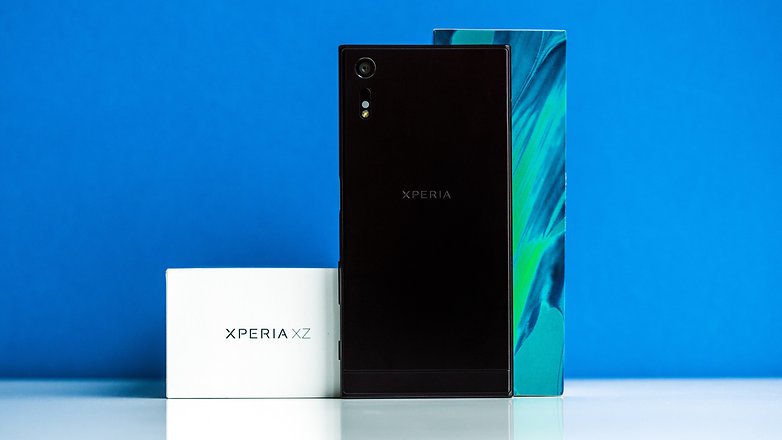
The "Xperia" letters are engraved on the metallic back. On the rear, the main camera is on the upper left and does not project beyond the surface so that the XZ can lie flat on a table – without wobbling.
The Xperia XZ is quite large. It can still be used with one hand but someone with smaller hands may need to grip it with both.
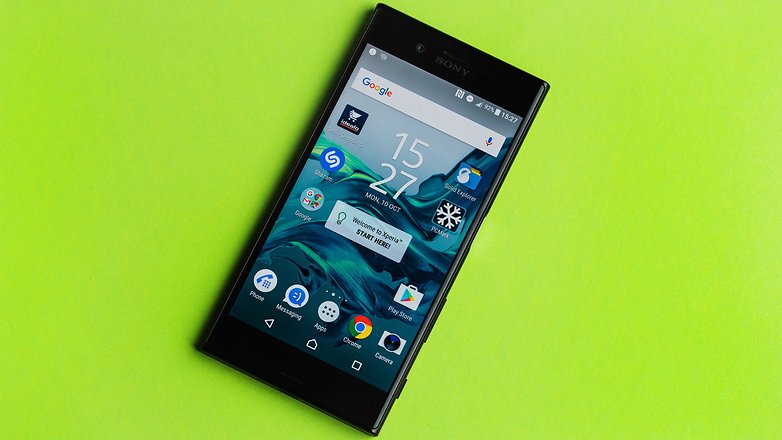
As is always the case with Sony, the fingerprint sensor is located in the side power button. If you press it, you will see the lock screen shift to the left and open up the home screen. In our test, the sensor was quite reliable but occasionally, it took several attempts to recognize a fingerprint.
The arrangement of the volume rocker and the separate camera button takes some getting used to: these are located exactly where right-handed people would probably hold the XZ, namely on the lower right. This was not a haptic problem in our tests but our verdict was that it was just uncomfortable to control the volume.
Sony Xperia XZ display
Sony has equipped the Xperia XZ with a 5.2-inch display with Full HD resolution. it's unlikely that anyone will miss the Quad HD – except perhaps those who are more VR-dependent. However, those users are more likely to grab a Samsung or Daydream-certified smartphone. Sony does not offer much in this area.
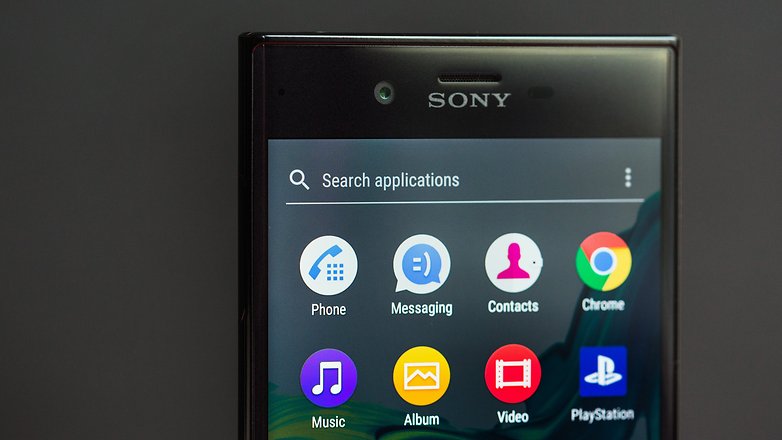
In the test, the XZ's display proved to be really good: the white color appears very precisely as white but comes across as slightly yellow when directly compared with a Galaxy S7. The XZ also does well with black tones – but the background lighting of the display is visible upon closer inspection. Technically, this is difficult to avoid and it is not disturbing. Surprisingly, the XZ shows a completely red image more powerfully than the AMOLED display of the Galaxy S7. There is less of a difference in the representation of the other basic colors – blue and green.
Overall, the display of the Xperia XZ is very good and directly competes with the Galaxy S7. The maximum brightness of the XZ is bright enough to ensure good readability, even in daylight.
In the display settings, there's an option to adjust the color presentation according to your own needs. A "glove mode" provides greater sensitivity, which may prove to be useful in the winter.
Sony Xperia XZ software
Following the appearance of Android 7.0 Nougat, Sony is no longer be able to claim to have the latest Android version pre-installed on its devices. The Sony Xperia XZ uses Android 6.0.1 Marshmallow. In any case, an update to Android 7.0 Nougat may be available in October. Sony told us that the Nougat source code arrived too late in the development phase.
After all of the available updates were installed on our test device, we have – in the middle of October – a smartphone with a July 1, 2016, security patch; whereas, for example, the Galaxy S7 (whose update has just arrived) was released on the first of October. Here, we can confidently say that more frequent software maintenance on Sony's behalf would be desirable.
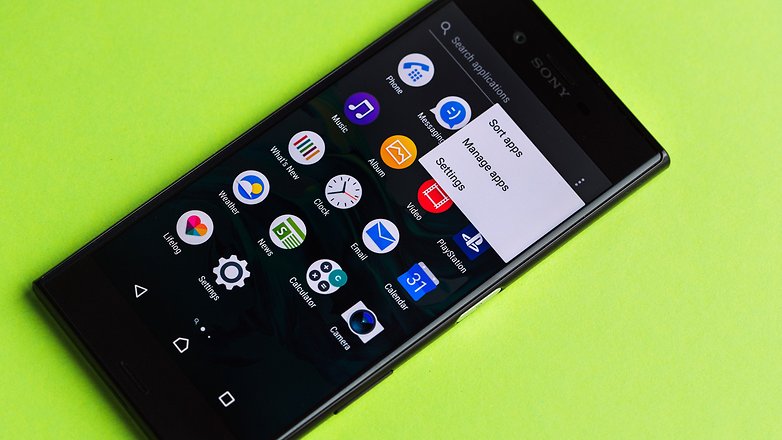
As usual from Sony, the appearance of the user interface is carefully crafted; the system settings, in particular, have a distinctive look, designed with icons. Other than that, the allocation of a home screen and app drawer is maintained. Visually, the notifications bar is similar to stock Android. In the Xperia Lounge app, Sony offers design packages that allow you to change the navigation bar and the home screen wallpaper.
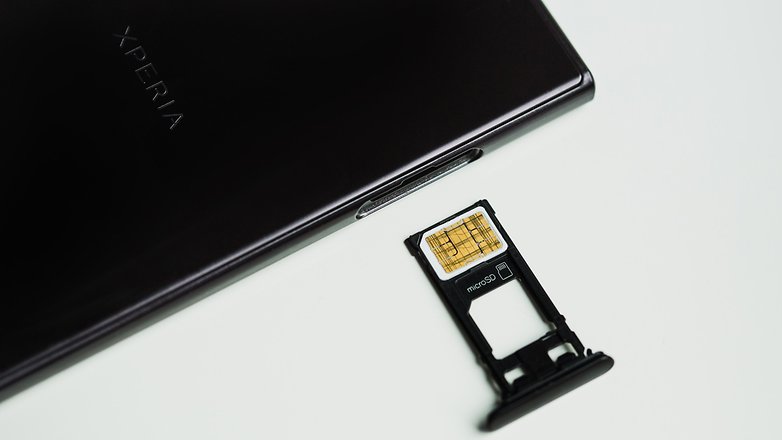
One feature of the Sony firmware is worth mentioning: if the nano-SIM card slider is pulled out of the XZ, the smartphone will restart itself. This happens regardless of whether a SIM card or memory card is inserted. In a worst-case scenario, you can pull the empty slider out and restart again because the smartphone has to adjust to a new SIM card. Many other smartphones on the market have proven that there are other ways of handling this.
Sony Xperia XZ performance
For a high-end smartphone in fall 2016, the Xperia XZ contains some equipment that is not quite up to standard; the Qualcomm Snapdragon 820 is completely on the mark but the 3 GB of working memory is not. For comparison: consider the Samsung Galaxy S7 (Edge), LG V20, Google Pixel – all of these have 4 GB of memory. Now, it can be argued as to whether a smartphone requires 4 GB of RAM. Compared with the rather overstuffed Galaxy S7, the added value is quite visible; the XZ has about 760 MB free, while the S7 has 1.4GB. Thus, the Galaxy S7 can keep more data available in RAM and still have more resources available. If you haven't installed 200 apps, you won't have any problems with the XZ though.
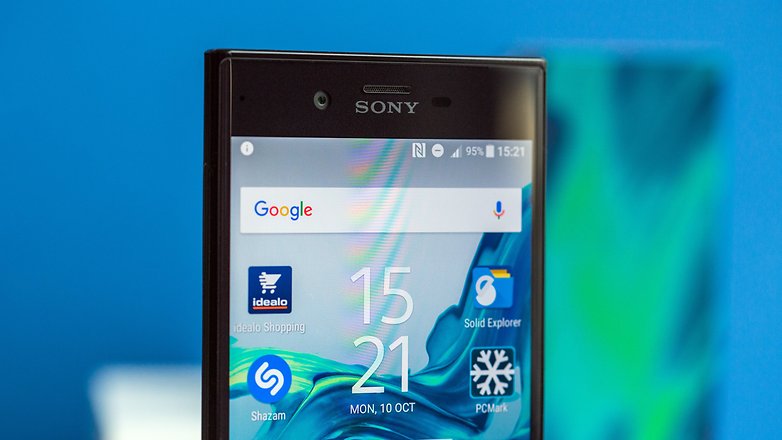
The internal storage of the XZ is 32 GB. A micro SD card can be used to expand this. The performance of the internal storage is mediocre. PCMark's storage benchmark results in a score of 2602. For comparison: the Google Pixel received a score of 4860. The measured values can be felt in everyday situations. Apps start up quite quickly but it takes longer for updates to run. This also applies to loading times during games. Here, the XZ varies significantly from a Galaxy S7.
With a pure graphics performance, the Xperia XZ shows no weakness. Games run with full details without any jerkiness. Riptide GP: Renegade, for example, runs smoothly even in hectic situations with several opponents.
The benchmark results are at the level expected level for a device running Snapdragon 820.
- Geekbench 4.0 Single-Core: 1571
- Geekbench 4.0 Multi-Core:: 3809
- PCMark Storage: 2602
- 3DMark Slingshot OpenGL 3.0: 2768
- 3DMark Slingshot OpenGL 3.1: 2155
Sony Xperia XZ audio
The Sony Xperia XZ has front-facing stereo speakers. Music players can look forward to the reduced risk of hands covering the sound output. However, only mediocre sound quality is offered. The Xperia XZ lacks bass and at higher volumes, the sound is tinny and slightly distorted.
Phone calls get their sound thanks to HD Voice. Voice over LTE does not exist, unfortunately, although it would have helped to support our test SIM card.
Sony Xperia XZ camera
The main camera has a resolution of 23 megapixels, with which Sony bucks the trend toward lower resolution image sensors. But this news can't be that bad because some features ensure that the camera provides high-quality images. The autofocus works by anticipating subject movement, which should make it easier for sharp focus when photographing a moving subject. In addition, the electronic image stabilization ensures a less shaky video. Video recording of up to 4K resolution is possible.
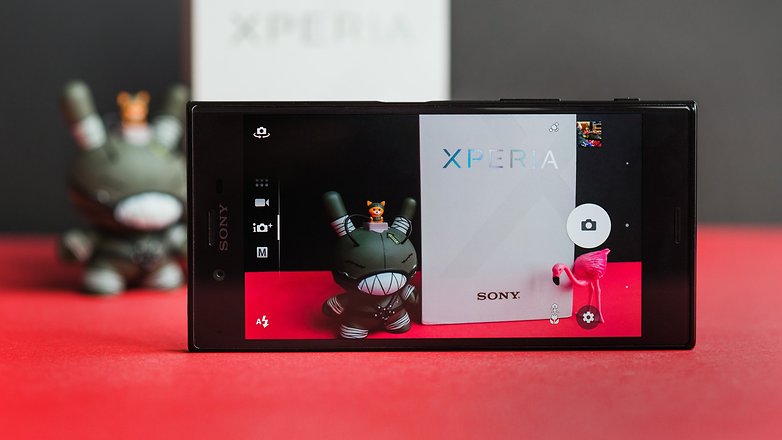
Many camera features are already familiar from previous generations of Xperia smartphones. Sony has incorporated an additional sensor for ambient light. This measures the color temperature of incidental light and thus offers better adjustment to the white balance. This function sounds very useful but it was barely noticeable in our test.
Selfie fans can be happy with the front-facing 13-megapixel snaps. This should fall in the mid-range level for main cameras. The focal length of the lens is 22 millimeters (35 mm equivalent) – with that, the lens is considered wide angle. In fact, selfies with the Xperia XZ look really good.
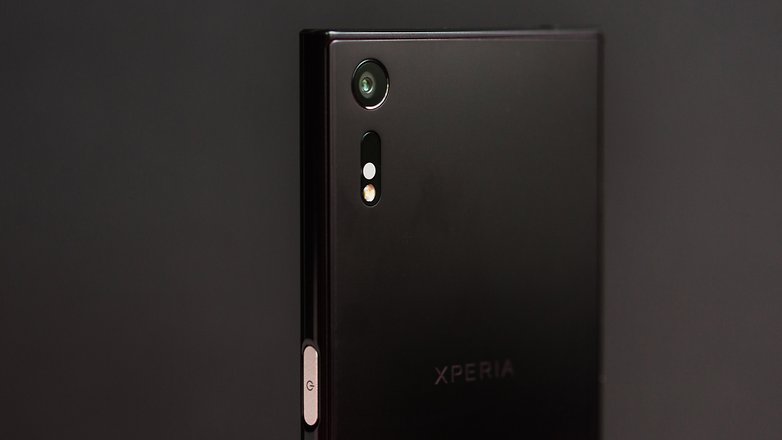
In the detailed test, the Xperia XZ's camera was quite good but there were also some pitfalls. They lurk in the app: upon delivery, the resolution was set to 8 megapixels (as opposed to 23 megapixels) in our test device. Only a close look in the settings will show this. Sony says this setting has been used to allow for the 5x digital zoom.
Once this hurdle has been overcome, the XZ snaps some really good and detailed pictures in so-called "superior auto" mode. The wide-angle lens provides for slight distortion at the edges, which can be annoying depending on the subject. Compared to the Galaxy S7, the colors are less prominent, which is not necessarily negative. In our comparison photos, the XZ is better than the Galaxy S7 for some details but the S7 makes sky sections visibly more beautiful in landscape shots. With macro shots, there is hardly any difference between the XZ and the S7 but the automatic exposure settings of the two cameras are different. There's not much to see in the test photos aside from improved white value detection.
In sub-optimal lighting conditions, the XZ came last in our comparison with the Nexus 5X, the Google Pixel and the Galaxy S7. however, there were some good details here and there that make the XZ well-equipped – especially for red image elements. The competition presents greater detail in most of the other areas, while the XZ smoothes over and filters away many image details.
In the camera app's manual mode, the exposure settings can be adjusted manually. However, it isn't so obvious that the ISO value isn't adjustable via the controls on the screen but can only be changed deeper in the menu. Therefore, it's possible only to adjust the settings to a limited extent.
Sony Xperia XZ battery
How long does the 2900 mAh battery last – without charging it, of course? In heavy use, the XZ does not stand out from its high-end competition: the battery drops so quickly, you can almost watch it fall. In moderate everyday use, however, the battery life seemed quite neat, especially if you use the battery saving mode.
Our battery benchmark, PCMark, gives it a rather mediocre rating of 4 hours and 47 minutes at full brightness display and with the mobile phone interface activated (so, under the heaviest usage conditions). This is about one hour shorter than the Google Pixel. PCMark simulates typical everyday tasks and measures the time that passes until the battery drops from 80 percent to 20 percent.
The Xperia XZ supports Quick Charge 3.0 and uses battery optimization from Qnovo. These enable the Xperia XZ to stay charged. For example, the software gradually learns the habits of the user. If it determines that the smartphone is always attached to the charging cable at night, Qnovo ensures that the XZ is loaded to 90 percent overnight. Then, just before the typical time at which the smartphone is disconnected from the charger, the additional 10 percent are added to the battery. This feature helps to extend battery life and it did not affect the performance of the battery during our tests.
Sony Xperia XZ technical specifications
Final verdict
The Sony Xperia XZ appears to be consistent with the previous Sony Xperias: good processing, fast processors and a good display without much Quad HD fanfare. The new design of the XZ is a matter of taste – I like it. The battery life at high usage is only average; otherwise, the Xperia XZ is a good master of the standard tasks for smartphones.
It performs well for the usual mandatory requirements, but there are clear weaknesses in the freestyle offerings: the camera makes decent but not superior images. Sony cannot compete with the Galaxy S7 or even the Google Pixel. In some cases, manual mode may provide better results but the automatic mode is visibly worse when compared with the competition in most other cases.
At least two features of the software are worth mentioning: why does the XZ restart when the SIM card slider is removed? And why does the main camera come so badly preset from the factory? These are questions I posed to some colleagues and I got the answer: this is what Sony does now. This may be true but I am not convinced: ultimately, the argument rationalizes away some simply painful issues.
Sony has positioned the Xperia XZ as the successor to the X Performance. This product policy is astonishing, because both are aimed at the same target group and were released only a few months apart. This is by no means customer-friendly, although a direct upgrade path is probably not Sony's goal. In view of the minimal hardware improvements of the XZ, the question arises as to how Sony wants to proffer strong purchasing arguments for its new high-end smartphone in fall 2016.
In general, the Xperia XZ will not disappoint its buyers; however, in the overall view of the current smartphone market – based on its existing qualities – the Xperia XZ is insufficient to keep up with the competition.










He did not say that there is dual version with 64gb.
All other sites got a little bit more than 7 hours of battery . This guy got less than 5.
Other sites say battery life is better than z5 and z4. My z4 last 6 hours of screen. It works on a higher temperature, that means battery drains faster.
Sony can bring VR to Play Stantion, they dont seem to care about those vr glasses for smartphones.
X Performance has better benchmark numbers than s7.
Nobody used to complain about fullhd, they do now because s8 is about to have 4K display.
DxOMark already gives 88 to X Performance, obviously XZ is better than XP.
Take a photo of sky with s7, the blue is always lighter than it really is. It looks nice, just not very real.
I have my XZ since Oct. 11th and I love it. I had an Xperia Z1 before that and I wanted to stick with Sony because that phone never let me down in 2 and a half years.
The XZ is pretty much the same in blue (because I bought the blue one :P). It just works faster. It's what I expected and wanted so no letdown there!
As for the price, yes it is expensive. Way too expensive, especially because the biggest Android competitor, the S7, offers more for less money. So why did I buy it? Because I got a huge discount through the company that I work for. And these discounts resulted in a monthly difference of 2.50€ between the S7 and the XZ. These 2.50€ more were worth it for me simply because I do not like Samsung phones. To me the S7 looks incredibly boring while I do like the XZ's slightly more serious, less round design. Together with the flip case from Sony (which is also WAY too expensive for what it is by the way) it has a very subtle design that I really enjoy. Also, Sony's fingerprint scanner is WAY better. The position is perfect. I just press the switch and my phone is unlocked. No hassle, it works instantly. And during these almost three weeks it only failed once so far because my fingers were wet from the rain while I have heard horror stories of Samsung scanners that locked their users out of their phones...
If the Note 7 had worked for Samsung as intended I might have switched though. I really enjoyed the demo unit that we got... That was really unfortunate. My coworker and my mom also wanted a Note 7.
What I do have a few slight problems with is the camera. Not the camera hardware, but the software. It's clunky to use. You can press and hold the dedicated camera button to launch it more quickly but it always ends up in the "intelligent" automatic mode, not in the manual mode which I use. I kind of understand this decision, if you quickly want to record a video it is faster to switch to the video mode this way... The way they implemented 4K is questionable at best. The way they did it it feels like one of those fun modes like the AR overlays for the camera. And you don't have access to all features while filming in 4K either. Access to the proper tracking that you get for 1080p would have been awesome, I might have used the 4K mode then! Also, and this prevents me from using the camera for anything a little more serious, there is no RAW support. That is such a bummer! Almost all flagships offer that today and Sony, the big camera sensor manufacturer, does not... I really hope that RAW support will be added with Nougat or with a later update in general, but until that (maybe) happens I'll just use the camera for snapshots, which is a real bummer in my opinion.
The design looks 5 years old. And the specs are mediocre. And it's expensive. So why would you?
its sony
Why would you!The same reason as all apple iPhone users do because they like them and i don't see much change in iPhone design since it was first released.
I can get the xz for well under five hundred pounds so not as expensive as a S7 or iPhone 7 and equally as good if not better. I see in this review we've the same story camera not as good as the S7 but think after people have used it opinions will change and the Sony will win out again who wants blown out colour's that Samsung camera's give anyway just not natural.
@$500 this would be a great flagship, but quality hardware or not it's just too pricey.
and I really wish Sony did a 12month release update schedule for their premium hardware..
at the moment if you buy a Sony flagship it's flagship status lasts 6months if you're lucky..
worst design, put a home button on to reduce bezel why not get an iPhone then? bezel top and bottom are for the stereo speakers so your choice.
The home button is stupid idea. Apple just realised that why they start moving away from it. The top and bottom bezel are very useful when you hold the phone in lamdscape orientation. I personally prefer practical design to beautiful but in real life holding us up.
How many times we hit the go back button by mistake using samsung phone, and how often we see the home button start losing its function while the phone itself is still in good condition. Sony is beautiful and elegant, the design serve purpose not jus for the sake copying others and looking good. You need to use it to appriciate it.
Why?couldn"t Sony but smaller bezels at the Top and bottom of there phones so consumers get a lot more screen to use,a little home button would be better on Sony phones so more of the screen can be used,even at the Top it should be Smaller as well,
Sony dead worst design I have ever seen
You wouldn't know good design for s---. The design of Xperia XZ is ABSOLUTELY AMAZING, it's THE most ergonomic and easy-to-handle of all the 2016 release phones. I should know, there's a floor show demo of the XZ. Everyone else is pursuing ridiculous thinness or fragility for beauty, the XZ is beautiful BUT functional as well. Glass is slippery, the iPhone sacrificed the headset port, and every metal-backed phone looks like, err, EVERY metal-backed phone. The Oneplus 3 looks like it was a Xiaomi product, which looks like an HTC product, which looks like a Huawei product, which looks like,... You get the idea.