Samsung DeX Pad: one step forward but still a long way to go
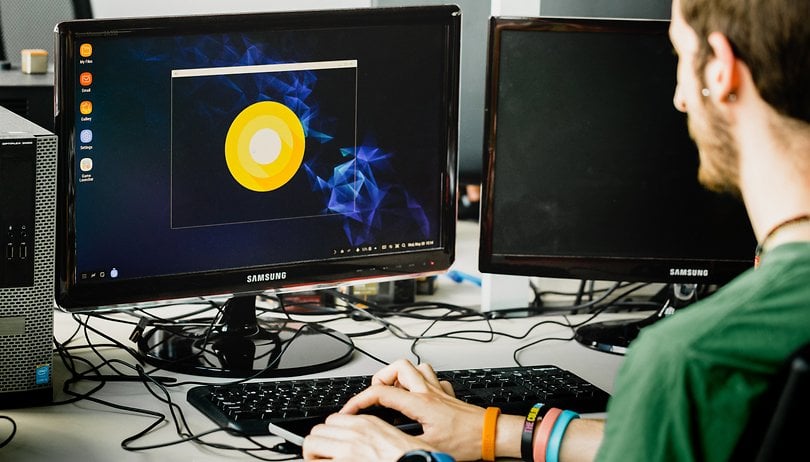

Samsung doesn’t want to give up its grip. Business customers are its target for excellence and its doesn’t want other manufacturers to steal the scene. Huawei tried its way with Easy Projection, and Samsung had its DeX station. The second generation of docking stations from the Korean brand is called the DeX Pad and has arrived in our editorial office for our comprehensive review.
Good
- Great for the office
- More compact than the first generation DeX
- Your smartphone can be used as a touchpad
- Supports resolution higher than FullHD
- Connects devices via USB
- Active cooling system
Bad
- No display port output
- No ethernet port
- Not all apps work in full screen
Okay, the price is right
The DeX Pad is already available for purchase both online and in stores. The Samsung docking station that can transform your smartphone into a PC is sold officially at a price of of 99 dollars, but you can already find it for a discounted price on Amazon and through other retailers.
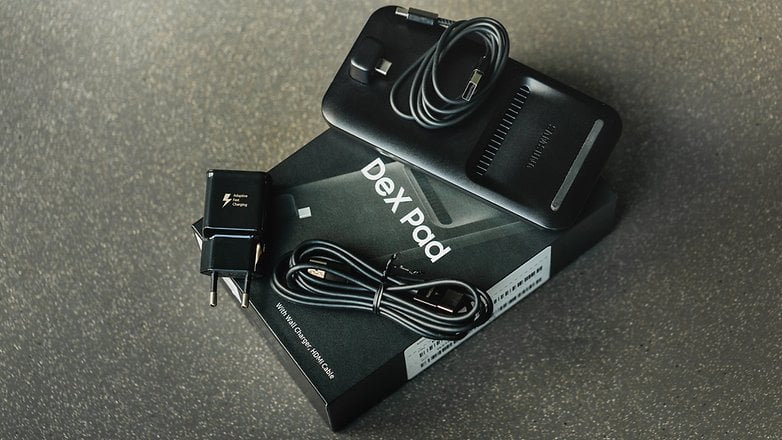
Simple design and sufficient I/O
Black is the only available color and given the professional target that the product is aimed for, the device doesn’t surprise me. Unlike its predecessor, the DeX Pad is a small opaque plastic rectangle with rounded corners.
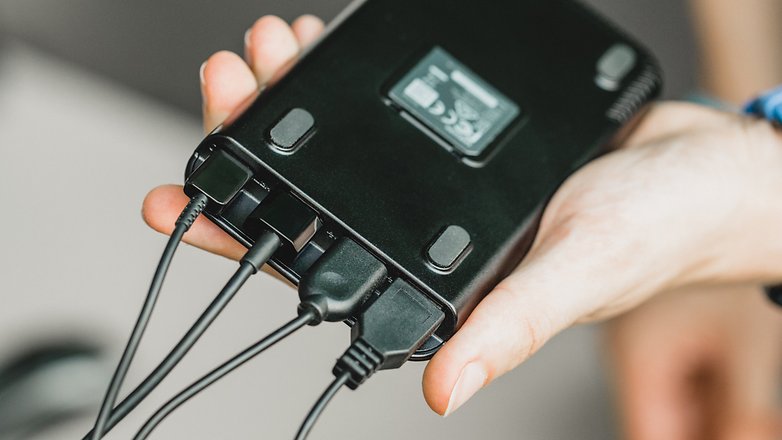
On the bottom you’ll find the USB Type-C port where you can connect your smartphone, while on the top there’s a rubber strip that helps to keep the smartphone in place.
About half the length of the device is a grid that serves air intake for the fan inside. This fan takes the heat from your smartphone and pushes it outside through the holes located under the DeX Pad.
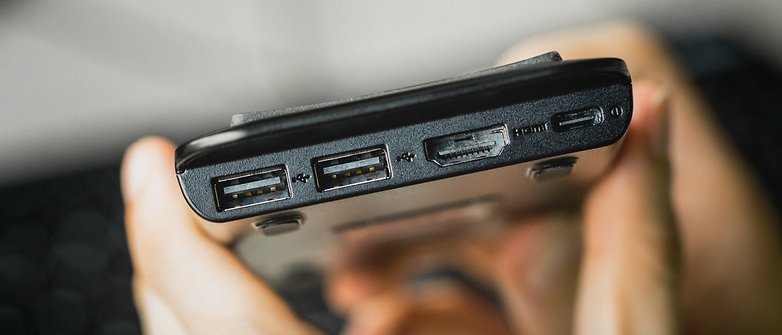
On the top of the dock there are various ports: a USB Type-C for power, an HDMI and two USB Type-A ports for connecting a mouse and keyboard (but not limited to that). There’s no Ethernet port and a display port are missing, which are useful in an office environment where usually each station has its own wired network and the displays are connected to PCs through the standard display port. But the average user won’t notice these shortcomings.
A matte rectangle
A single video output that does its job
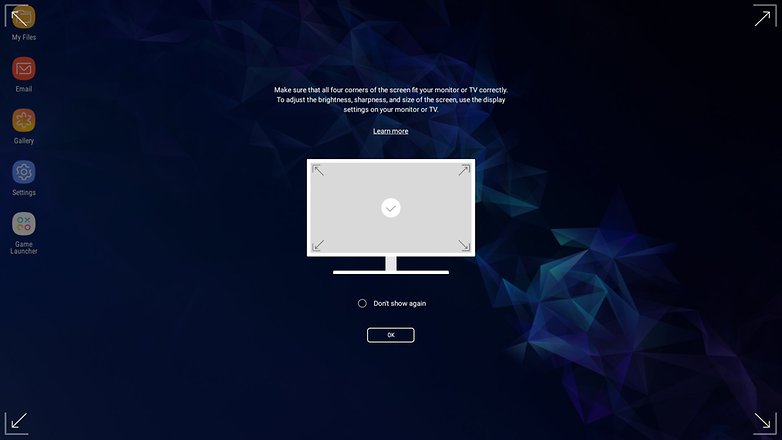
As already mentioned, the only possible connection to a monitor is via HDMI. There’s no display port or USB Type-C / Thunderport. It’s therefore not possible to connect more than one screen (in Daisy Chain) or obtain a resolution higher than 2160x1440 pixels at 60Hz.
The hardware does pose one limitation, since the smartphone can’t manage video output in 4K, and the Type-C USB port handles the data transfer. That’s not bad at all considering the maximum supported resolution is more than enough for the purpose of the device.
Using one (or more) USB Type-C ports could perhaps have been a better choice than Type-A. With a simple adapter (dongle) it would have been possible to use a wired internet connection or a video output depending on the user’s needs. I wasn’t able to try out a USB Type-A/Ethernet adapter myself even though I think it works: after all, Android supports these kinds of accessories.
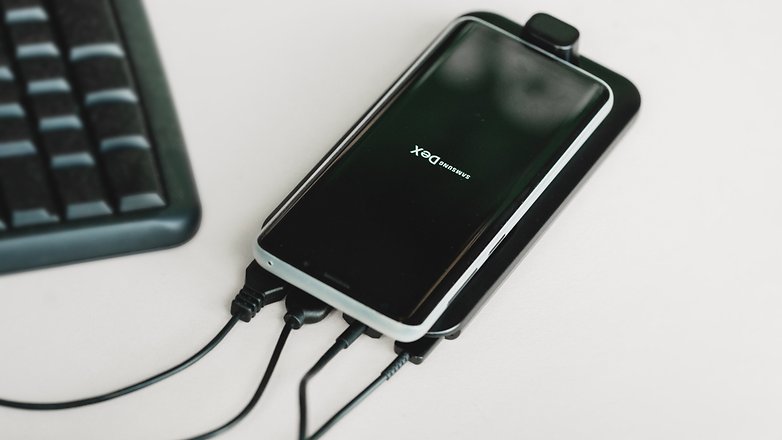
The maximum supported resolution is more than enough
Mouse and keyboard are so 2017...
Unlike the Samsung DeX that we were able to try out last year, using the DeX Pad is easier and more straightforward, at least as far as the extra hardware you need is concerned. Just connect a monitor and you’re ready for action. Mouse and keyboard are now supported, but they are unnecessary accessories.
The smartphone itself now functions as the touchpad of a laptop and also supports gestures with two fingers to scroll through content. By using the pointer, you can use the on-screen keyboard, however terrible the experience may be. Samsung has promised an update to allow typing directly on the screen of your Galaxy, but for the moment the option isn’t available.
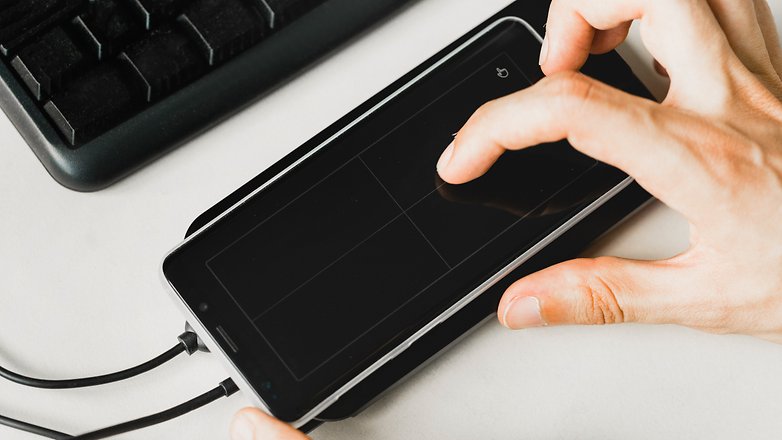
Typing on your smartphone isn't supported yet
Software limitations are visible everywhere
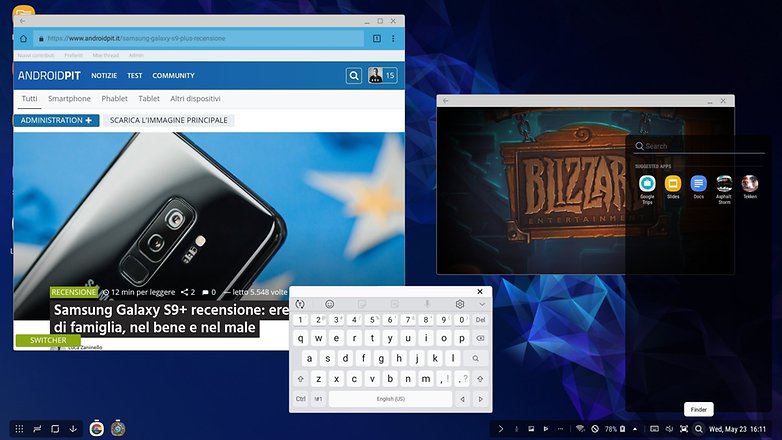
The desktop environment presented by DeX Pad is not so different from the one you’re used to if you use a Windows PC or Chromebook.
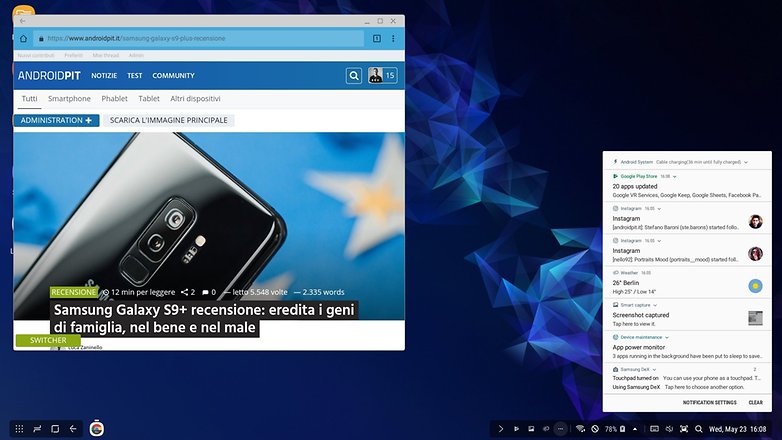
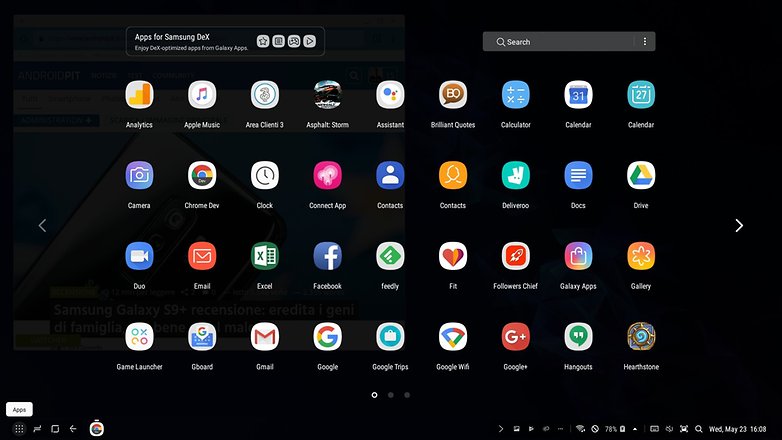
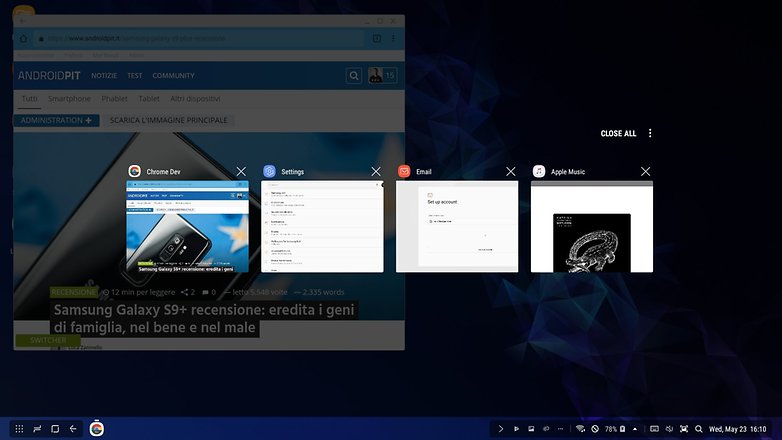
At the bottom of the screen, you’ll find almost all of the main smartphone commands and information. On the left there’s a button to open the app drawer and the three buttons Recent, Home and Back. Immediately to the right you’ll see the icons of open apps. On the right side of the display there’s the date, time, smartphone charge level, Wi-Fi signal strength and the network’s data strength.
There are 4 shortcut keys that allow you to take a screenshot, enable or disable the smartphone ringtone, open the virtual keyboard or perform a local search on your phone. Of course there’s an area dedicated to notifications.
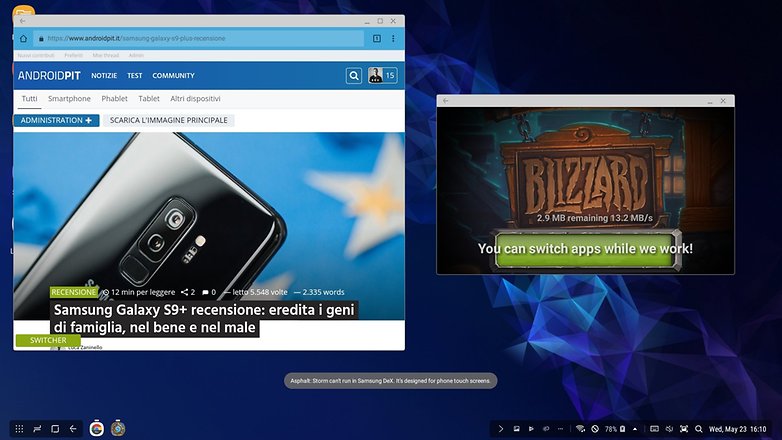
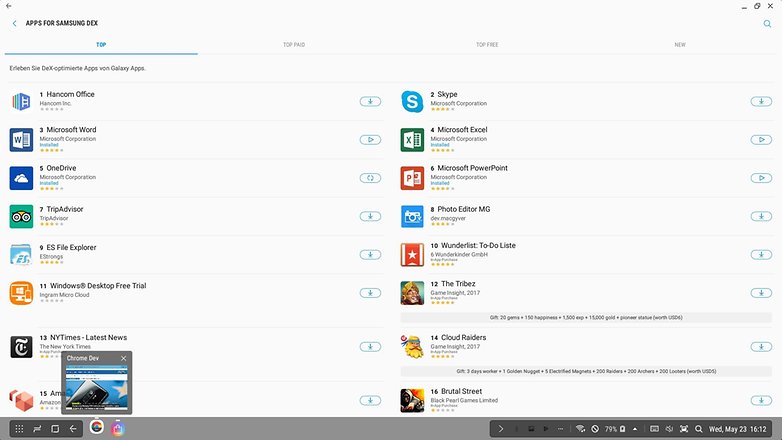
Not all apps can be used in full screen, and many of them (such as Instagram or some games) are displayed in a small window that isn’t resizable. Fortunately, the most useful apps such as Office Suite, the email app and Google Chrome have the function. Chrome, however, uses the smartphone interface (even if the web pages displayed are in desktop mode), which slightly complicates the experience. But Samsung does offer a section dedicated to apps optimized for DeX in its Galaxy Apps Store.
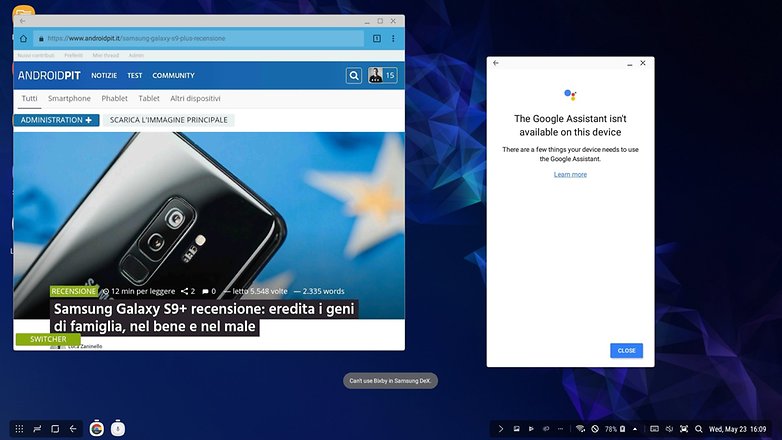
Another limitation of the DeX Pad is quite unpleasant: Google Assistant isn’t able to start while using the smartphone using the dock, and Samsung’s assistant Bixby doesn’t work either. The only silver lining is that nobody will miss Bixby anyway.
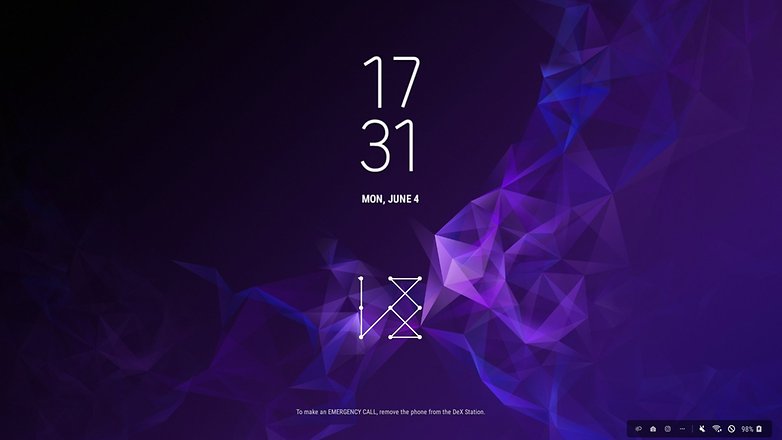
One small note: the unlock method used on your smartphone will be the same on DeX. This means that if you use a pattern you’ll need to trade it using the pointer to unlock DeX, which is a terrible experience, especially if you don’t have a mouse and use your smartphone as a touchpad.
Being able to use a dedicated DeX password or a biometric unlocking method would have been more convenient. Perhaps with the Galaxy S10 you can take advantage of the fingerprint reader in the display, but it’s not possible at the moment.
Good software with many limitations
Final verdict
This Samsung accessory is dedicated to a very small circle of users. DeX Pad is not suitable to completely replace a laptop or a workstation in everyday life. It can do few things really well and Samsung isn’t entirely to blame. Android apps aren’t suitable for the big screen and we already knew this on Chromebooks.
The idea is fantastic and after many unsuccessful attempts (Ubuntu Touch, Windows for phones and more), to see that the industry isn’t giving up on the idea of convergence is wonderful. One day we won’t need a laptop or stationary PC, but instead just “empty” docks and enclosures where you can insert very powerful smartphones to increase productivity. This future is still far away, however, and you’ll feel the limits of the Samsung DeX Pad.
If you already own a compatible smartphone, you’ll want to prepare a station where you can sit and read emails at your office or at home, then this accessory might save you from spending several hundreds of dollars on a PC. You’ll just need a monitor and a DeX Pad.
If your idea is to replace a real laptop or a PC by buying an S9 and the DeX station I recommend not purchasing a DeX. For the same cost you can easily buy a medium to high performance smartphone and a decent quality laptop or Chromebook that can do much more than this pair of devices will ever do.





Thanks for the review. A really good dock to a desktop screen and peripherals is the only thing (along with five years of Android OS support) that might motivate me to invest in a really good phone. This confirms my impression it's still really early days.
tried DeX. it's terrible. DeX stations are great for any device that can utilize HDMI, though.
Thank you for your opinion