Android 9.0 Pie: the final version and new features are here
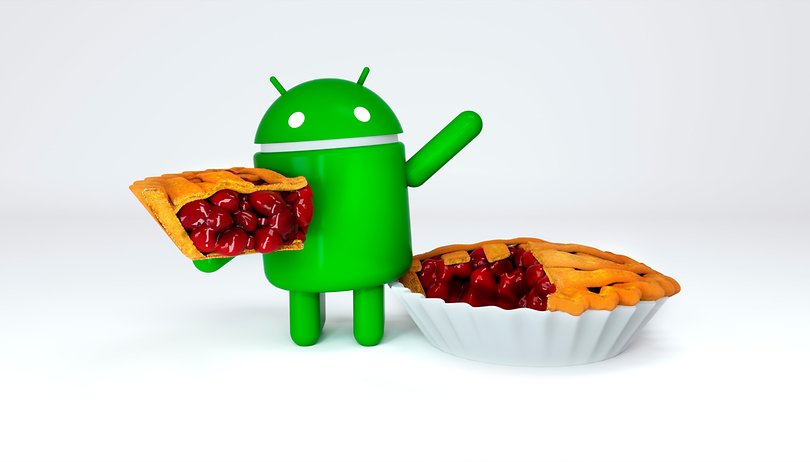

Android 9.0 Pie comes this year as the successor of the outstanding Android Oreo. The update likely won't blow you away, but it still brings some interesting new features. It's rolling out to Pixel devices already, and it will come to devices which participated in the beta by the end of fall. For more details on the final release, see our full news article.
What new features come with Android 9.0 Pie?
After several betas, we now know what the key features of the final version of Android Pie are all about. The key themes of this version of Android are simplicity, intelligence and the trend of digital well-being. Here are the most important new features:
Improved navigation gestures
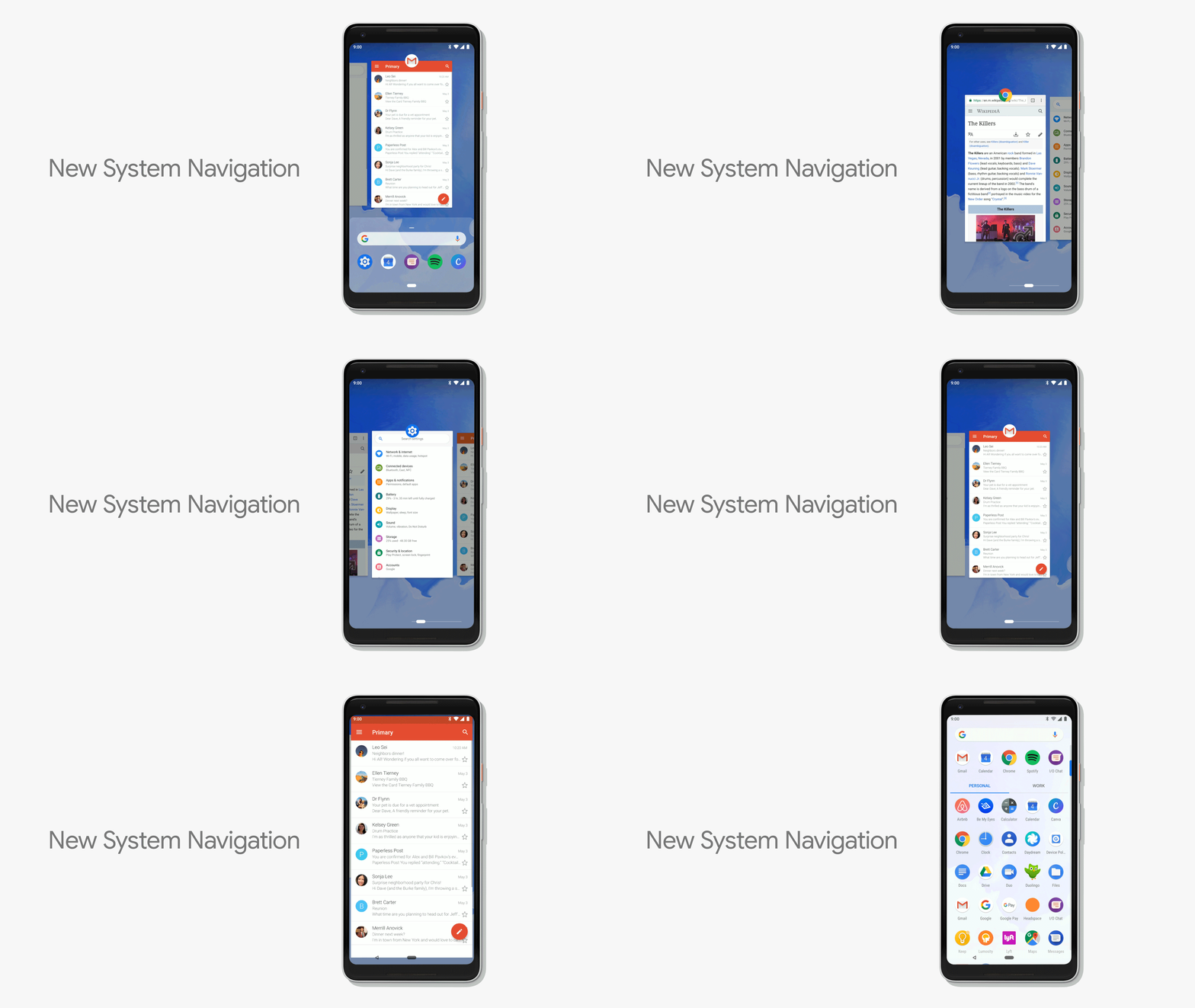
Android 9.0 Pie gets back to basics with a fresh, minimalist interface that incorporates some simple new navigation gestures. These new gestures are clearly meant to be intuitive and may even remind you of the iPhone. Overall, they may take a bit of getting used to, but seem like an improvement.
Here are some of the new gestures:
- Tap: access the home screen
- Long press: launch Google Assistant
- Drag up: access to the recent apps screen
- Full Scan: access to the app drawer
- Swipe to the right: scroll through recent apps
- Back button: go back (only appears in apps)
AI-improved battery optimization
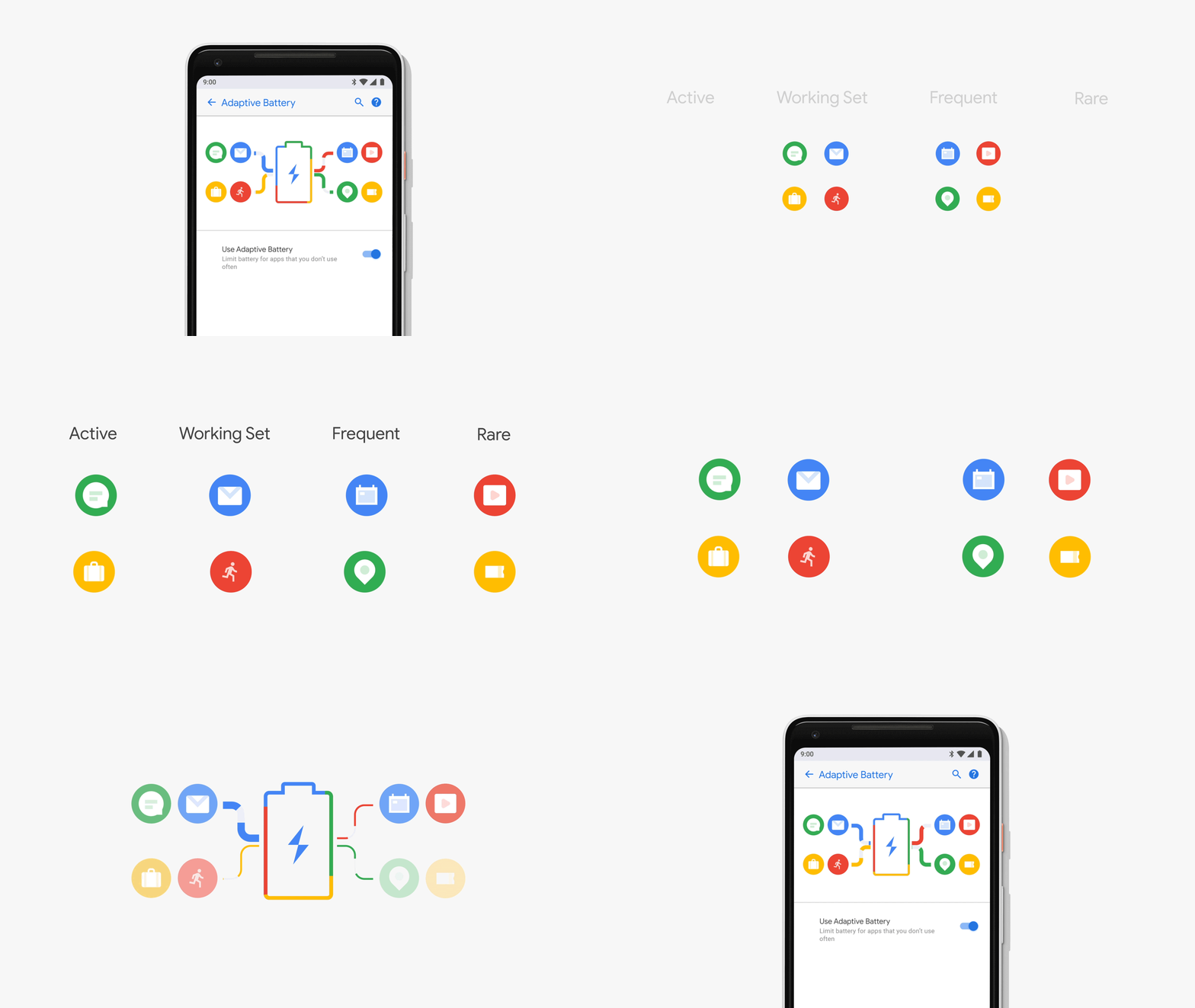
A new feature called adaptive battery uses AI to optimize your energy consumption according to your app usage. It recognizes which apps you're actively using, frequently using, frequently using together as a set or rarely using. With this information, it intelligently limits which apps are able to use up your battery life. It prioritizes everything based on your individual usage, and we can't wait to see how well it adapts over time.
Actions directly from apps
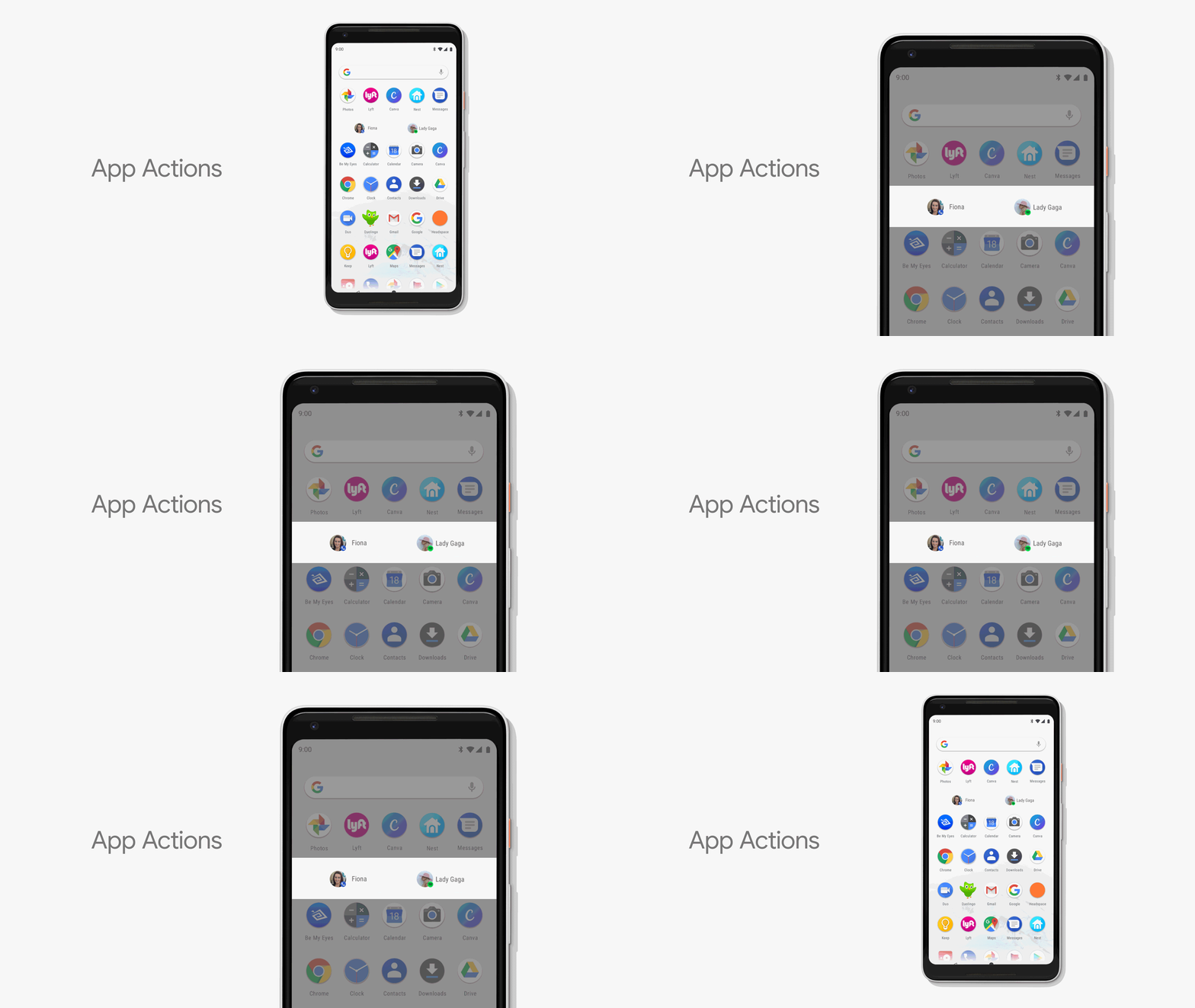
The new app actions give you smarter ways to access functions that are usually buried within apps. As you can see in the GIF below, Android can anticipate and suggest a quick app action to call a frequently contacted person or to listen to Lady Gaga on Spotify. This seems like a very useful and practical feature addition.
Digital well-being
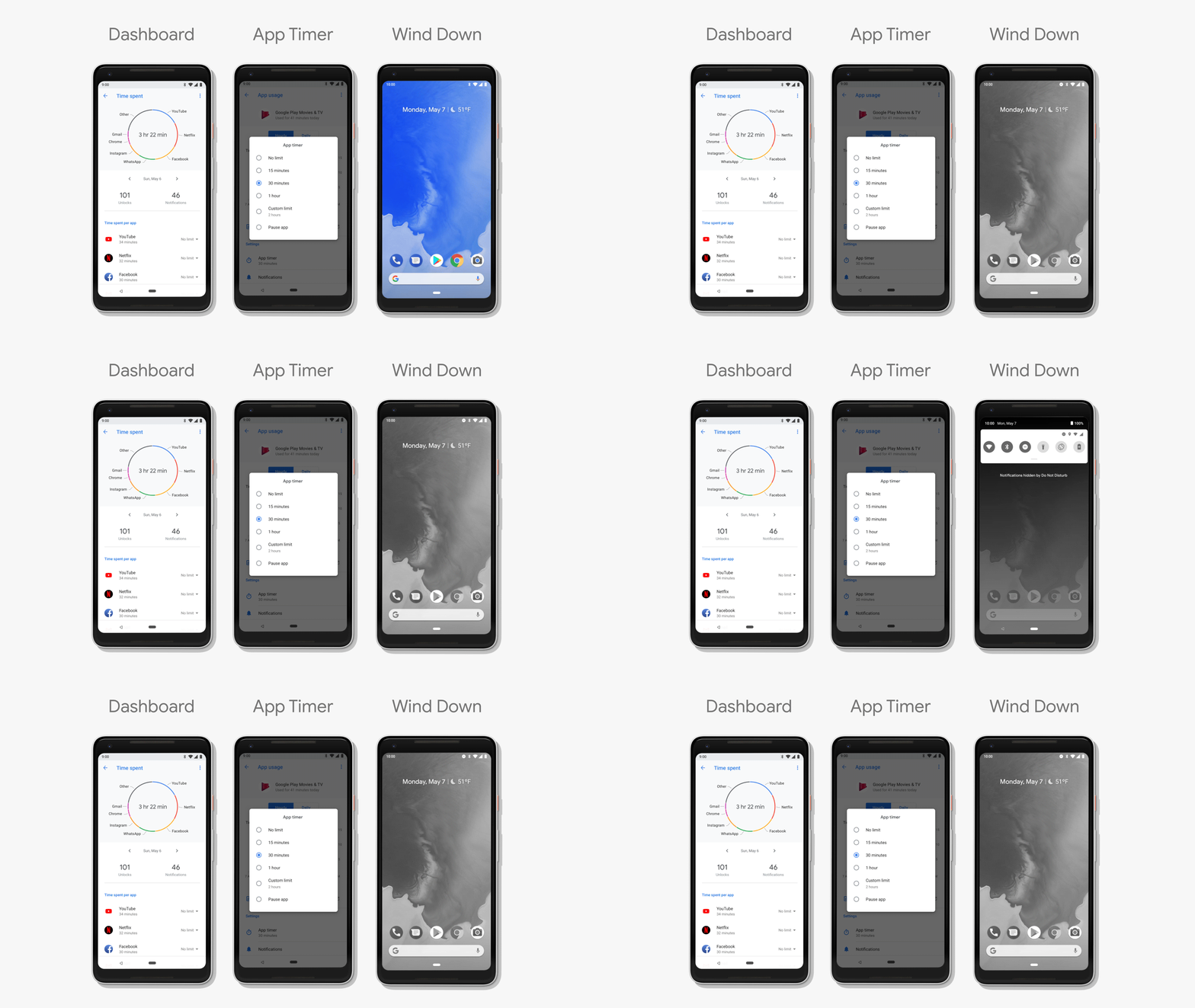
Google announced early on that Android Pie would integrate features geared toward helping users develop smart habits when it comes to smartphone usage. In the final version of Android 9.0 Pie, Google made good on that promise with the Dashboard, which shows different views of your app usage, the App Timer, which gently reminds you when you're wasting time scrolling, and Wind Down, which turns your screen black and white to make it a bit less enticing before bed.
Preliminary conclusions
Android 9.0 Pie isn't as big of a leap as Android Oreo with Project Treble or Android Nougat with faster updates, but it's full of great improvements nonetheless. At the level users will be able to take notice of, it's simpler, smarter and focused on digital well-being in a way that many will appreciate. We look forward to spending more time with the final version to assess its high and low points in more detail.
What do you think of Android Pie so far? Have you been able to try it yet?





Re the stopping of conversation recording apps. Bring this back now, you are endangering peoples lives by stopping it.and if youdint... I hope you and all your families get cancer and die like the cunts you are.
Will Google manage to make all devices update at once, just like apple?
Android P - Pralines ! ...because I like Pralines.
Or may be Pancake, Panna cota, Parfait, Peppermint, Pyramid (just this is not a cake name!), Penguin (it's Linux though), but I think Pizza would be better (Pizza with everything) or even Pi, the famous Pi number. :)
Expected Features of Android P
As per the information received from reliable sources connected closely to Google, following are some of the expected features of Android P:
-Prevent Background Apps from Accessing Camera
-No Mic Access to Background Apps
-No More Built-in Dark Mode
-Android P Will Support Night Mode
-Get Notified for Call Recording
Android P - Payasam
Indian sweet !
I’m hoping that they may have been able to get some battery life improvements to just tweak a little more usage out of our phones.
I don't think it should be one or the other, it shouldn't be a issue for Google to continue to develop the OS and make improvements, whilst pushing the manufacturers to update their devices, sure some older phones will struggle with newer versions but it's a small amount.
I very much like to have the latest version & it's one of the few negative things about Android (which is a manufacturer issue but Google could do more to facilitate quicker updates).
I understand that some amount of testing is required by the manufacturers before releasing updates, they don't want to release updates if it brings more problems. It is also a cost issue due to the amount of testing for various devices.
Though these issues are understandable they shouldn't be a barrier to a seamless update system.
Peace ?
They're working on making it easier to update. Can't stagnate or in a few years it would be obsolete. They should definitely update their own phones as long as possible though or why should others?
I want to buy an Android AI...it sounds cool enough.....an "AI" yushhh....
Google should just keep to one os and update it as things change, like MS Win 10 does.
And force phone makers to update very quickly, instead of years down the line, often never.
Android is the OS....the name that follows is just an easier way to represent the version numbers..So it could be said that google 'is' just updating their OS frequently.
if android becomes anything like windows 10 regarding updates, i am reverting to flip phones. and an IT professional, windows updates has ruined whole weeks of my life. it's an unregulated mess that takes advantage of the huge market share.
It seems like to force manufacturers to update their devices