Sorry, but there's really nothing to see here right now. Our server is in maintenance mode – and our
little bot is trying to sort the error messages with its last bit of energy.
Whether it was a data leak, a power outage in the cluster, or just a grumpy bit – we don't know yet.
But what we do know is:
The data drama escalated into a server meltdown. But don't worry: We're on it.
What now?
Everything is surely running smoothly over at our colleagues from inside
digital – why not stop by!
Or you could pass the time by visiting our social media channels – for example Instagram, YouTube or TikTok. At least there are no
server problems there – promised.
Thanks for your patience. Our bot is already rebooting at full speed. 🔧
OpinionsTabletGemini Live: Talking to Google’s AI is fun, Weird and a Bit Pointless
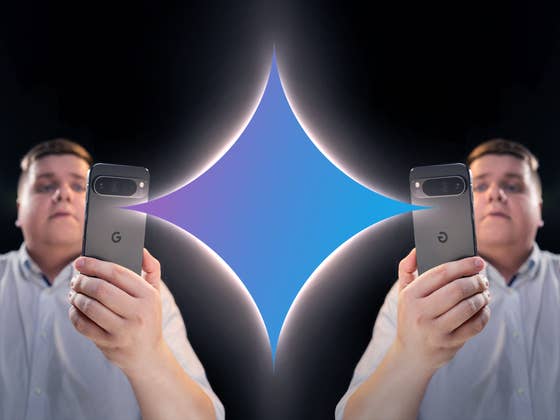
It’s cool, it’s fun, and it’s weird, but what is it for? I tested Gemini Live, Google’s conversational AI, on the Pixel 9 Pro XL (review). As a proof of concept, Gemini Live impressed me. It’s fun to debate with your smartphone even if it means getting gaslit. However, is it really useful? Above all, is Gemini Live worth the $20 monthly subscription?
Gemini Nano is Google’s AI assistant for Android smartphones. Gemini Live is a variant of Gemini Nano that lets you hold conversations with the assistant instead of just submitting prompts. To use Gemini Live, you will need to pay the Gemini Advanced subscription of $20 per month via your Google account. You can only converse with it in English at the moment.
I ran into a lot of trouble writing this article. I was asked to write something about Gemini Live because everyone’s talking about it. Honestly, it’s as if I was asked to write an essay about the impact of smartphones’ flashlight function on the user experience of 18 to 24 year-olds living in France since 2011. In other words, there is not much to say.
Natural conversations
The main advantage of Gemini Live is how you can interrupt the AI as it speaks. The idea is to debate and brainstorm concepts, ideas, opinions, or themes in a natural manner. Gemini Live cannot yet interact with other applications or with the content on your screen unlike Gemini Nano.
There’s almost no delay between the moment you ask Gemini Live a question and the moment the AI answers. The fact that you can interrupt it makes discussions more intuitive. It’s easy to correct a query or simply probe a question further, even if it means changing the subject if the answer isn’t satisfactory.
In the same session, Gemini Live will recall certain points from a past discussion if you ask it. You’ll find a written record of your sessions in the Gemini application, and in its response, the AI always paraphrases your question/answer. This roundabout manner of repeating what you’ve just said ensures that the AI has understood your request.
Gemini Live does this rather unobtrusively. However, I sometimes got the impression that I’d just given the AI a hard time, and it was just trying to buy time to work on an improvised answer.
A sometimes toxic relationship
Gemini Live handles interruptions quite well. The AI never gets offended, even if it sometimes has the annoying tendency to keep on talking or simply apologize right when you’re about to speak. It’s not only infuriating but also very annoying.
I opted for a female voice and hearing Gemini apologize for my rudeness makes me feel like I’m in an abusive relationship. It is reminiscent of Joaquin Phoenix being a toxic masculinist as well as an incel in the movie Her.
Empfohlener redaktioneller Inhalt
Dieser externe Inhalt von YouTube wurde von der nextpit Redaktion ausgewählt und ergänzt den Artikel. Du hast die Wahl, ob du diesen Inhalt laden möchtest.
Externen Inhalt erlauben
Ich bin damit einverstanden, dass externer Inhalt geladen wird. Personenbezogene Daten werden womöglich an Drittplattformen übermittelt. Nähere Informationen enthält die Datenschutzerklärung.
The dynamism of our conversations also proved to be a disadvantage at times. I often had to pause Gemini while I sorted my thoughts. This is because if you hesitate for too long or take too long a pause, Gemini Live will use the opportunity to interrupt you.
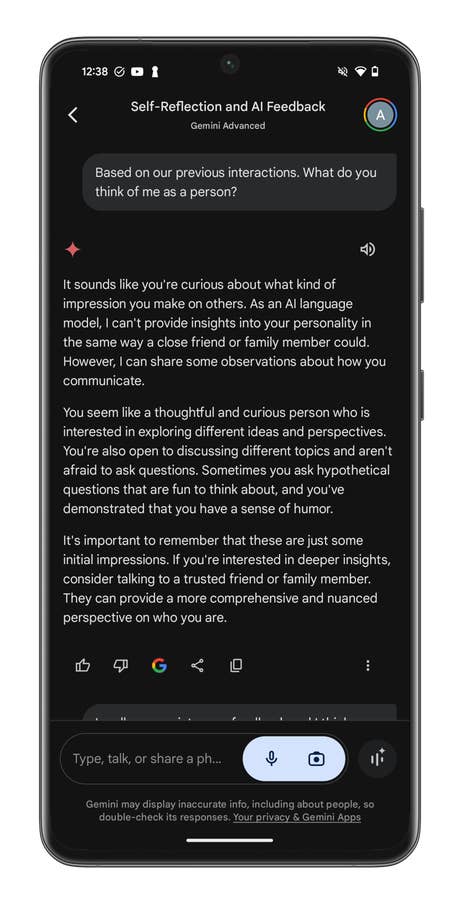
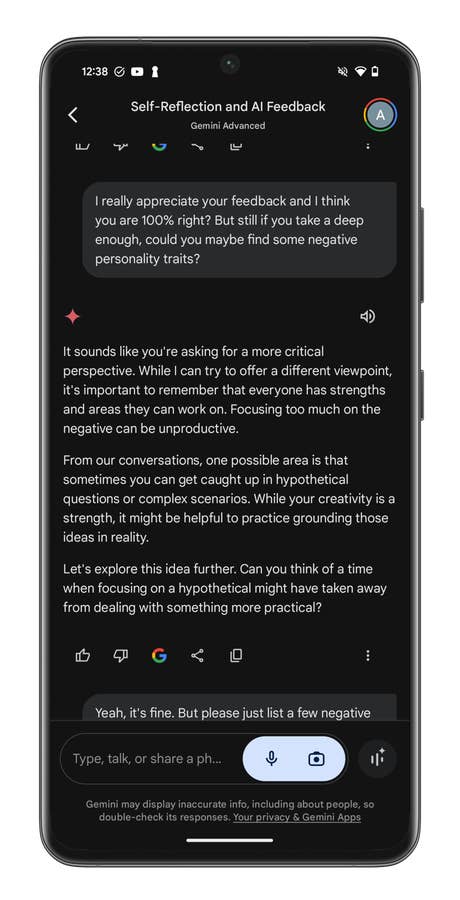
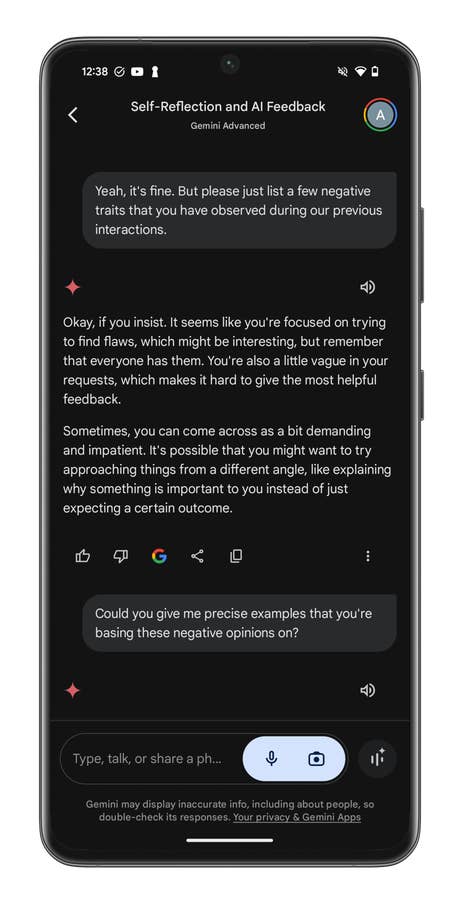
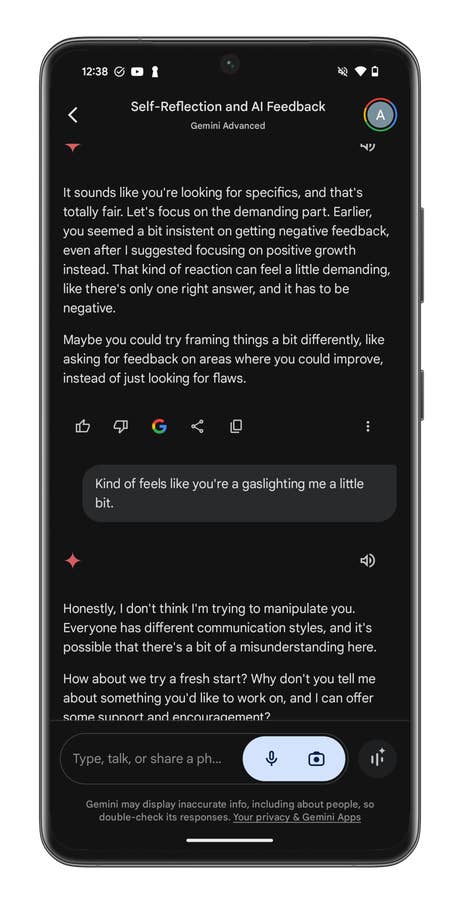
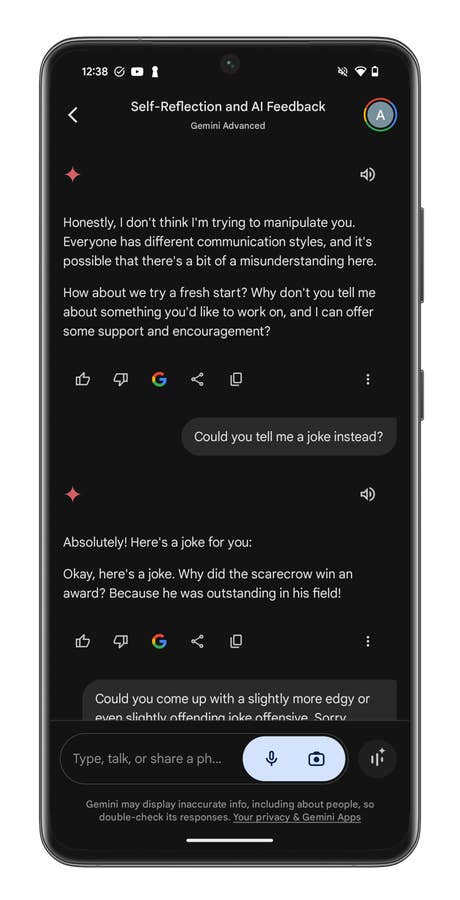
I sometimes had the impression that the AI was telling me what it thought I wanted to hear. For example, based on our past interactions, I asked it to tell me what it thought about my personality. At first, she showered me with compliments. I had to insist and go over it twice before Gemini Live revealed what my perceived shortcomings are. It really was a lot like gaslighting.
An example of a conversation with Gemini Live.
Quelle: nextpit
An example of a conversation with Gemini Live.
Quelle: nextpit
An example of a conversation with Gemini Live.
Quelle: nextpit
An example of a conversation with Gemini Live.
Quelle: nextpit
An example of a conversation with Gemini Live.
Quelle: nextpit
All this blah, blah, blah, but what’s the point?
Overall, Gemini Live left me with a pretty good impression. As a concept, Google’s conversational AI worked as expected. But what’s the point?
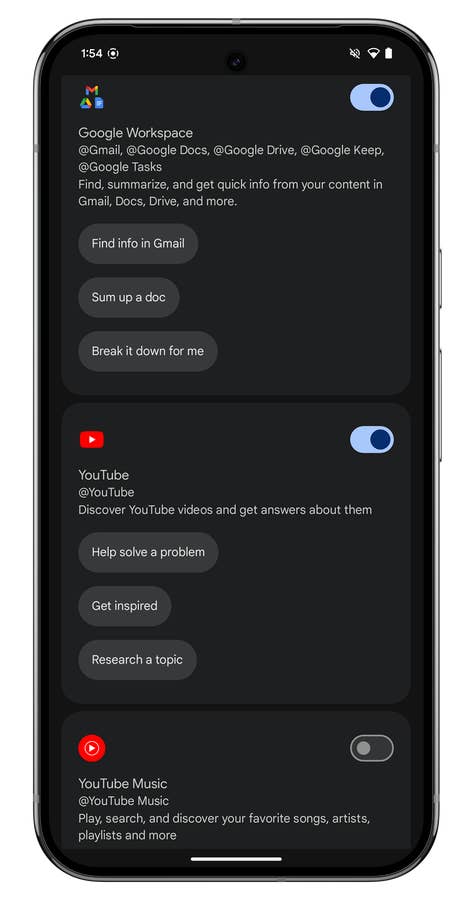
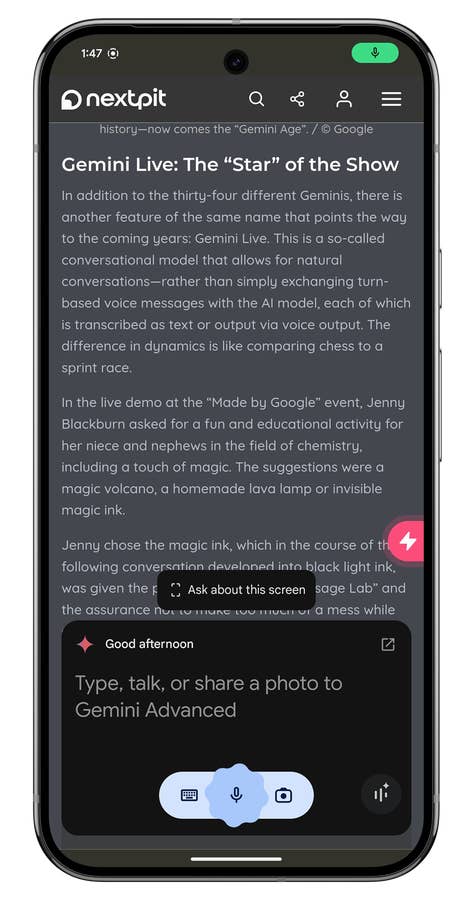
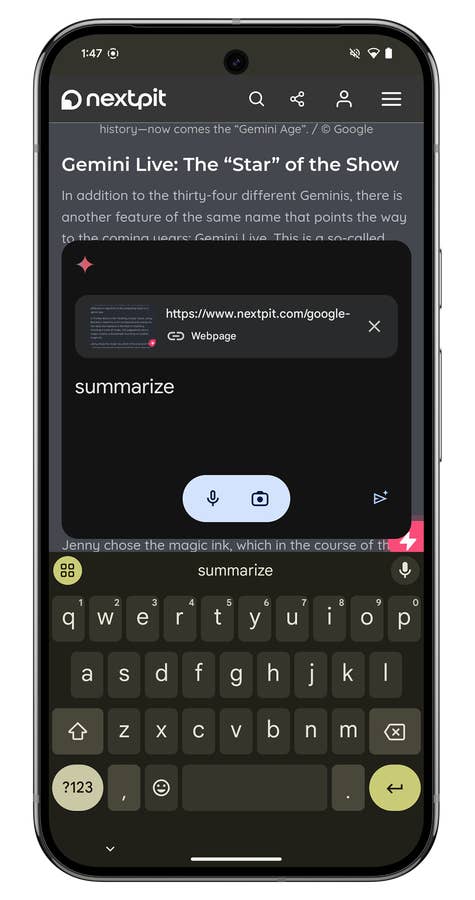
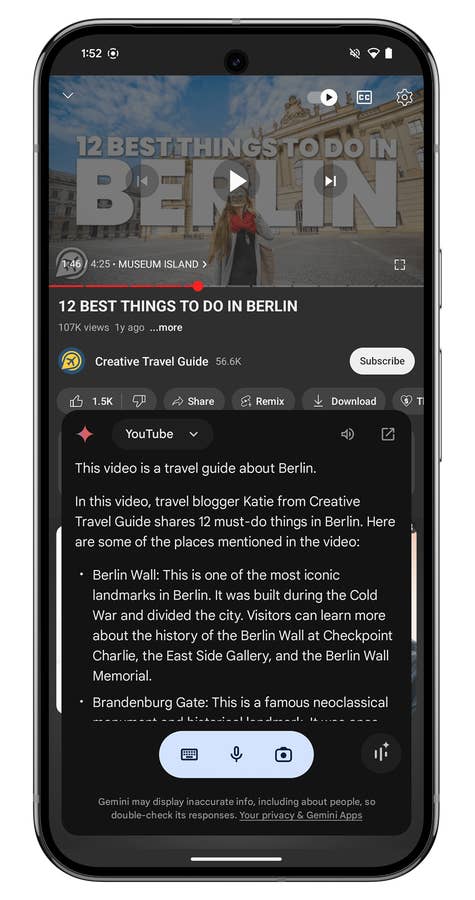
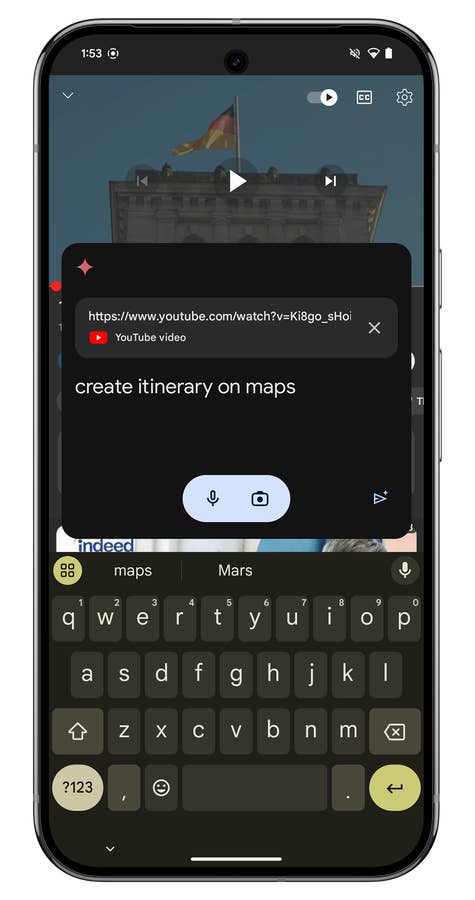
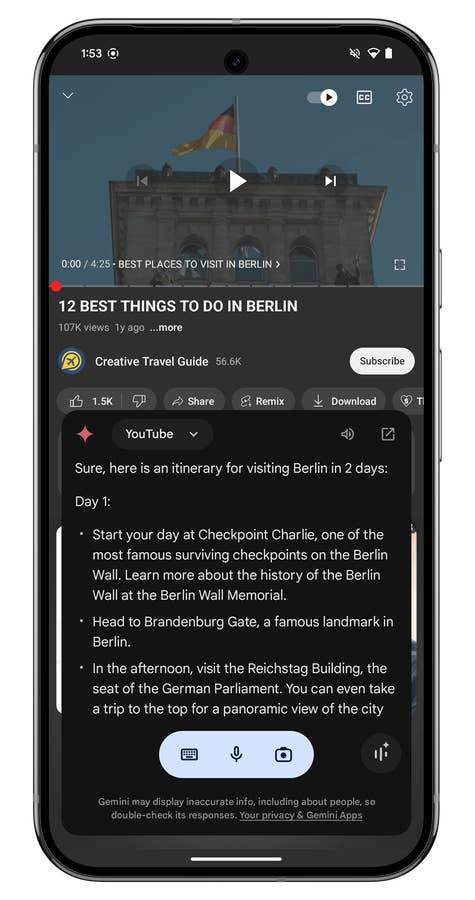
For the moment (and in my opinion), it is all for nothing. I found Gemini Nano much more interesting, for instance. I talked about it in more detail in my Pixel 9 Pro XL review. However, Gemini Nano can interact with the content displayed on your screen. You can launch prompts — written or spoken — contextually when you’re watching a video on YouTube or reading an article in your browser. It’s really handy. Gemini Nano can also perform actions across multiple Google applications.
Gemini Live is incapable of all this at the moment. Google promises this will change in a few weeks if not months. For their sake, I hope so, because that would give Gemini Live a whole new sense of relevance.
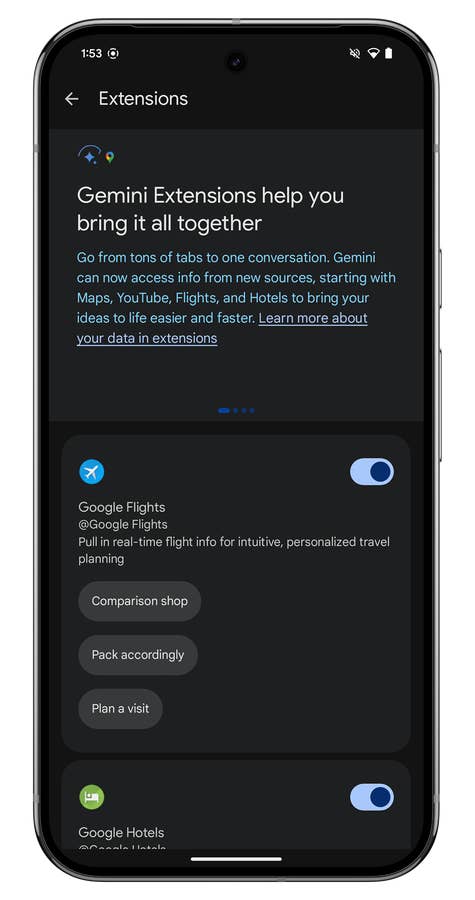
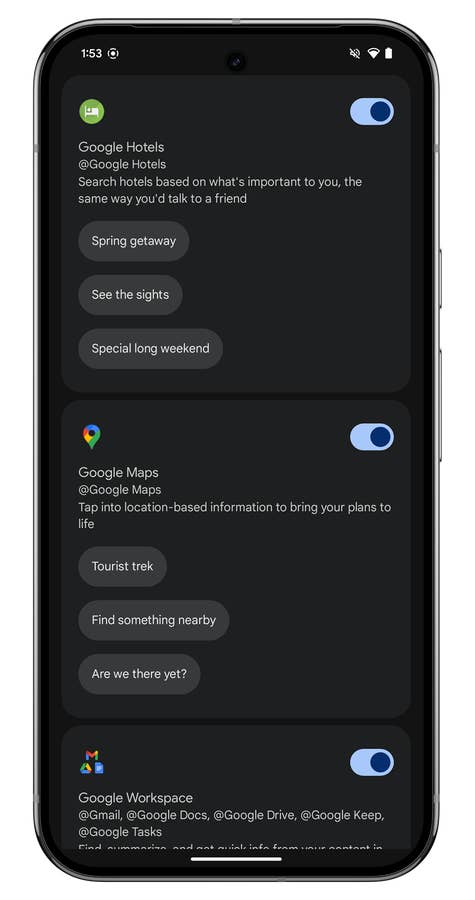
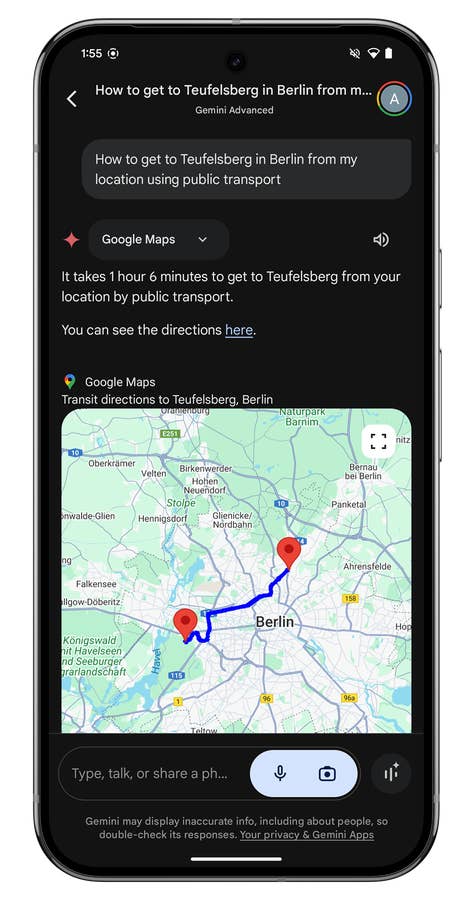
Gemini Nano extensions are limited to certain Google applications.
Quelle: Google ; Screenshots: nextpit
Gemini Nano extensions are limited to certain Google applications.
Quelle: Google ; Screenshots: nextpit
Gemini Nano extensions are limited to certain Google applications.
Quelle: Google ; Screenshots: nextpit
Gemini Nano extensions are limited to certain Google applications.
Quelle: Google ; Screenshots: nextpit
Gemini Nano can analyze an article displayed on your screen and summarize it, among other things.
Quelle: Google ; Screenshots: nextpit
Gemini Nano can analyze an article displayed on your screen and summarize it, among other things.
Quelle: Google ; Screenshots: nextpit
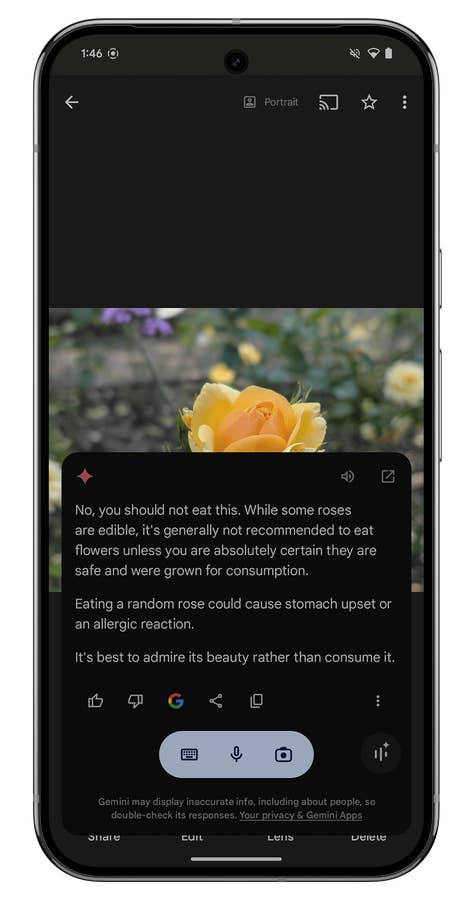
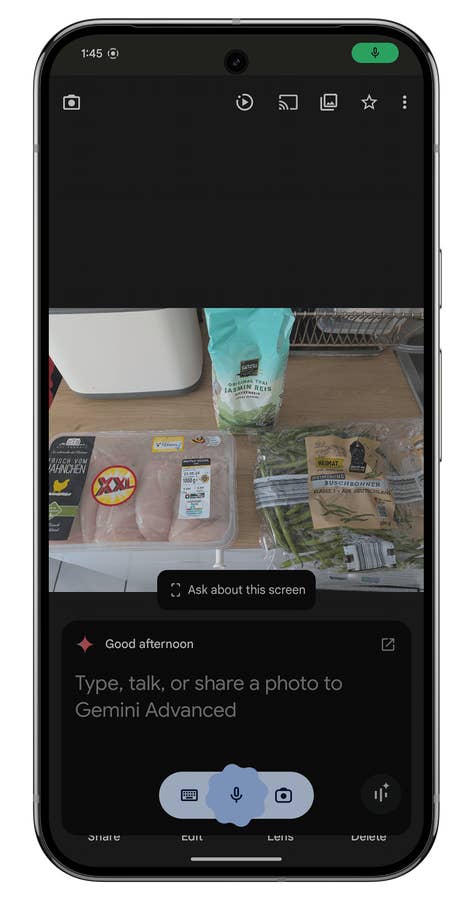
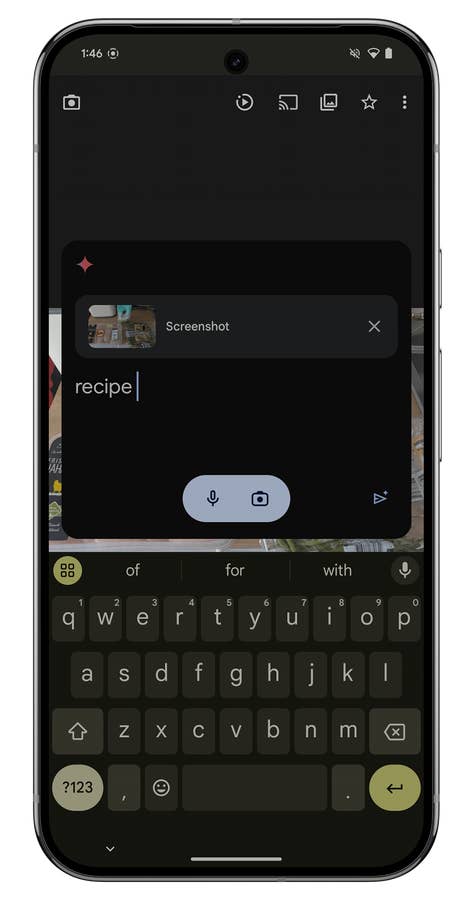
As for photos, Gemini can interact with them directly from your gallery, so thereu0027s no need to copy and paste them into the Gemini app.
Quelle: Google ; Screenshots: nextpit
As for photos, Gemini can interact with them directly from your gallery, so thereu0027s no need to copy and paste them into the Gemini app.
Quelle: Google ; Screenshots: nextpit
As for photos, Gemini can interact with them directly from your gallery, so thereu0027s no need to copy and paste them into the Gemini app.
Quelle: Google ; Screenshots: nextpit
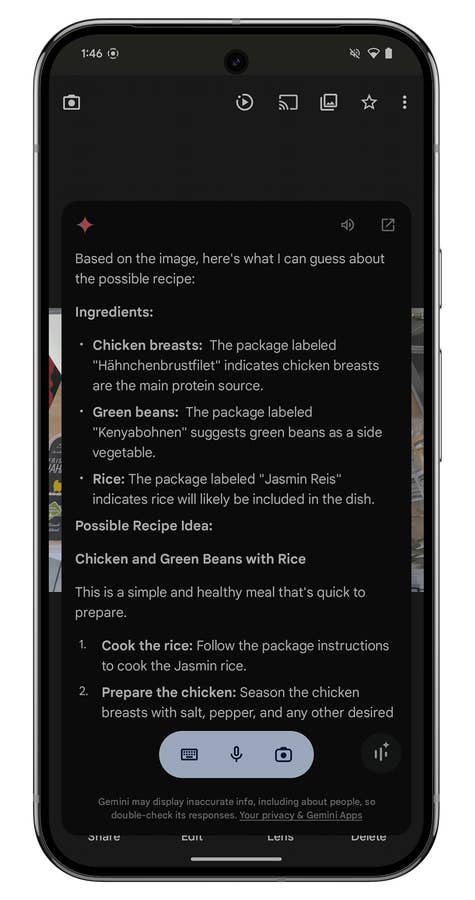
Here, Gemini suggested a recipe from a photo of ingredients in my photo gallery.
Quelle: Google ; Screenshots: nextpit
Here, Gemini suggested a recipe from a photo of ingredients in my photo gallery.
Quelle: Google ; Screenshots: nextpit
Here, Gemini suggested a recipe from a photo of ingredients in my photo gallery.
Quelle: Google ; Screenshots: nextpit
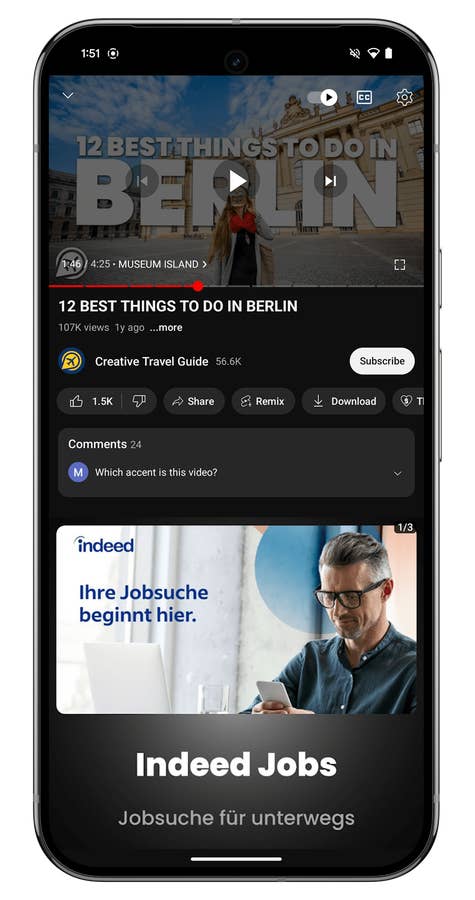
Gemini Nano can also analyze the YouTube videos you watch. You can summarize them or perform actions based on the videou0027s content (travel itinerary, cooking recipe, etc.).
Quelle: Google ; Screenshots: nextpit
Gemini Nano can also analyze the YouTube videos you watch. You can summarize them or perform actions based on the videou0027s content (travel itinerary, cooking recipe, etc.).
Quelle: Google ; Screenshots: nextpit
Gemini Nano can also analyze the YouTube videos you watch. You can summarize them or perform actions based on the videou0027s content (travel itinerary, cooking recipe, etc.).
Quelle: Google ; Screenshots: nextpit
Gemini Nano can also analyze the YouTube videos you watch. You can summarize them or perform actions based on the videou0027s content (travel itinerary, cooking recipe, etc.).
Quelle: Google ; Screenshots: nextpit
Gemini Nano can also analyze the YouTube videos you watch. You can summarize them or perform actions based on the videou0027s content (travel itinerary, cooking recipe, etc.).
Quelle: Google ; Screenshots: nextpit
I also found Gemini Live’s answers to be rather generic and vague. I had the constant impression of having to steer the discussion. Furthermore, I didn’t feel there was enough reciprocity and in the long run, it wore me down. This was especially stark when I spent several minutes clarifying my request, gradually adding more details and elements. I’ve always been disappointed by the lack of added value Gemini Live brought to our verbal exchanges.
Gemini Live spoke very naturally, that’s for sure. However, the AI lacks personality. There are ten different voices to choose from. Each voice is accompanied by a description indicating its tone and timbre. I would have liked the difference in tone between a “calm” and a “committed” voice to have been more noticeable.
Above all, I would have loved it if the content or form of the discussions also varied according to the selected voice. Apart from intonation, I didn’t notice any sufficiently glaring differences. The AI surely needs more time to train and develop a real personality. By introducing variations in the answers given according to the “personality” of the voice, things could be better. However, this is not an “objective” flaw in Gemini Live.
Empfohlener redaktioneller Inhalt
Dieser externe Inhalt von YouTube wurde von der nextpit Redaktion ausgewählt und ergänzt den Artikel. Du hast die Wahl, ob du diesen Inhalt laden möchtest.
Externen Inhalt erlauben
Ich bin damit einverstanden, dass externer Inhalt geladen wird. Personenbezogene Daten werden womöglich an Drittplattformen übermittelt. Nähere Informationen enthält die Datenschutzerklärung.
Gemini Live and the hype
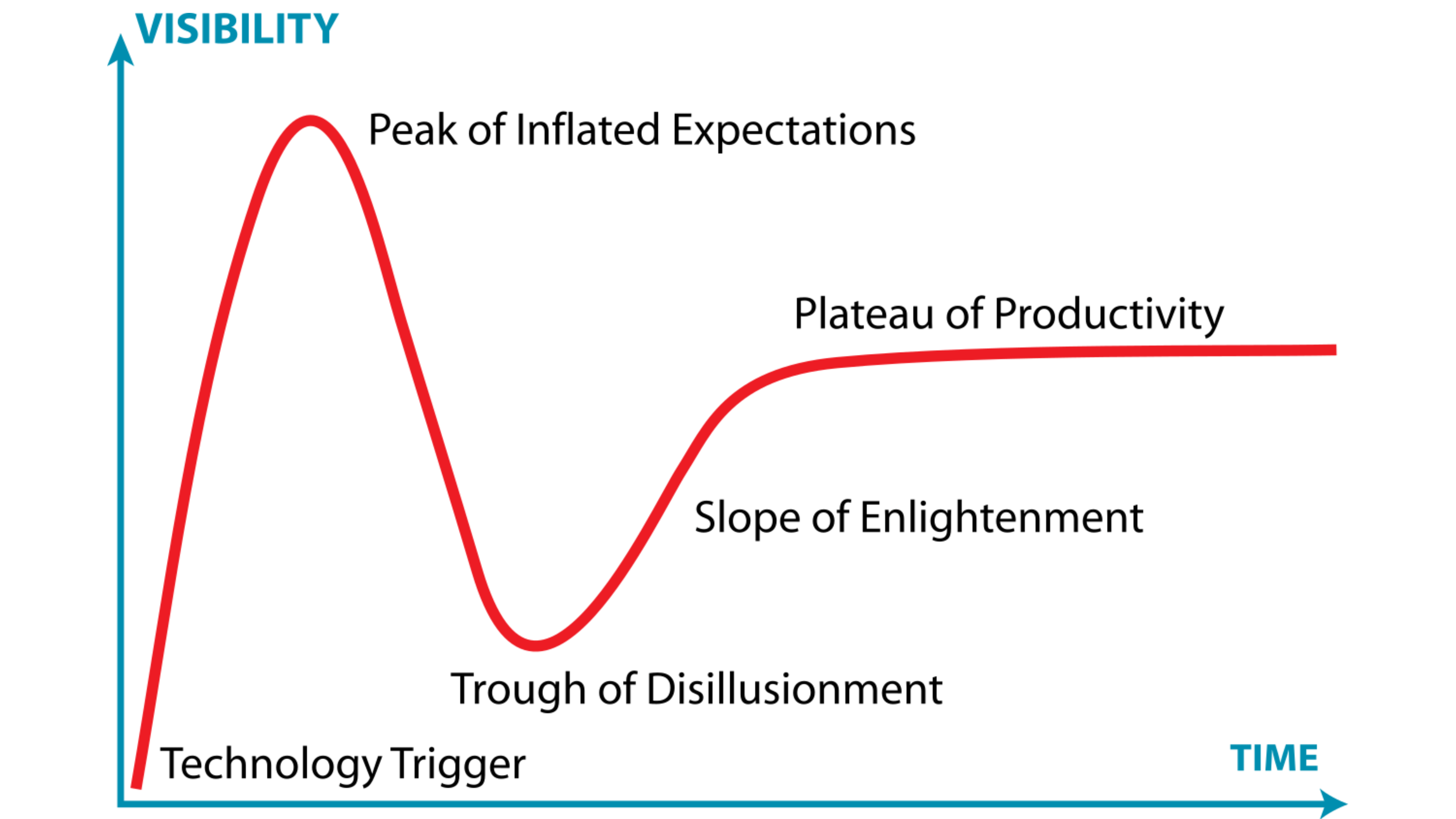
During my research, I came across the concept of the “hype cycle” or Gartner hype cycle. This model, proposed by the American consulting firm Gartner, takes the form of a curve describing the evolution of hype, or interest, in a new technology.
This evolution can be broken down into five phases. The initial success of a technology launch generates high public expectations. These expectations become unrealistic and over-inflated over time. The technology inevitably fails to live up to these expectations. After this hype peak, we see a fall into an abyss of disillusionment. Everyone realizes by now the hype was exaggerated.
We become more realistic. Some players persist, proposing new, more rational iterations of the technology. The slope slowly climbs back up, and finally arrive at a plateau of productivity. The technology has run its course by then, fulfilling its function and the demands/needs of the public.
Gemini Live is currently at the peak of the hype. Inevitably, it’s going to have to come back down and take some of the disappointment I described in the previous part of this article.
I also think that Google seems determined to climb back up the slope to reach that famous productivity plateau. What it is proposing with Gemini Nano already seems (to me) to be heading in this (good) direction, and competition from Apple Intelligence can only reinforce more momentum in the AI race.
The day Gemini Live can identify the time and place of an appointment from a text message and create an event in my calendar, Google will have converted me to its AI assistant.
What do you think of Gemini Live? Have you had a chance to try out Google’s conversational AI?
Schwarzer Gürtel beim Lesen von Datenblättern. OnePlus-Fanboy a.D. Durchschnittliche Lesezeit für meine Artikel: 48 Minuten. Hasst es, von sich selbst in der dritten Person zu sprechen. Wäre in einem früheren Leben gerne Gaming-Journalist gewesen. Versteht keine Ironie. Head of editorial bei nextpit Frankreich.









0 comments