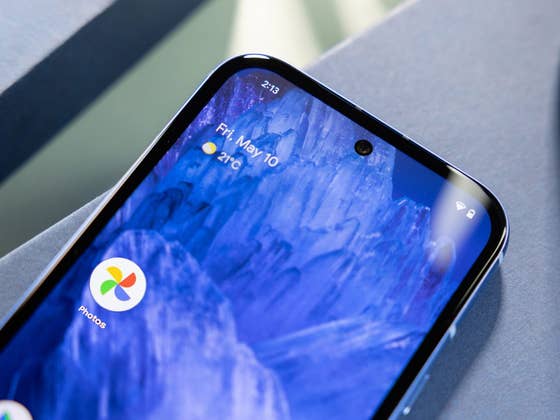
Beyond its powerful editing tools, Google Photos offers several useful features that make it a top choice for managing photos and videos. One such feature is cloud storage sharing with family members or contacts. However, Google previously removed automatic photo sharing from third-party apps, disrupting seamless syncing.
Now, following user feedback, Google has reinstated this feature, though it now requires manual activation. Here’s what you need to know.
Why Google Disabled Automatic Photo Sharing from Third-Party Apps
In November of last year, Google disabled the automatic addition of photos and screenshots from third-party apps, such as social media and banking apps, to Partner Sharing. This meant users had to manually share media files from these apps, which many found inconvenient.
The change aimed to declutter shared galleries and enhance security by preventing sensitive screenshots from being automatically accessible to Partner Sharing members. However, this manual process disrupted the smooth syncing experience that many users relied on.
After receiving feedback from users, Google has now brought back automatic photo sharing for third-party apps. However, it remains disabled by default, meaning users must enable it in settings before they can take advantage of automatic syncing.
How to Enable Photo Sharing from Third-Party Apps in Google Photos
The feature is already rolling out, so you may have access to it now. Follow these steps to enable it:
- Open the Google Photos app.
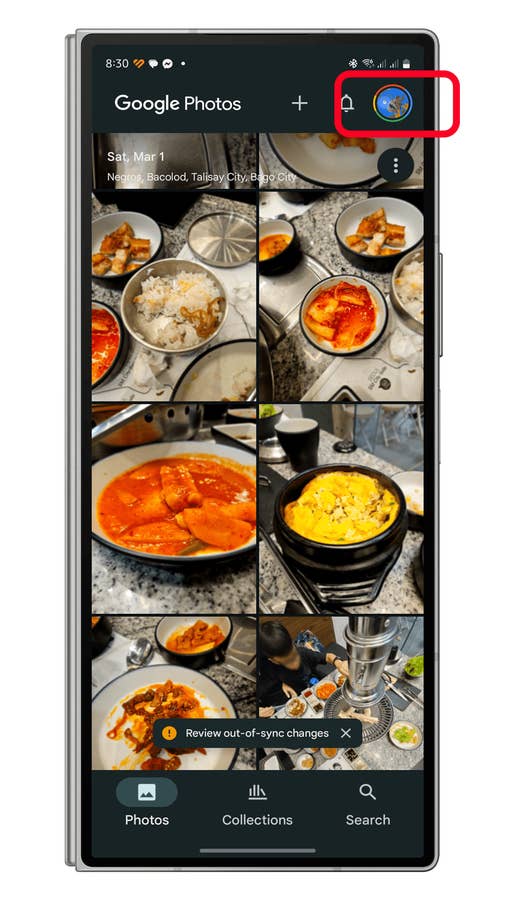
- Tap your profile picture in the top-right corner to open the menu.
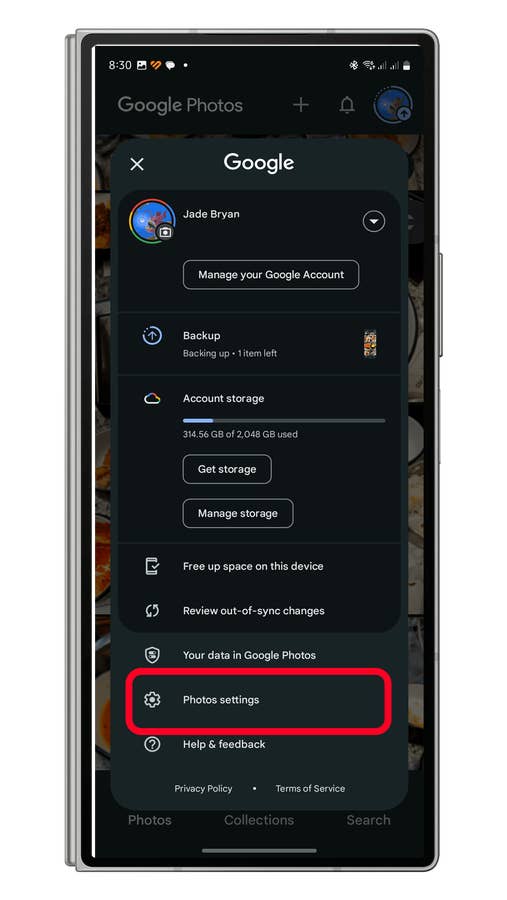
- Select Photos settings from the menu.
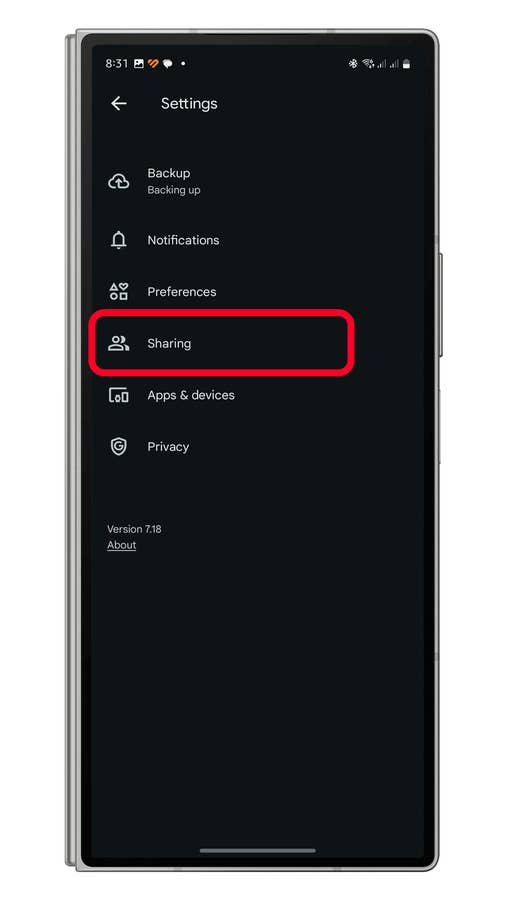
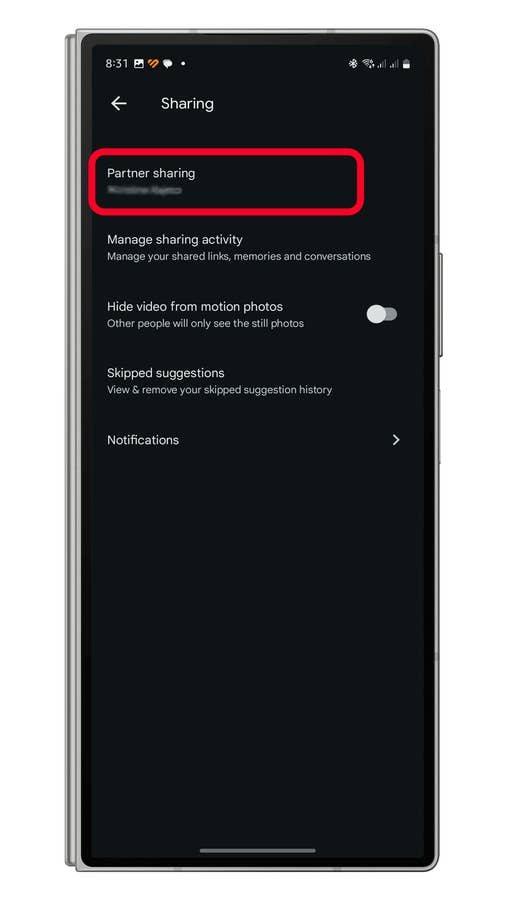
- Tap Sharing.
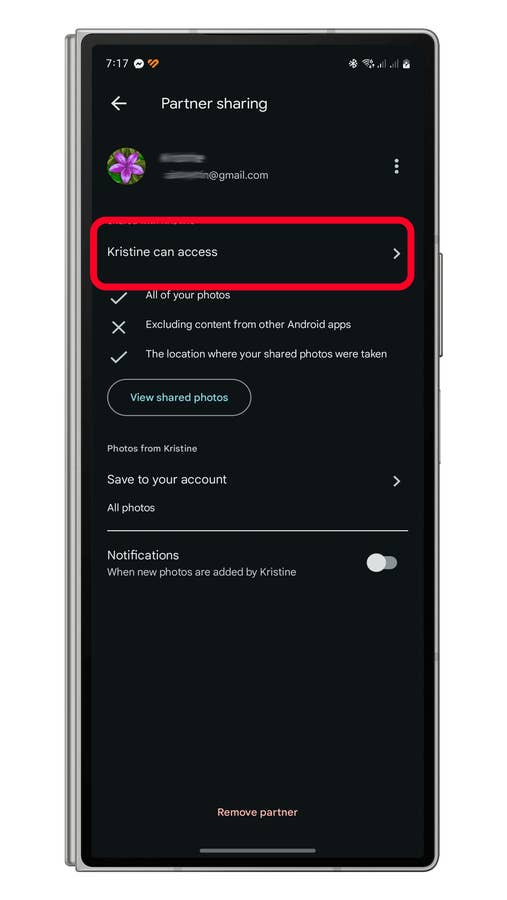
- Select Partner Sharing.
- Choose the access settings next to the member’s name.
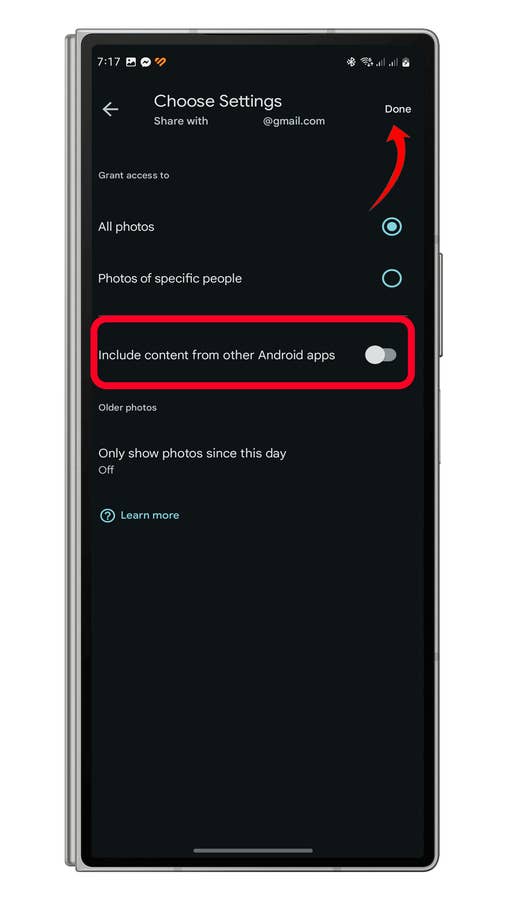
- Toggle on Include content from other Android apps.
- Tap Done to save your changes.
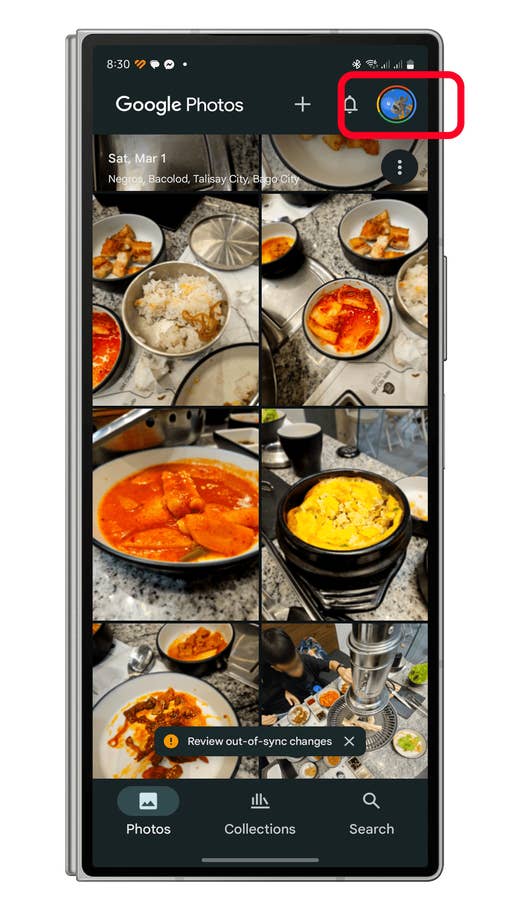
Go to the Photosu0027 menu.
Quelle: nextpit
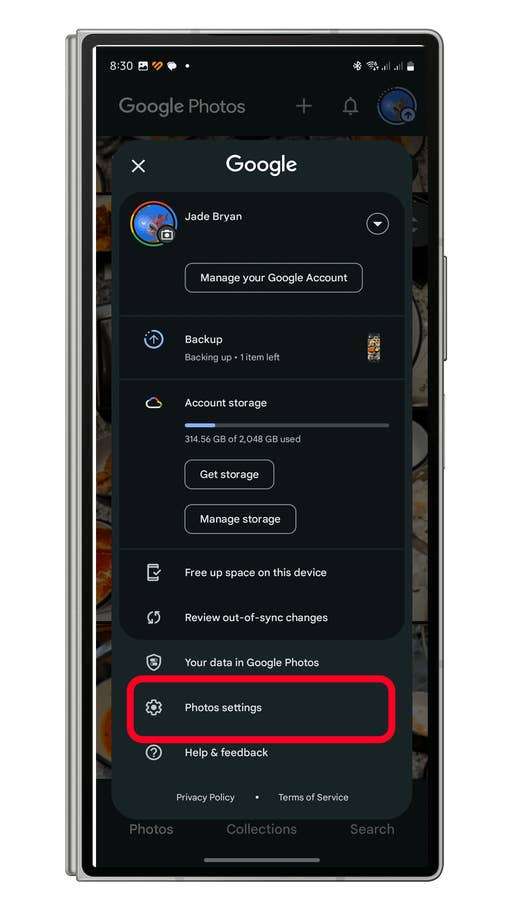
Tap on Photos settings.
Quelle: nextpit
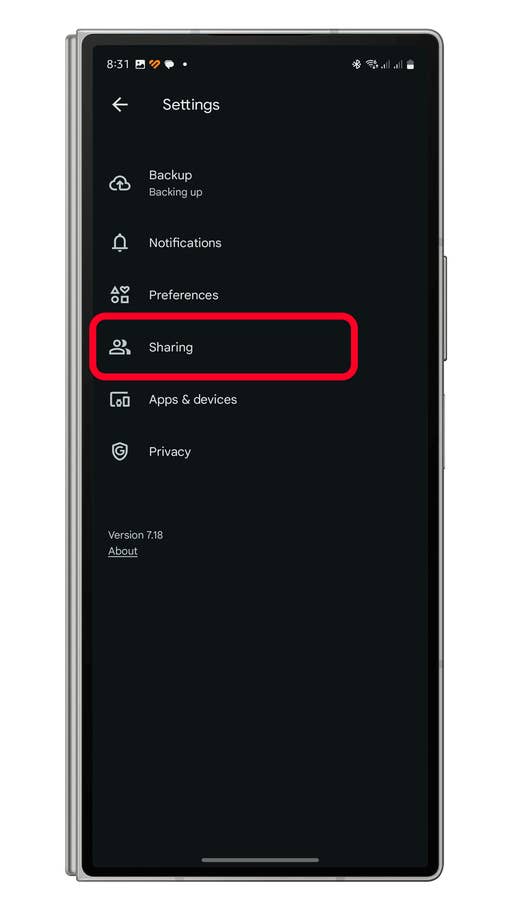
Choose Sharing.
Quelle: nextpit
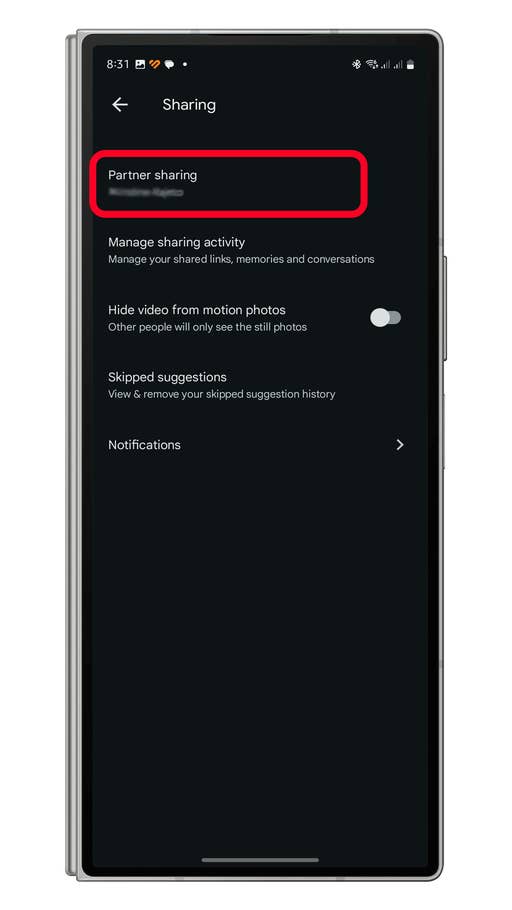
Tap on Partner Sharing.
Quelle: nextpit
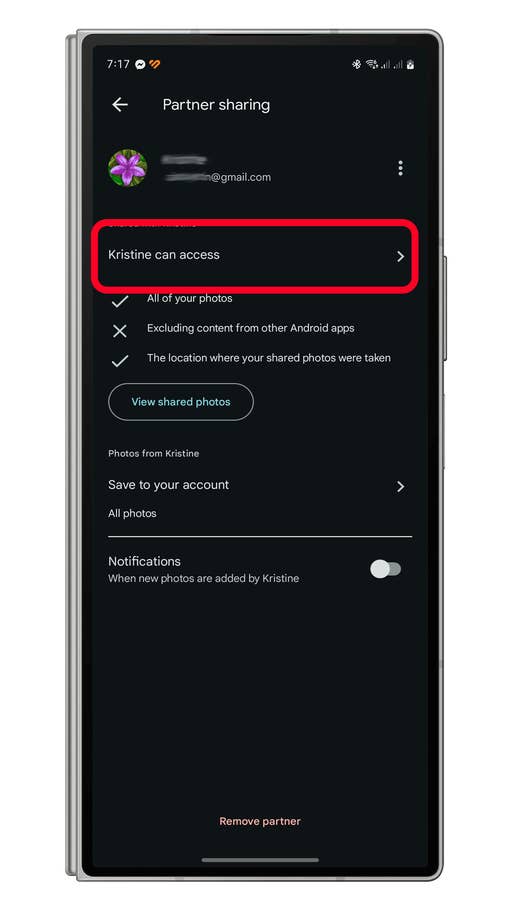
Choose the partner or memberu0027s name to manage controls.
Quelle: nextpit
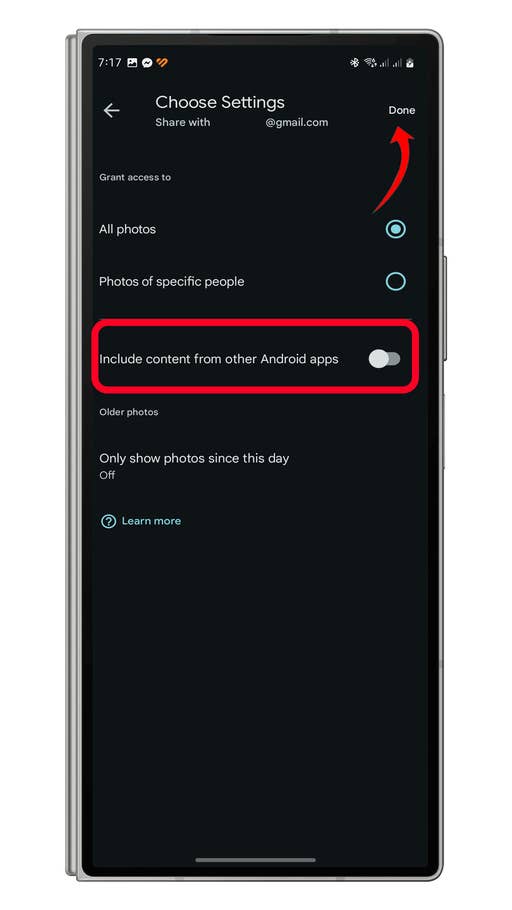
Enable Include sharing content from thrid-party apps.
Quelle: nextpit
To disable the feature, follow the same steps and turn off the Include content from other Android apps option.
Do you use Google Photos for cloud storage, sharing with family or contacts? Have you found this feature useful? Please let us know your thoughts in the comments!