Sorry, but there's really nothing to see here right now. Our server is in maintenance mode – and our
little bot is trying to sort the error messages with its last bit of energy.
Whether it was a data leak, a power outage in the cluster, or just a grumpy bit – we don't know yet.
But what we do know is:
The data drama escalated into a server meltdown. But don't worry: We're on it.
What now?
Everything is surely running smoothly over at our colleagues from inside
digital – why not stop by!
Or you could pass the time by visiting our social media channels – for example Instagram, YouTube or TikTok. At least there are no
server problems there – promised.
Thanks for your patience. Our bot is already rebooting at full speed. 🔧
Offline maps are great additions to your smartphone arsenal. You can’t always rely on network access or Wi-Fi, and the last thing you want is to find yourself lost in a new area with no reception. To save you from calamity in far-flung regions, here are the best free offline maps on Android.
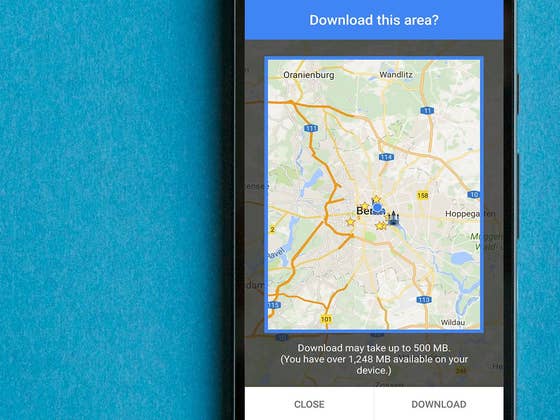
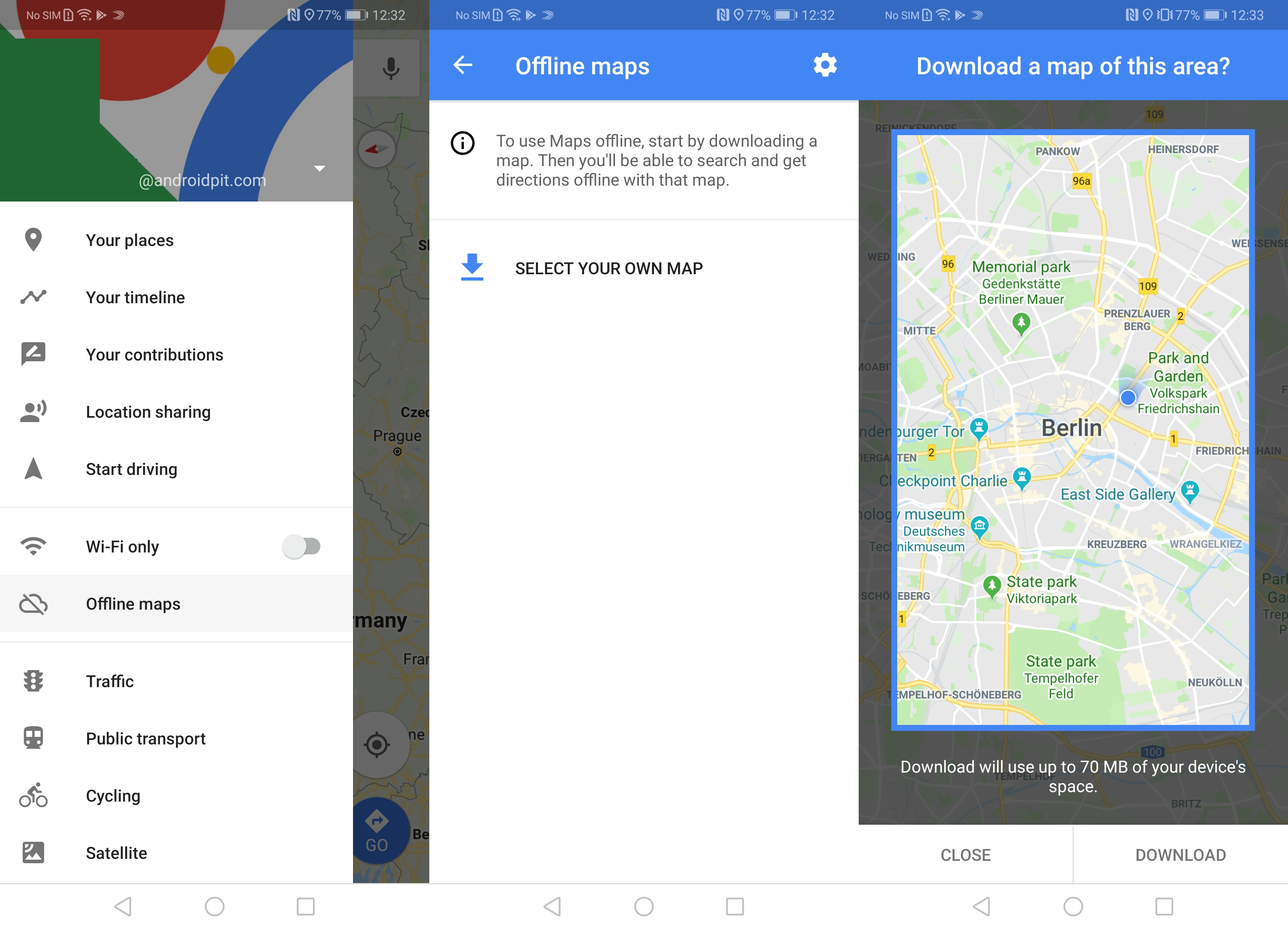
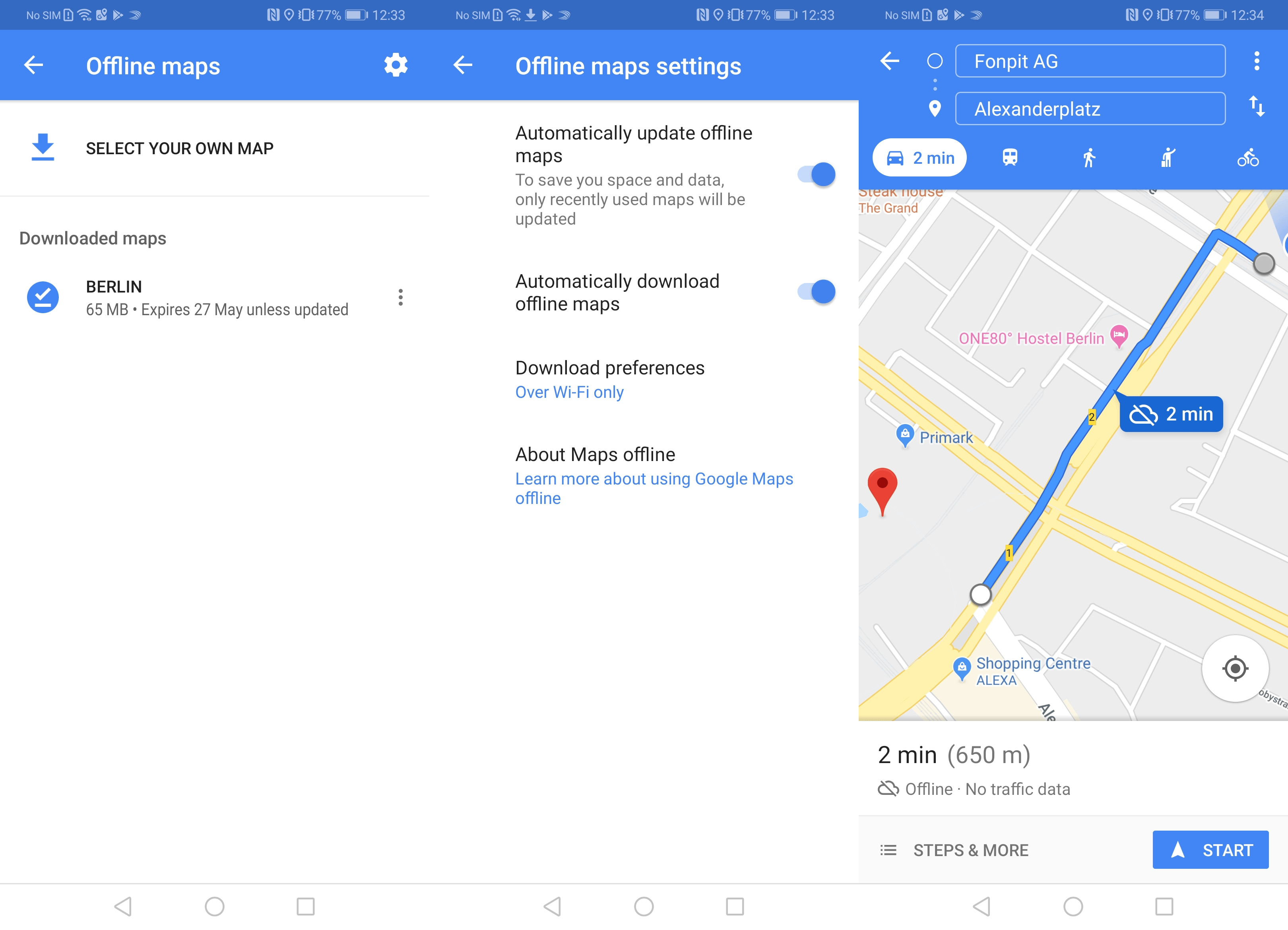
Of course, no offline maps list would be complete without mentioning the fact that Google Maps allows you to download maps for offline usage too. Since its most recent update, the Google Maps offline functionality is better than ever, maintaining its great navigation system even without the internet.
What’s more, Google Maps will automatically switch to your offline map version when it detects an unstable internet connection to help provide the smoothest user experience possible.
The best thing about Google Maps offline is that most people are already very familiar with it and have it on their phones already. All you have to do is go to the Google Maps settings, hit Offline areas and start adding them. These will remain available for the next 30 days, after which they are automatically deleted.
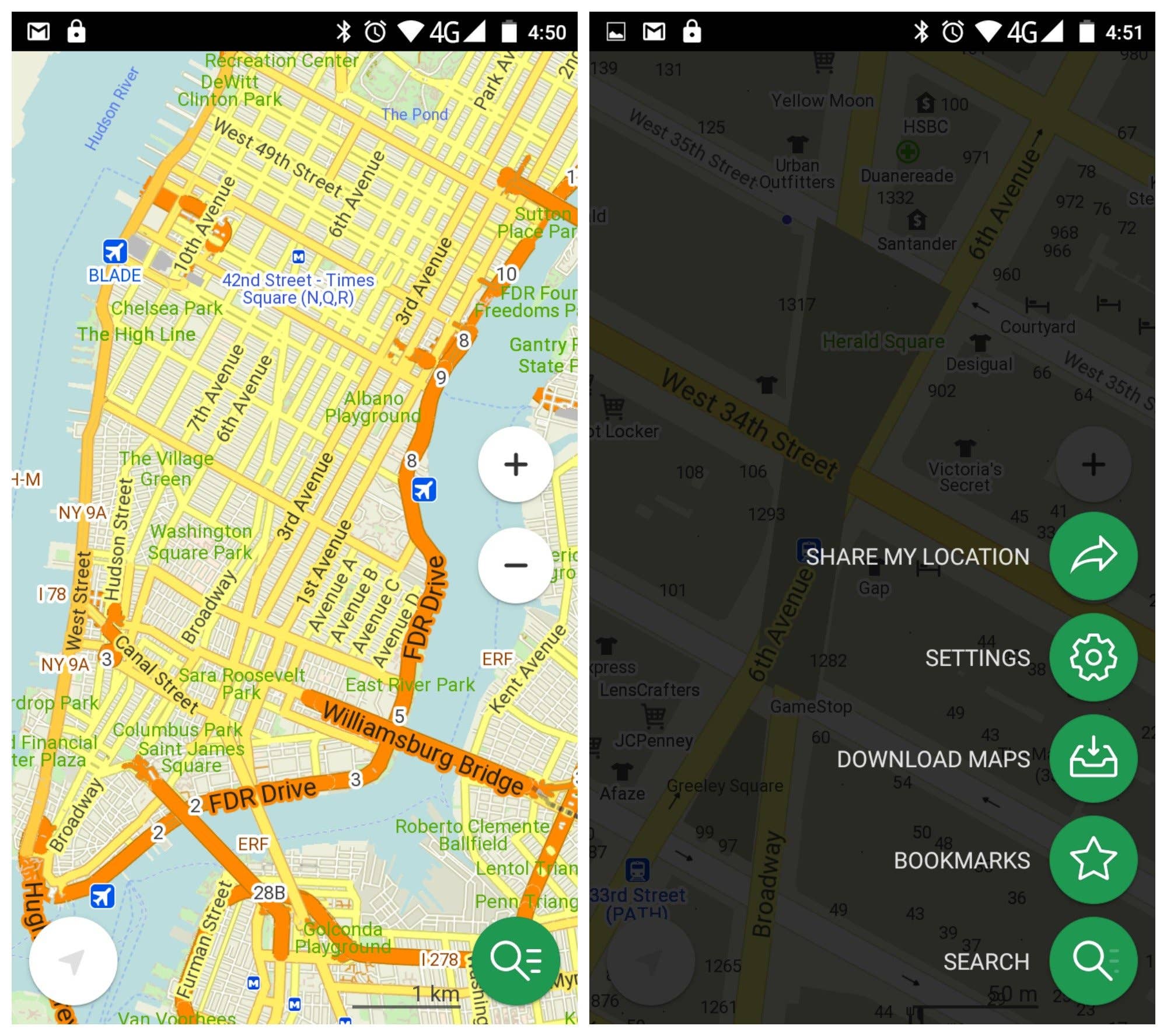
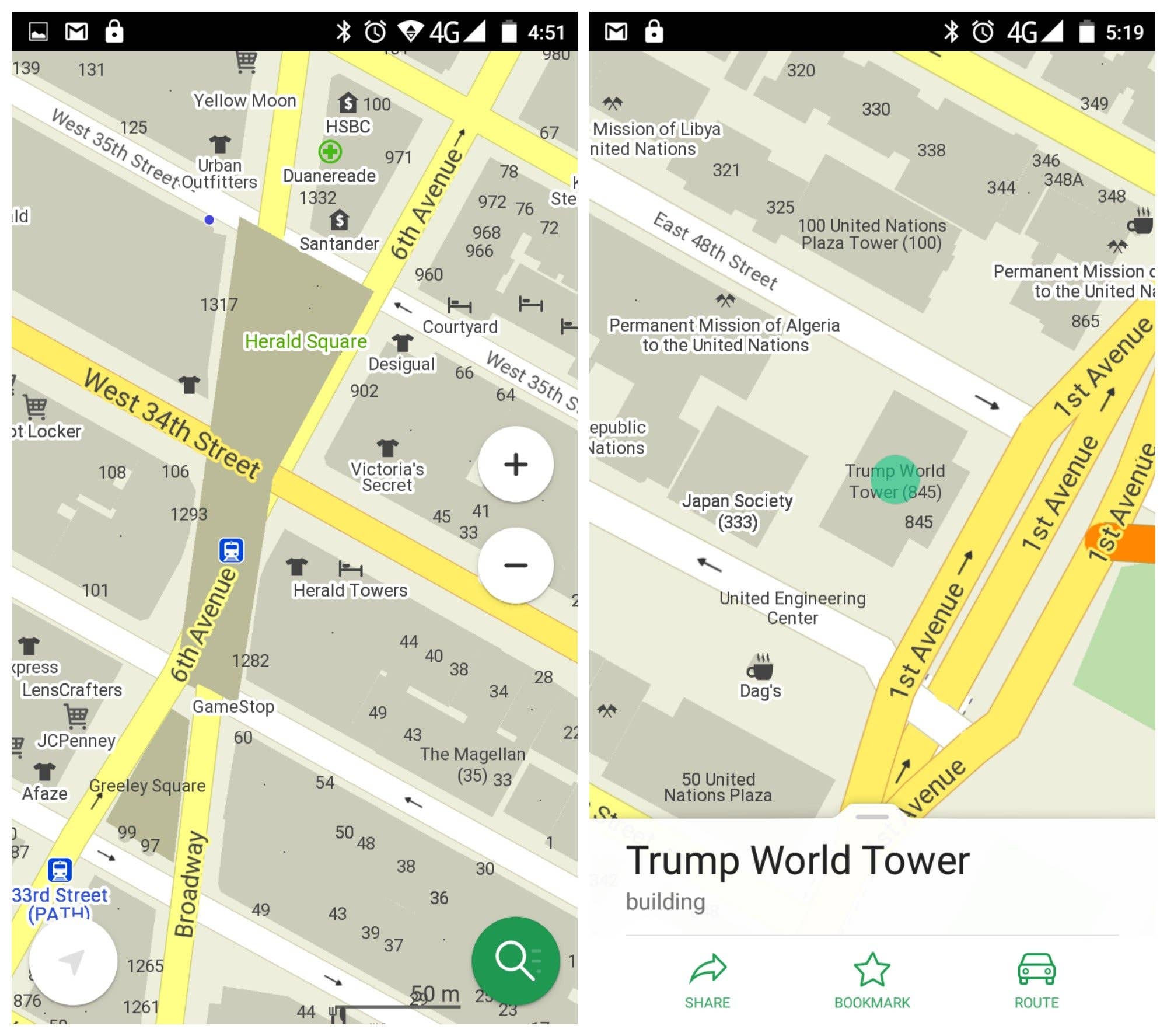
I’ve been a fan of Maps.Me even since it was called Maps With Me and it’s only gotten better with age. Maps.Me is a worthy contender for the title of best offline map app on Android. You don’t even have a limited number of country downloads – you can download the entire world if you want to.
Offering free offline global maps based on OpenStreetMap data, Maps.Me has all the essentials covered: clear, easy to read maps (including street numbers) with just the right level of detail, searchable points of interest and addresses, offline navigation, location sharing, and no roaming charges or need for online data transfer. This app is a one-stop offline map solution. It’s also the easiest to use and nicest looking.
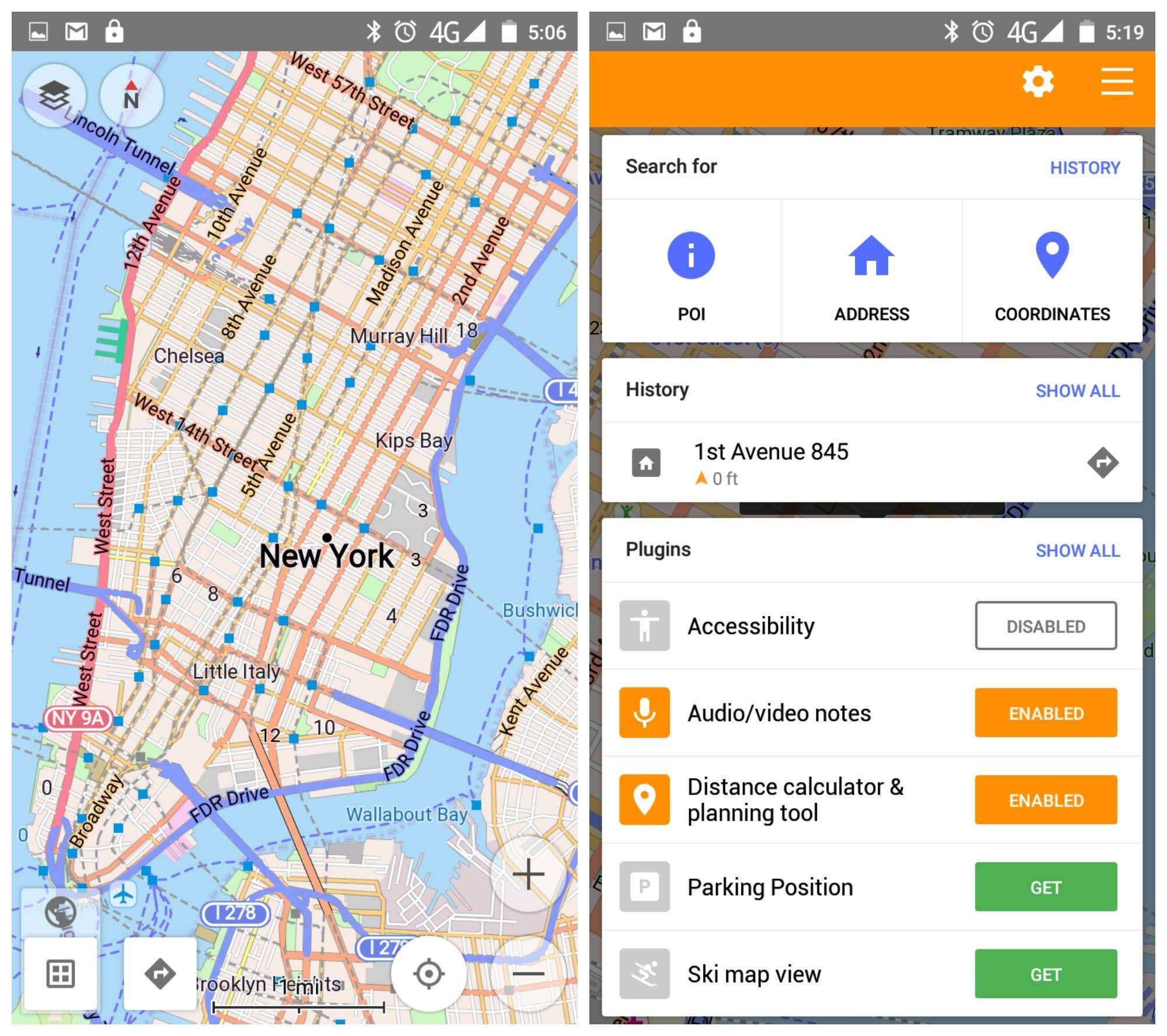
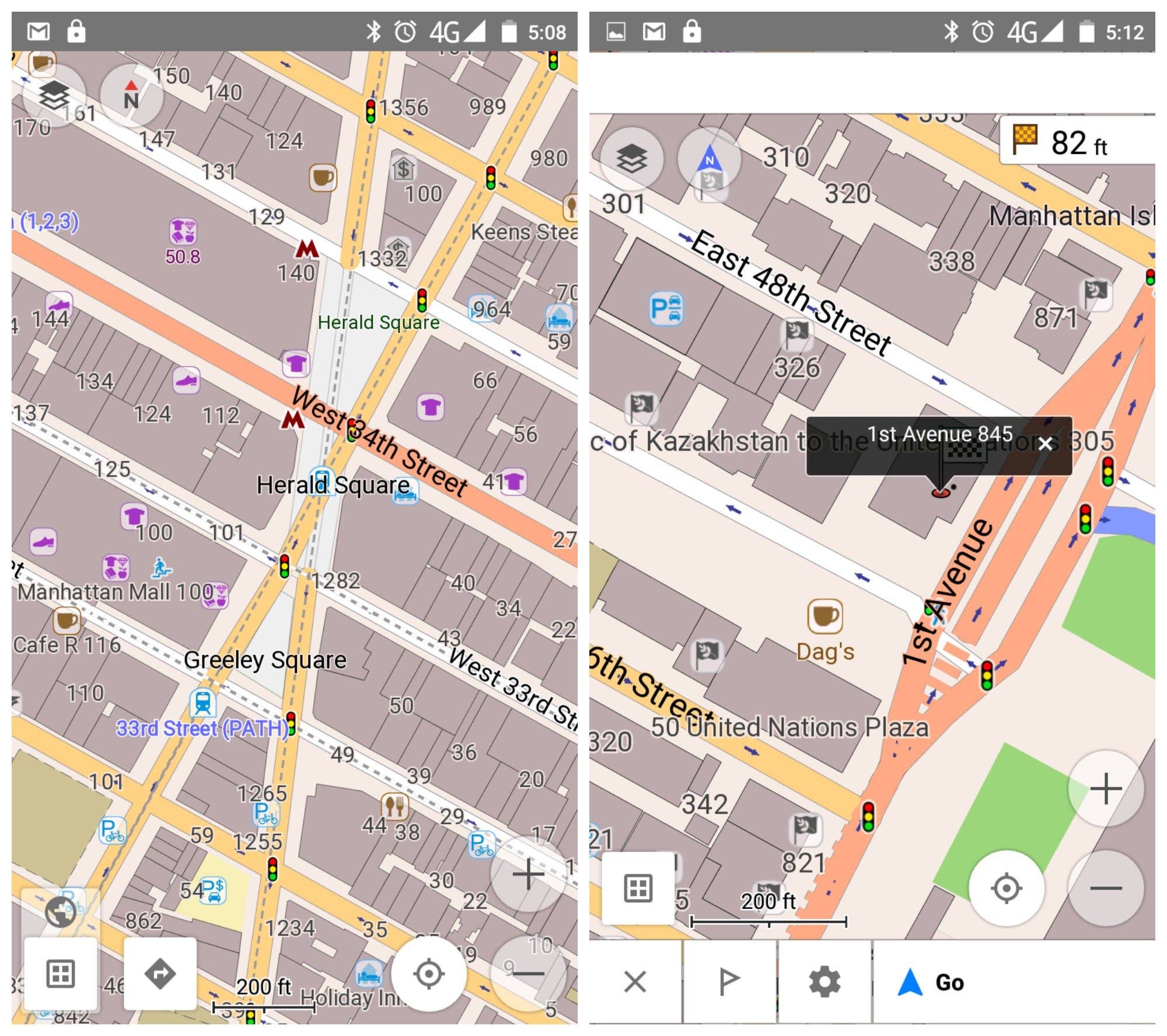
I came across OSMand a long time ago and was floored by its offline navigation possibilities. While many offline maps allow routing these days, OSMand has been doing it well for a long time. Based on the same OpenStreetMap data as Maps.Me, OSMand provides the same level of accuracy in a very different package. If anything, it provides a little too much map data.
OSMand offers rich offline navigation, including turn-by-turn voice guidance, re-routing and search. OSMand comes in both a free and paid version. The free version limits you to 10 map downloads (one of which must be the world base map) and some map add-ons, such as like contour lines, need to be paid for. Others, such as trip recording, audio/video notes and distance calculator, simply need to be enabled.
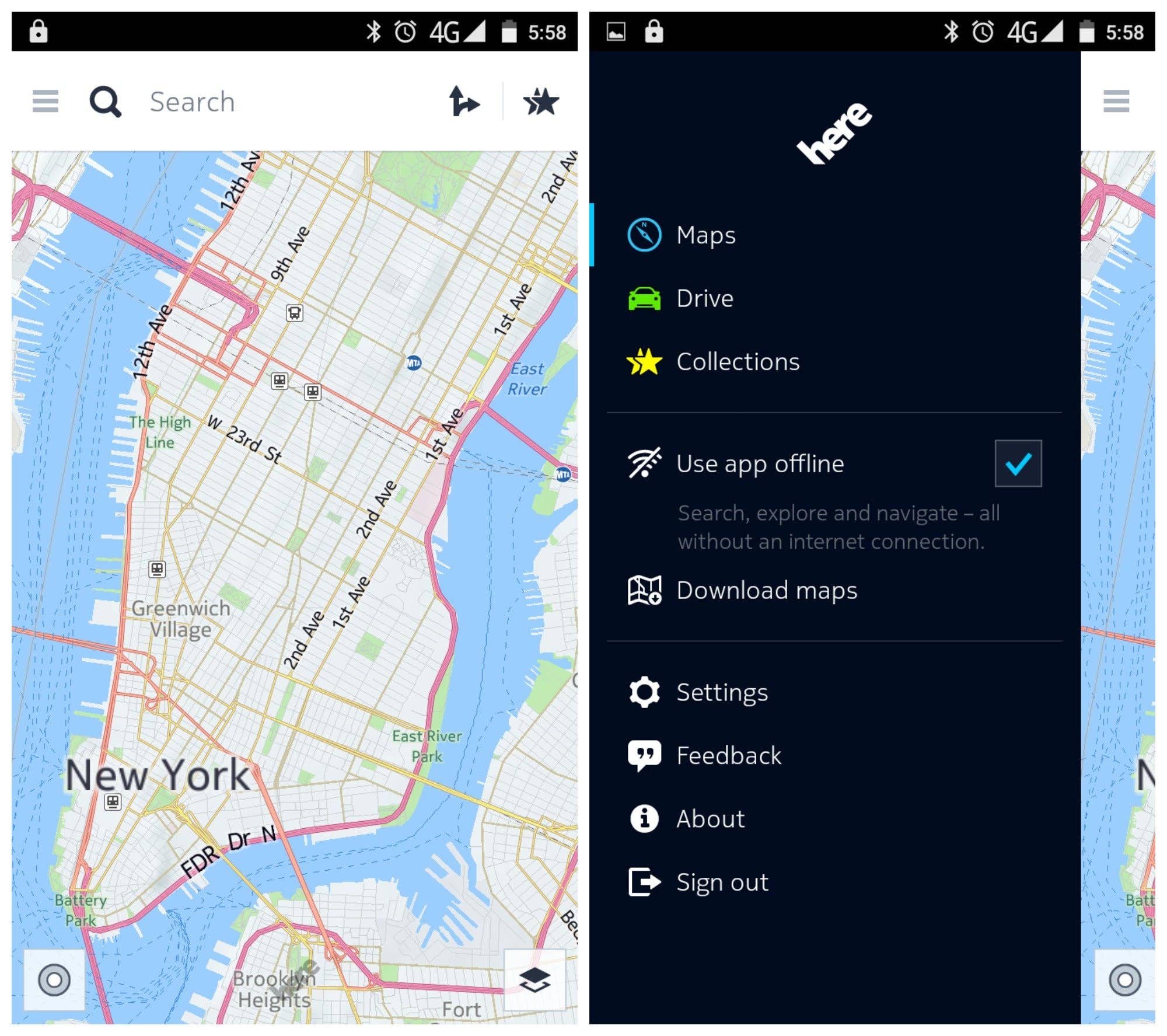
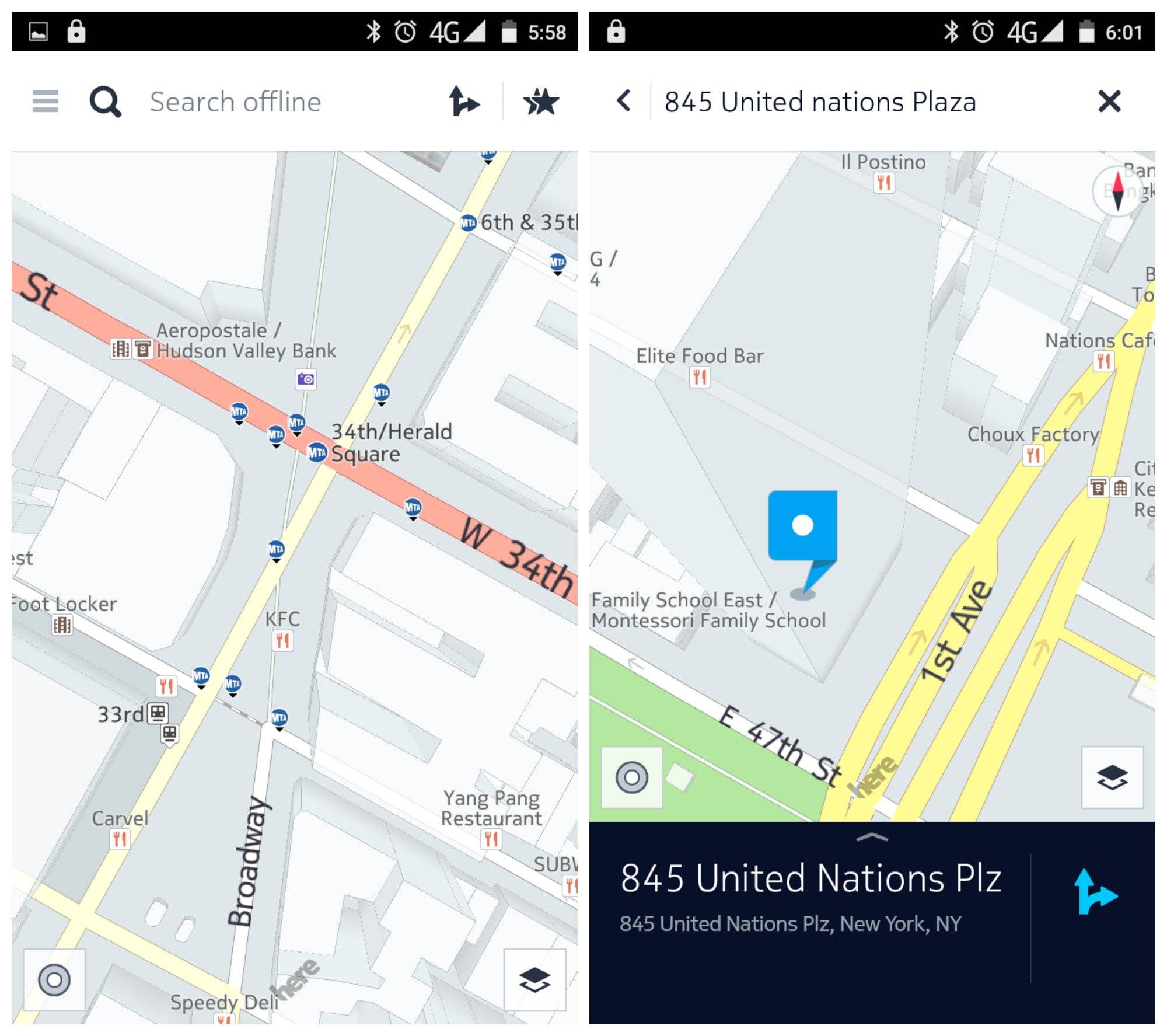
Nokia’s HERE Maps is a great addition to the Android offline map apps family. It’s a very different experience to most Android maps and you’ll need to register if you want to download maps for offline use. Once you’ve done that, you’ll be able to download unlimited free offline maps.
HERE offers turn-by-turn navigation, search, satellite and traffic imagery, and an altogether different feel to an offline map. You can even set HERE to stay offline, so that it doesn’t suddenly start consuming data again. If you’re looking for a fresh take on offline maps, especially one that looks different from the others, give HERE a try.
Locus Map Free, as clumsily named ass it is, is a cracking free maps app for those who love the great outdoors. You can use Locus to plan, edit, record and save trips, as well as share them with your friends and family. It features geocaching, meaning you can download maps for offline use. There’s also an audio coach for sports tracking, live tracking like you can do in WhatsApp to show somewhere where you are, and smart GPS technology that saves you battery life.
Bonus tip: Did you know you can quite often find offline maps for a specific city in the Play Store too? You can also download zoom-able PDFs for transit, city streets or points of interest for most major travel destinations in the world. They’re a great alternative to occasionally rather large offline maps if storage space is at a premium.
Which offline map app do you use? Any we missed? Tell us in the comments.
Location Based Services are growing by leaps and bounds with the success of mobile applications like Foursquare, Yelp, and Gowalla. I prefer to use these apps for online navigation and searching locations as it is the best in the world. For more information about best navigation apps must go with Affle AppStudioz.
Log in to Reply
Hi Kris. Is Maps.Me best solution for me to navigate totally offline during my trip to Europe. P.S. I will not have access to internet at all. Thanks!
Log in to Reply
Magic Earth It’s not just free, it also features high quality routes, lane information, speed limits and road signs and crystal clear instructions. Walking with Magic Earth guides you to your destination in the blink of an eye. The plain 2D map, crystal clear route and accurate position will make finding your hotel or restaurant so much easier.
Log in to Reply
Hi Karim, I really like MAPS.ME, but not so much for offline navigation. For that purpose I use Sygic. It’s not free, but they’re currently having a sale, so it’s worth considering; see their website at sygic[dot]com
Log in to Reply
Kris, heres one you should consider. Fulcrum is a great app for plotting your own maps: the app can use different basemaps, you can build custom data collection forms in order to create your own maps, and the trial is full featured and free for 30 days – http://www.fulcrumapp.com
Log in to Reply
I prefer Google Maps for online navigation and searching locations as it’s very user friendly.
Log in to Reply
Want to get these kinds of Map or other apps based on Android or iOS or both. Visit here Root Info Solutions, It’s a uk based an Android and iOS(swift) and web application development company.
Log in to Reply
OSMand does not provide "too much data". For one, there is no such thing, two, the closest i could get to the addresses i wanted was cross streets. It would not allow me to search for specific addresses, yes i was online at the time, with all necessary maps downloaded.
Log in to Reply
In the UK, there is a new Android mapping system which links with Quo from Mapyx on a PC, called MX Map Mobile. The software is free, but it uses Ordnance Survey maps that can be purchased as individual sheets. MX Map Mobile needs to be linked with Quo on a PC, using a USB cable. There were a few teething problems, but I did manage to get it working. Mapyx have improved their instruction sheet, although it is still necessary to read it carefully and follow the instructions exactly. Mapyx have been resisting releasing Quo for Android for several years, wanting people to buy their own navigational devices, mainly for walking. Now that they have released it, I think it will become very popular in the UK, as the maps are excellent.
Log in to Reply
Where is Locus ?
Log in to Reply
Locus Maps should be on this list. It has the ability to overlay one map (semi-transparently) over another, and is possibly the only free mapping app in Android that supports interactive MBTiles files.
Log in to Reply
I use Sygic Navigation App – World + Traffic Lifetime Premium User. Sygic uses TomTom maps. It is not free but it is very nice.
Log in to Reply
Google maps app is the best. I have never used other apps mentioned here. So, I would like to try out them. Thanks for giving info about other apps.
Log in to Reply
You never used other apps than Google Maps. And then you are saying that it is the best? Where is the logic? ? How do you know? ?
Log in to Reply
very useful
Log in to Reply
Navigator is the best – fact – not even listed – google should not be in the top ten
Log in to Reply
Thank you. It was ery interesting. My favorite offline map is maps me i use this long time then.







Sygic and Drivemode are also worth a look.
Thanks for stopping by.
Location Based Services are growing by leaps and bounds with the success of mobile applications like Foursquare, Yelp, and Gowalla. I prefer to use these apps for online navigation and searching locations as it is the best in the world. For more information about best navigation apps must go with Affle AppStudioz.
Hi Kris. Is Maps.Me best solution for me to navigate totally offline during my trip to Europe.
P.S. I will not have access to internet at all. Thanks!
Magic Earth
It’s not just free,
it also features high quality routes, lane information, speed limits and road signs and crystal clear instructions.
Walking with Magic Earth guides you to your destination in the blink of an eye. The plain 2D map, crystal clear route and accurate position will make finding your hotel or restaurant so much easier.
Hi Karim,
I really like MAPS.ME, but not so much for offline navigation. For that purpose I use Sygic.
It’s not free, but they’re currently having a sale, so it’s worth considering; see their website at sygic[dot]com
Kris, heres one you should consider. Fulcrum is a great app for plotting your own maps: the app can use different basemaps, you can build custom data collection forms in order to create your own maps, and the trial is full featured and free for 30 days – http://www.fulcrumapp.com
I prefer Google Maps for online navigation and searching locations as it’s very user friendly.
Want to get these kinds of Map or other apps based on Android or iOS or both. Visit here
Root Info Solutions, It’s a uk based an Android and iOS(swift) and web application development company.
OSMand does not provide "too much data". For one, there is no such thing, two, the closest i could get to the addresses i wanted was cross streets. It would not allow me to search for specific addresses, yes i was online at the time, with all necessary maps downloaded.
In the UK, there is a new Android mapping system which links with Quo from Mapyx on a PC, called MX Map Mobile. The software is free, but it uses Ordnance Survey maps that can be purchased as individual sheets. MX Map Mobile needs to be linked with Quo on a PC, using a USB cable. There were a few teething problems, but I did manage to get it working. Mapyx have improved their instruction sheet, although it is still necessary to read it carefully and follow the instructions exactly. Mapyx have been resisting releasing Quo for Android for several years, wanting people to buy their own navigational devices, mainly for walking. Now that they have released it, I think it will become very popular in the UK, as the maps are excellent.
Where is Locus ?
Locus Maps should be on this list. It has the ability to overlay one map (semi-transparently) over another, and is possibly the only free mapping app in Android that supports interactive MBTiles files.
I use Sygic Navigation App – World + Traffic Lifetime Premium User. Sygic uses TomTom maps. It is not free but it is very nice.
Google maps app is the best. I have never used other apps mentioned here. So, I would like to try out them. Thanks for giving info about other apps.
You never used other apps than Google Maps. And then you are saying that it is the best? Where is the logic? ? How do you know? ?
very useful
Navigator is the best – fact – not even listed – google should not be in the top ten
Thank you. It was ery interesting. My favorite offline map is maps me i use this long time then.
The best invention of Google..!!! wonders it