How to install Flash Player on Firefox with Android 4.4 KitKat

It’s not likely for Adobe Flash Player for Android to receive any further development and as the program now stands, it’s not compatible with the newest version of Android, 4.4 KitKat. Nevertheless, there are still certain web pages with Flash content that users want to be able to see on their mobile devices. Firefox is now bringing Flash Player back! Version 27 of the program can now be installed again as a plug-in. Today we’ll guide you through the few steps to get this done.

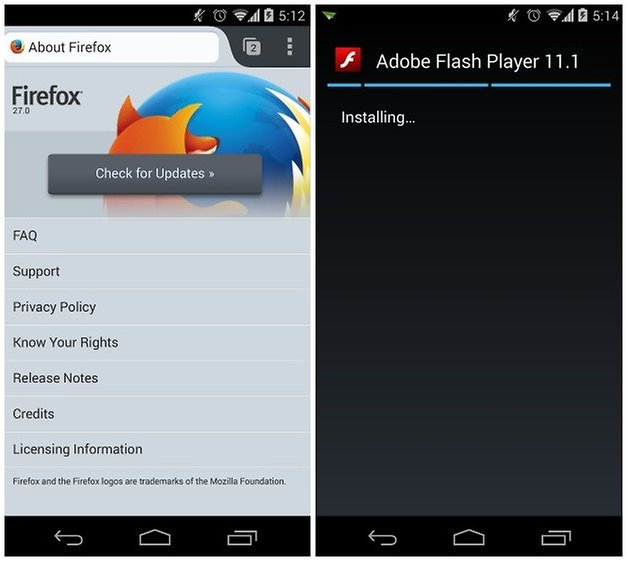
First install the current version of the Firefox browser for Android from the Google Play Store (install button below).
Next, install Flash Player. Adobe offers an archive of older Android versions. I’ve applied a hacked version of Flash Player found on the XDA Developer website, but this process should work with both versions.
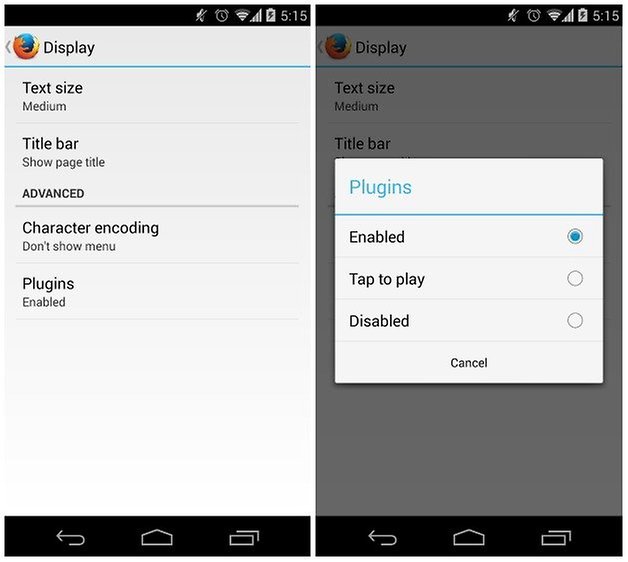
To correctly display the flash contents, enable the plugins under display section in the Firefox settings. Some websites might recognize that a mobile device is trying to gain access from the user agent and block the flash content.
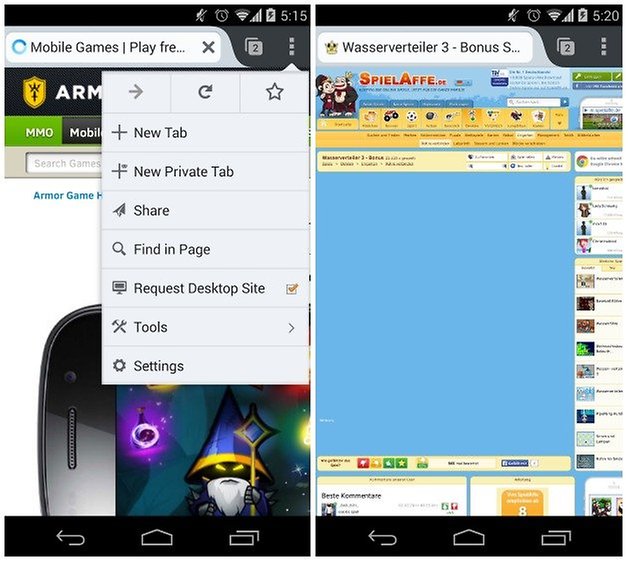
However the desktop version of the page will allow you to sidestep this problem. In the menu, you can change how this is displayed. Thanks to the Phony plugin for Firefox, the user agent can be manually changed.
We also have a tutorial on how to use Flash Player with Dolphin Browser while running Android 4.4. KitKat on your mobile device.
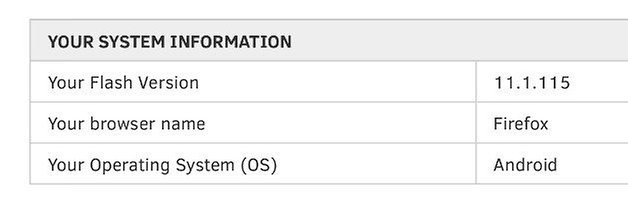










It did not work with Firefox and the recommended flash 11.1.115.81 on my Note 3 with 4.4.2 NC4. It did work with Dolphin, which I don't use due to privacy concerns. Firefox is as good as any other browser, has more plugins, and is the only mobile browser for Android that works properly with the HTML5 standard video tag. The others do not allow you to position yourself in a video using the progress bar slider. The only thing it is missing is its ability to play Flash. At best it doesn't display the flash web site, and often freezes the phone. If I select Firefox as the browser to use when attempting to open the Flash app, it just comes back with a gray screen. It doesn't matter whether or not Firefox is set to prompt or enabled. With Dolphin it works fine.
Edit: You missed the most important step in your article. You forgot to mention that it will not work unless you come here first and post a comment on how it doesn't work, and make a fool of yourself, before it will begin working.
XDA Developers link to hacked Flash Player has been disabled: looks like by Google.
Running Kitkat and Firefox 31, not working at all.
Works with Dolphin for me, but not Firefox. :(
This is not working for me. Using Firefox 28 on my Xperia Z2 Tablet (Kitkat).
With Dolphin everything is fine, flash is working well on Firefox for every flash element there is just a black box, without any message.
Is this because of Firefox 28 or the Xperia Z2 Tablet? Some help please.
It doesn't work for Firefox. Only Dolphin. This post is fake.
Lol at the fake post jibe. I have an Xperia Z Ultra with 4.4.2 and Flash is working perfectly with Firefox.
How did u do?
I downloaded Flash Player from the Adobe website during Jelly Bean and it's still working after my device was updated to KitKat.
Can u play local swf with this somehow
someone pls put a link for latest flash player version
Hi guys, nice to have this info on here. I tried it on my ASUS MEMO FHD several times (based on a previous article) and it just doesn't want to work. I even uninstalled the Flashplayer again and reinstalled. Got the newest Firefox & Dolphin with everything enabled. Any thoughts? What strikes me as odd is that the Flashplayer is only signed for Android 4.0 and when I did a search I found multiple references that it wouldn't work with any higher version of Android i.e. 4.1, 4.2, 4.3 or 4.4?
Hey @Chris, apparently Intel processors don't support Flash Player - I'm not sure on the specifics but have heard it enough times (and seen enough ''why won't it work for me?'' comments from Asus device owners to believe it).