Best Android browsers: surf the web, your own way
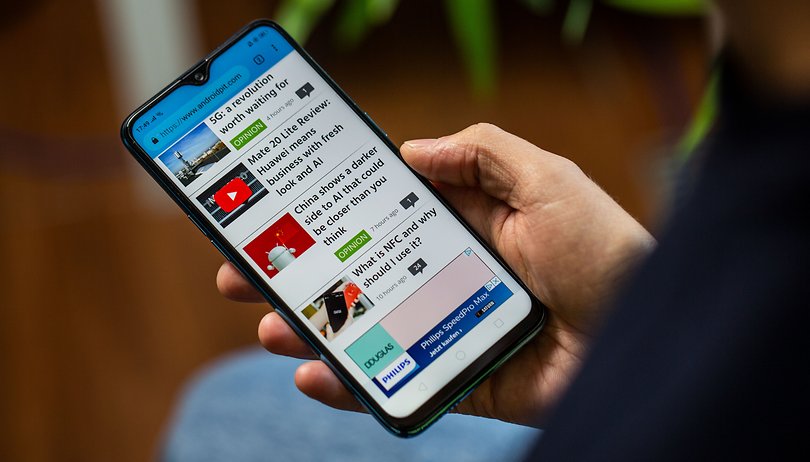

You probably spend a lot of time on the Internet. So isn't it worth making sure that you're using the right browser for you needs? Everyone has different criteria when trying to find the best Android browser. Some want the fastest, while others are looking for a browser that will consume as little data as possible. Here are the best Android browsers you can get, whatever features or experience you're looking for.
Opera: best for data savings
"Do more online with Opera for Android," is Opera's slogan, and with more than 100 million installs from the Play Store, it appears that many believe in it. Opera has been around on desktop for almost 20 years and the Android version offers many of the same great features, plus some helpful extras.
Opera browser syncs across multiple devices so you can take the same browsing experience from your smartphone to your PC. It also includes typical functions such as bookmarks and private browsing.
But it's Opera’s data-saving features, called Opera Mini mode, that really set it apart from other Android browsers. Opera can compress videos when viewing on mobile, so they use up less of your data (but still provide a great viewing experience), in addition to saving a few bytes when viewing regular pages.
It's not the fastest browser but once a page opens you almost always get the whole of the page at once; there's no waiting around for extra images to load.
Opera touch: best for one-handed use
Another good alternative from Opera is Opera Touch, the browser designed especially for smartphone use. Even though most of us surf the web from our smartphones nowadays, most web browsers are not really designed for one-handed operation. Enter Opera Touch, the web browser optimized for surfing on the go.
It might be hard to break up with Chrome and Co., but the more you use Opera Touch, the more it's likely to impress with its speed and thoughtful design. If you’re browsing on your commute, and need a hand free for a bag or a coffee, you'll soon wonder how you lived without having your search, new tab, refresh etc all within easy thumbs reach.
Remember when Twitter put navigation buttons on the bottom, how much easier it got? Opera Touch basically does this for the internet. Be warned, however, that Touch doesn't have the data compression or cross platform tab synchronization of the standard Opera. Instead, it uses "Flow", which lets you send links, videos and notes to yourself via a QR code on your computer screen.
- Get it on the Play Store
Ecosia browser: most eco-friendly
Ecosia is a browser with an eco-friendly twist—searches made through Ecosia’s own search contribute to a fund that goes toward planting new trees. As much as 80 percent of Ecosia’s profits go toward planting new trees with the aim to plant a billion new trees by 2020. Let's face it, our planet could use the extra foliage.
Ecosia browser is actually based on Chromium, so it should feel quite familiar to Google Chrome users. If you're worried about being scammed, Ecosia posts all of its tree-buying receipts on its website, as well as financial reports for transparency's sake.
Microsoft Edge: not your dad's Internet Explorer
No, really. Stop. Listen. Internet Explorer is a joke, but Edge more than atones for the sins of the past. The main advantage is that if you use Microsoft Edge on any other device (like say, your Windows PC), then you can use this browser to continue where you left off on your phone, and you will find all your passwords, favorite sites, and reading list waiting for you.
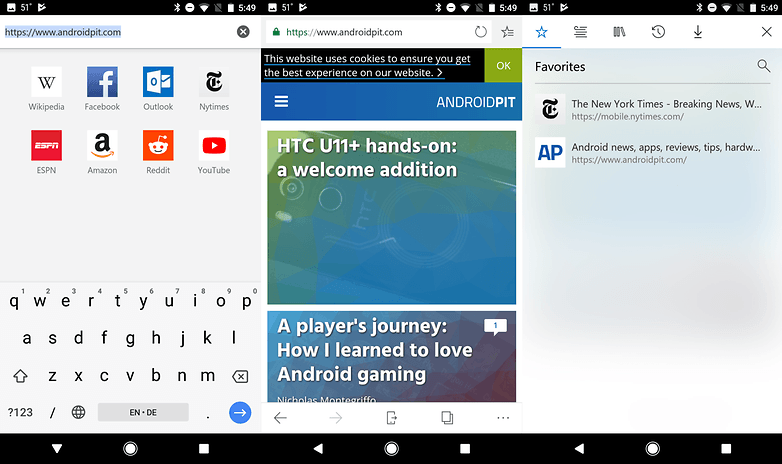
There also are a few nice extra features such as a text-reading mode to make reading easier, and a QR code reader and voice search option. Then there's the Hub View feature, great for keeping your favorite content easily accessible.
DuckDuckGo: best for privacy
After the Facebook/Cambridge Analytica scandal brought privacy back into the minds of the Internet-using public, you might be thinking about ways to stop websites gathering information about your browsing habits online. After all, it's not only Facebook tracking you.
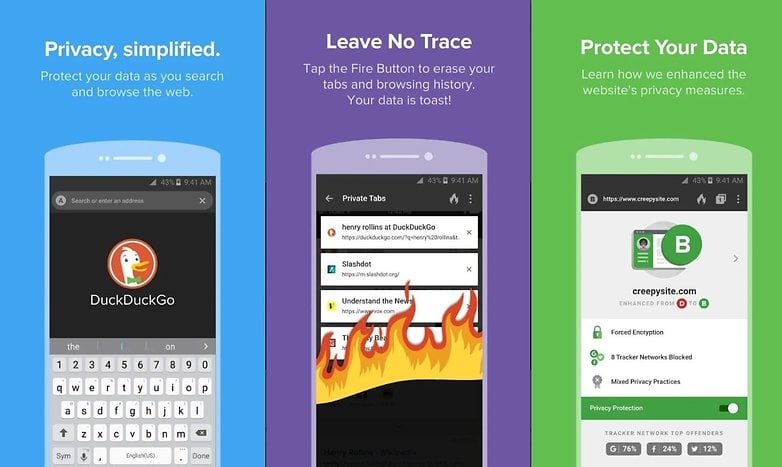
DuckDuckGo is a privacy-focused open source browser which allows you to surf them with maximum security and privacy. Not only does DuckDuckGo not track your movement, but it keeps you free from ad-trackers, forces the highest level of encryption and provides information about the privacy of sites you visit.
INSTALL (com.duckduckgo.mobile.android)
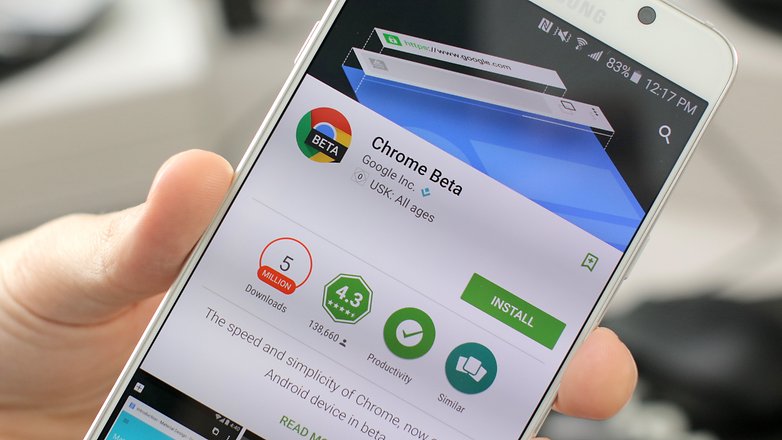
Chrome Beta: to stay ahead of the curve
I'm not just talking about boring old regular Chrome. This is the better version of Chrome. It's the Beta version...
Stay ahead of the pack by getting the latest Chrome updates before they reach your mates who are still rocking the standard Chrome version (losers). Chrome Beta gives you access to new features first, and although you're encouraged to provide feedback, it's not a requirement.
Stability problems with Chrome Beta are to be expected, but they are so infrequent that we are still recommending this browser ahead of the normal Chrome.
Firefox: best for customization
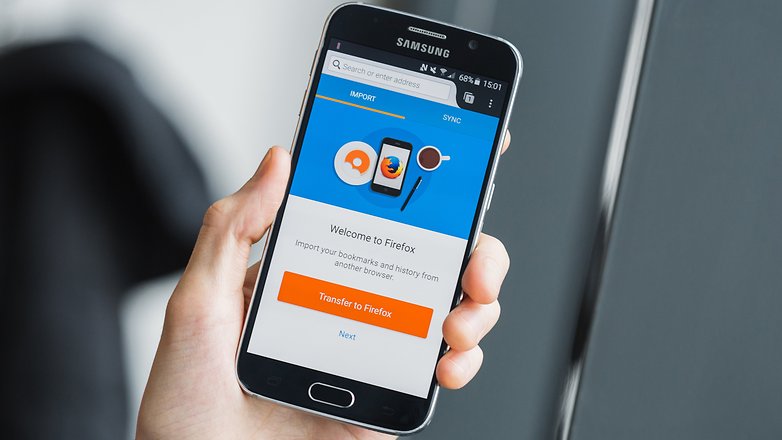
Firefox is a stalwart of the browser domain and, as such, offers a very solid experience. But more than that, its comprehensive features list makes it a close contender for the top spot. Syncing the mobile browser with the desktop version works brilliantly, and it offers tons of customization options, from reorganizing your home panels to a host of fully-integrated add-ons.
Elsewhere, Firefox comes packed with the usual array of privacy and sharing options, and the reader mode provides a clean way of displaying articles without any clutter.
Surfy Browser: the best UI
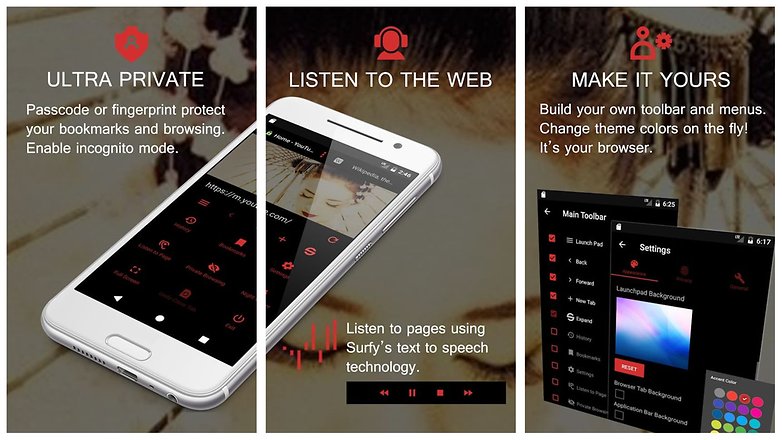
Surfy Browser is a relative newcomer to this scene and one that not a lot of people have heard of it. It features a fluid interface and a host of features that make browsing the web a breeze. if you are looking for something that ticks a lot of boxes whilst being easy on the eye, Surfy is the browser for you.
You can protect individual bookmarks with a passcode or fingerprint, build your own toolbar and menus, listen to pages with text-to-speech, and there are multiple search providers supported such as Google, Bing, DuckDuckGo, and Yahoo! There's also an incognito mode, a full-screen browsing mode and an Adblocker.
INSTALL (com.outcoder.browser)
Dolphin Browser: best user-experience
Dolphin Browser is a favorite among the Android community. It's functional, it looks great, it's feature-packed and comes with some great gesture controls too. It's also very handy when it comes to transferring preferences between devices and sharing content.
Possibly the best part of the Dolphin Browser experience is that it still supports good-old Flash Player, meaning you don't have to suffer just because older websites can't keep up with current technology.
INSTALL (mobi.mgeek.TunnyBrowser)
What's your favorite Android browser? Do you use a safe and private browser? Or do you just care about speed? Tell us what you think in the comments.








Kiwi browser is best for Android ?
Firefox is second best.
Kiwi Browser should be included
Check out Surfy Browser. It is highly underrated browser but it stands on its own. Blocks ads, customisable toolbars, tts, passcode and fingerprint protection the list goes on.
Edge and Opera Touch are faster than Chrome or Firefox but the second is faster then the first. However, they both, especially Edge, have problems with Flexbox and some more advanced JS functions or HTML tags. Here Firefox behaves quite like its desktop version.
Added 2019.06.20
I have just checked that Edge 42 does not support AngularJS libraries, at least version 1.7.2. Opera 52.3, Firefox 67.0.3 and Chrome 74.0 do that.
Monument Browser is a new internet browser for Android, it's small and minimalistic but feature full.
It has some unique features, like, Read Mode with speech synthesizer, full dark Night Mode & a built in AdBlocker, all this packed in an app with less than 2MB of size.
Hope to see your feedback so I can improve it much more...
The app is only maintained by me and I won't sell nor collect your data.
What is the best browser for android box with air remote?
Thanks for the update androidpit. I'm currently using chrome, chrome beta, Firefox, dolphin, Opera, and Opera touch depending on what I'm trying to do. Particularly if I want to move seamlessly between my phone, tablet, and laptop.
That’s a lot of browsers, and I don’t see how you keep track. If you’re interested try Firefox rocket, and toss chrome beta for chromes canary version. I got rid of canary, and chrome for kiwi browser, as it seems that when chrome versions get updated with new features, so does kiwi. FF rocket for speed, kiwi for stability, that’s enough browsers for me.
I ain't got time for that! Chrome. Done.
Recently made a switch from Mozilla Firefox Quantum to Microsoft Edge browser on both Windows and Android OS. Enjoying the new experience and things seem to be better than I expected. I think I am not going back. Though I wish there was inbuilt tracking protection in Microsoft Edge on Android. Edge is a great browser, fast and secure (on both the platforms) and has a decent set of features. That is indeed a fact.
Surfy Browser has some unique features. www.surfybrowser.com
I'm one of the creators. We’re a mum and dad operation, not a big company that’s going to sell your data.
Besides it's fluid interface, it's packed with features such as immersive full-screen browsing, passcode and fingerprint protection, ad blocking, incognito, menu and toolbar customization, instant theme colors. It has text-to-speech, so you can listen to pages while browsing or using other apps.
The passcode and fingerprint lock can be used to protect launching the app or even for individual bookmarks. You can save a session to a lockable tile and have private browsing automatically switched on.
You can set up the browser exactly how you like it, by building your own toolbar and main menus.
It has real swipable tabs that automatically collapse to get the browser out of the way when your browsing. It also has a full screen immersive mode, where Android's status bar and navigation bar are hidden.
It’s more customizable than other browsers; with 21 thousand color variations, you can set the color of the tabs, application bar, and accent; and even set the background to your favourite photo.
Our users love Surfy. We also have 25 volunteer translators that have translated Surfy into as many languages.
I invite you to take a look. I think you'll be surprised.
Chrome Beta is my favorite one in the list. It offers many new features which are useful for different functions. I like these features in the new version of this app:
- Faster checkout during online shopping through Google Wallet data
- Fantastic refresh gesture
- Various bug fixes
I use the Samsung browser, best browser out there right now bar none, and I have tried them all, it also has add blocker feature, which helps with the speed of web pages loading. You can get it in the play Store, if you don't see it with the phone you are using, just download the latest apk. I have disabled the Chrome browser in my app settings.
I'm happy with Chrome, mainly because it conveniently syncs desktop bookmarks and would add Firefox for the same reason if I liked small screen browsing better than I do, but don't. I also install Ghostery which seems the best anonymous browser (not for wickedness, but because it doesn't store browser fat after opening one-off URLs) and a little app called "Better Open With" that brings up a quick choice of apps before launching.
Dolphin and Chrome
Opera is the best on PC and the best on phone.
Try Wire.
I've been trying alternatives to chrome on my Galaxy note tablet, over the past couple of days. So far just firefox and dolphin, but it's left me wondering why they deserve a place anywhere near the top eight. Firefox has a subtle but unpleasant 'permanently zoomed-in' look (and actually loads pages zoomed in, with a slice off the right side); it's slow; it mucks up page loading so that all tappable/clickable elements... aren't, or that parts of the page offscreen don't load at all; keys on my touchwiz keyboard go dead; and so on. Dolphin isn't much better. It crashed twice in two attempts to comment on a blogspot page, along with the rest. Google wouldn't let me sign in after umpteen attempts because it said 'there's something strange about the way you're trying to sign in'. (what is this I don't even) It randomly jumps to different parts of the page while scrolling. It's almost incapable of dealing with flickr. Heck, even using it to browse Androidpit right now, it's causing huge blank gaps to appear between comments.
I'm astounded to find out just how clunky these highly-regarded, highly-recommended browsers actually are. The native browser on my tablet might be almost completely devoid of features, some of which I'd actually like, but it can effortlessly carry out some of the ridiculously basic tasks that firefox and dolphin struggle with, in my experience. I'll take that over any amount of customisability, gestures or flash, thanks.
It's almost enough to make me run back to microsoft. But in the event that I don't have £300 to spend on a working browser, I guess I need to keep looking. Next up, UC browser. Let's see what kind of fit *that* throws when I make such unreasonable demands like 'look at a web page'.
Can i get Google play
I've tried most on the list. Ultimately I've settled on Yandex. The browser is smart, intuitive and has one of the most pleasant UI I've ever experienced. They just had an update and their developers seem to be highly engaged. Additionally, the various feeds that you have the option to choose from actually returns relevant information based on your browsing. I'm very excited about this browser and I was a heavy Chrome user. One more thing; If you decide to try it, take the time to get familiar with it's capabilities. Just go to settings>help to gain insight on all the features.