
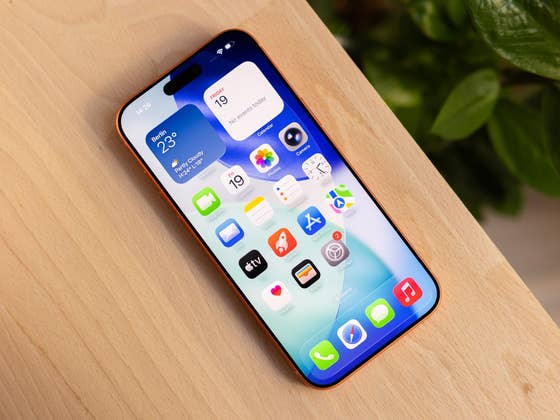
Contents
Rumors surrounding Apple’s AI plans are gaining momentum. This includes the company’s future hardware. However, all reports share a common aspect: the iPhone manufacturer aims to utilize cameras to better understand your surroundings, among other things. For example, there is talk of a pendant and AirPods with an integrated camera. There are also alleged smart glasses that not only take photos and videos, but also analyze your surroundings. All these should provide better answers to the questions you may have.
Thanks to sensors that can measure distance, among other things, a navigation app can provide more precise information. A better understanding of your surroundings could ensure you receive instructions such as “please turn left at the pink advertising pillar in 20 meters”.
What is Apple’s Visual Intelligence?
All these are still a long way off. However, you can already try out the first harbingers of this technology on your iPhone. Visual Intelligence has been part of the smartphone since iOS 18. The function is now also available in countries apart from the US.
The prerequisite? An iPhone compatible with Apple Intelligence, and for these AI functions to be activated via the settings. This means having an iPhone 15 Pro or newer. For existing smartphone models, Visual Intelligence is activated by a long press on the camera control. On devices without this side button, you can launch it via the control center or action button.
After activating Visual Intelligence, you will see a colorful animation reminiscent of Siri, followed by a camera view with three controls: “Questions”, a trigger for the camera, and a “Search” icon. You can use “Ask” to send any questions about the picture you have taken to ChatGPT. “Search” sends the photo to Google to get more information. After taking a picture, you will see many automatic features based on the snapshot.
Another way to activate Visual Intelligence is to capture a screenshot. This is helpful when you want to take a picture from the Photos app or things you see in an app. You can take a screenshot by pressing the “Volume up” and the side button simultaneously. Depending on the content, you will also be shown some of the following options.
Details About an Event
One example is taking a photo of a poster you saw while outside. If the poster includes a date and location, Visual Intelligence lets you create a calendar entry.
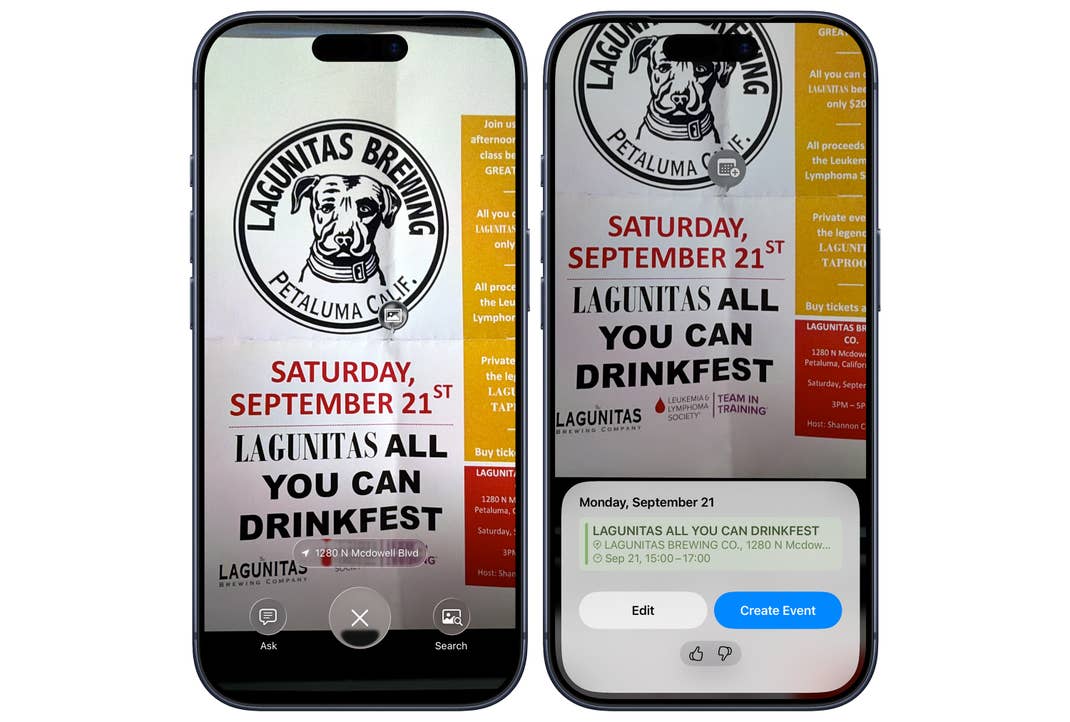
If telephone numbers or websites are recognized, you can also contact them directly at the touch of a finger. Depending on the context in which Visual Intelligence recognizes telephone numbers, e-mail addresses, or postal addresses, the system can offer to save them in a contact. Recognized addresses can also be opened directly in the map app.
Text Functions in Visual Intelligence
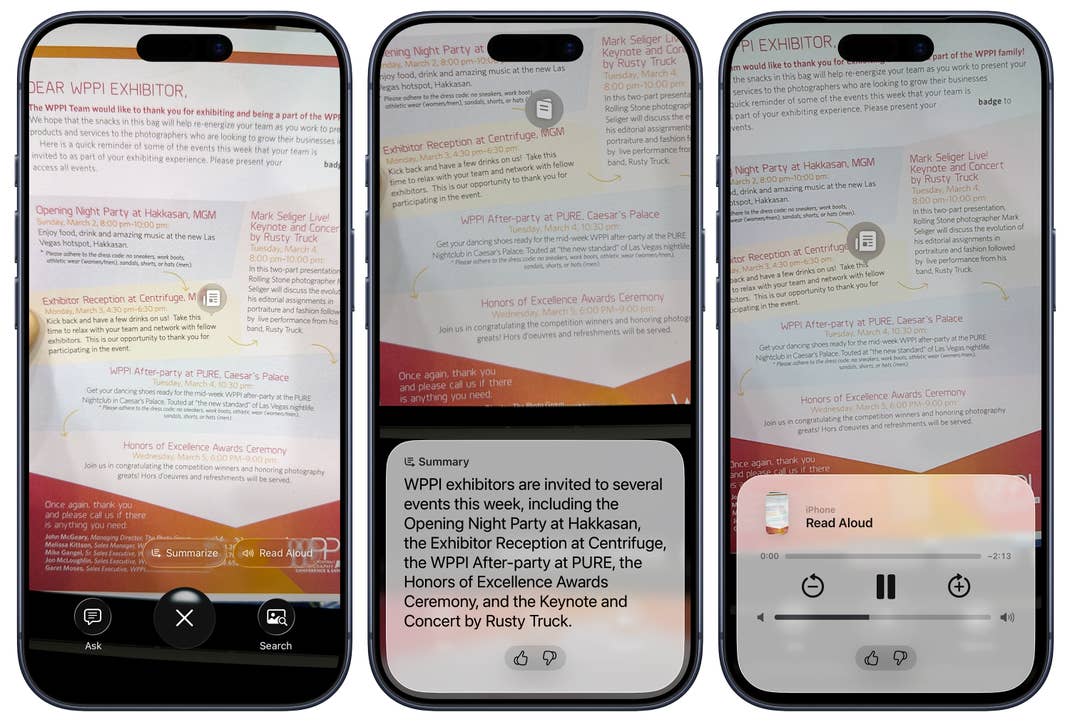
If you take photos of longer texts, Visual Intelligence offers to summarize the text with the help of AI. The option to have the smartphone read the text out loud is also helpful in this context. This transforms the smartphone into a practical assistant.
If the text is not in your language, Visual Intelligence offers to translate it for you. Translated texts will then appear directly where the original texts were displayed. This is helpful, for instance, if you don’t understand the menu in a restaurant while on vacation in a foreign country.
If QR codes are visible in the photo, they are also recognized by Visual Intelligence. For QR codes, however, the normal camera app is sufficient.
ChatGPT and Google Search
Part of iOS 18 and iOS 26 is the aforementioned integration of ChatGPT as an assistant for many AI applications. These can also be found in Visual Intelligence. If you have taken a photo, you can ask any question you like about it by tapping the “Ask” option. Do you have a restaurant in the viewfinder? Go ahead and ask about the menu or the opening hours.
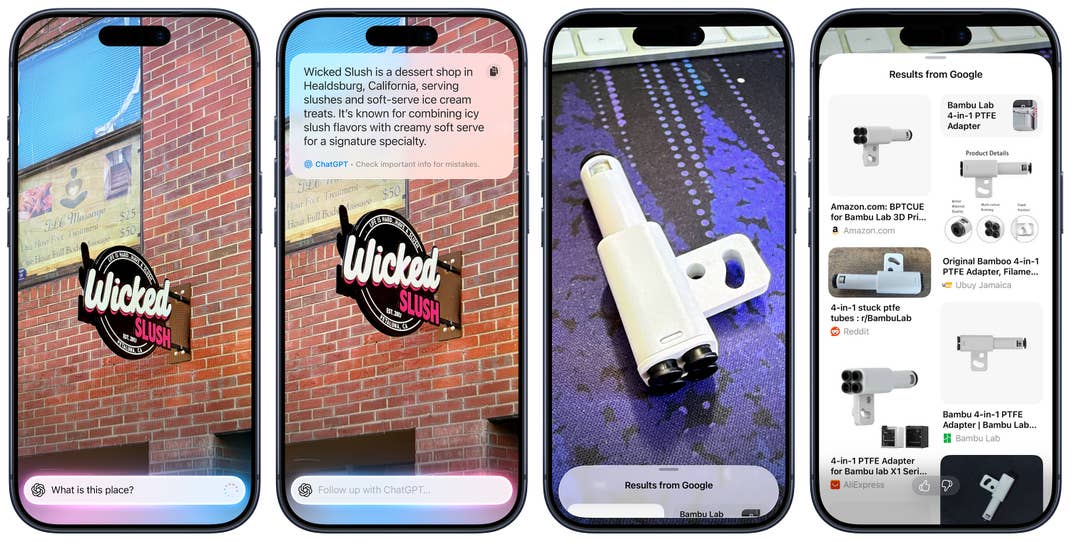
If you have linked your ChatGPT account to your iPhone in the settings, such questions, including the photo, will also be displayed in the standalone ChatGPT app.
The second option is “Search”. The image is sent to Google to search for similar images. If you select a specific section of the image with your finger, only this segment is taken into account. This is reminiscent of the Android function “Circle to Search“.