Sorry, but there's really nothing to see here right now. Our server is in maintenance mode – and our
little bot is trying to sort the error messages with its last bit of energy.
Whether it was a data leak, a power outage in the cluster, or just a grumpy bit – we don't know yet.
But what we do know is:
The data drama escalated into a server meltdown. But don't worry: We're on it.
What now?
Everything is surely running smoothly over at our colleagues from inside
digital – why not stop by!
Or you could pass the time by visiting our social media channels – for example Instagram, YouTube or TikTok. At least there are no
server problems there – promised.
Thanks for your patience. Our bot is already rebooting at full speed. 🔧
How-tosTabletChange individual app languages: Here’s how you do it in Android
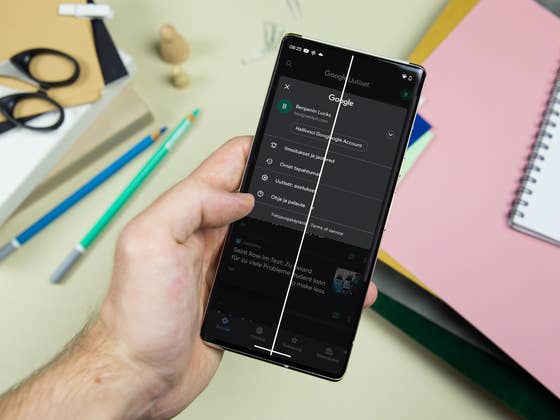
Do you speak multiple languages or share a smartphone with someone else who prefers to play Fortnite in Finnish? If so, Android 13 gives you the option to select a language for individual apps that differs from the operating system’s default settings. In our latest edition of coffee break, we tell you how to do it!
If you are using a reasonably recent smartphone, you should be able to receive the Android 13 update over the course of your next few weeks. Since Google is already updating its own Pixel smartphones with the new OS, we can already write guides for you with such exciting features. Today, it is about the possibility to set the language of individual apps.
The list of apps that support this feature still remains very short as of the end of August 2022. Only Google News can be selected on a Google Pixel 6, which admittedly, has hardly any additional apps installed. However, this is enough to show you how the language changer works for Android apps!
How to change the language of individual apps in Android 13
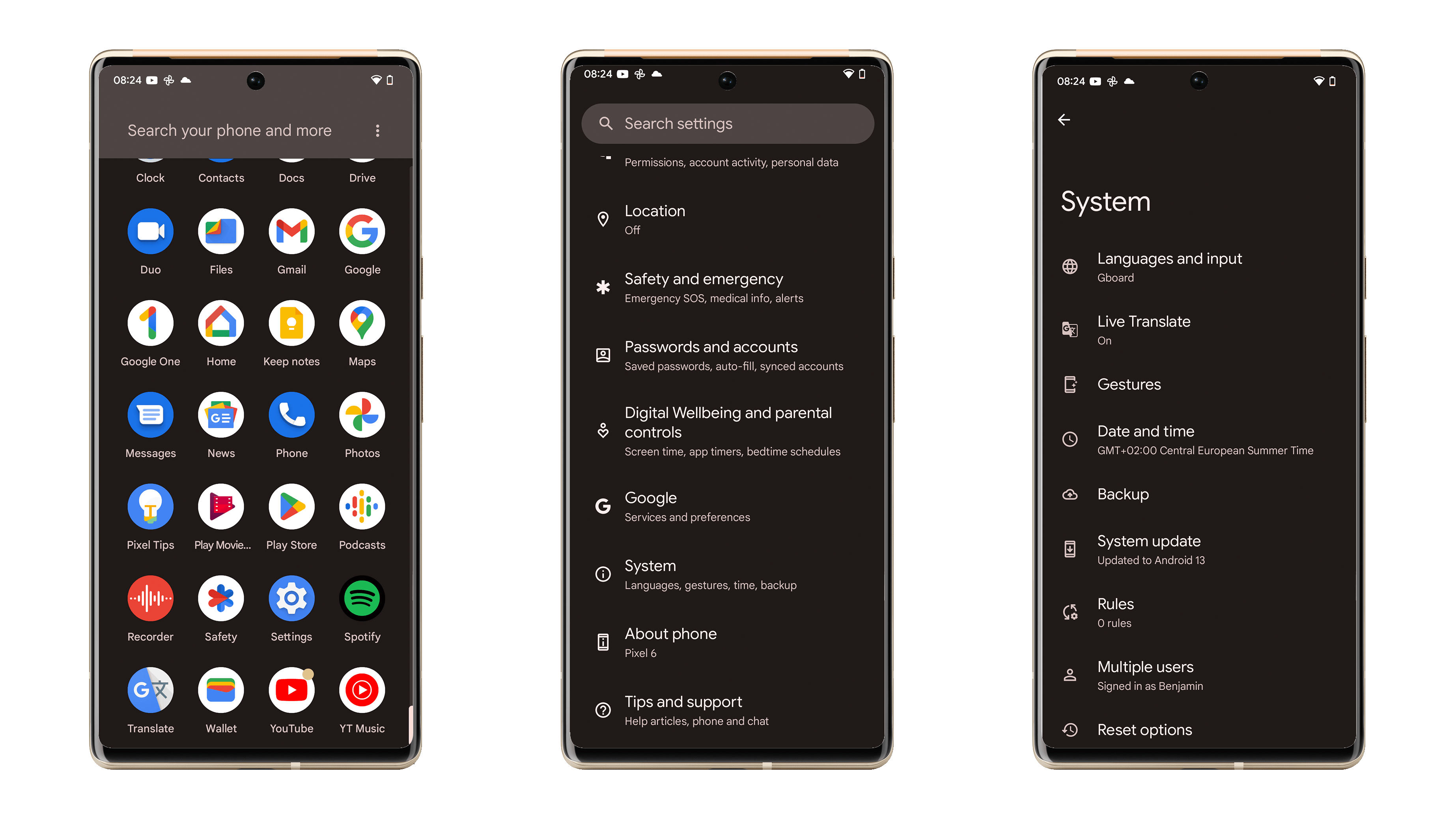
First of all, you have to make sure that you have already successfully updated your handset to Android 13. You can find out whether your smartphone will receive the Android 13 update in the linked article. After doing so, you can access the following menu items:
Open the settings of your Android smartphone.
Go to System.
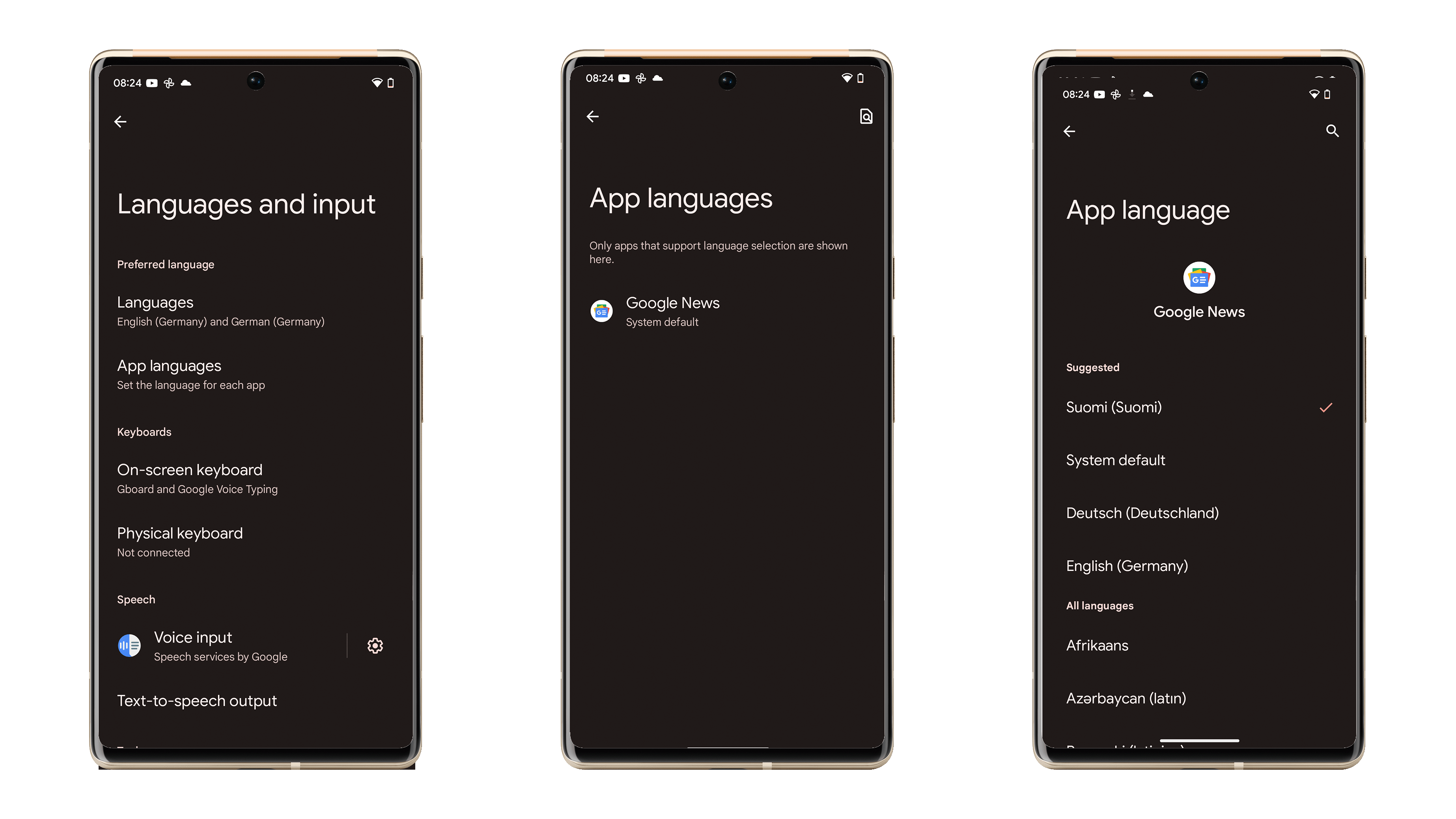
Now go to Languages and input.
Select App languages.
Select the app for which you want to change the language.
Select the language of your choice.
Voila! The selected app will be displayed in the selected language.
It’s a shame that Google only changes the display language in the app in the process and doesn’t cater to any localization. For example, my Google News feed still showed German content because I still use a German IP address. If you also want to see the content in the desired language, we recommend using a VPN service. With this, you can set your location to the country of your choice with just a few taps.
Did you find this function in Android 13 useful? Have you already tried out the new operating system? Share with us in the comments!
We mark partner links with this symbol. If you click on one of these links or buttons–or make a purchase through them–we may receive a small commission from the retailer. This doesn’t affect the price you pay, but it helps us keep nextpit free for everyone. Thanks for your support!







Wow that’s great!