Sorry, but there's really nothing to see here right now. Our server is in maintenance mode – and our
little bot is trying to sort the error messages with its last bit of energy.
Whether it was a data leak, a power outage in the cluster, or just a grumpy bit – we don't know yet.
But what we do know is:
The data drama escalated into a server meltdown. But don't worry: We're on it.
What now?
Everything is surely running smoothly over at our colleagues from inside
digital – why not stop by!
Or you could pass the time by visiting our social media channels – for example Instagram, YouTube or TikTok. At least there are no
server problems there – promised.
Thanks for your patience. Our bot is already rebooting at full speed. 🔧
How-tosTabletGoogle’s Passkey Has Arrived, And It’s Awesome!
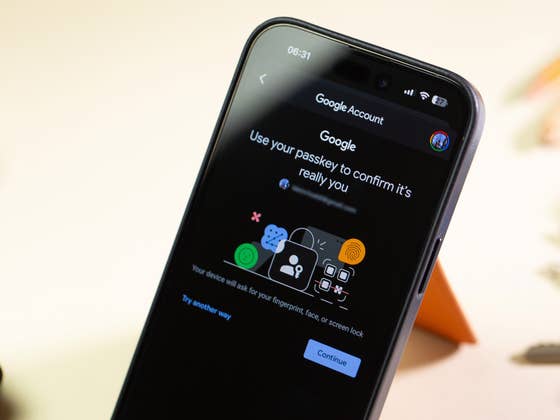
Google finally delivered a more secure way to safeguard your digital information. I’m talking about the new passkey option on your Google account(s). Learn how this powerful feature can level up your security game and prevent unauthorized access to your accounts.
Yesterday, I received an email from Google informing me that I can now start using passkeys to access my accounts:
We’re writing to let you know that starting May 3, 2023, we’ll integrate passkey support for Google Accounts. […] Passkey support will be integrated because they’re easier to use, and safer than most other forms of 2-SV.
Today, I took the time to set up my Google accounts to use this authentication technology called Passkeys on my Gmail, and I want to provide an overview of why you should start using it as soon as possible. Additionally, I’ll explain the benefits of this technology and the steps to set it up so you can enhance your device’s security.
First things first: What is Passkey, and how does it work?
Before Google adopted the concept, Apple made passkeys a trend on the internet by introducing its passkey approach along with iOS 16 and macOS Ventura last year. But until now, Apple didn’t deliver it.
Anyway, what is awesome about this security tool is that it enables users to sign in to apps and websites without the need to remember or enter a password. So, you can almost say goodbye to storing your passwords in an app, document, or even in your head. We have previously discussed the security advantages of passkeys, and I encourage you to read more about them.
The key concept behind this technology is to use security keys instead of passwords for logins. Passkey technology leverages biometric readings, such as Face ID, Touch ID, or device passcode, to authenticate the user and ensure secure access.
To use Google Passkey, you need to have a Google account and a device that supports biometric authentication, such as your fingerprint, face, or screen lock. It is important to note that, as of the time this article was written, Google did not offer the passkey option for enterprise accounts. With that in mind, here are the steps to set up and use Passkey with Google services:
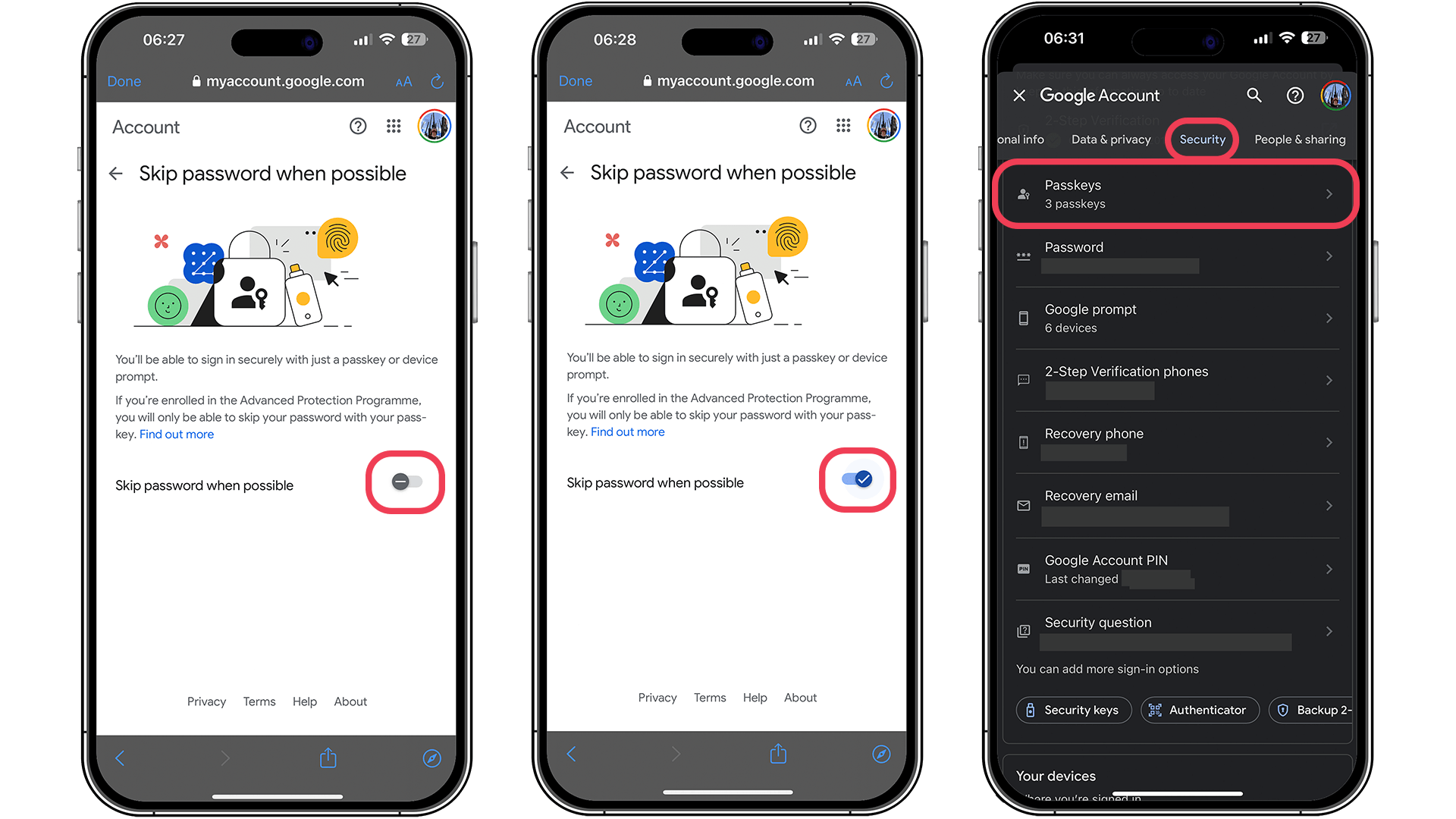
Launch your Google Account from any Google Service or click here.
Turn on the Skip password when possible in for your account.
Done! From now on, you won’t need to enter a password to sign in to your account, and no longer will you have to select only a single phone to use as your built-in security key. How awesome is that?
Note that Passkeys are securely stored in your Google Account and automatically synced across all your devices. This means you can use Passkeys to sign in to Google apps and services on any of your devices without the need to manually enter your password.
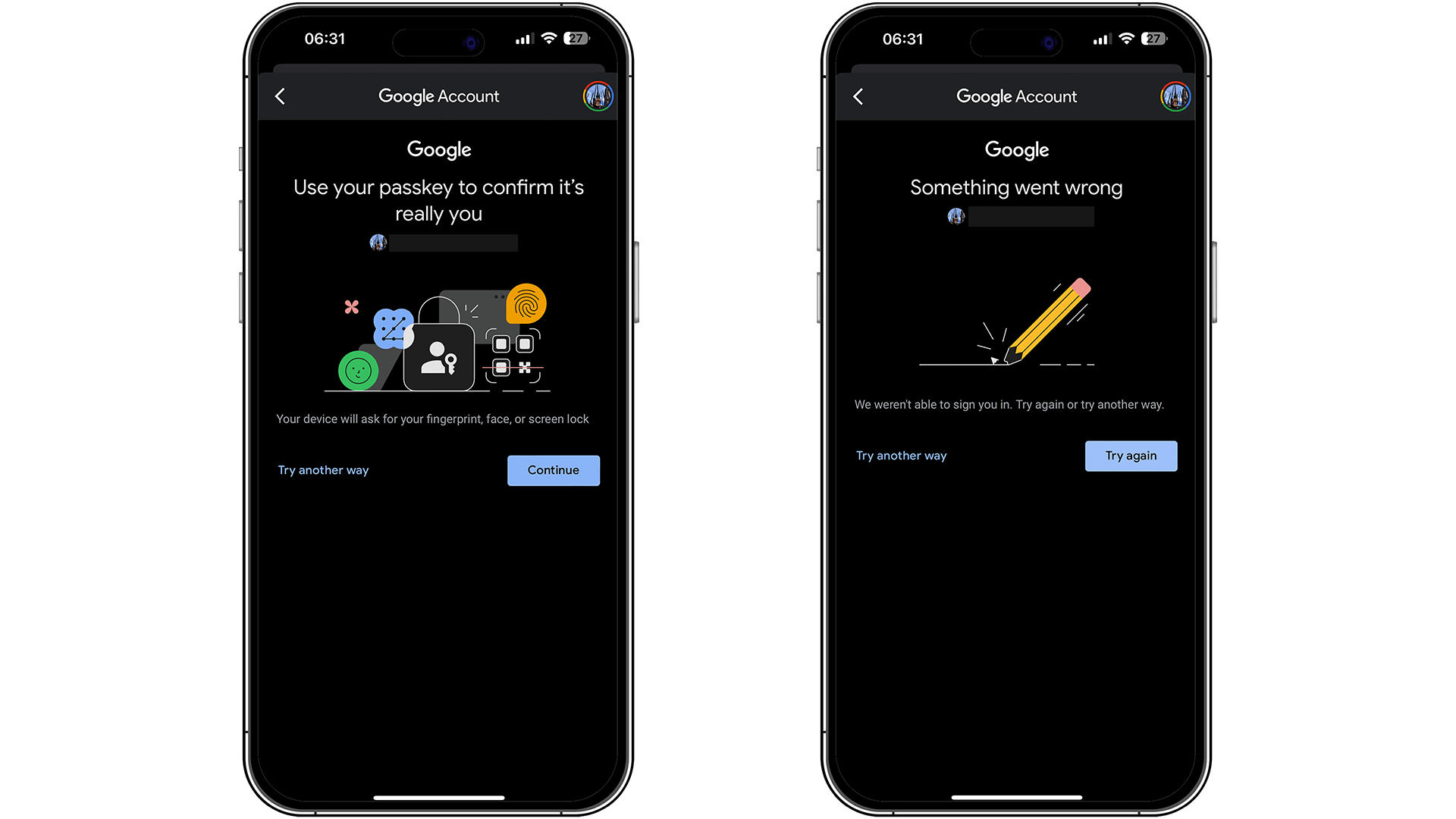
However, I’ve been experiencing some errors along the way. On my iPhone, every time I click to check my passkeys, I encounter an error; but let’s hope it’s just a temporary issue.
According to Google, this convenient authentication method works on any device with registered passkeys, including all Android phones where you’re signed in. So, enjoy a friendlier and more secure experience!
In conclusion, I would also like to share with you a website where you can find the services that support Passkey: https://passkeys.directory/.
So, are you already using this more secure method to safeguard your data? What do you think of passkeys? Please share your opinions in the comments section below.
Ich habe 15 Jahre Erfahrung in der Bewertung von Smartphones und Wearables und vereine technisches Know-how mit einer echten Leidenschaft für Innovation. Ich habe bekannte Tech-Websites wie AndroidPIT und Canaltech in Brasilien geleitet und möchte jetzt meine Expertise mit einem Publikum auf der ganzen Welt – unter anderem in den USA, Deutschland, Frankreich, Spanien und Brasilien – durch ehrliche, praxisnahe Tests teilen.
Kürzlich habe ich meinen Fokus auf digitale Gesundheit verlagert, mit einem besonderen Augenmerk auf Geschlechtergerechtigkeit und dem Ziel den geschlechtsspezifischen Datengraben zu überwinden. Ich brenne dafür, durch einfache, klare Texte Frauen in den Bereichen Technik und Gesundheit eine stärkere Stimme zu geben. Ob ich nun die neuesten Gadgets teste oder neue Trends im Bereich der digitalen Gesundheit erkunde – ich bemühe mich stets, komplexe Themen verständlich aufzubereiten.
Persönlich bin ich ein begeisterter Läufer – ich habe 2024 den Berlin-Marathon absolviert – und bereite mich auf eine lange Radtour von Deutschland nach Österreich vor, die im Jahr 2025 in nur vier Tagen schaffen will.
It’s not secure. The verification can be compelled by courts or bad actors. Face ID, or fingerprint are not protected like your thoughts–your password. It’s already been demonstrated that fingerprints are easily replicated to fingerprint scanners and simple 2d pictures have fooled facial recognition locks as well.
Passwords have their problems, but it’s better than this system.
Just another reason to stay away from Google and Apple ecosystems.







It’s not secure. The verification can be compelled by courts or bad actors. Face ID, or fingerprint are not protected like your thoughts–your password. It’s already been demonstrated that fingerprints are easily replicated to fingerprint scanners and simple 2d pictures have fooled facial recognition locks as well.
Passwords have their problems, but it’s better than this system.
Just another reason to stay away from Google and Apple ecosystems.