Sorry, but there's really nothing to see here right now. Our server is in maintenance mode – and our
little bot is trying to sort the error messages with its last bit of energy.
Whether it was a data leak, a power outage in the cluster, or just a grumpy bit – we don't know yet.
But what we do know is:
The data drama escalated into a server meltdown. But don't worry: We're on it.
What now?
Everything is surely running smoothly over at our colleagues from inside
digital – why not stop by!
Or you could pass the time by visiting our social media channels – for example Instagram, YouTube or TikTok. At least there are no
server problems there – promised.
Thanks for your patience. Our bot is already rebooting at full speed. 🔧
How-tosTabletHow to share your real-time location via Google Maps
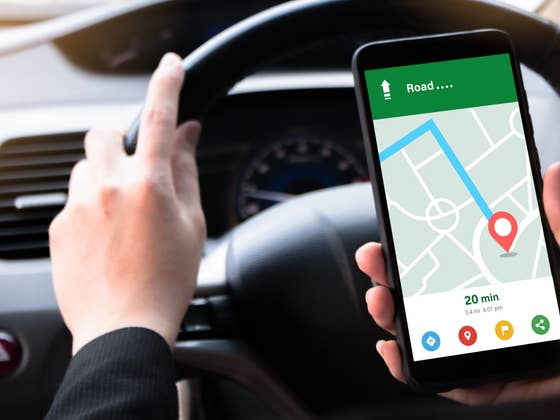
Sharing your location with trusted individuals can be beneficial. Google Maps lets you share your current location with other users across devices and set a time limit for sharing. They can track your movements in real-time and view your estimated arrival time. In this article, we’ll quickly and easily explain how to do it.
Location sharing in Google Maps
Previously, this location sharing feature in real-time was available on Google+, but as we all know, the social network has been discontinued. Rather, you can now share this information with others via Google Maps.
Interestingly, you don’t even need to enable location history in the default settings to do so. Before I explain further how you can share your “live location” with people you trust, let me point out that sharing does not work in the Google Maps Go app.
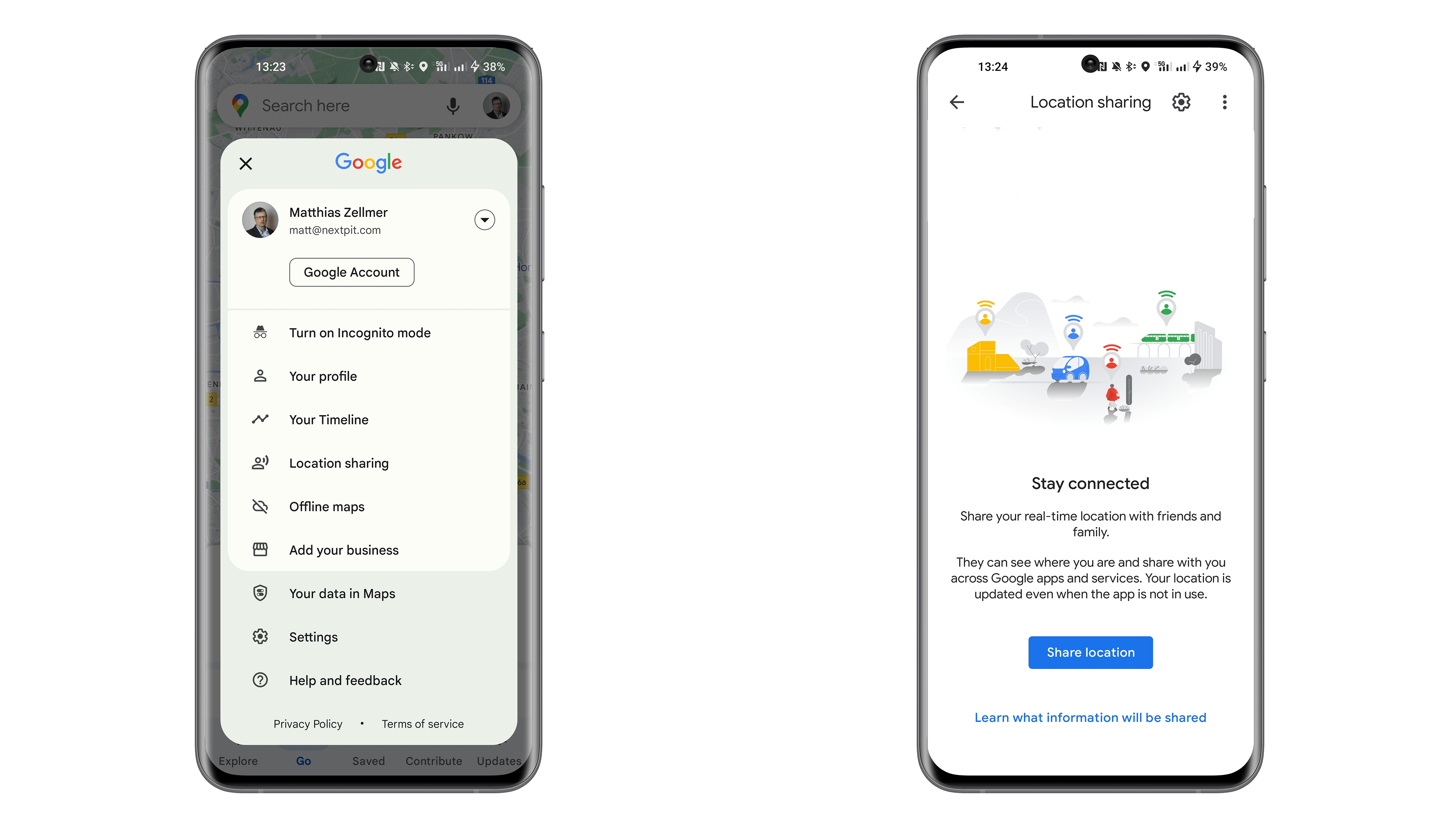
To share your location with others, launch Google Maps.
In the top-right corner, select your profile picture and followed by Location Sharing.
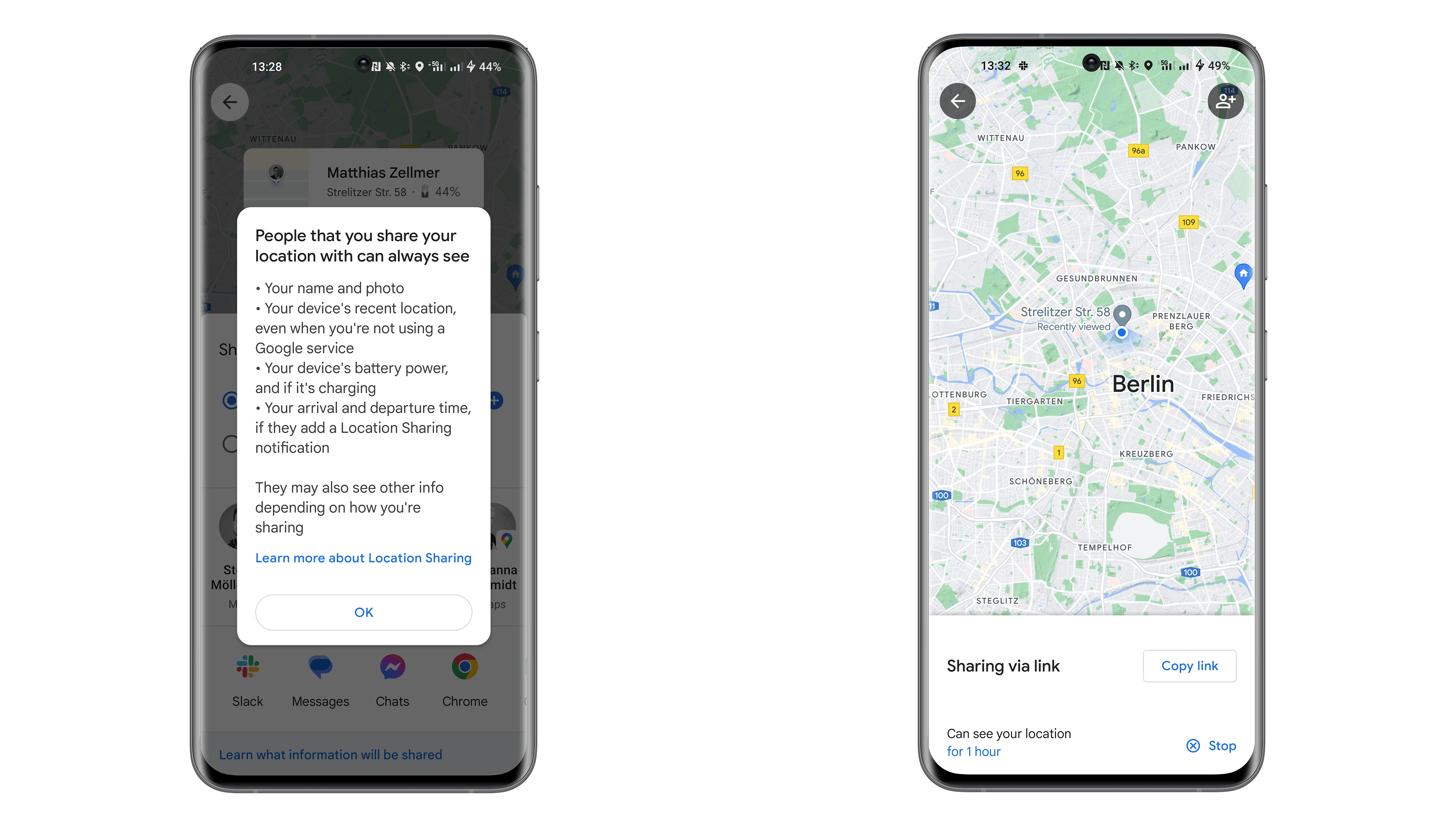
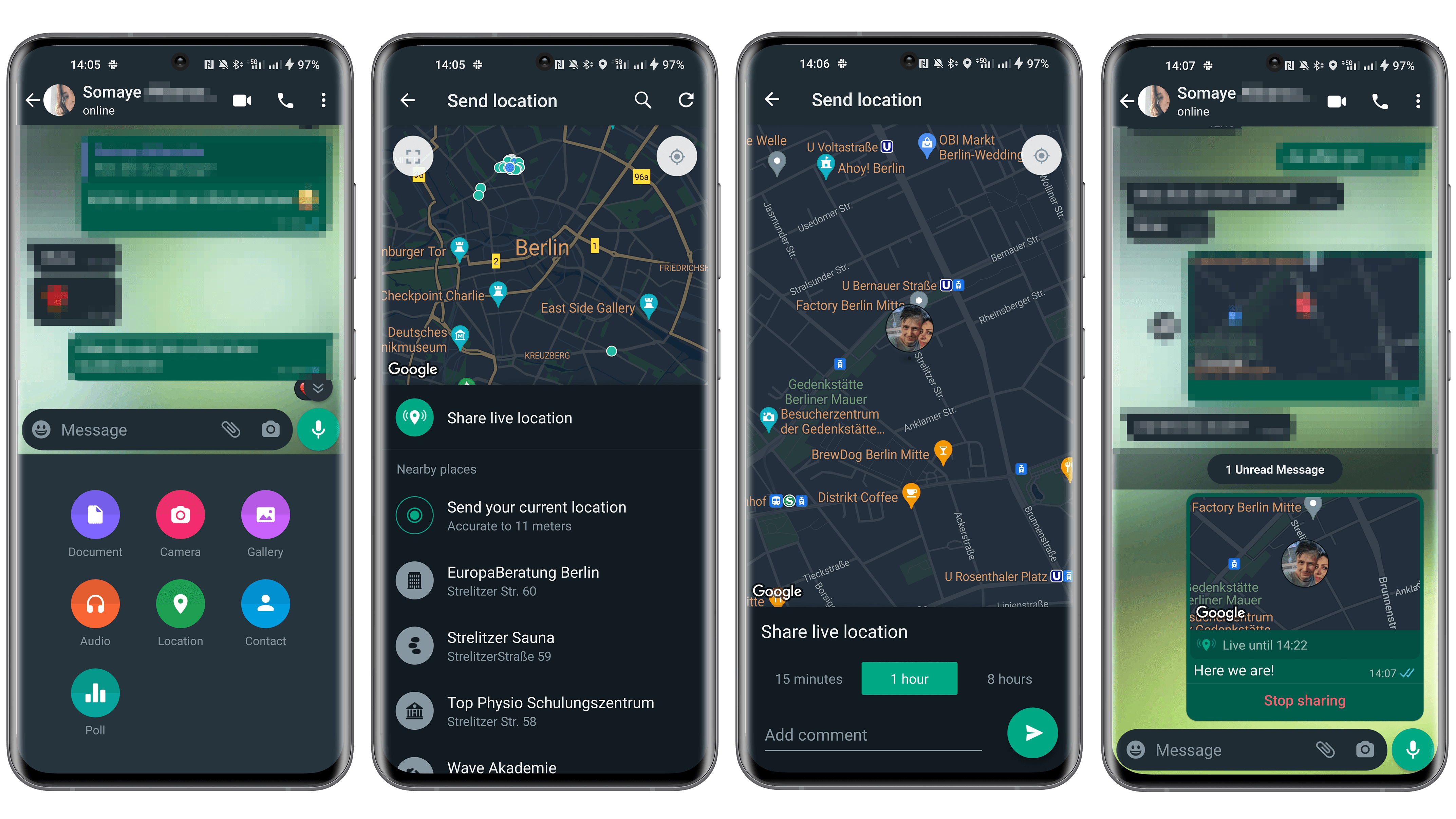
If the recipient does not have a Google account, you can create a link and send it via email, SMS, WhatsApp, Twitter, or any other compatible instant messenger.
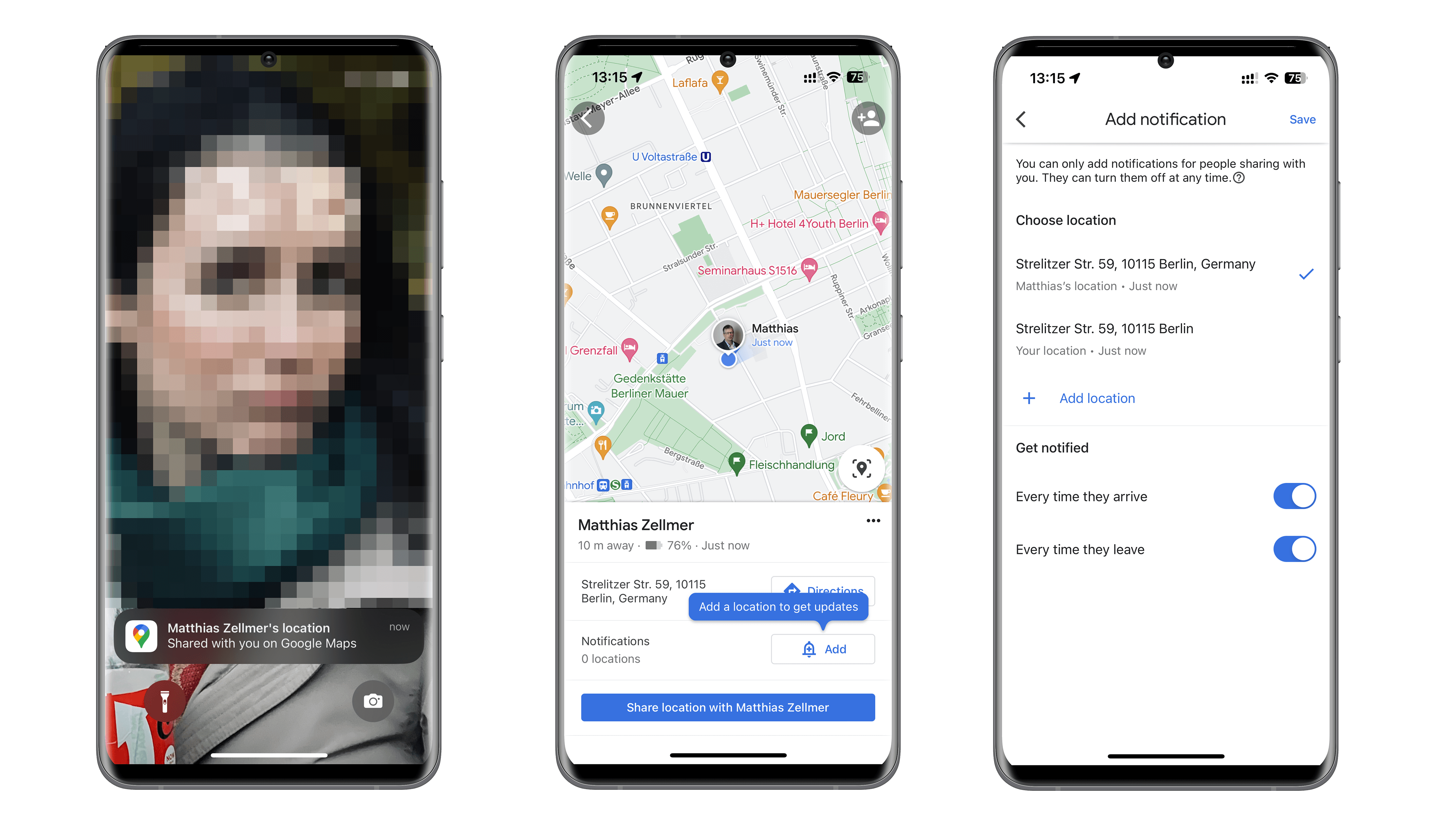
Now the person whom you want to share your location with will receive a corresponding notification on his/her lock screen. In my case, it is my colleague Stefan and his iPhone. You can also share additional information like departure and arrival times if you want to. Of course, the live location sharing can be revoked at any time.
This selection/sharing can also be cancelled anytime you like on WhatsApp.
Of course, there are other ways to share your location. I can spontaneously think of Samsung with its SmartThings app, Apple with the “Find me” function, and also Telegram that allows you to share the location of a smartphone for a limited time only.
Are you aware of another app that can do this and perhaps work even better? If so, please let us know in the comments. Assuming you already share your location frequently, for whom and why do you do so?
We mark partner links with this symbol. If you click on one of these links or buttons–or make a purchase through them–we may receive a small commission from the retailer. This doesn’t affect the price you pay, but it helps us keep nextpit free for everyone. Thanks for your support!








0 comments