Sorry, but there's really nothing to see here right now. Our server is in maintenance mode – and our
little bot is trying to sort the error messages with its last bit of energy.
Whether it was a data leak, a power outage in the cluster, or just a grumpy bit – we don't know yet.
But what we do know is:
The data drama escalated into a server meltdown. But don't worry: We're on it.
What now?
Everything is surely running smoothly over at our colleagues from inside
digital – why not stop by!
Or you could pass the time by visiting our social media channels – for example Instagram, YouTube or TikTok. At least there are no
server problems there – promised.
Thanks for your patience. Our bot is already rebooting at full speed. 🔧
NewsTabletEasily Share Files Between Android and Windows with Nearby Share
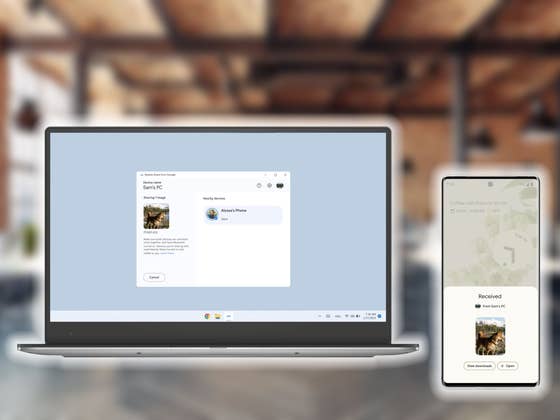
Google’s Nearby Share file transfer system is not exclusive to Android phones and tablets anymore. The company released the stable version of the tool to Windows, making it easier to transfer files between a smartphone and a PC.
To recap, Nearby Share is Google’s answer to the rival Apple AirDrop feature, which works on iPhones, iPads, and Mac PCs. Nearby Share is available on most devices running Android 6 (Marshmallow) and newer, and is also available on Chromebooks. Different from the defunct Android Beam, the feature doesn’t need NFC (near-field communication) and relies on both Bluetooth and Wi-Fi to initiate and then transfer files.
On Windows, Nearby Share can not only transfer files but also entire folders, saving time, for example, that would usually entail uploading files to Google Drive or sending an e-mail full of attachments.
Despite installing a desktop app with its own interface on Windows, Nearby Share also integrates into the Windows’ native Share menu—as a side note, it doesn’t pollute file context menus with yet another entry, thanks Google!—offering an experience not that different from the feature on Android.
How to transfer files with Nearby Share between a PC and a phone
Optionally, log in with the same Google account on Android.
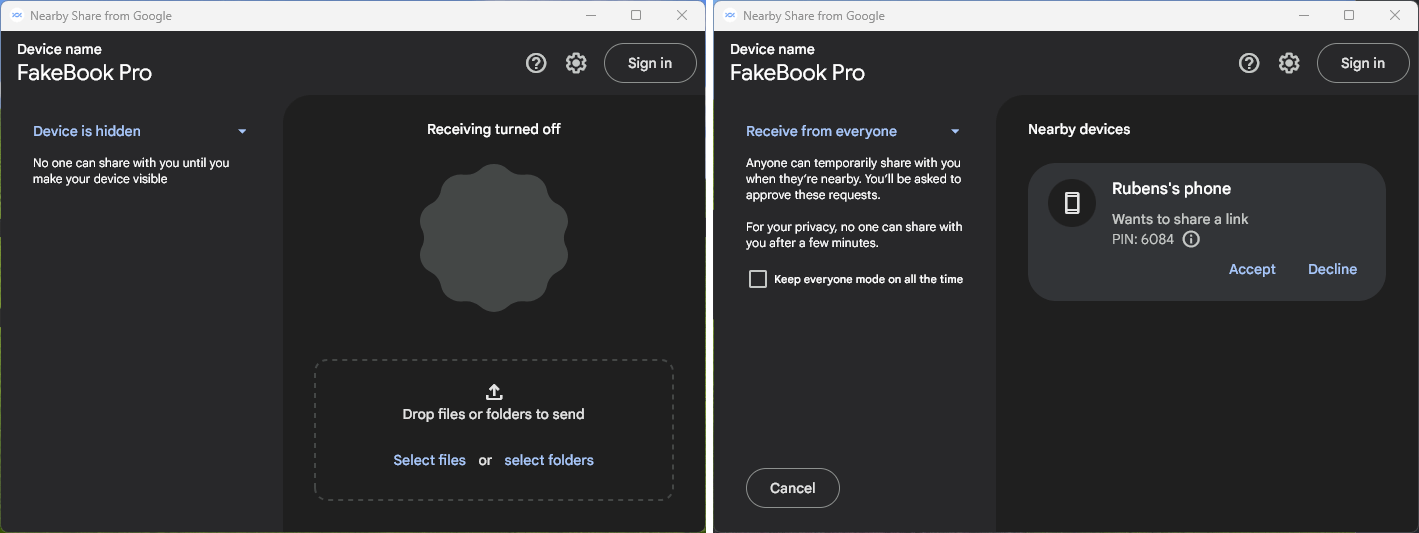
With the app opened, set the visibility to Receive from everyone to be detected by any nearby device.
If you logged in you can also select to allow receiving only from contacts or from your devices.
Receive files from an Android device
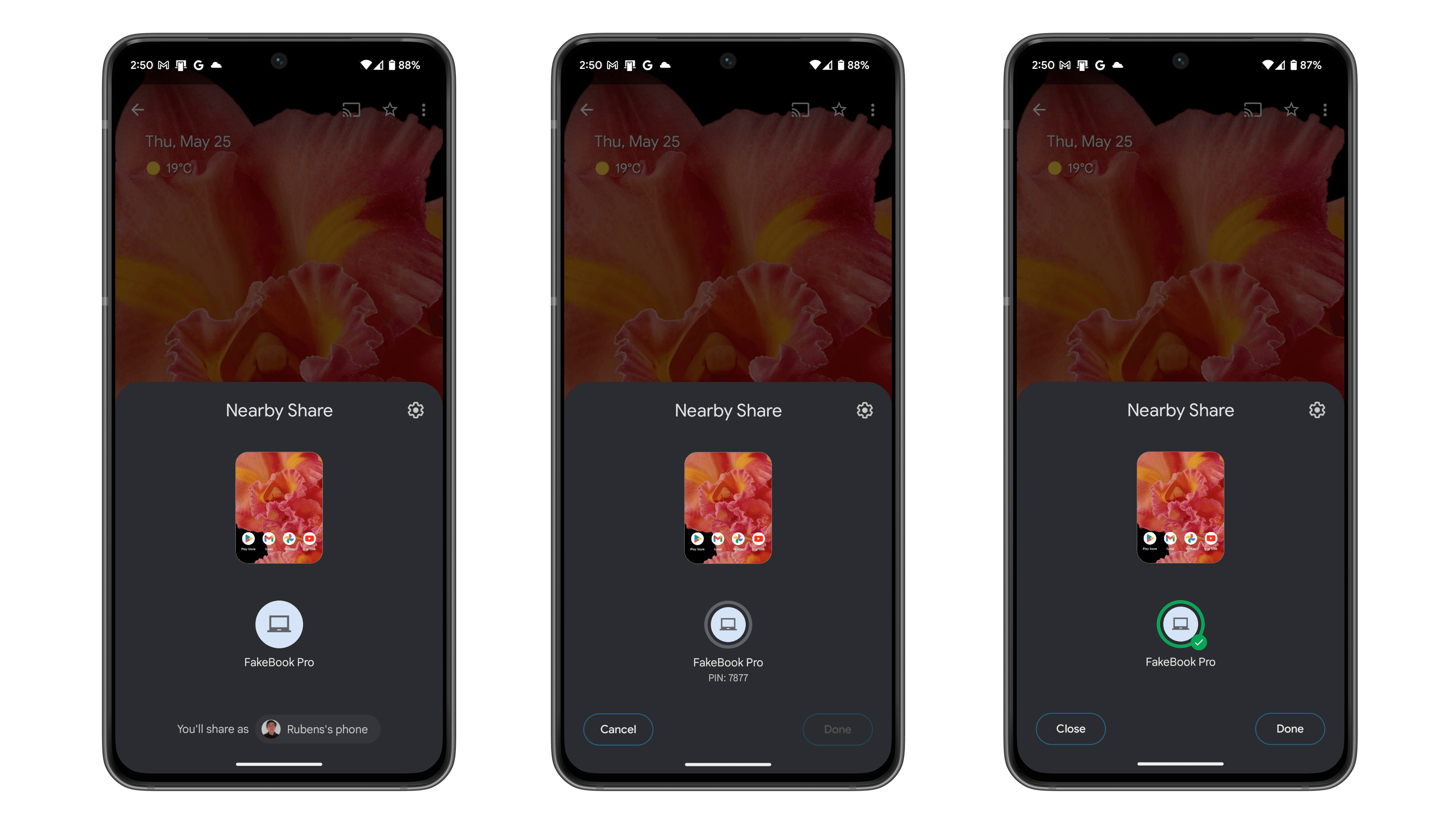
On the phone’s Share menu, select Nearby Share.
Wait for the Windows PC to be detected, then tap on its icon.
Confirm the transfer on the PC by clicking on Accept.
Send files from the PC to an Android device
With the Nearby Share app opened on Windows, drag files or folders into the window.
Alternatively, select the Share option on Windows Explorer or another app, then select Nearby Share.
Wait for the Android device to be detected, then click on its icon.
Confirm the transfer on the PC by tapping on Accept.
An account is not required to use the feature on Windows, however, logging in with a Google Account makes it possible to only transfer files to devices with the same account registered.
Besides requiring a compatible Android or ChromeOS device, Nearby Share on Windows is available on computers running version 10 or newer, and the computer also needs to have Bluetooth and Wi-Fi enabled. According to Google, Windows on ARM (WoA) devices are not compatible with the feature and the company didn’t commit to releasing a compatible version.
Do you use Nearby Share? Or do you have another preferred technique to transfer files between devices? Share your tips and experiences in the comments below!
We mark partner links with this symbol. If you click on one of these links or buttons–or make a purchase through them–we may receive a small commission from the retailer. This doesn’t affect the price you pay, but it helps us keep nextpit free for everyone. Thanks for your support!
Seit 2008 schreibe ich für verschiedene Websites in Brasilien, Spanien, Dänemark und Deutschland über Technologie und habe mich auf mobile Ökosysteme spezialisiert. Dabei dreht sich bei mir alles um die interessantesten Modelle, ihre Komponenten und natürlich die ganze Welt der Apps. Dabei lege ich nicht nur Wert auf Leistung und Spezifikationen, sondern auch auf Aspekte wie Reparaturfähigkeit, Haltbarkeit und Herstellersupport.







0 comments