Sorry, but there's really nothing to see here right now. Our server is in maintenance mode – and our
little bot is trying to sort the error messages with its last bit of energy.
Whether it was a data leak, a power outage in the cluster, or just a grumpy bit – we don't know yet.
But what we do know is:
The data drama escalated into a server meltdown. But don't worry: We're on it.
What now?
Everything is surely running smoothly over at our colleagues from inside
digital – why not stop by!
Or you could pass the time by visiting our social media channels – for example Instagram, YouTube or TikTok. At least there are no
server problems there – promised.
Thanks for your patience. Our bot is already rebooting at full speed. 🔧
NewsTabletApple Passkeys in More Websites For iPhones and MacBooks Enabled
Following the announcement of Apple Passkeys last year, the company has been slowly rolling out the feature to websites and apps for its Apple devices. Now, in iOS 17 and macOS Sonoma, Apple apparently started assigning passkeys to additional users which can be utilized when logging into more official pages.
Also read: Everything you want to know about Google Passkey
While Apple Passkeys sounds like it is a custom authentication method made by the iPhone manufacturer, it is, in fact, based on the security standard developed by the FIDO alliance. As explained by Apple, Passkeys uses cryptographic security measures by storing a single key on the iCloud Keychain and another in the device. This lets you use Face ID or Touch ID instead of typing and remembering your passwords.
More Apple webpages receive Passkeys support
As spotted by a Twitter user, Apple expanded Passkeys support to most of its sign-in pages such as apple.com, icloud.com, and appleid.apple.com. However, it appears that Apple is assigning passkeys to random users who run the beta build of iOS 17, iPadOS 17, and macOS Sonoma on their devices instead of making it available to everybody.
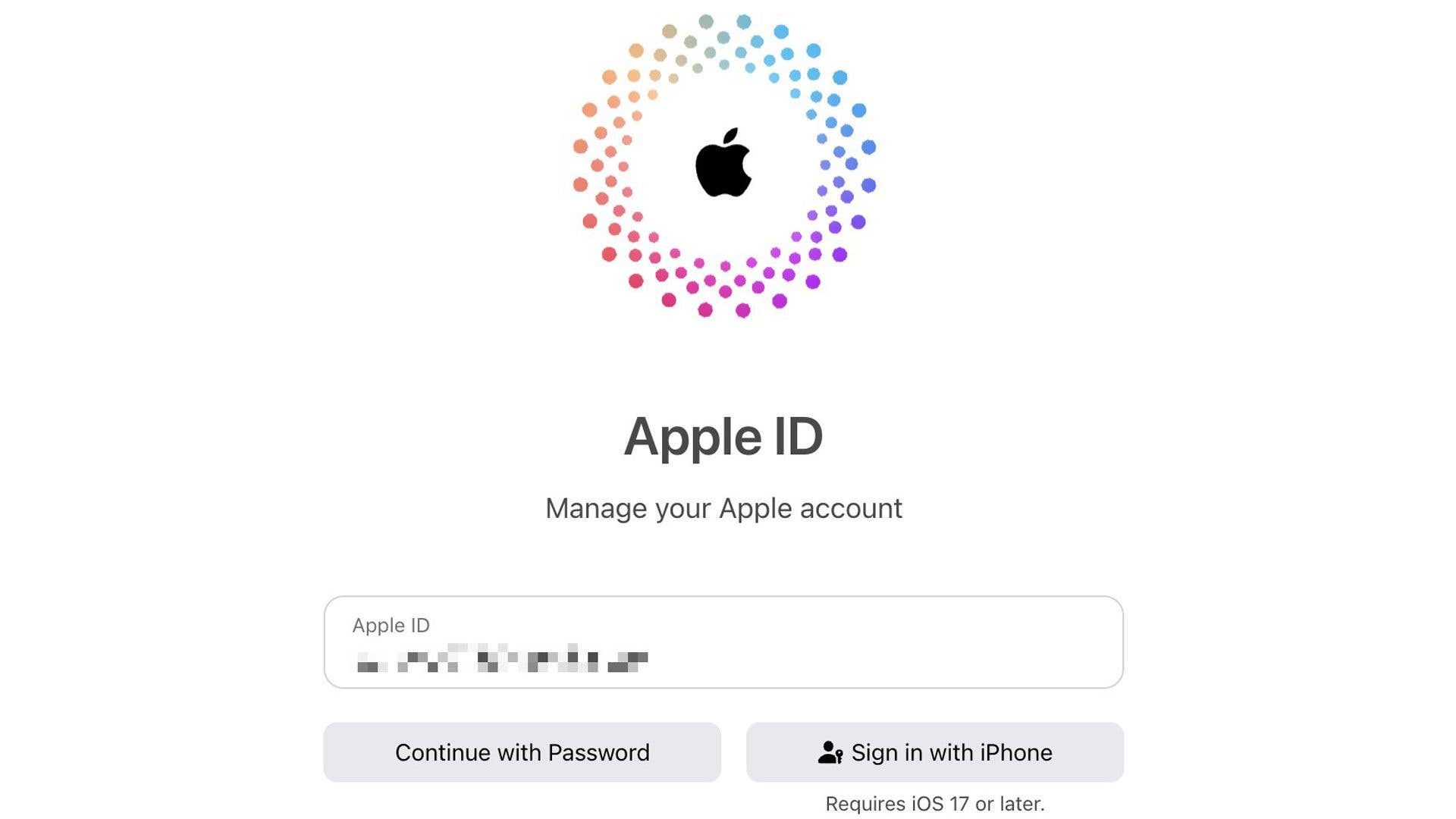
If you want to check whether you were assigned a passkey, you can head to one of the websites mentioned. First, you will need to activate the iCloud Keychain and Two-Factor Authentication from the settings. You will then be able to see an option to sign in with your iPhone, iPad, or MacBook on the page along with a login option using your password. Subsequently, signing in with your device lets you use the biometric input.
Apart from the compatibility of Passkeys to these official websites, the security method already works with a handful of apps and services, including Google, Best Buy, eBay, and PayPal, among others.
Have you tried passkeys on your Android or iPhone yet? What are your thoughts on this new security feature? Tell us in the comments.
We mark partner links with this symbol. If you click on one of these links or buttons–or make a purchase through them–we may receive a small commission from the retailer. This doesn’t affect the price you pay, but it helps us keep nextpit free for everyone. Thanks for your support!








0 comments