Sorry, but there's really nothing to see here right now. Our server is in maintenance mode – and our
little bot is trying to sort the error messages with its last bit of energy.
Whether it was a data leak, a power outage in the cluster, or just a grumpy bit – we don't know yet.
But what we do know is:
The data drama escalated into a server meltdown. But don't worry: We're on it.
What now?
Everything is surely running smoothly over at our colleagues from inside
digital – why not stop by!
Or you could pass the time by visiting our social media channels – for example Instagram, YouTube or TikTok. At least there are no
server problems there – promised.
Thanks for your patience. Our bot is already rebooting at full speed. 🔧
How-tosTabletLaunch Any App on the Galaxy Flip 5 Cover Display
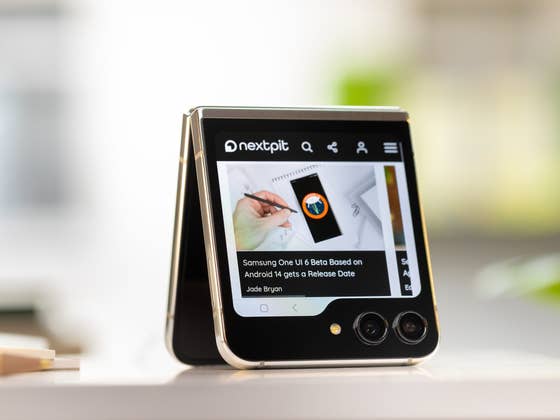
With foldable season 2023 still in full swing, Samsung joined Motorola in launching a flip phone with a big cover display. But while the Motorola Razr+ (2023) scored points in nextpit’s review with its fully functional external screen, Samsung only officially allows users to check widgets and a very curated list of apps. But with one Good Lock tool, Samsung gives its fans a trick to launch basically any app on the Flip 5’s outer display.
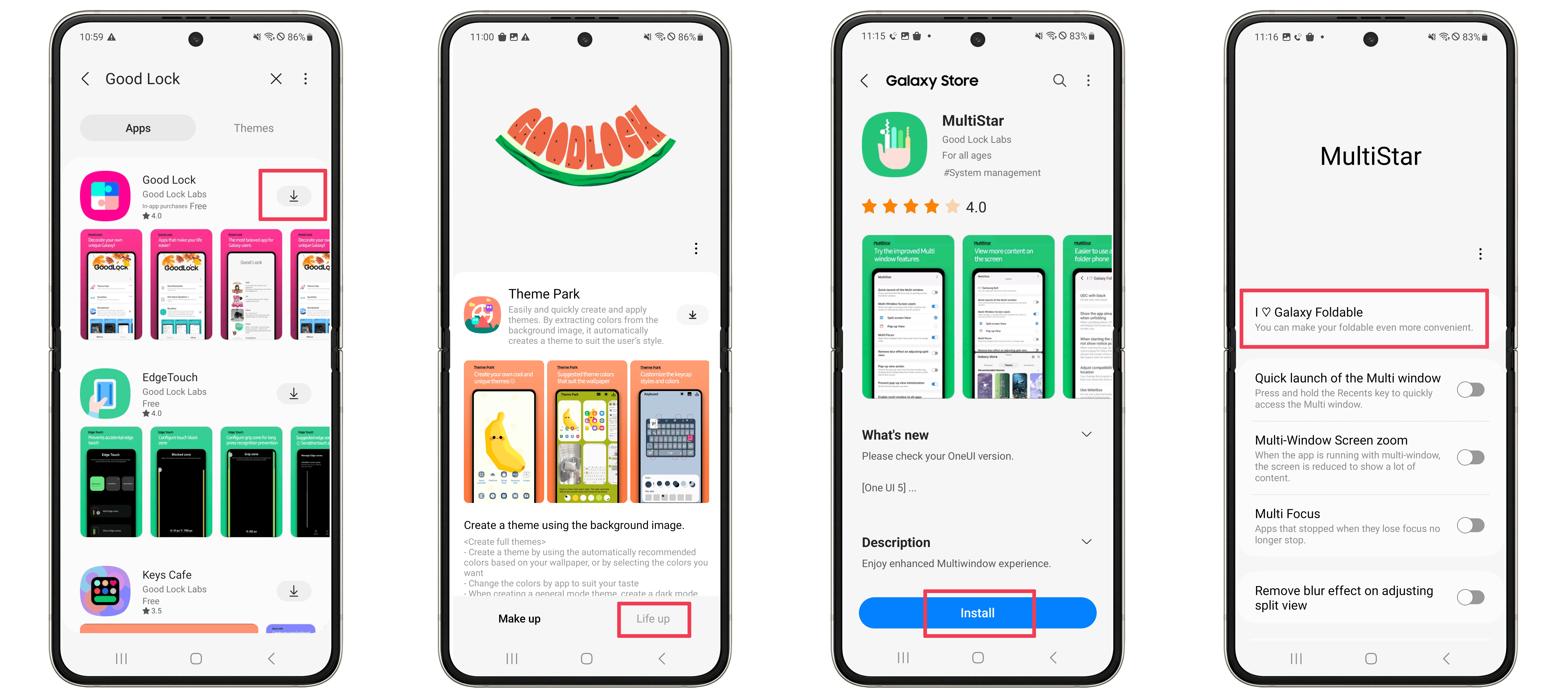
We already covered Samsung’s Good Lock toolkit, a set of tools to enhance and customize the One UI system, similar to Microsoft’s PowerToys. One of the Good Lock tools, MultiStar, targets productivity and multiple-window features. Unfortunately, Good Lock requires a Samsung account and is available in a select number of countries. If it isn’t available in your region it is possible to try using an unofficial method like NiceLock.
Launch (almost) any app on the Flip 5 cover display
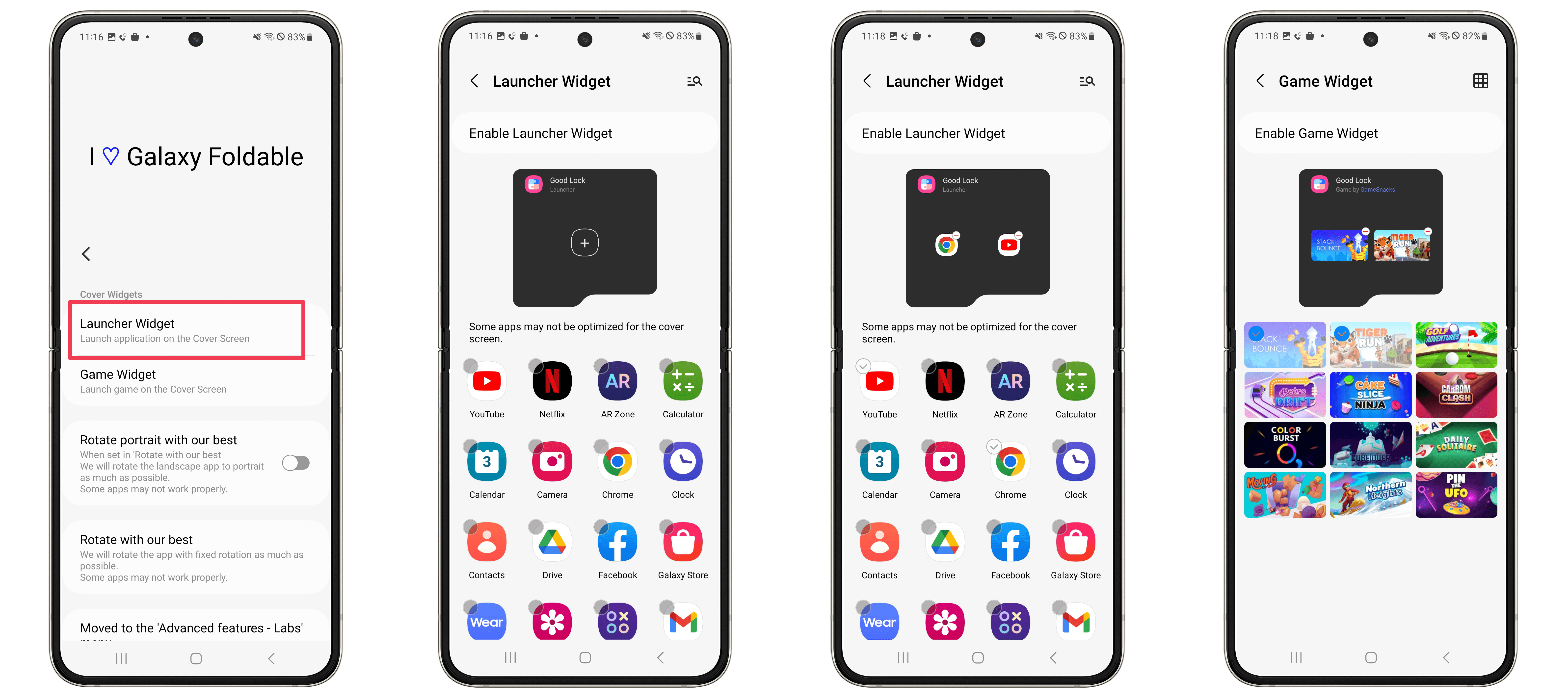
MultiStar offers an experimental feature that adds a cover display widget that works like a launcher or app folder. Follow these instructions to try it on your Galaxy Z Flip 5:
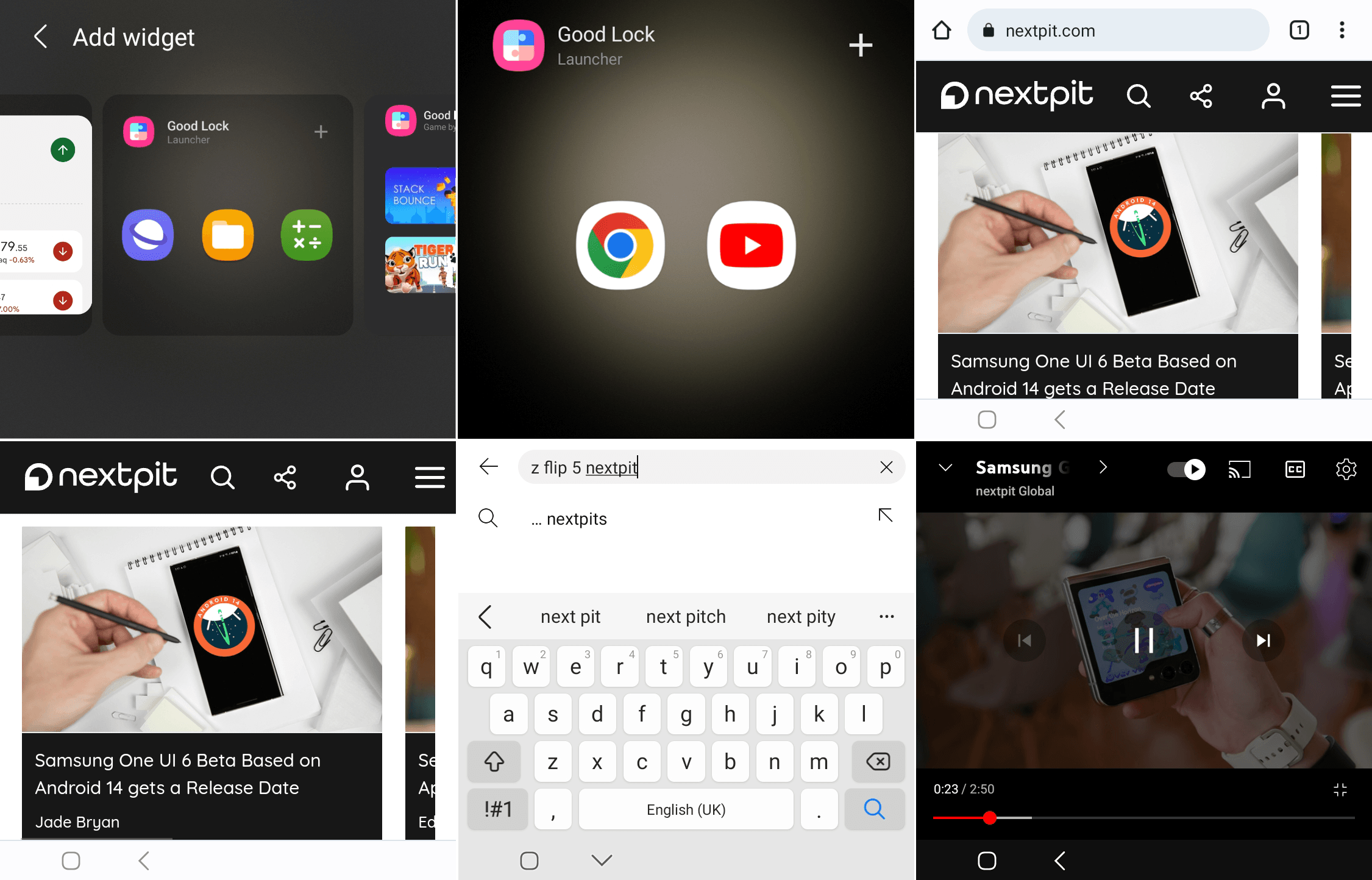
As MultiStar’s interface notes, not all apps will scale properly in the cover display, so some trial and error is required. Expect difficulties with apps that rely on text input, for which the Galaxy Z Flip 5 does not offer an optimized keyboard interface such as the one implemented on the Motorola Razr+ 2023 (Razr 40 Ultra).
Some quick tests in the nextpit office revealed that at least the Google Chrome browser and the YouTube app opened properly, of course, reading long articles on the cover display is not the most elegant solution, but at least YouTube worked reasonably well. Again, as with most Good Lock features, the Launcher Widget is an experimental feature.
Which apps do you think are best suited for the cover display? Or do you think the small display is only fit for widgets and notifications? Share what you want to see in the Galaxy Z Flip and Fold 5 reviews in the comments below!
We mark partner links with this symbol. If you click on one of these links or buttons–or make a purchase through them–we may receive a small commission from the retailer. This doesn’t affect the price you pay, but it helps us keep nextpit free for everyone. Thanks for your support!
Seit 2008 schreibe ich für verschiedene Websites in Brasilien, Spanien, Dänemark und Deutschland über Technologie und habe mich auf mobile Ökosysteme spezialisiert. Dabei dreht sich bei mir alles um die interessantesten Modelle, ihre Komponenten und natürlich die ganze Welt der Apps. Dabei lege ich nicht nur Wert auf Leistung und Spezifikationen, sondern auch auf Aspekte wie Reparaturfähigkeit, Haltbarkeit und Herstellersupport.