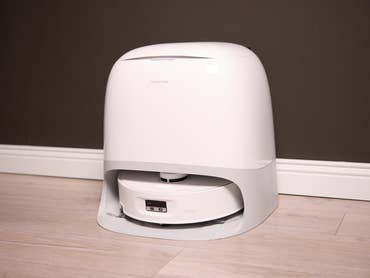
Sorry, but there's really nothing to see here right now. Our server is in maintenance mode – and our
little bot is trying to sort the error messages with its last bit of energy.
Whether it was a data leak, a power outage in the cluster, or just a grumpy bit – we don't know yet.
But what we do know is:
The data drama escalated into a server meltdown. But don't worry: We're on it.
What now?
Everything is surely running smoothly over at our colleagues from inside
digital – why not stop by!
Or you could pass the time by visiting our social media channels – for example Instagram, YouTube or TikTok. At least there are no
server problems there – promised.
Thanks for your patience. Our bot is already rebooting at full speed. 🔧
To make your smart home even more accessible, Apple offers the option to invite people to control smart devices straight from the Home app. If you live with family or friends, having others use your iCloud account to control the lights, thermostats, and even coffee maker is an extremely easy thing. We show you how to do this in this quick tutorial.
First, make sure that the people you invite use Apple devices such as the iPhone, iPad, or Mac. Second, an iCloud account will be required so that your guests can control devices and receive updates in case of changes in your smart ecosystem. You can even share notes with home residents through the Home app.
Having said that, check out the step-by-step on how to share access to Homekit devices with others below.
How to invite someone to control your home
Launch the Home app on your iPhone, iPad, or Mac, and click Home. On this screen, go to the menu in the upper right and select HomeSettings. If you have multiple homes set up, choose the desired location to which you want to invite someone and select HomeSettings.
Select Invite People.
Enter the Apple ID that the person uses in iCloud—without this information you cannot send the invitation.
Tap Send Invite.
That’s it! Once the recipient accepts the invitation, access to your home will be shared.
Once the invitation has been accepted, the residents (people in the shared home are known as) will be able to control and view updates to the added accessories. If you need to delete someone from your list of people, simply click on the resident’s name from the settings and tap the Remove person option at the bottom of the screen. This will revoke their access to your Home app settings.
The cool thing here is that if you have a home hub, those who live with you can easily voice control accessories with Siri. Otherwise, access will be restricted to the Home app from the iPhone, iPad or Mac.
That’s it! Now everyone living in your home or office, such as the example used for this tutorial, can enjoy all the benefits of a smart home!
Were you already aware about this option? Do you share control of your smart home with others in your household? What else would you like to know about the Home app? Share your suggestions in the comments section below.