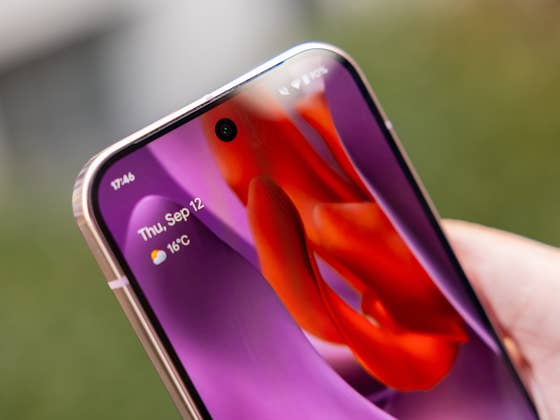
Android has introduced numerous battery life improvements over recent iterations. Some of these features may have slipped under the radar, and one of the most impactful is Adaptive Connectivity. In the latest Android 16 update, this function has received a significant upgrade, making it worth every user’s attention.
The adaptive connectivity feature was introduced in Android 11 and has since become a valuable tool for mobile users. Primarily, it manages connectivity by transitioning to a more stable cellular network when necessary. It also enables automatic switching between Wi-Fi and cellular data when cellular data is disabled, and vice versa.
After years as a single, unified feature, it has now received a significant upgrade. This discovery was made in the latest Android 16 QPR3 beta, which is currently being tested on eligible Pixel devices, and was first highlighted by a Reddit user via 9to5Google.
Extend Your Android Phone’s Battery Life
As seen in the updated dashboard, the feature now presents two distinct toggles: Auto switch to mobile network and Optimize network for battery life. These options replace the previous single toggle for Adaptive connectivity; the previous option remains accessible in Network and Internet settings. Furthermore, Google has added clear descriptions explaining the specific function of each toggle.
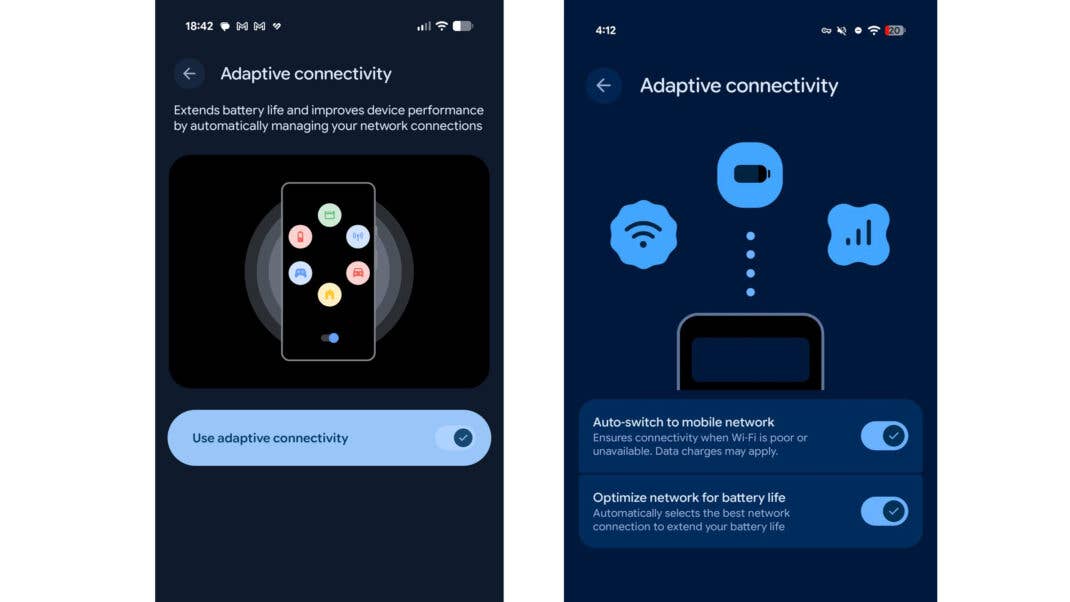
The first toggle automatically transitions to a cellular or mobile network if Wi-Fi connectivity is unavailable, ensuring a seamless connection. The second toggle automatically selects the most efficient network connection to extend overall battery life.
Enabling this second toggle should help extend the battery life of Android devices by prioritizing the Wi Fi or cellular network with the most stable or robust signal strength. By doing so, the system remains more efficient compared to maintaining a connection with weak or fluctuating signals.
Why You Should Enable This Feature
Fortunately, Adaptive connectivity is enabled by default in recent Android versions. Similarly, both new toggles are active by default within the latest Android 16 QPR3 beta. You can also only toggle one of the features that you consider more important.
Regarding device support, this updated configuration should be available on the Pixel 6 through the latest Pixel 10 (review). However, those not currently enrolled in the beta program will need to wait for the definitive public update. This granular level of control is something that other manufacturers utilizing stock or near-stock Android OS should consider implementing in the future.
While customized Android versions like Samsung’s One UI and Xiaomi’s HyperOS offer comparable battery saving utilities, Google’s latest implementation is notably more straightforward. It would be beneficial if these brands replicated these specific toggles on their respective devices.
What features do you utilize on your device to enhance battery life? Share your suggestions with us in the comments below.
We mark partner links with this symbol. If you click on one of these links or buttons–or make a purchase through them–we may receive a small commission from the retailer. This doesn’t affect the price you pay, but it helps us keep nextpit free for everyone. Thanks for your support! Prices are based on the date of publication of this article and may be subject to change.