


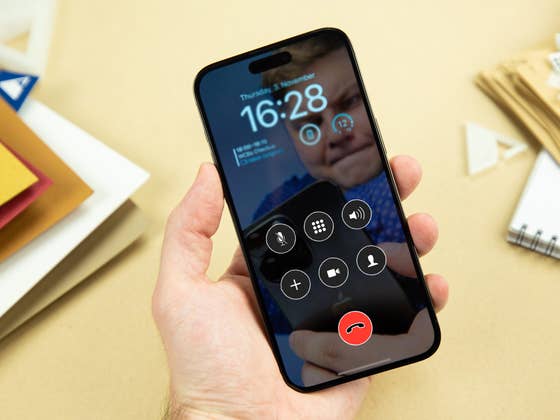
The first iOS 17 beta saw the call screen layout redesigned with the end call button occupying the same lower row as the other buttons, albeit in the middle. However, in iOS 17 Beta 5, Apple moved the end call button to the bottom-right side, confusing most users who are using the beta software. To make things even more complicated, iOS 17 Beta 6 has relocated the button back to the middle.
In comparison, iOS 16 placed the end call button separated from the other buttons. Essentially, the current end call key on iPhones is located at the bottom most segment of the screen while the other six shortcuts float in the center.
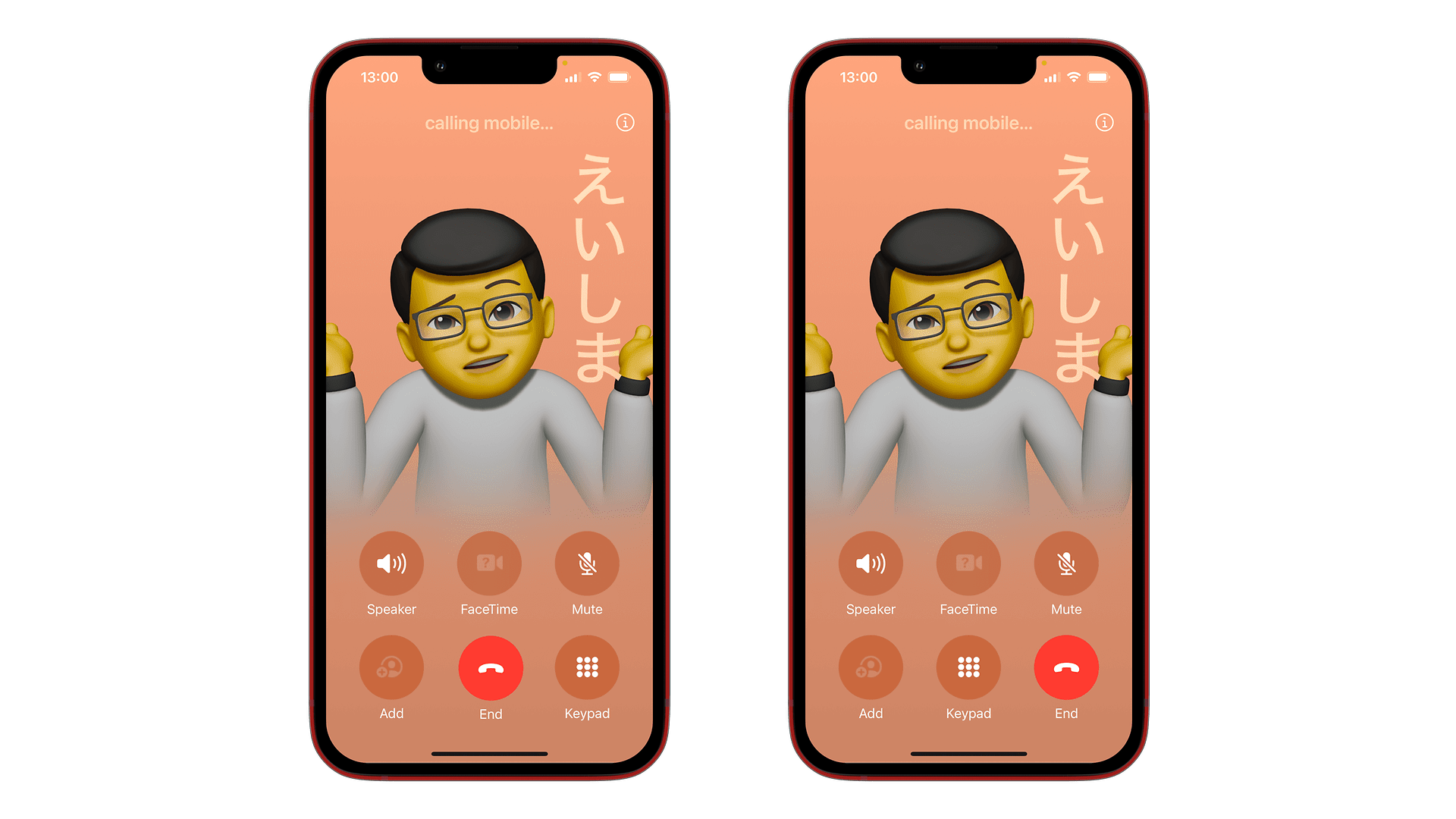
Thankfully, in the latest Beta 7 that was released to developers and public testers today, it retained the end call position in the middle. To make it more intuitive, the update also repositioned the end call button in the center of the keypad, suggesting that the Cupertino company would most likely follow this layout in the final version of iOS 17.
While the change to the button could be minor, users will require adjusting themselves to the layout, especially those who jump from iOS 16 to iOS 17 directly. In addition, the upcoming iOS 17 version will most likely make way for the new Contact Poster feature.
iOS 17 Beta 7 brings a few changes, such as an improvement to the usage of Conversation Awareness when using the AirPods Pro 2. This means Apple will iron out most issues in the beta before the definitive iOS 17 software update rolls out to all eligible iPhone devices. Additional release details could be announced during the Apple iPhone 15 event which is rumored to kick off on September 12.
What do you think of the call screen layout of iOS 17? Do you consider this a better design than iOS 16? Share your opinion with us in the comments.
We mark partner links with this symbol. If you click on one of these links or buttons–or make a purchase through them–we may receive a small commission from the retailer. This doesn’t affect the price you pay, but it helps us keep nextpit free for everyone. Thanks for your support! Prices are based on the date of publication of this article and may be subject to change.



