
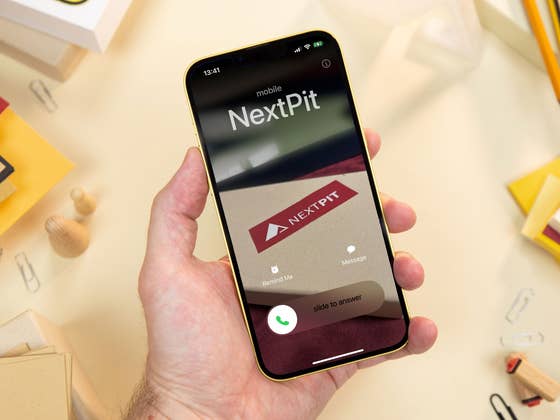
First of all, it is admittedly a small new feature on iOS 17. But nevertheless, it will be one that users will face the most daily. I also admit to not being a fan of customizing profile pictures, ringtones, and other design elements, but it is easy to see that it will become a hit with iPhone owners. Even the amount of airtime during the WWDC 23 suggests Apple thinks the same.
Contact Posters
With iOS 17, iPhone users will be able to create a customized poster that can be shared with contacts while calling. According to Apple, even third-party apps will be able to use them, as long as developers add the necessary support using the CallKit APIs.
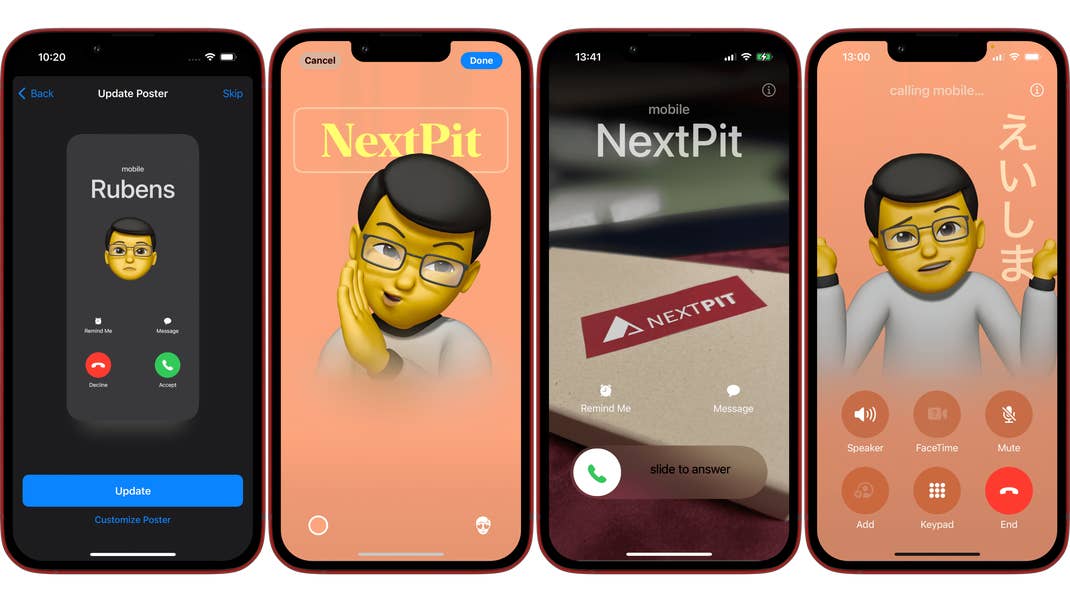
Users can enable and create their own Contact Poster on the Contacts app, by opening the My Card option—the phone owner’s own profile. After enabling and customizing a personal Contact Poster, you need to further allow sharing the poster, which can be shared automatically with your contacts if you allow it.
- On the Contact app, tap on My Card under your profile information.
- Select Contact Photo & Poster.
- Tap on Edit and then on Create New.
- Choose between Camera, Photos, Memoji, or Monogram to select the poster main feature.
- Each option will open the default iOS interface to create or select an image, allowing to further customize your selection.
- The last screen displays a preview of the poster, simply tap Continue to apply it.
Back on the main Contact Photo & Poster screen, you can activate sharing your poster with contacts under the Name & Photo Sharing option.
Allowing the Phone app to share your poster will change how other people see your called ID, by displaying a fullscreen image of your poster, which is displayed even when the phone is locked or during the call. Let’s just hope Apple adds restrictions to avoid being surprised by inappropriate images, something that we couldn’t test with the iOS 17 developer beta…
Anyway… To avoid these situations you can also create Contact Posters for people on your phonebook. The customization can be easily done by going to the Contacts app and editing a profile, with the same tools and options available for your own Contact Poster.
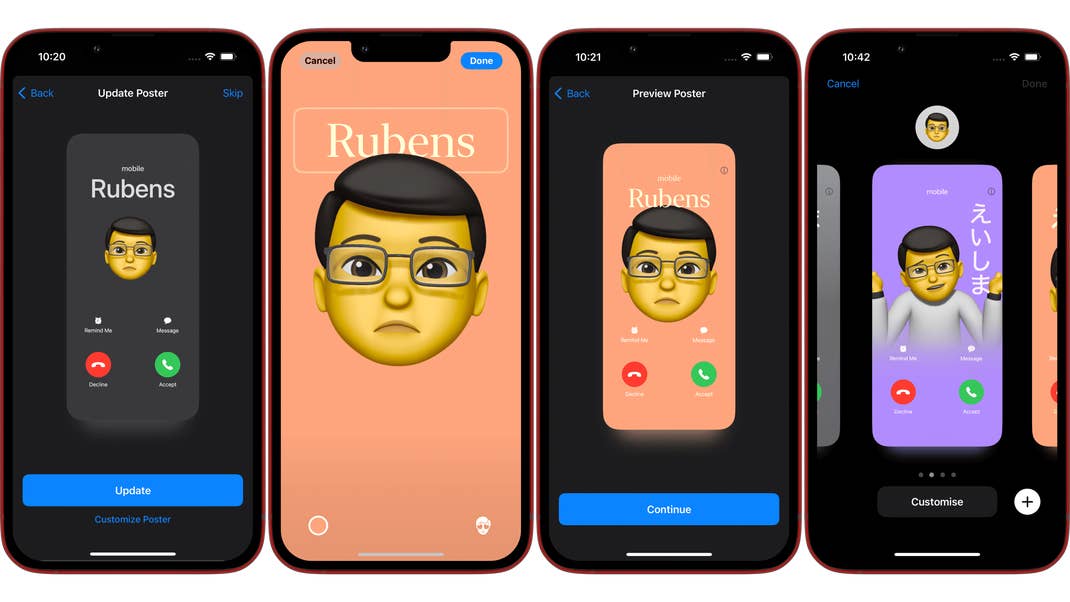
As you have probably noticed from the screenshots in this article, your creativity is the limit to make the best out of the posters. And most people will surely have way better results than I did, especially by using the iPhone camera’s features, not using a phone that was refreshed for installing the iOS 17 beta, and of course, more time to explore the feature.
What about you? Do you see yourself using Contact Posters? Do you think it is an attractive new feature in iOS 17 or will simply ignore it? Share your opinion in the comments below.
We mark partner links with this symbol. If you click on one of these links or buttons–or make a purchase through them–we may receive a small commission from the retailer. This doesn’t affect the price you pay, but it helps us keep nextpit free for everyone. Thanks for your support! Prices are based on the date of publication of this article and may be subject to change.