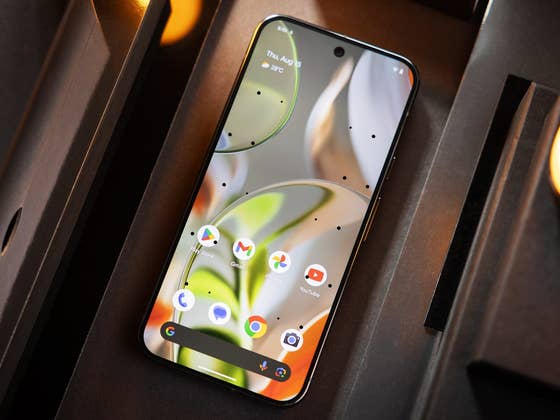
On the iPhone, Vehicle Motion Cues aims to reduce motion sickness for users traveling in moving vehicles, such as cars or trains. It achieves this by displaying visual guides in the form of animated dots along the edges of the screen. These dots move in sync with the motion of the vehicle, helping users adjust to the vehicle’s movement visually.
Over the past few months, clues have emerged indicating that Google is working on a similar feature for Android. Recent findings from the latest Google Play Services app by Assemble Debug (via Android Authority) provide further evidence of its development. The outlet even managed to enable the feature, confirming its name as Motion Cues.
How Does Android’s Motion Cues Work?
During testing, it was revealed that Motion Cues can be accessed and enabled from the display settings on Android devices. However, the exact location may vary depending on the device’s Android skin. Notably, Android’s version introduces an option to activate the feature automatically while driving—something Apple’s implementation currently lacks.

When enabled, multiple gray dots appear along the edges of the active screen. These dots are designed to be less distracting compared to the black dots used in Apple’s Vehicle Motion Cues. For added convenience, a shortcut button is available in the quick settings panel, allowing users to toggle the feature on or off quickly.
As of now, there’s no official release date for Motion Cues. It’s expected to be activated via a server-side update on Android 15, but details on supported devices remain unclear. Additionally, its availability for non-vanilla Android devices will likely depend on individual manufacturers.
Are there other accessibility features you’d like to see added to Android? Share your thoughts in the comments below!