Sorry, but there's really nothing to see here right now. Our server is in maintenance mode – and our
little bot is trying to sort the error messages with its last bit of energy.
Whether it was a data leak, a power outage in the cluster, or just a grumpy bit – we don't know yet.
But what we do know is:
The data drama escalated into a server meltdown. But don't worry: We're on it.
What now?
Everything is surely running smoothly over at our colleagues from inside
digital – why not stop by!
Or you could pass the time by visiting our social media channels – for example Instagram, YouTube or TikTok. At least there are no
server problems there – promised.
Thanks for your patience. Our bot is already rebooting at full speed. 🔧
NewsTabletNothing Phones Gain Google’s Cross-Device Services: What it Does
Following the arrival of Google’s cross-device services on Pixel and Galaxy smartphones, the feature is now rolling out to more Android devices, including Nothing phones that recently received the Android 15 update. Here’s why Google’s cross-device services matter and how they work.
How Google’s Cross-Device Services Work on Android
Google’s cross-device services function similarly to Apple’s Handoff on iPhones. The feature syncs notifications and enables seamless sharing of functionalities like Wi-Fi hotspots across multiple connected Android phones and tablets. This creates a more unified experience, particularly for users with multiple devices.
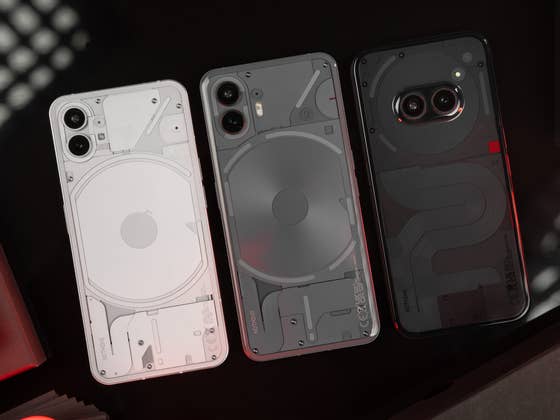
According to a recent discovery (via Android Police), Google has enabled cross-device services on the Nothing Phone (2a) (review), though it is disabled by default. It remains unclear which other Android models support the feature at this time. However, you can check manually by navigating to the Device and Sharing section under Google Services in your phone’s settings.
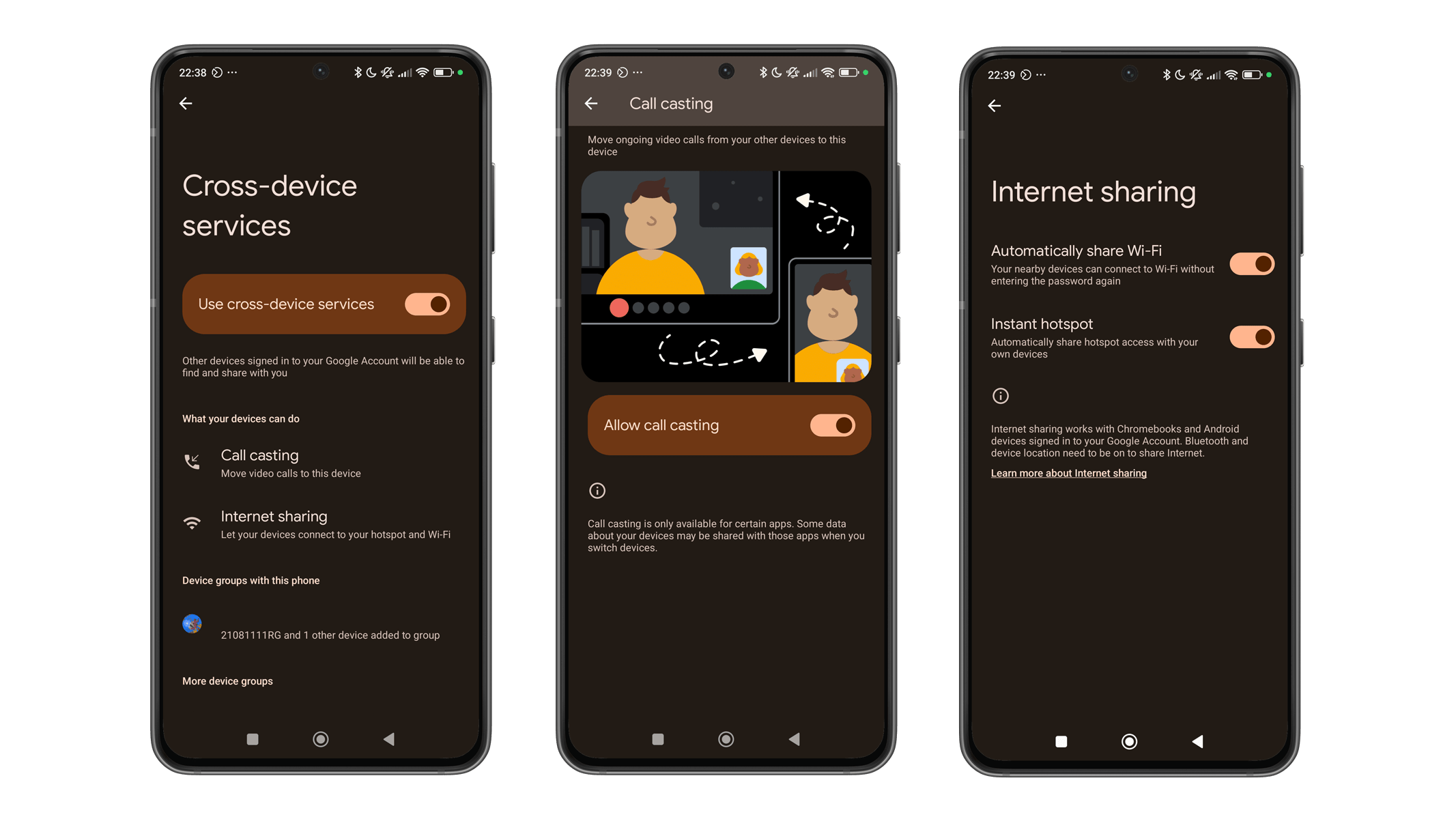
Shared screenshots from the outlet reveal that the Nothing Phone (2a) supports call casting and internet sharing through cross-device services. Call casting lets users transfer calls between connected devices, while internet sharing automatically activates a hotspot connection between them. Additionally, the feature allows devices to connect to Wi-Fi networks without needing to enter the security code on another handset.
Once enabled, you can also manage the devices to be connected as well as which of the tools to utilize and share.
Which Android Devices Support Cross-Device Services
Besides the Nothing phones, cross-device services are already supported on Google’s Pixel lineup from the Pixel 6 to the Pixel 9 series, as well as the Pixel Tablet, and brands like Xiaomi. Samsung has also integrated the feature into its One UI, offering auto-hotspot functionality by default, while call casting must be enabled manually in the settings.
While Google’s cross-device services currently offer just two primary functions, more features could be added in the future. One possibility is the Universal Cloud Clipboard, which is currently available only when using the same Google account and requires a separate configuration.
Have you tried using Google’s cross-device services on your Android device? Let us know in the comments!