Sorry, but there's really nothing to see here right now. Our server is in maintenance mode – and our
little bot is trying to sort the error messages with its last bit of energy.
Whether it was a data leak, a power outage in the cluster, or just a grumpy bit – we don't know yet.
But what we do know is:
The data drama escalated into a server meltdown. But don't worry: We're on it.
What now?
Everything is surely running smoothly over at our colleagues from inside
digital – why not stop by!
Or you could pass the time by visiting our social media channels – for example Instagram, YouTube or TikTok. At least there are no
server problems there – promised.
Thanks for your patience. Our bot is already rebooting at full speed. 🔧
NewsTabletAndroid 14 Beta 1 Now Ready to be Installed on Google Pixel Phones
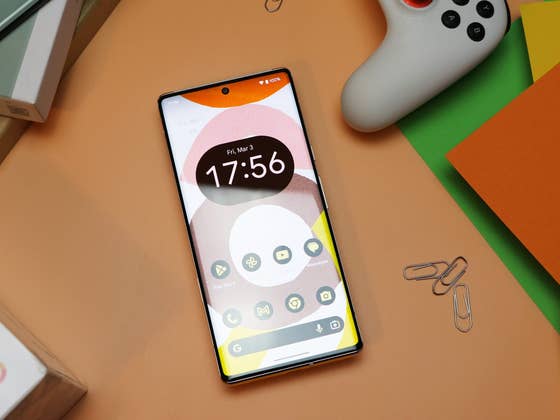
Impeccably on time when it comes to Google’s release window, Android 14 Beta 1 is now available to download for testers. The first batch of devices that will receive the update is the Google Pixel 4a and later models such as the Pixel 7 and Pixel 7 Pro.
The first Android 14 beta is only part of a series of releases from Google before a stable and public version of the operating system is shipped, which is expected to arrive as early as August this year. Likewise, not all features planned for Android 14 will be present in this beta, although users should also expect a handful of bug fixes in tow.
What is new in Android 14 Beta 1: Back Gesture, Weather at Glance, Transparent Navigation, etc.
Apart from the usual fixes concerning issues and optimizations of services and apps, Beta 1 adds familiar changes that were already previewed in the Developer Preview of the upcoming Android OS. This includes the predictive back gesture that has been encapsulated in a new button and support of a transparent navigation bar in all apps.
On the lock screen, Google allows users to toggle the weather widget off or on in the Glance section. Assome users have noted, the feature still did not show any changes regardless of which option you’re going to pick. However, the redesigned weather widget that was mentioned in the Developer Preview is not yet visible in this release.
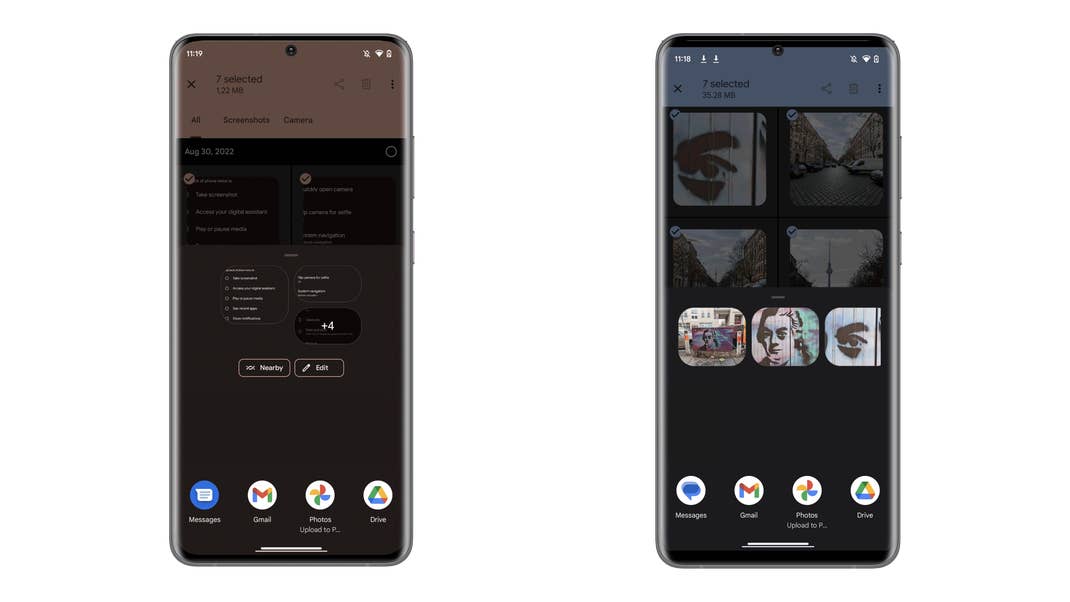
As highlighted in our Android 14 hub, the Nearby Share button is now visible inside the share window. It would be applicable when sharing web pages via Google Chrome. As for sharing photos or videos, the new Create Album and Create Link customizable action buttons were included alongside the copy shortcut.
While minor, the markup tool inside the photo editing tools has been enhanced. For instance, highlighter pens will offer a preview of the selected color. Subsequently, changing the hue will be automatically reflected in the pen icons.
How to install Android 14 Beta on Google Pixel Phones
Currently, the beta program is compatible with the Pixel 4a, Pixel 5, Pixel 5a, Pixel 6, Pixel 6a (review), and Pixel 7 series (review). If you have one of the eligible Pixel handsets, you can install the latest over-the-air Android 14 versions by enrolling in the beta program. You’ll also get to upgrade to the next beta once it is available. Alternatively, downgrading to Android 13 OS is also supported if you decide to opt out.
Are you planning to install Android 14 OS ahead of the stable version? Which Google Pixel device are you running it on? We’d like to hear about your experience in the comments.
We mark partner links with this symbol. If you click on one of these links or buttons–or make a purchase through them–we may receive a small commission from the retailer. This doesn’t affect the price you pay, but it helps us keep nextpit free for everyone. Thanks for your support! Prices are based on the date of publication of this article and may be subject to change.
Jade Bryan has been a Junior Technology Editor at nextpit since 2022. His tech journey began much earlier, tracing back to the early days of Android and the peak of the Nokia era. With years of experience contributing to various publications and tech forums, he specializes in providing practical tips and troubleshooting guides for users.
At nextpit, Jade’s expertise extends beyond smartphones and operating systems to include electric vehicles and the latest in gaming. He is particularly interested in how these evolving technologies intersect and shape our daily lives.
Outside of work, Jade is usually immersed in MMORPGs or catching up on his favorite anime and television shows.