Sorry, but there's really nothing to see here right now. Our server is in maintenance mode – and our
little bot is trying to sort the error messages with its last bit of energy.
Whether it was a data leak, a power outage in the cluster, or just a grumpy bit – we don't know yet.
But what we do know is:
The data drama escalated into a server meltdown. But don't worry: We're on it.
What now?
Everything is surely running smoothly over at our colleagues from inside
digital – why not stop by!
Or you could pass the time by visiting our social media channels – for example Instagram, YouTube or TikTok. At least there are no
server problems there – promised.
Thanks for your patience. Our bot is already rebooting at full speed. 🔧
How-tosTabletHow to use your phone to hear like a cat
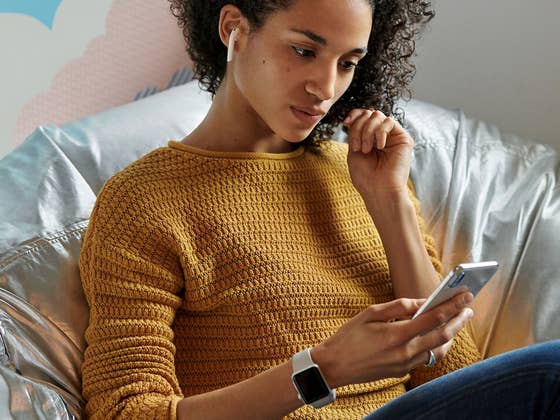
The world around us is filled with beautiful sounds, many of whom are so subtle that our ears never pick up! In today’s coffee break, I will demonstrate some cool tricks that can turn your earbuds into a low effort – and low cost – hearing aid!
Our phones have microphones powerful enough to hear me speak two rooms across the house and blatantly throw relevant advertisements a few hours later. So they must be strong enough to pick up the subtlest of sounds. Unintentionally, I walked into the realm of hearing aids – and birding – where such functions have their primal use cases. This feature is well implemented into iOS 15 under the name of Live Listen, while for Android devices, you need a specialized Google app called Sound Amplifier.
Here is how to hear the world like Mario in the underwater level?
The concept is surprisingly simple: by taking the sounds from the microphones and amplifying them in your headphones, you can pick up sounds that would match the enhanced senses of Geralt of Rivia. The uses of such a phenomenally simple “hack” are plenty and are some less innocent than others.
You can use this as a substitute to Ambient Sound reproduction that is missing from many headphones, as an emergency hearing aid or to take a walk in nature and try to hear pick up the sounds you would normally miss. Perhaps the flutter of a sparrow or the whizzing of a winded fox. I was surprised by the new range of sounds I discovered without special equipment.
In social themes, you could still exploit your artificial super hearing. If you have trouble discussing in loud environments, it can help you boost the voice of others while ignoring background noise. But it is not perfect; often, the sounds can sound muffled, like you are under the water. Regardless, it is a fun pastime for a few minutes.
To use Live Listen on iOS you need a compatible headset and a 14.3 iOS and up device. Apart from the specialized Made for iPhone hearing aids, you can also use AirPods, AirPods Pro, AirPods Max, Powerbeats Pro, or Beats Fit Pro.
With Live Listen, you can amplify the sounds of your surroundings and conversations while also playing a white background noise like rain sounds. You can also see the actual noise level of your headset so that you don’t damage your ears.
Go to Settings > ControlCenter.
Tap on the green plus sign next to Hearing Button.
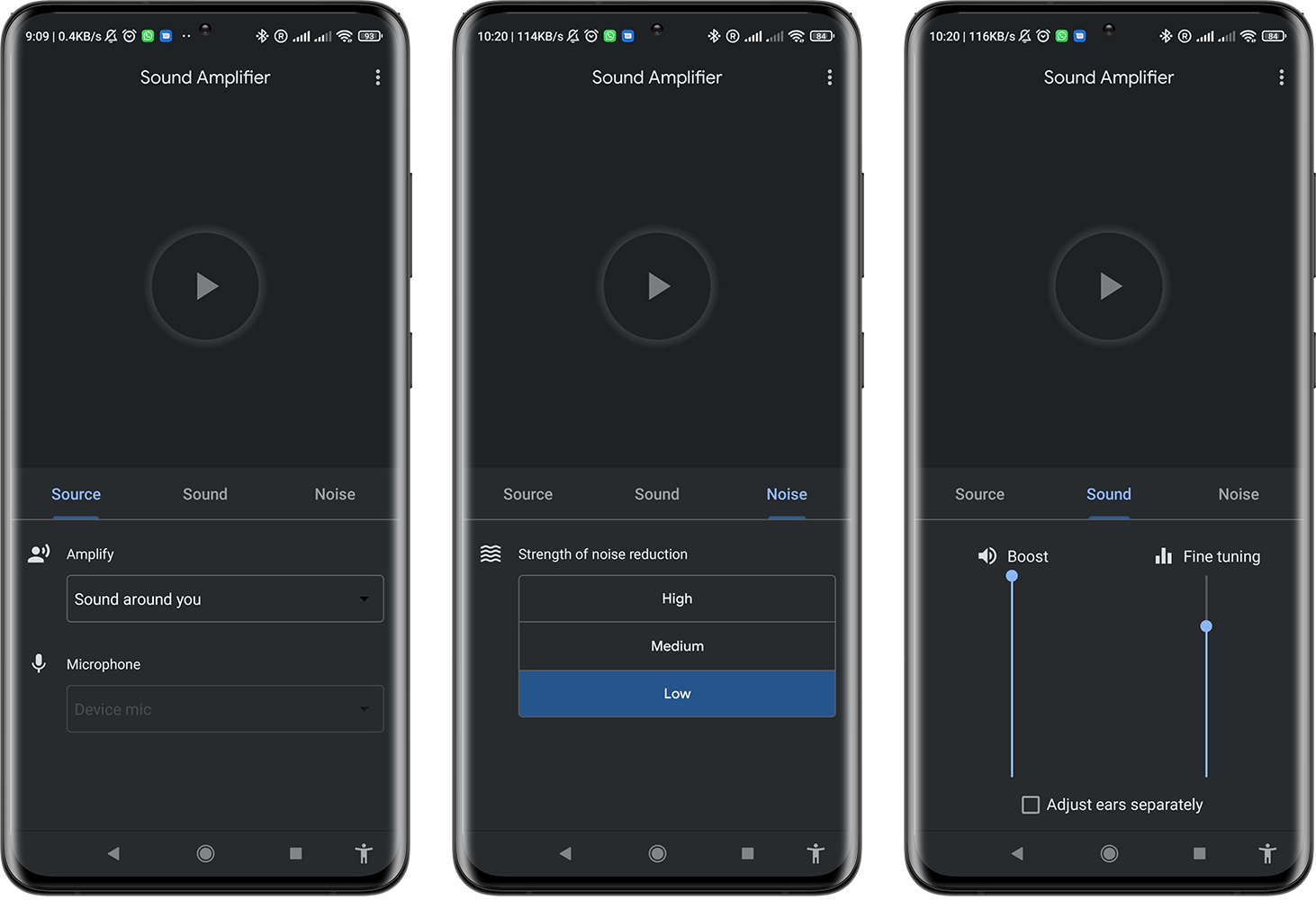
Surprisingly, such a helpful feature is missing from Android’s Accessibility Settings, which is a shame considering its usefulness for people with hearing issues. Thus, we have to resort to a separate Google app to make our trick work. The app is called Sound Amplifier and can be downloaded through the Google Play Store.
With the app, you can amplify all the sounds that your microphone receives. At the same time, it also includes a handy fine-tuning slider to focus on frequencies, a boost slider to find the exact loudness that is comfortable and a noise reduction filter with three different levels.
Did you like this life-hack? Do you have others to recommend? Let me know in the comments!