
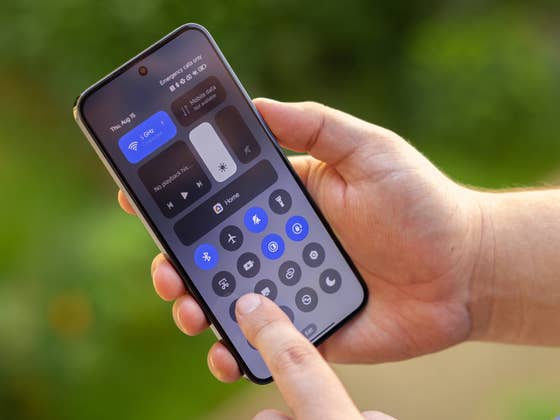
By default, the “Search” menu launches when you swipe down from anywhere on your Xiaomi’s smartphone screen. However, you can reassign this gesture to launch the Control Center and the Notifications pane. I found this to be far more convenient. No more swiping from the top of the screen and stretching your little fingers.
Here’s how you do so:
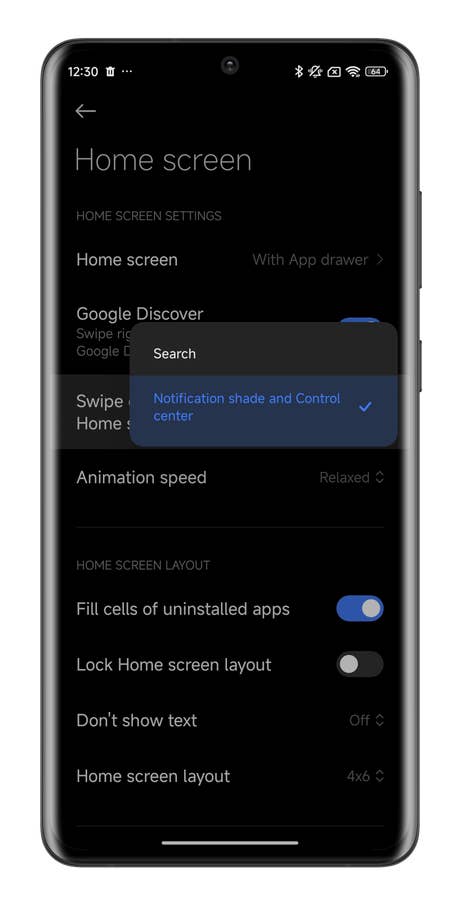
- Go to HyperOS’ Settings.
- Go to Home Screen.
- Select Swipe down on the Home screen.
- Select the Notification Panel and Control Center option.

Step 1
Quelle: Xiaomi ; Screenshots: nextpit

Step 2
Quelle: Xiaomi ; Screenshots: nextpit
Step 3
Quelle: Xiaomi ; Screenshots: nextpit
Once the gesture has been reassigned, you can swipe from anywhere on your screen. I found this HyperOS feature makes navigation far more intuitive. Swipe on the right half of the screen to display the Control Center, while swiping on the left half of the screen displays the notifications panel.
Empfohlener redaktioneller Inhalt
Dieser externe Inhalt von YouTube wurde von der nextpit Redaktion ausgewählt und ergänzt den Artikel. Du hast die Wahl, ob du diesen Inhalt laden möchtest.What do you think of this HyperOS tutorial? Do you plan to use this feature on your Xiaomi smartphone?