Sorry, but there's really nothing to see here right now. Our server is in maintenance mode – and our
little bot is trying to sort the error messages with its last bit of energy.
Whether it was a data leak, a power outage in the cluster, or just a grumpy bit – we don't know yet.
But what we do know is:
The data drama escalated into a server meltdown. But don't worry: We're on it.
What now?
Everything is surely running smoothly over at our colleagues from inside
digital – why not stop by!
Or you could pass the time by visiting our social media channels – for example Instagram, YouTube or TikTok. At least there are no
server problems there – promised.
Thanks for your patience. Our bot is already rebooting at full speed. 🔧
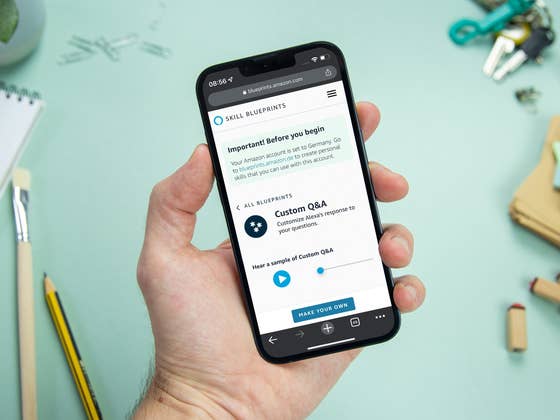
Did you know that you can create your own Alexa commands that come with custom responses? This is the perfect opportunity to make an Alexa fan happy. Or perhaps you would like to customize your smart home and add your own replies. Thanks to our coffee break today, you’ll only need five minutes to learn how Alexa’s Skill Blueprints work!
Voice assistants have become almost like roommates in your smart home after a while. If you know of a real Alexa fan who has a friendly relationship with Amazon’s voice assistant, you can give him or her a real treat. The “Alexa Skill Blueprints” function allows you to create individual Alexa voice commands with your own responses.
In addition to having witty answers to your own questions, there is also plenty else to discover. For example, Amazon suggests helping a house guest with tips for your smart home or telling a babysitter where certain utensils are in your home. A chore schedule can also be created using Skill Blueprints. All the possibilities are best explored yourself, and I’ll tell you how to locate the feature first.
Create your own Alexa commands: This is how it works with Skill Blueprints
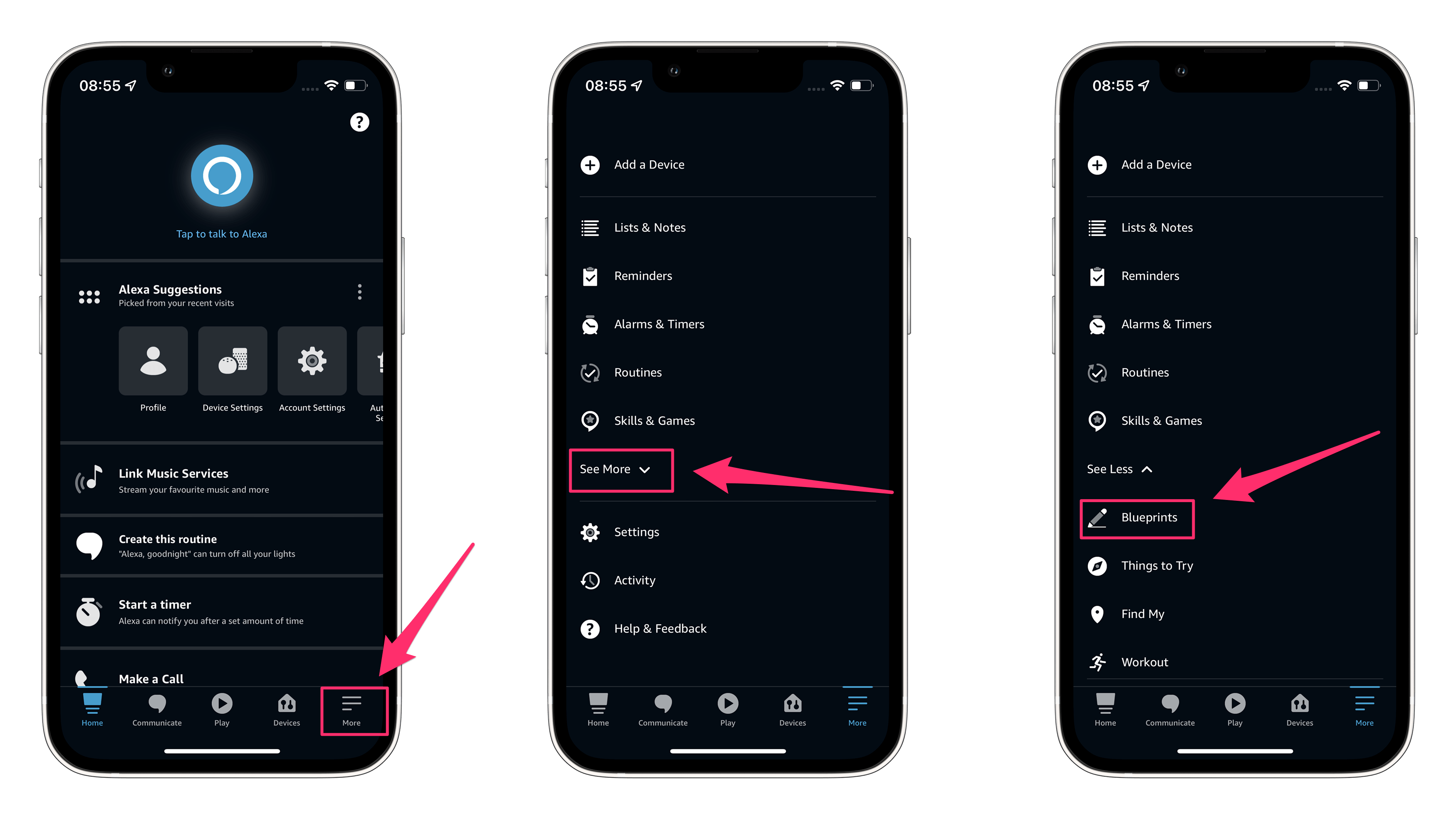
As with most Alexa functions, apart from voice commands, you first need the Alexa app. You would already have installed it to work with your Echo speaker. If you no longer have it on your phone, you can download it for iOS and Android for free. Log in and go to the “More” page. There, tap the “See more” option, where you’ll find the “Blueprints” entry.
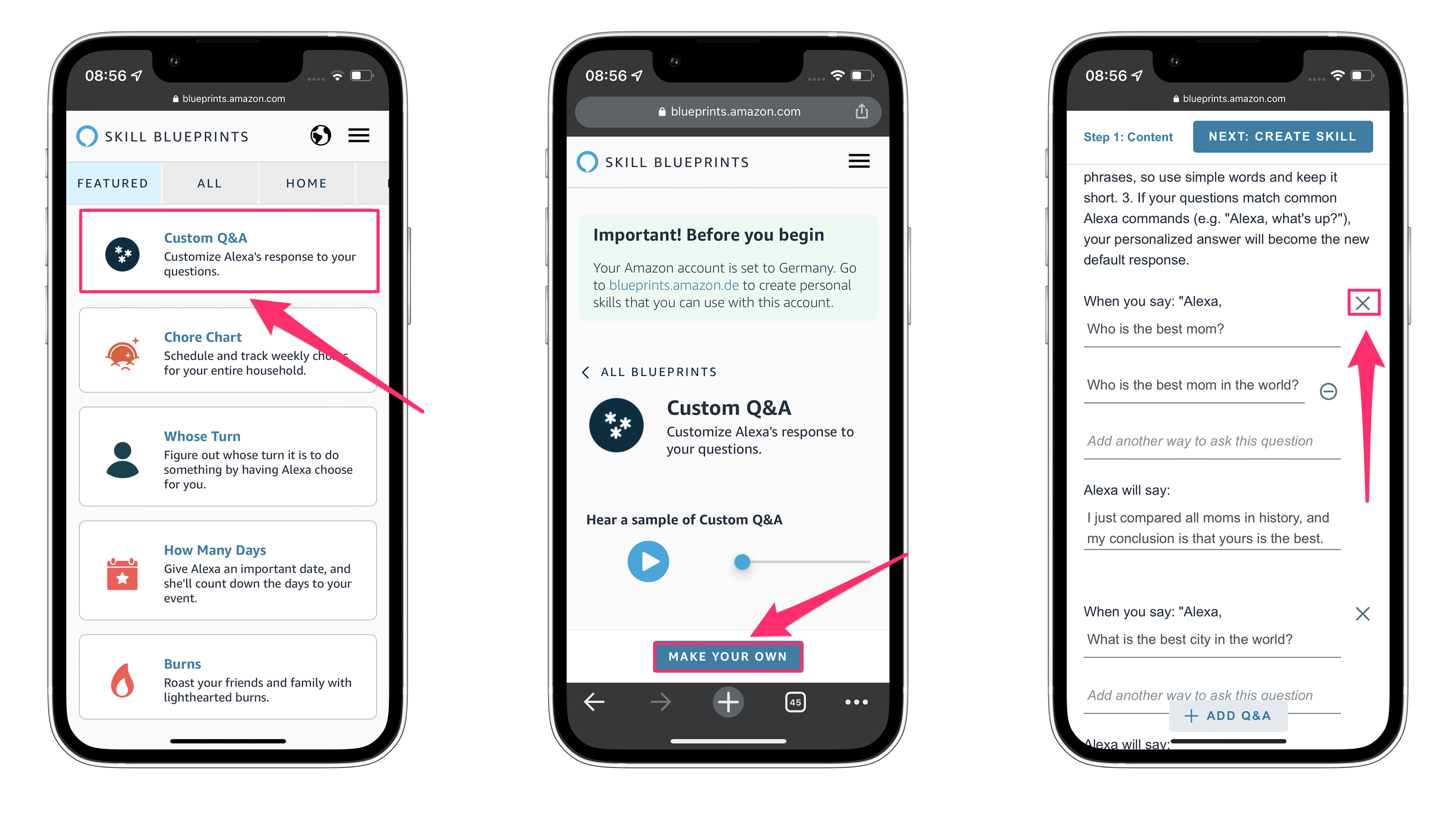
Found it? Perfect! From here, it is on to creating your own skill. In the Blueprints menu, you’ll find all the options I mentioned above under “All”. To create your own voice command, however, tap on “Question & Answer”. Here you can listen to an example from an unnamed Amazon employee or tap “Create Now” directly below.
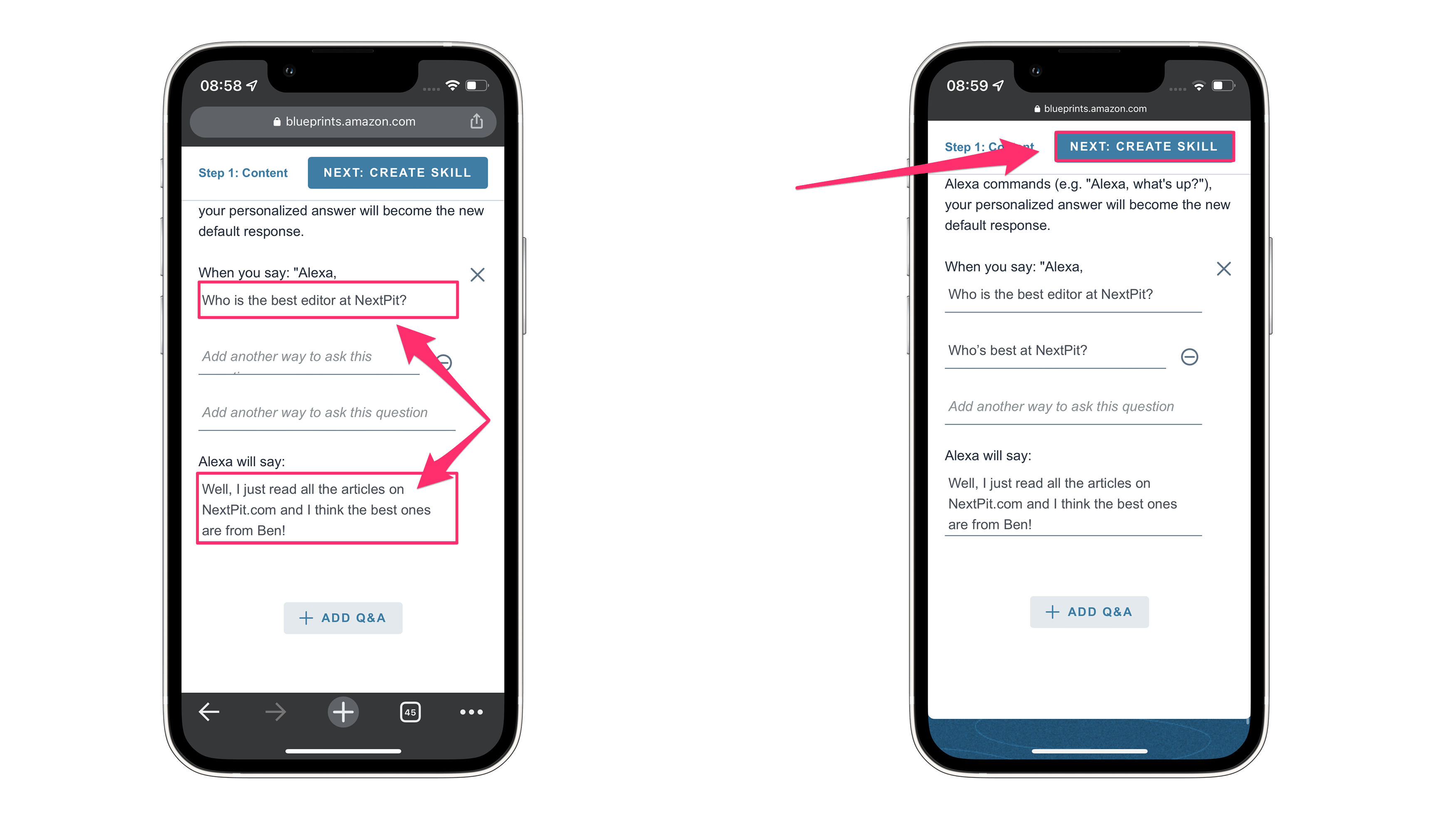
Here, you enter the question and your desired answer. You can enter several question-answer combinations at once – or you can delete the other input fields. Then select “Create skill” in the upper right corner.
Select Custom Q&A.
Hide the unwanted input options.
Type in your desired question and answer. Here’s an important tip: You have to enter two possibilities to which Alexa should react in the future.
Now the only thing left to do is: try it out! The new skill should be available immediately after saving it. That’s all there is to it – this is how you create new voice commands on your Alexa or your friends’ Alexa setup.
Have you ever created your own Alexa voice command? And what are your uses for Alexa Skill Blueprints? Share with me in the comments!
We mark partner links with this symbol. If you click on one of these links or buttons–or make a purchase through them–we may receive a small commission from the retailer. This doesn’t affect the price you pay, but it helps us keep nextpit free for everyone. Thanks for your support!