Sorry, but there's really nothing to see here right now. Our server is in maintenance mode – and our
little bot is trying to sort the error messages with its last bit of energy.
Whether it was a data leak, a power outage in the cluster, or just a grumpy bit – we don't know yet.
But what we do know is:
The data drama escalated into a server meltdown. But don't worry: We're on it.
What now?
Everything is surely running smoothly over at our colleagues from inside
digital – why not stop by!
Or you could pass the time by visiting our social media channels – for example Instagram, YouTube or TikTok. At least there are no
server problems there – promised.
Thanks for your patience. Our bot is already rebooting at full speed. 🔧
How-tosTablet3 ways to buy games and apps on Google Play without a credit card
You have bought or been offered a new smartphone, and you are dying to download from the Google Play Store. What do you mean, you don’t have a credit card? Well, one of the great advantages of the Google Play Store is that it allows many alternative payment methods.
The Google Play Store has an infinite number of applications for all uses and all users regardless of their requirements. If you are one of those who always want the best applications, you will not be disappointed, even if you sometimes have to pay for some of them. If you don’t have a credit card, don’t worry: there are alternative ways to pay.
PayPal is one of the most widely-used payment services in the world. Why? Because it is fast, easy-to-use and safe. With PayPal, you can buy a large number of goods and services and online, or send money to your friends and family. All of this in just a few clicks!
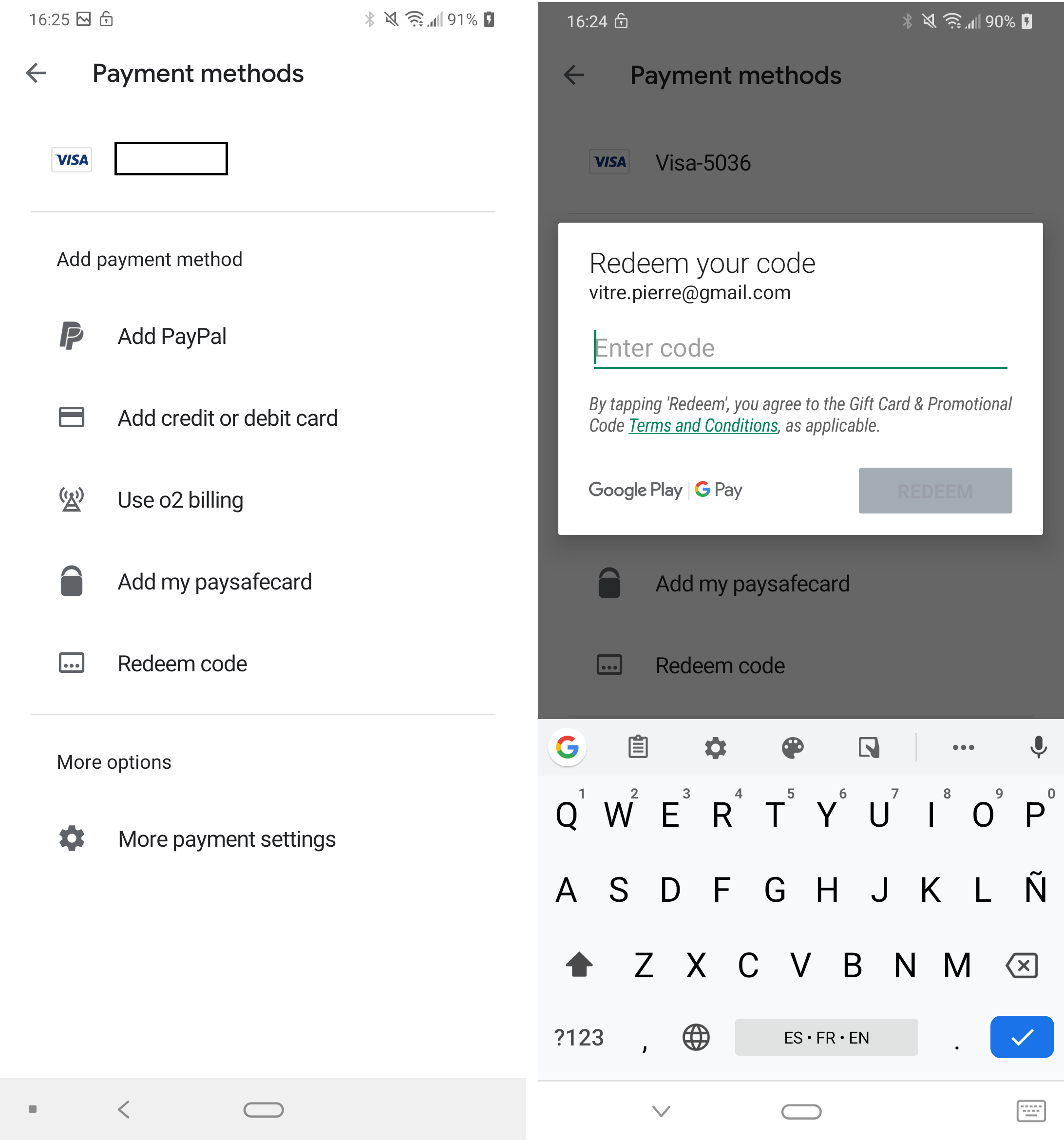
The Google Play store also accepts payments via PayPal. If you do not have an account, you only need a few minutes to create one. Go to the official website, click on “create account”, select “personal account” and enter your email address and password. On your account, you can add a bank account or a credit/debit card. All you have to do is transfer money to your PayPal account to be able to use it on Google Play! You can also receive money from someone else that can then be spent on the Play Store.
Another solution is to use a gift card. Available in many stores, Google Play vouchers offer you a budget depending on the price of the card ($15, $25 or $50), which can be used in a few seconds. All you need to do is scratch the card to discover your secret code.
Once the gift card has been scratched, you can access the Play Store from your smartphone (or PC) to redeem the voucher and buy the applications, movies, games, etc. of your choice.
Another way to buy on Google Play without the need for credit cards is to use your phone bill. This payment method is only available with some operators, so you will need to check that your internet service provider offers the option.
You can consult this page to find out which operators allow payment via direct debit from the telephone bill. Also, be prepared to have a large invoice if you go on a shopping spree without totting up how much you are spending.
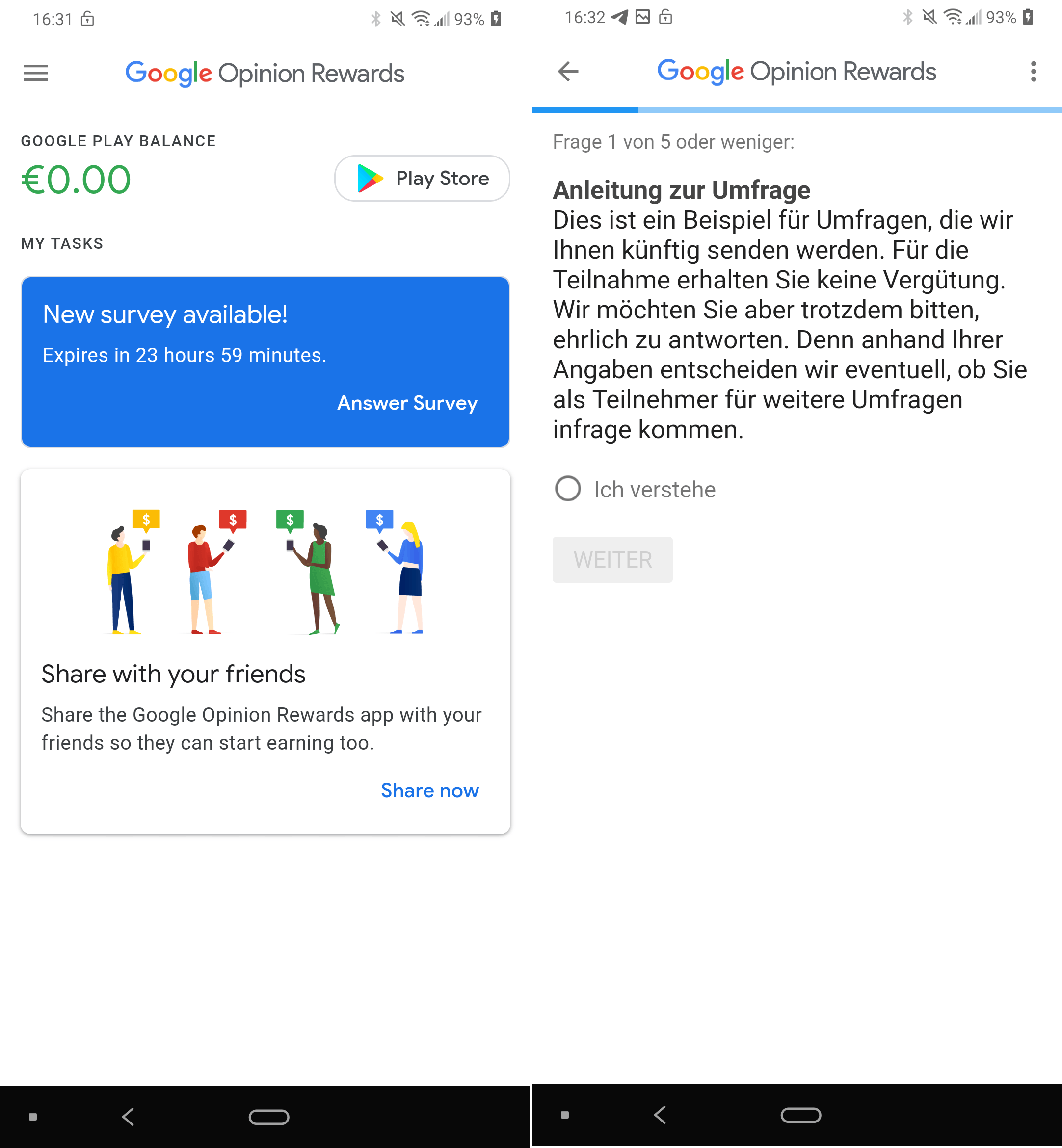
Google itself gives you the opportunity to earn money to spend on the Google Play Store. To do this, there is an application called Google Opinion Rewards, which will ask you to complete surveys on Google products. As soon as a new survey is available, you will receive a notification on your phone. Just take a few minutes to complete the survey, and you will receive credits to spend on the Play store.
This is a payment method that requires effort on your part, but it will not take you more than a few minutes. You can do it on the way home, on the sofa or even on the toilet to optimize your time as much as possible! The results are more important than the method.










Anyway one has to pay