


Contents
Battery life is a combination of many different factors, so there’s no single solution to rule them all, but if you use your smartphone intelligently and have the right equipment, all these good practices can add up to save you a ton of frustration with your battery. Check out all our top tips below.
Jump to:
- Get the right plug and charger
- Put it into airplane mode
- Turn it off
- Use a battery-saving mode
- Switch off unnecessary features
- Don’t touch it
- Keep it cool
- Buy a portable USB charger
Get the right plug and charger
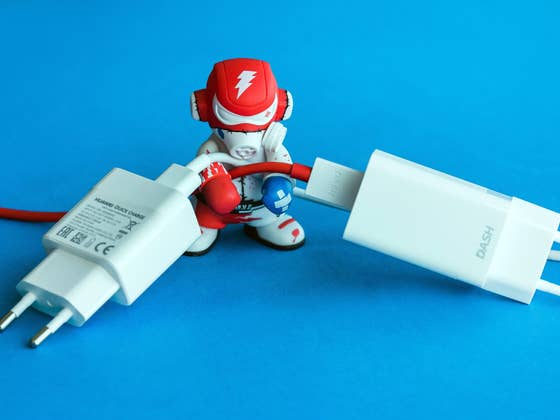
While Android chargers have a universal fitting, that doesn’t mean they’re all the same. Connecting your charging cable to a laptop is a bad idea if you want to charge your phone quickly: a USB 2.0 port chucks out just 2.5 watts of power, while USB 3 delivers 4.5 watts. Your wall charger will deliver much more, so this is the best bet if you want the speediest charging.
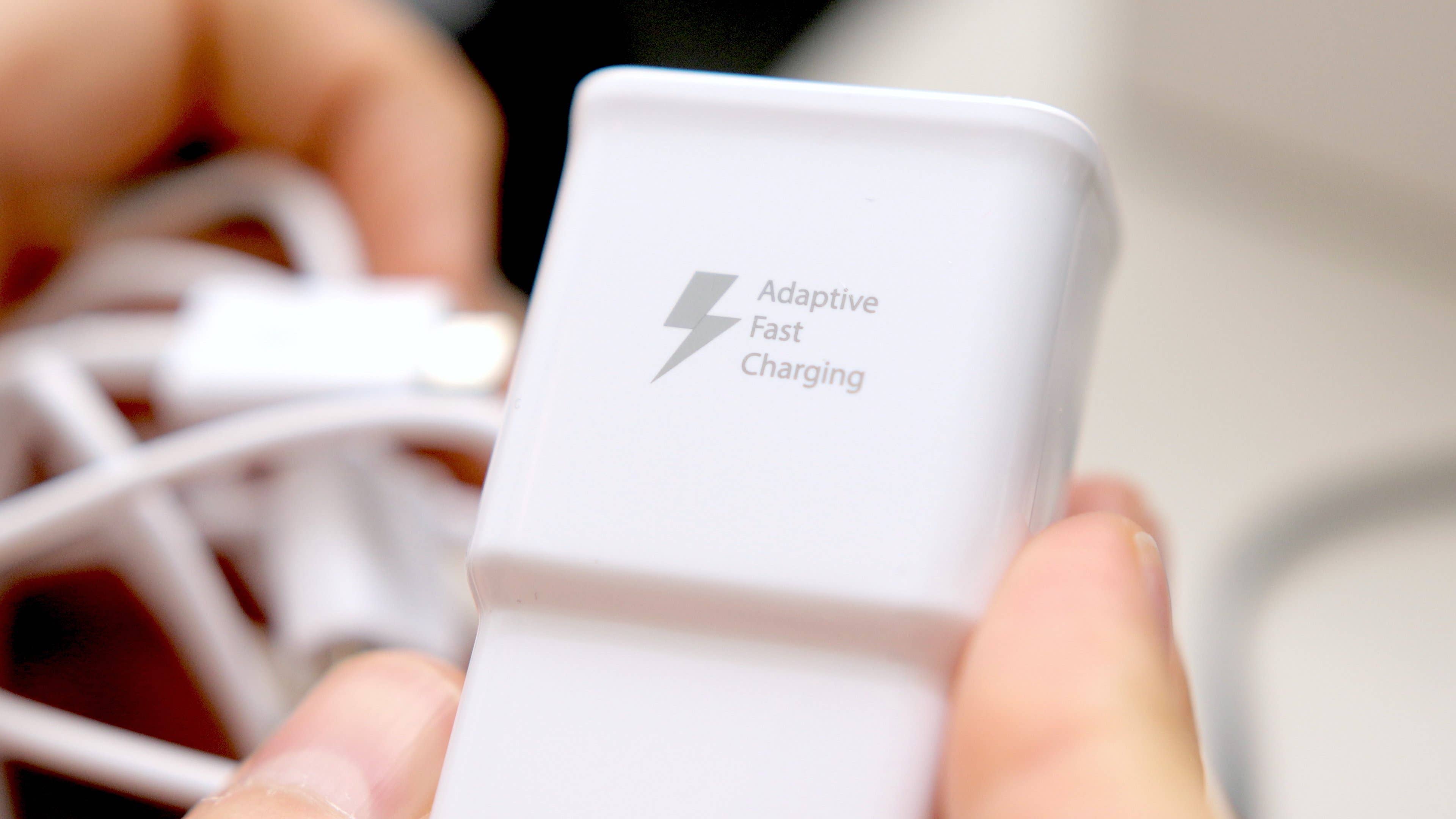
Many modern Android phones support fast charging, which delivers a whopping 15-18 watts and can, therefore, charge your phone much more quickly. You’ll find a good list of fast charging phones on the Qualcomm website (you don’t need to have a Qualcomm processor; just Qualcomm’s power system).
Be aware that just because a phone supports fast charging, it doesn’t mean the charger that came with it is a fast charger, or the most effective charger possible for that phone. You may have to buy your own. For example, the LG G6 came with a stock charger that used Quick Charge 2.0, just like the G5, even though both phones support Quick Charge 3.0.
You don’t necessarily need to buy your phone maker’s own charger – a third party one can save you a fortune – but be wary of no-name gray market cheapies, which have a tendency to set things on fire.
We also don’t recommend using wireless charging if you’re in a hurry. Wireless charging can’t deliver power as well or as quickly as good old-fashioned cables, so it’s best used when you have more time on your hands. The exception to this rule is wireless quick charging. This will be more effective than USB charging, but less effective than cable charging from a wall socket.
Put it into airplane mode
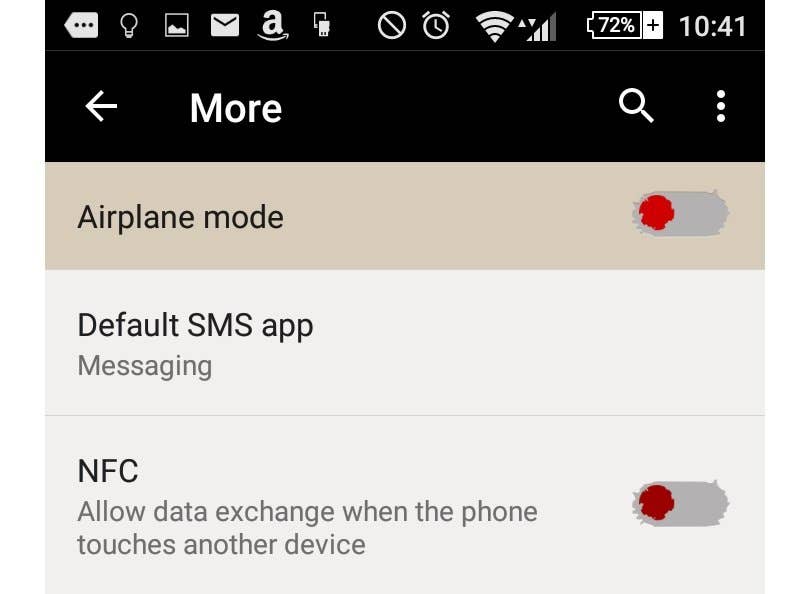
The less your phone is trying to do while it’s charging, the more quickly it will recharge. Airplane mode blocks any wireless radios on your device, reducing your phone’s capabilities and therefore stopping it from doing so much.
It won’t receive calls or messages while it’s in airplane mode, but it’s worth it to have a device that will stay on for the next few hours.
Turn it off
Turning your phone off completely will allow it to recharge even faster than putting it in airplane mode. Again, you might miss out on a few notifications while it is off, but you’ll have to live with that if you want your phone to last until you come home again.
Use a battery-saving mode
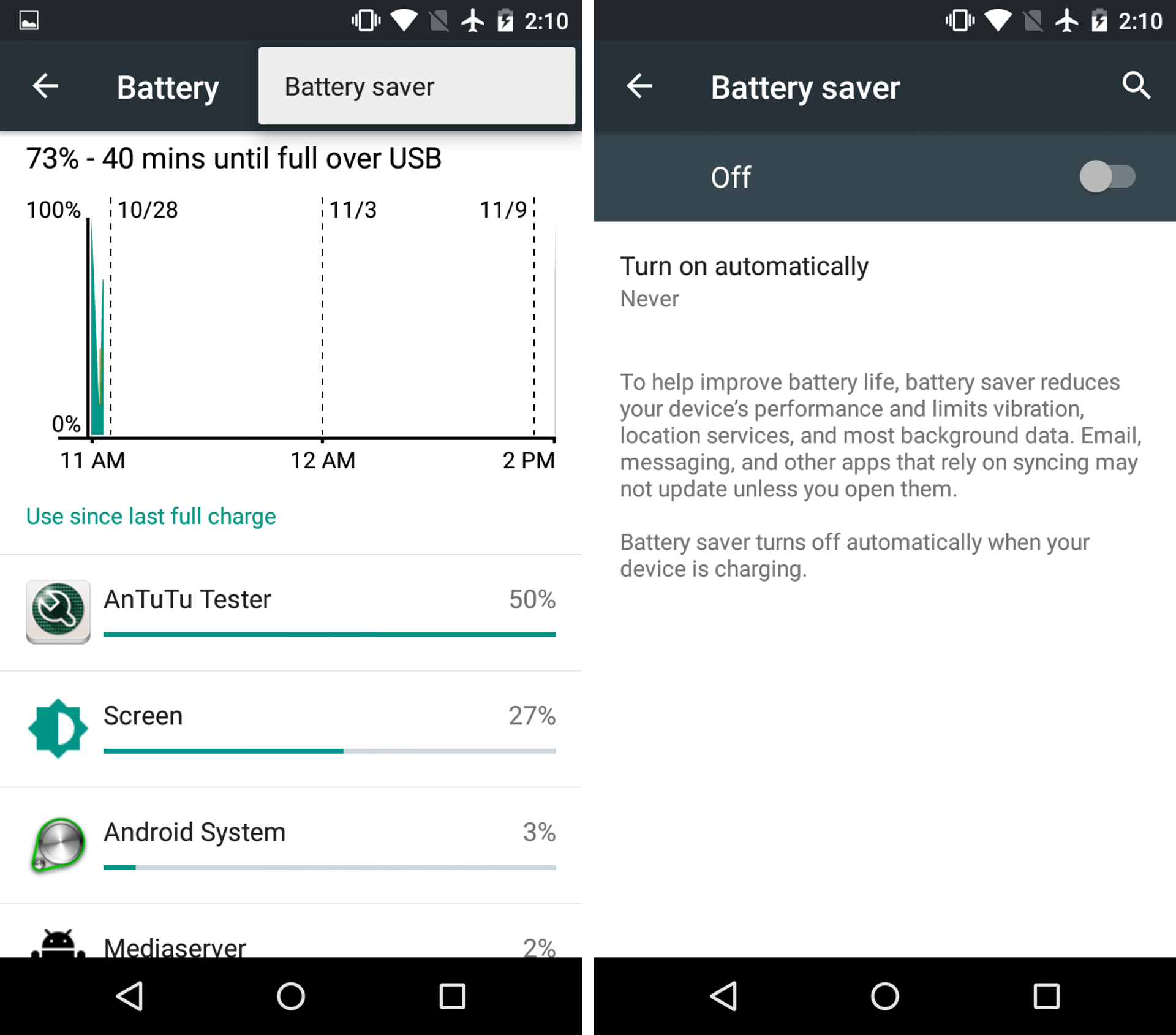
Ever since Lollipop, Android devices have a battery saving mode of some description (usually Settings>Battery>Battery Saver), whether it’s the stock option or a manufacturer-specific feature such as Motorola’s Doze. Switch this on to conserve power while your phone recharges.
Switch off unnecessary features
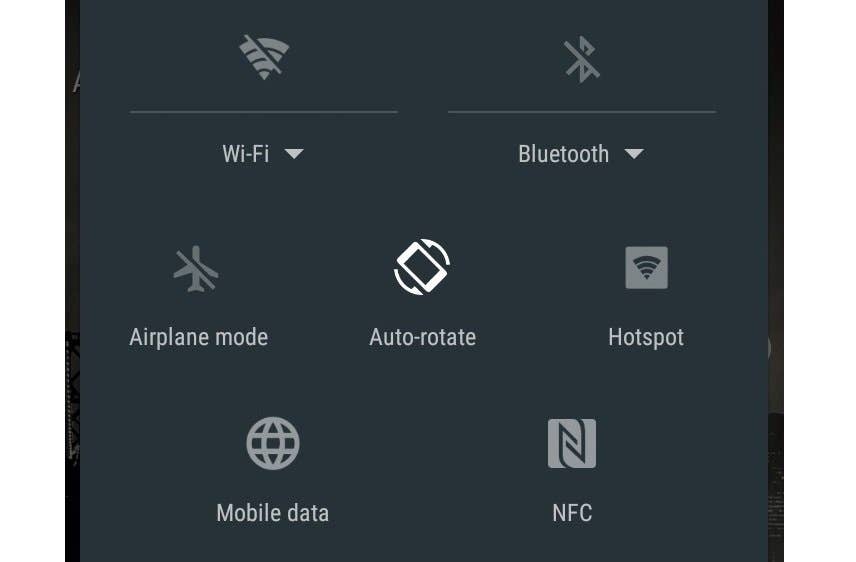
Check to see if you have any unnecessary features on, such as Bluetooth, GPS, Wi-Fi or NFC, which could be using up battery power. Close all your apps and stop your phone from doing automatic backups or updating apps from the Google Play Store.
Don’t touch it
If you need your phone on and out of airplane mode while it’s charging, because you are expecting an important call, try not to keep using your phone every 30 seconds. Why? Because the screen is the biggest battery drainer of them all.
The more you wake your phone, the faster its battery will drain. So try to avoid the urge to check every notification that comes through, leave it to charge, and it will reach the desired level much faster.
- Find out how to manage notifications in Android.
Keep it cool
Temperature matters when it comes to technology, and it’s never good to let a battery get too hot. Now, this doesn’t mean you should stick your phone in the freezer while it charges, it’s better to avoid heat than inflict extreme cold.

Always charge your phone in a cool or room temperature spot. Don’t leave it to charge in direct sunlight or in a hot car. If you’re using a portable battery charger, don’t charge your phone in your pocket.
If you can avoid getting your battery too warm, it’ll reward you with a slightly faster charge.
Buy a portable USB charger
This won’t actually charge your phone faster, but it will solve the problem of having a low battery and not enough time to fully charge it. Portable USB chargers come in small, lightweight packages and often can be picked up for less than $20.
Carry one of these in your pocket and you can charge your phone on-the-go – meaning you don’t have to worry about that last minute dash to pump some juice into it. Have a look at what we’re talking about over at Amazon.
- Need some battery saving tips for the long haul? Check out our comprehensive how to save battery life on Android.
Did you try any of these suggestions? What do you do to make your phone charge faster? Let us know in the comments.
We mark partner links with this symbol. If you click on one of these links or buttons–or make a purchase through them–we may receive a small commission from the retailer. This doesn’t affect the price you pay, but it helps us keep nextpit free for everyone. Thanks for your support! Prices are based on the date of publication of this article and may be subject to change.



my phone has been charging for 3 hours (no the charger isn’t broken) and my phone is still on 1%, i tested my friends phone on the same charger and hers got to 100% in the same time or less, idk what’s wrong, i did everything this website told me to do ;-;
Not sure if this is too late,but anyway,your battery is dead for good.I’ve also had this with an older phone,the battery just got swollen up and stopped charging.The only thing you could do is getting a new battery.
I have the same situation months ago. It says it’s in charging state but it already took 4 hours but still on the same percentage. What I did was I change the connector of my charger with a new one. Hope that it helps
I have huawei y6 pro having 4000mah battery. I have its own branded charger which i receive at the time of purchasing. I am facing the problem of slow charging. It took more approximately 5 hours to charge fully 100% and its a very long time. Kindly guide me on how I make my phone charge faster? Kindly help????
Ive just got a Alcatel Pixi 4 5" 3g when the battery was low and i plugged the usb cable in i got a screen with a rocket on it say charging faster then a picture with a wave going across the screen but i cannot seem to find how to switch it on again.
Not sure weather it was a pp i have installed or if its a phone setting any ideas????
Everytime I get new notifications, I always check the screen but now I understand why my phone charges so slow ..
PD standard is excellent also beyond just QC
The Pixel 2 has fast charging and can to of with about 7 hours of life from a15 minute charge. But I carry a portable battery pack for those times when an outlet can’t be found. However with my usage of 3 to 3.5 hours screen on time and 3 to 5 hours of calls on a both headset I’m able to get through a full day without having to charge.
I’m not so bothered by quick charging, only because most people don’t keep their phones more than 2-3 years. The battery won’t get "used up" a lot in that time period. I don’t really care for quick charge on anything else I have. Shoving a lot of current in a LiOn/Polymer battery can have a negative impact on the life, since you might heat up the cells each time you quick charge.
On the negative side of slow charge, is I DO NOT ever charge my devices over night. Never! Yeah, there are circuits designed to cut off the current when the cells are full, and, there is a thermistor to cut it off if the cells get too hot, and a thermal fuse that melts if the charge circuit goes whack-a-doodle or the thermistor fails, but I just don’t take that chance with so much energy packed into such a tiny space. If something I use needs to be charged, if it can’t be charged before bed, I wait til the next day. I’ve been in electronics since the 70’s…seen too many batteries go all China Syndrome over those years to take a chance.
I pretty much agree after several batteries have swelled enough to push the rear cover completely off of its locked & latched points of LGV20, & Samsung G4 handsets with plastic cover thinks its a football.
With never a notice given by so called smart phone when actually its by far dumber than a chimp.
To not have voltage cutoff chip or app to take charge to shut power off at 99%, and back on when it hits 78% or what ever the best threshold is has to be the most insane priority totally ignored by battery tech engineers. We don’t need smart chargers, which is pretty much a joke unless one is radical RC pilot flying $6000 stunt heli inverted.
One should easily be able to leave phone tethered to charger forever.
Whatever Apple used in their 3GS, is now 15 yrs old, is still working, still used as music player. Same vintage as matching iPod, and he’s still going.
Its almost ridiculous to have to use a lamp timer so charger is on 1 hr, and off for 4 hrs. If that’s what it takes for best results.
Cheers.
Just searched Google Play for ~ (battery controller) , & there are many apps in the stack.
If anyone has tried them, I’m sure we’d love to hear it.
Bought a charge case for mine, just switch from my regular case and slot it in the chargeable one when on the go and need battery, get about 2 charges worth out of it and I don’t have to carry a charge pack with me with the wire lose, whenever I get another phone I’ll certainly be getting another case for it.
One of Best Applications to help charge your phone faster and extend your batterylife is Screen Filter,as it dims your screen, so helps charge it faster,and when not using your phone turn screen filter on so no brightness is draining your battery
This trick is very helpful. Thanks for sharing
I have no rule to load the phone, except when I see it is quite downloaded. Some time ago I used some load monitoring applications, but after a while I found that the battery was consuming even faster! I completely dropped the "optimization" of the phone. Now the phone behaves normally, it keeps me an entire day with no problems. Even 1.5 days if you do not use the internet non-stop.
For travel I bought a charger with a digital readout and three USB slots, and it’s very interesting to see the draw from the same charger on each of the different devices. In particular, a new Lenovo Android N tablet with a big 4800 mAh tank draws at half the speed of my aging Android L ZTE phone with a battery half that size – the charger pushes about 1A for the tablet versus over 2A for the phone. That leads to re-a-a-lly long charges. The tablet gets Oreo in November, hoping that slow charge may be optimized in the upgrade. (There is an app called Ampere (Braintrapp) that provides a real time reading.)
suprb tricks…
It might not seem obvious, but a smart watch (even an older one) can help reduce drain on the battery. When I get a notification on my phone, it shows up on my watch, so I don’t have to turn on my phone display unless it’s necessary. If it’s not important, I can dismiss the notification from my watch.
I have 2 Android S9+. Last night I left 1 overnight unplugged at 39% fell asleep watching a movie at 80 with the other. Awoke with dead and 45 or 54%. Standard Att USB-C fast wall charger. Dead phone was 98% by the time the other was 2%. On 100% I have between 4-6 hours if I’m using it for games or just looking at email or researching Google a few hours. Plugged in 1-3% takes a definite 2 hours and or a few min if left on. DEFINITELY DO NOT HAVE A GAME AUTO ANYTHING AT ALL NO MATTER WHAT!!!!!!! While I was recharging a different S9+ a few months ago at 2% 3-4 hours I left a game logged in auto fishing. I caught 1500 fish and my phone was 18% and that F***** felt about 80-100 degrees and I could barely hold it to shut it down a couple hours. Or I threw it in the sink and drowned it in cold water. (Yes I know… Hot items suddenly cooled like forging a sword may cause said items to fracture and or explode possibly killing or permanently scarring you)… Possibly there’s a significant recharge speed if it’s on or off and or not receiving notifications. Definitely a recharge plus if off because you’re not potentially using battery at the same rate that you’re gaining for an impasse. It just may not be a Significant recharge. I’m not looking at Any other factors such as battery stress or life. Purely recharge speed.
Hi. If you’re traveling buy car you can use a usb car charger which plugs in to the sig/lighter or power port. If you are out on a hike ,I would suggest getting a battery pack. They do work work wonders when out and about. Also I would suggest shutting down some apps that you don’t use much. This will cut down power usage on battery. If you have it use battery saver. Most phones do. Don’t use fast chargers they can destroy the life of the battery.