Sorry, but there's really nothing to see here right now. Our server is in maintenance mode – and our
little bot is trying to sort the error messages with its last bit of energy.
Whether it was a data leak, a power outage in the cluster, or just a grumpy bit – we don't know yet.
But what we do know is:
The data drama escalated into a server meltdown. But don't worry: We're on it.
What now?
Everything is surely running smoothly over at our colleagues from inside
digital – why not stop by!
Or you could pass the time by visiting our social media channels – for example Instagram, YouTube or TikTok. At least there are no
server problems there – promised.
Thanks for your patience. Our bot is already rebooting at full speed. 🔧
How-tosTabletiOS 16.5 Adds iPhone Video Screen Recording via Siri. Here’s How!
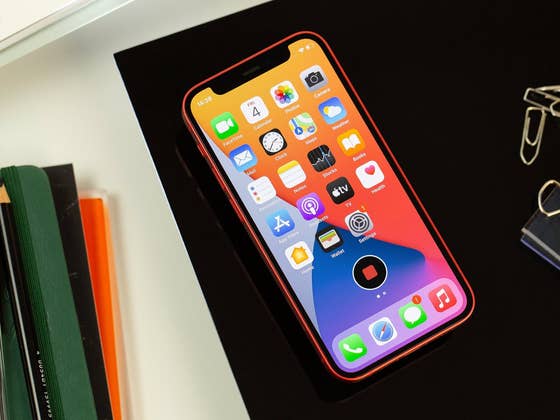
Apple is now rolling out the first beta of iOS 16.5 for beta testers following the release of iOS 16.4 to the public last week. Included in this firmware is the new ability to begin screen recording with or without sound on iPhones using a Siri voice command. Here’s a step-by-step guide on how to activate it.
iOS 16.5 Beta 1 is intended for public testers and developers, which will be followed by subsequent installments until the final version is released. For non-testers, it provides a sneak peek of what new features and changes you can expect.
Currently, activating screen recording is not as straightforward as capturing a static screenshot on your iPhone. You’ll first need to enable the feature from the settings inside the Control Section. After doing so, you can initiate any screen recording by accessing the main Control Center and tapping the record button, and subsequently tapping the stop button will end the recording.
In iOS 16.5, Apple is adding a shortcut to quickly start and end screen recording by using a Siri voice command similar to taking a screenshot, which was introduced a few years ago. If you’re already running on the latest iOS beta, here’s how to capture your iPhone’s screen in video format.
Launch Siri by long pressing the side button (Face ID devices) or home button.
You can also activate Siri by waking up the AI assistant through the “Hey Siri” phrase.
Command Siri by saying “Start a screen recording”.
To end the recording, just say “End the screen recording”.
To view the recordings, you’ll need to tap the pop-up window on top or by locating these in the Photos app.
If you’re not running on iOS 16.5 beta, you’ll need to wait for the final iOS 16.5 build that should be available at the end of April based on the iPhone manufacturer’s previous release history. Meanwhile, you can check out the added and new features on our iOS 16 tracker as well as the compatible iPhones that will receive the upcoming update.
How do you take a screenshot on your iPhone? Is it via Siri or by a combination of buttons? Share your suggestions with us.
We mark partner links with this symbol. If you click on one of these links or buttons–or make a purchase through them–we may receive a small commission from the retailer. This doesn’t affect the price you pay, but it helps us keep nextpit free for everyone. Thanks for your support!







0 comments