Sorry, but there's really nothing to see here right now. Our server is in maintenance mode – and our
little bot is trying to sort the error messages with its last bit of energy.
Whether it was a data leak, a power outage in the cluster, or just a grumpy bit – we don't know yet.
But what we do know is:
The data drama escalated into a server meltdown. But don't worry: We're on it.
What now?
Everything is surely running smoothly over at our colleagues from inside
digital – why not stop by!
Or you could pass the time by visiting our social media channels – for example Instagram, YouTube or TikTok. At least there are no
server problems there – promised.
Thanks for your patience. Our bot is already rebooting at full speed. 🔧
NewsTabletWindows’ New AI Agent Understands Your Words for Easy Settings Tweaks
Over the past few years, Microsoft has rapidly integrated AI into its core services and is now bringing new AI features to Windows 11 settings. Notably, an upcoming AI agent will enable contextual input for settings adjustments. This feature, alongside enhancements to Click to Do, will first debut on Copilot+ PCs with Snapdragon processors before expanding to other models.
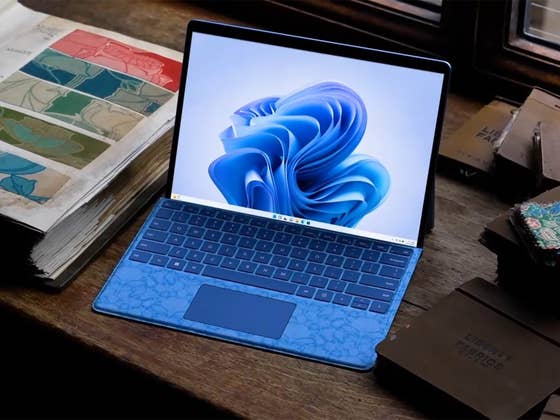
The announcement coincided with the introduction of the Surface Laptop 13-inch and Surface Pro 12-inch devices. Specifically, the agent in the settings will enable users to input detailed or related descriptions of the settings they wish to adjust, rather than endlessly navigate to menus and use the exact keywords of features or controls when accessing them.
Search for Setting Adjustments Using Descriptions
For instance, users can input queries and concerns into the settings search field as if chatting with an AI. Examples shown by Microsoft include “my mouse pointer is too small” and “control my PC with voice.” Once initiated, the agent will directly navigate the user to the most relevant settings section or action. Furthermore, if given permission, the agent will automatically adjust the necessary control.
This offers the significant advantage of easily obtaining direct solutions when troubleshooting for a specific Windows setting adjustment or feature. More importantly, users with basic technical knowledge would not need to spend extra time searching online, copying, and applying fixes separately.
Empfohlener redaktioneller Inhalt
Dieser externe Inhalt von YouTube wurde von der nextpit Redaktion ausgewählt und ergänzt den Artikel. Du hast die Wahl, ob du diesen Inhalt laden möchtest.
Externen Inhalt erlauben
Ich bin damit einverstanden, dass externer Inhalt geladen wird. Personenbezogene Daten werden womöglich an Drittplattformen übermittelt. Nähere Informationen enthält die Datenschutzerklärung.
Microsoft has stated that this feature will first arrive on Snapdragon-powered Copilot+ PCs, while Intel and AMD-powered devices will receive it “soon.”
Click to Do Gets More AI Features
Enhancements are also coming to Click to Do for Copilot through new AI-powered actions. The most notable is a new action to create bulleted lists when highlighting or selecting lengthy text using Click to Do. This option will appear below the Summarize button and will function with most Windows apps and services, including Edge.
Additionally, Click to Do will gain more capabilities, such as initiating chats and scheduling meetings in Microsoft Teams. It will also support Reading Coach and Immersive Reader integrations.
Next is the new “Ask Copilot” feature added to Click to Do, which allows users to jump directly to the Copilot chatbot with the highlighted text automatically copied as the query. Users can then perform further queries and commands, similar to a normal chat with the AI, or initiate actions within Microsoft 365, such as drafting content. This streamlines the workflow by eliminating the need to manually copy and paste text and images to Copilot.
Empfohlener redaktioneller Inhalt
Dieser externe Inhalt von YouTube wurde von der nextpit Redaktion ausgewählt und ergänzt den Artikel. Du hast die Wahl, ob du diesen Inhalt laden möchtest.
Externen Inhalt erlauben
Ich bin damit einverstanden, dass externer Inhalt geladen wird. Personenbezogene Daten werden womöglich an Drittplattformen übermittelt. Nähere Informationen enthält die Datenschutzerklärung.
Microsoft is also introducing more AI features to Paint, including Relight and specific object selection for editing. Copilot+ PCs will also get a sticker generator using simple prompts. Meanwhile, the Snipping Tool gains a new AI-powered “Perfect screenshot” feature, which automatically crops selected images.
Microsoft has added that numerous Windows Insider features are set to arrive for the public in the “coming months.” This will include phone companion integration in the Start menu, AI actions in File Explorer, and Copilot Vision.
Which of these new Windows AI features are you most looking forward to trying? Do you think these features further position Windows ahead of macOS? We’d like to hear your opinion in the comments.
We mark partner links with this symbol. If you click on one of these links or buttons–or make a purchase through them–we may receive a small commission from the retailer. This doesn’t affect the price you pay, but it helps us keep nextpit free for everyone. Thanks for your support!