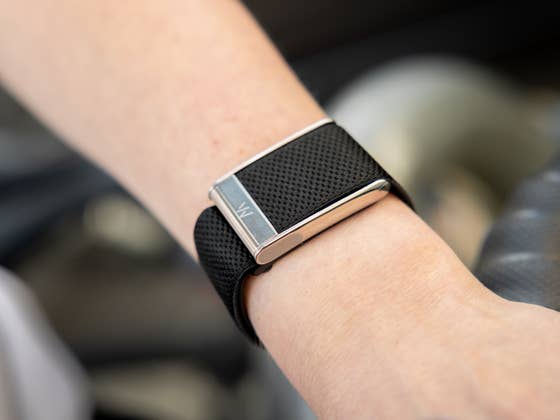
Whoop makes some of the best fitness trackers, catering to everyone from casual users to professional athletes. However, their subscription model is exorbitant, costing over $360 annually depending on the plan. Now, savvy users have found a clever way to reduce these costs: buy an older Whoop device.
While every new Whoop purchase includes a year of subscription, you must renew the service when it expires to continue using the device. This is a major point of friction for many, given that the plans don’t come cheap; the most basic tier costs $150, while a fully unlocked “Peak” plan for the Whoop 5.0 goes for $360.
- Also read: Whoop MG review
Upgrade to Whoop 5.0 for Less
As discovered by several users and shared on Reddit (via Lifehacker), there is now a more affordable method, which is dubbed the “Whoophole,” to extend a subscription and even snag an upgrade to the Whoop 5.0.
One poster shared that they tested a rumor about buying old stock of the Whoop 4.0 and activating the bundled one-year subscription on their current account. The user purchased the hardware for just $39 from T.J. Maxx, even buying four separate units to maximize the savings.
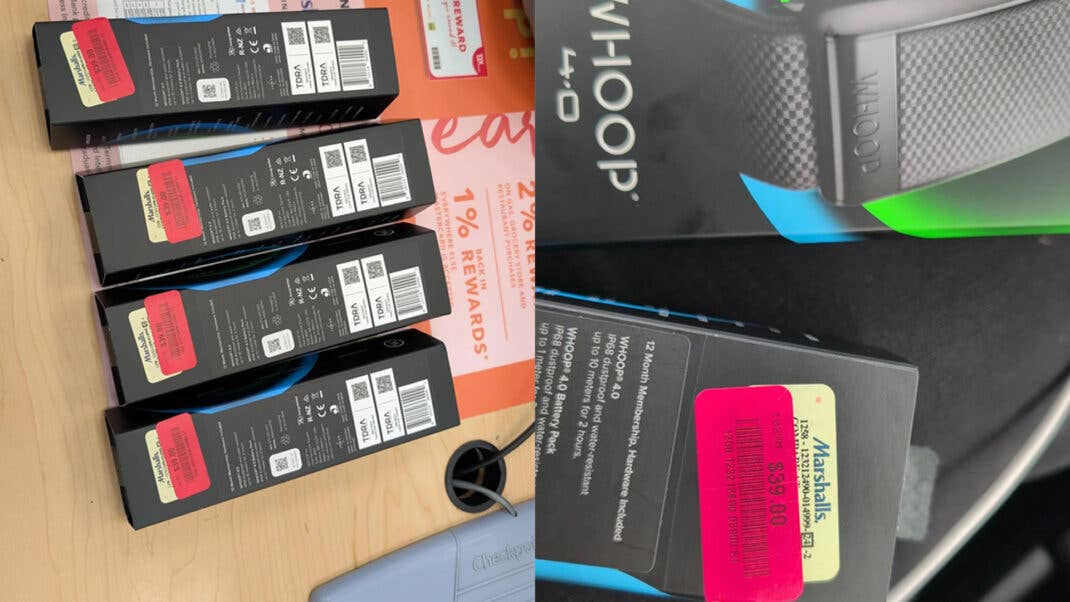
According to the user, the hack worked perfectly. The subscription service included with the hardware was stacked for several years on their existing account. Even better, the poster noted that his wife’s current Whoop 4.0 plan was offered an upgrade to the Whoop 5.0 after applying the same extension hack, effectively moving the plan from a basic tier to the Peak tier.
This opportunity doesn’t seem to be limited to T.J. Maxx stores. Other users in the thread mentioned they were able to acquire discounted Whoop 4.0 units through price matching in other countries, and the method worked exactly the same.
How to Pair the New Subscription with an Existing Account
What makes this trick so valuable is that you can stack the subscription on an old account without having to create a new one. As suggested by one tester, you can access the menu in the top-right corner of the app and select “Pair device.” If you encounter any issues, un-syncing and re-pairing the device usually fixes the problem.
Of course, there is one major caveat: this only works with new, unopened Whoop 4.0 hardware that includes an unused subscription plan. It will not work with open or used devices.
It is also unknown how long Whoop will keep this loophole open. Nonetheless, it is currently one of the most effective ways for loyal users to stay locked into the ecosystem without breaking the bank.
What are your greatest gripes when using Whoop? Share your thoughts with us in the comments.
We mark partner links with this symbol. If you click on one of these links or buttons–or make a purchase through them–we may receive a small commission from the retailer. This doesn’t affect the price you pay, but it helps us keep nextpit free for everyone. Thanks for your support! Prices are based on the date of publication of this article and may be subject to change.